
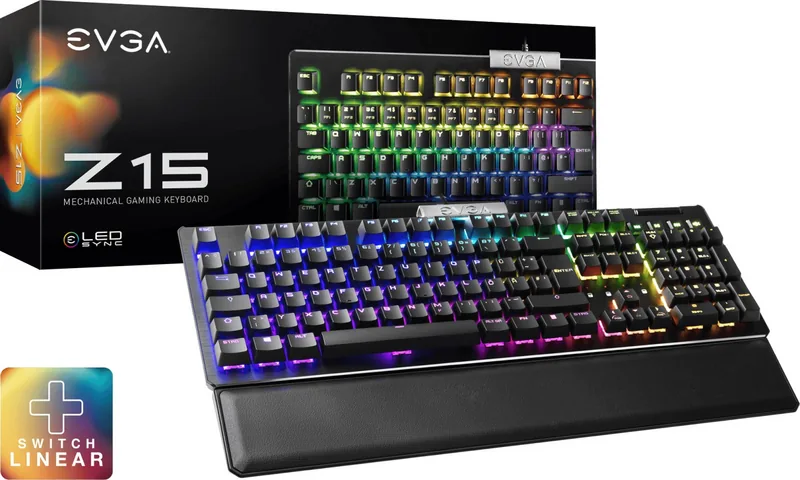
EVGA Z15 Manual
PDF manual · 10 Pages
English



Quick check
Incorrect answer, please try again.
Chat with your EVGA Z15 manual using AI
Get instant AI answers from your EVGA Z15 manual
Ask anything about the EVGA Z15. Answers come from this manual, with the pages they are based on.
Ask a Question
Do you recommend Z15?
Yes No
VoluptatumUt27
5 months ago
Does the German layout work correctly with the EVGA Unleash software, or are there known bugs?
Frequently Asked Questions
The EVGA Z15 uses Kailh SPEED Silver switches. These switches are designed for speed and offer a linear feel with a short actuation distance, making them ideal for gaming.
Is this answer helpful?
No, the palm rest is magnetic and removable. It can be easily attached or detached depending on your comfort preferences or workspace needs.
Is this answer helpful?
Yes, the Z15 features RGB LEDs that can be customized using the EVGA Unleash RGB software. Users can adjust colors, brightness, and lighting patterns.
Is this answer helpful?
You can activate Game Mode by pressing the designated function key combination. This disables the Windows key to prevent accidental interruptions during gameplay.
Is this answer helpful?
Yes, you can replace keycaps using the provided removal tool. However, note that the underlying switches are soldered and require specific tools if you wish to change them.
Is this answer helpful?
While the hardware connects via USB, some software features like RGB customization and specific key mappings are optimized for Windows. Basic typing functions will work on Mac.
Is this answer helpful?
The EVGA Z15 uses a standard USB connection. You must plug the included USB cable into your computer to power the keyboard and enable functionality.
Is this answer helpful?
Advantages and Disadvantages
Advantages

- Kailh SPEED Silver switches provide fast actuation and excellent tactile feedback
- Magnetic removable palm rest offers superior ergonomic comfort
- Dedicated volume scroll wheel and multimedia keys enhance convenience
- Customizable RGB lighting allows for extensive personalization
- Game Mode prevents accidental Windows key presses during play
Disadvantages

- Requires software installation for full RGB and profile customization
- No built-in macro storage independent of the software
- Cable is not detachable, limiting portability options
- Keycaps may require separate replacement tools for switching
- Limited availability of alternative switch types for this model
Product Specification
Layout
DE
Type
mechanical
Switch Name
Kailh SPEED Silver
Lighting
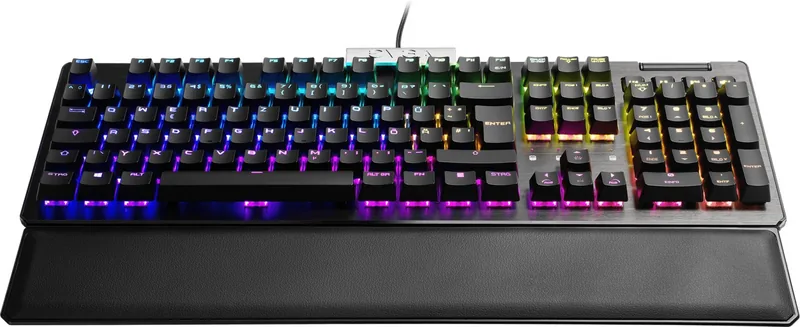
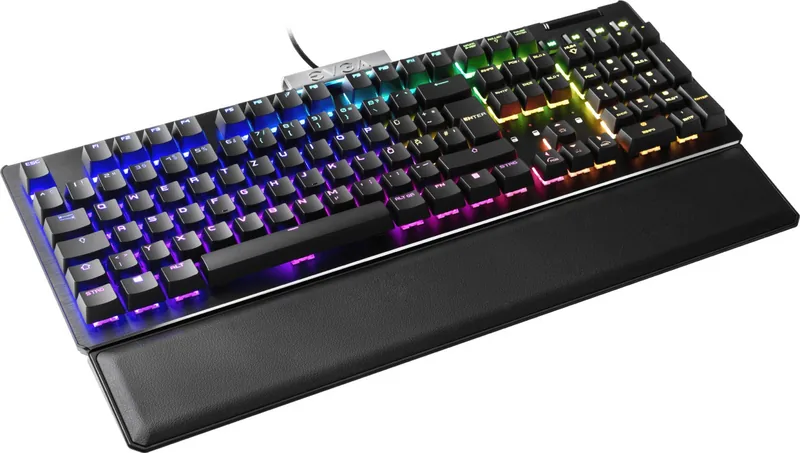
RGB, each key individually
Keycap Level
raised, frameless
Keycap Format
standard
Keycap Dome
concave
Numpad
Standard
Cursor Block
Standard
Control Keys
Standard
Enter Key
Standard
Delete Key
Standard
Status Indicator
Caps Lock (Lock Key), Num (Num Lock Key), Scroll (Scroll Lock Key), Game Mode
Wrist Rest
modular (magnetic)
Case
Plastic
Case Color
solid black
Keycap Finish
solid black
Key Label
solid white (translucent)
Connection
wired (6.56ft), USB-A 2.0
Power Supply
USB
Dimensions (WxDxH)
17.52x1.49x5.94in
Weight
2.20lbs
Features
4 multimedia keys, 1 volume knob (scroll wheel, top right), Anti-Ghosting (N-Key Rollover), swappable switch (Hot-Swap), FN key, proximity sensor (ToF)
Switch Manufacturer
Kailh
Switch Model
SPEED Silver
Switch Characteristic
linear
Contact Feedback
none
Damping
none
Actuation Force
50.00cN ~ 50.99gf
Travel Distance
0.14in
Pre-travel Distance
0.04in
Lifespan
70 million
Product Description
Discover the EVGA Z15 Black Gaming Keyboard
The EVGA Z15 black gaming keyboard is a sleek and functional peripheral designed for gamers who demand precision and style. This device features a modern aesthetic with customizable RGB LEDs that allow users to personalize their setup with vibrant lighting effects. The keyboard utilizes Kailh SPEED Silver switches, which are renowned for their rapid actuation and tactile feedback, ensuring quick response times during intense gaming sessions.
One of the standout features of the Z15 is its magnetic palm rest. This removable component provides ergonomic support, reducing wrist strain during long periods of use. The keyboard also includes a dedicated volume scroll wheel and multimedia keys for convenient control of audio levels without interrupting gameplay. For those who prefer tactile clarity, the unit comes equipped with clear LED indicators for NUM Lock, CAPS Lock, SCROLL Lock, and a specific Game Mode indicator.
Setting up the EVGA Z15 is straightforward. Users simply connect the USB cable to their PC and install the EVGA Unleash RGB software to unlock full customization capabilities. The keyboard supports multiple profiles, allowing gamers to switch between different settings instantly. Additionally, it offers N-Key Roll Over functionality, ensuring that every key press is registered accurately even when multiple keys are pressed simultaneously. The Game Mode feature disables the Windows key to prevent accidental interruptions, making it an ideal choice for competitive gaming.
Important Notes
- The keyboard requires the installation of EVGA Unleash RGB software for advanced lighting control.
- The magnetic palm rest can be easily attached or removed based on user preference.
- Compliance with FCC and CE standards ensures safe operation in residential environments.
Search for 67,706 Manuals online


Type-in Brand or Model
Gerson Wuckert
4 months ago
Is this keyboard suitable for both gaming and office work, or is it too sensitive for typing?
Manual.ly
4 months ago
The EVGA Z15 features fast Silver switches with a short actuation point, making it excellent for gaming where speed is key. However, many users find the high sensitivity challenging for long typing sessions or office work. While some appreciate the responsiveness, others report accidental key presses and prefer to use dedicated keyboards for daily tasks. It is highly recommended for gamers but may require an adjustment period for general typing.