
EVGA XR1 Lite Manual
PDF manual · 10 Pages
English



Quick check
Incorrect answer, please try again.
Chat with your EVGA XR1 Lite manual using AI
Get instant AI answers from your EVGA XR1 Lite manual
Ask anything about the EVGA XR1 Lite. Answers come from this manual, with the pages they are based on.
Ask a Question
Do you recommend XR1 Lite?
Yes NoFrequently Asked Questions
The device supports input and pass-through resolutions up to 2160p at 60fps, allowing for high-quality 4K capture and streaming experiences.
Is this answer helpful?
Yes, it is fully compatible with OBS. You can add it as a source after installing the software, and an auto-configuration wizard will assist with initial setup.
Is this answer helpful?
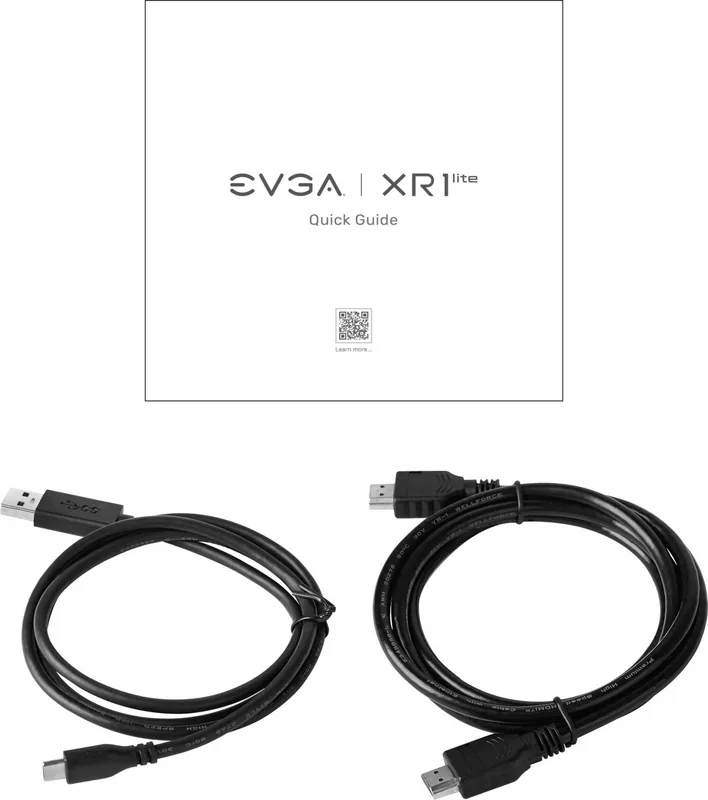
The package includes an HDMI 2.0 cable and a USB 3.0 Type-C to Type-A cable to facilitate easy connections between your console, PC, and display.
Is this answer helpful?
The LED indicator will flash red during the update process and turn solid blue upon successful completion. A red light indicates a failure.
Is this answer helpful?
Absolutely. The layout allows you to connect game consoles via HDMI In and Out, enabling pass-through to your TV while capturing footage on your PC.
Is this answer helpful?
While the hardware has the capability, HDCP protection from the source device may block the signal. Check specific console settings for pass-through compatibility.
Is this answer helpful?
Advantages and Disadvantages
Advantages

- Supports up to 4K resolution at 60fps for ultra-high definition capture
- Compact and lightweight design perfect for portable streaming setups
- Includes HDMI 2.0 and USB 3.0 cables for immediate plug-and-play use
- Seamless integration with OBS software via automatic configuration wizard
Disadvantages

- Requires USB 3.0 port for full functionality which may limit older systems
- May encounter issues with HDCP protected content on certain sources
- LED indicators can be confusing regarding specific error codes without manual
- Limited to RAW encoding which requires more processing power for compression
Product Specification
Resolution
3840x2160 (60fps/Pass-Through), 1920x1080p (60fps/Recording)
Inputs
HDMI 2.0
Outputs
HDMI 2.0
Interface
USB-C 3.0
Dimensions
3.94x2.87x0.61in
Weight
2.65oz
Features
Standalone device, RGB lighting
Manufacturer warranty
two years
Product Description
EVGA XR1 Lite Capture Device: Stream in Stunning Quality
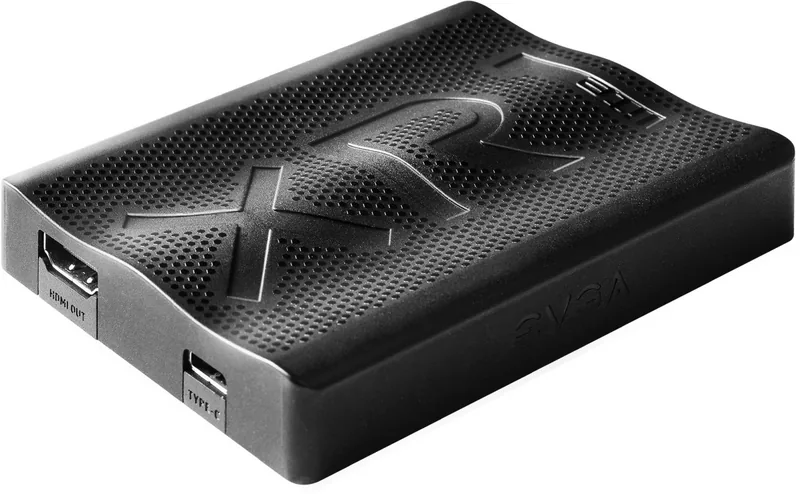
The EVGA XR1 Lite Capture Device stands out as a versatile solution for gamers and content creators seeking high-quality video capture without the bulk of traditional setups. Designed with precision, this compact unit supports up to 4K resolution at 60 frames per second, ensuring that every moment of your gameplay or stream is captured with crystal clarity. Whether you are setting up a desktop rig, connecting a laptop, or integrating with game consoles, the XR1 Lite adapts seamlessly to your workflow.
Included in the box are essential accessories like an HDMI 2.0 cable and a USB 3.0 Type-C to Type-A cable, making it ready to use right out of the package. The device features pass-through capabilities, allowing you to connect your console or camera directly to your display while simultaneously sending the signal to your PC for recording or streaming. This dual functionality eliminates latency issues often associated with capture cards, providing a smooth viewing experience.
For those utilizing Open Broadcaster Software (OBS), the EVGA XR1 Lite offers straightforward integration. Upon installation, the auto-configuration wizard helps optimize settings for your specific system, though manual adjustments remain available for advanced users. Simply add the device as a source within OBS, and you are ready to broadcast or record. The LED indicators provide clear status updates on power, connection modes, and firmware states, ensuring you always know the operational status of your hardware.
Key Features and Benefits
The lightweight design weighing only 75 grams makes it incredibly portable. Its small footprint of 100mm x 73mm x 15.6mm fits easily into any setup without cluttering your desk. The support for various input resolutions including 480p up to 2160p ensures compatibility with older and newer devices alike. RAW encoding format provides flexibility for post-production editing, giving creators full control over their final output.
Important Notes
Always ensure your USB port supports USB 3.0 mode for optimal performance. If using HDCP protected content, be aware that some signals may not pass through depending on the source restrictions. Regularly check for firmware updates via the flashing red LED indicator to maintain peak efficiency.
Search for 67,706 Manuals online


Type-in Brand or Model