
EVGA SuperNOVA XC Gold Series Manual
PDF manual · 66 Pages
English



Quick check
Incorrect answer, please try again.
Chat with your EVGA SuperNOVA XC Gold Series manual using AI
Get instant AI answers from your EVGA SuperNOVA XC Gold Series manual
Ask anything about the EVGA SuperNOVA XC Gold Series. Answers come from this manual, with the pages they are based on.
Ask a Question
Do you recommend SuperNOVA XC Gold Series?
Yes NoFrequently Asked Questions
Yes, four mounting screws are included. The power supply has extra holes for optimal compatibility with varied case designs, but only four screws are needed for installation.
Is this answer helpful?
Most motherboards require only one 4-pin or 8-pin EPS connection. The second cable is optional for extreme overclocking or dual CPU configurations.
Is this answer helpful?
The ECO mode allows the fan to shut off during low to moderate loads. It resumes operation automatically based on power draw to reduce noise and extend fan life.
Is this answer helpful?
EVGA always recommends direct power connections for optimal distribution. Adapters should only be used if no other option exists for specific components.
Is this answer helpful?
It is designed for PCIe 5.0 graphics cards requiring up to 600W. Older cards may need adapters, but direct connection is preferred for new hardware.
Is this answer helpful?
Avoid bending the cable within 35mm of the connector to prevent damage. Ensure the plug is fully seated to avoid electrical issues or failures.
Is this answer helpful?
Advantages and Disadvantages
Advantages

- ATX 3.0 and PCIe 5.0 compliance support for latest hardware
- Native 12VHPWR cable handles up to 600W output
- 100% Japanese capacitors rated for 105 degrees Celsius reliability
- 3-year warranty includes comprehensive customer support
- ECO mode reduces noise by stopping fan at low loads
Disadvantages

- Higher price point compared to standard power supply units
- Strict cable management rules required for optimal safety
- Risk of connector damage if 12VHPWR cable is bent too sharply
- Only two EPS cables included for specific motherboard needs
- Compact dimensions may limit airflow in very small cases
Product Specification
Fan
5.31 inches, semi-passive
Cable Management
Fully Modular
Manufacturer Certificates
80 PLUS Gold (Manufacturer Rated, 115V)
80 PLUS Certificates
80 PLUS Gold (115V, per 80 PLUS Certificate)
Dimensions (W x H x D)
5.91 x 3.39 x 5.91 inches
Manufacturer Warranty
3 Years (INFO)
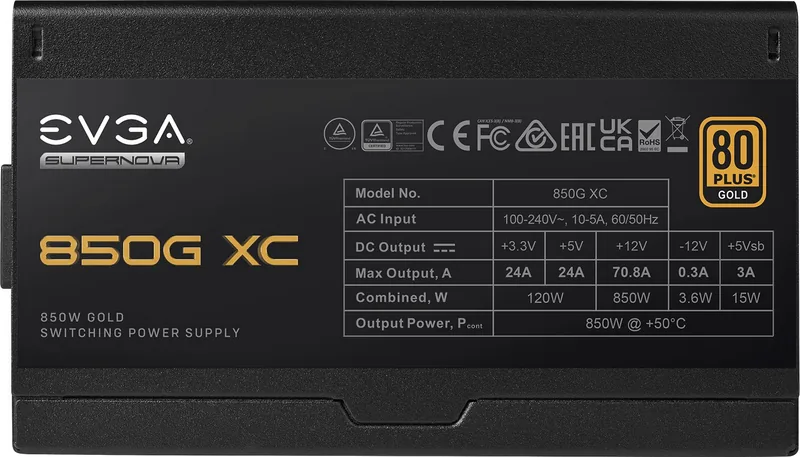
+3.3V
24A
+5V
24A
-12V
0.3A
+5V SB
3A
Number of 12V Rails
1
PFC
active
Form Factor
ATX PSU
Specification
ATX 3.0
Features
ErP Lot 6, Switchable Semi-Passive Mode
Color
black
Product Description
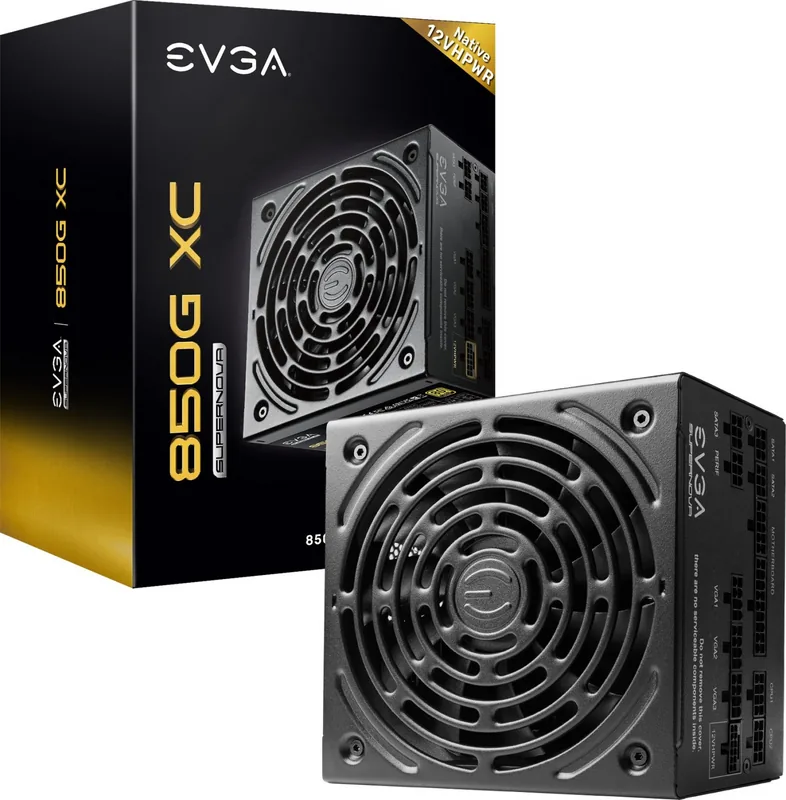
EVGA SuperNOVA XC Gold Series ATX 3.0 Overview
Powering Modern Gaming Systems
The EVGA SuperNOVA XC Gold Series ATX 3.0 Manual serves as a comprehensive guide for enthusiasts upgrading their hardware. This power supply is the first in the line to support ATX 3.0 and PCIe 5.0 standards. Featuring a half-bridge LLC resonant controller and DC-DC converter, it delivers extremely stable voltage with low ripple. The unit utilizes 100% Japanese capacitors rated at 105 degrees Celsius, ensuring long-term reliability under heavy loads. It holds an 80 Plus Gold rating for efficiency, reaching up to 92 percent at 230 volts.
Next Generation Connectivity
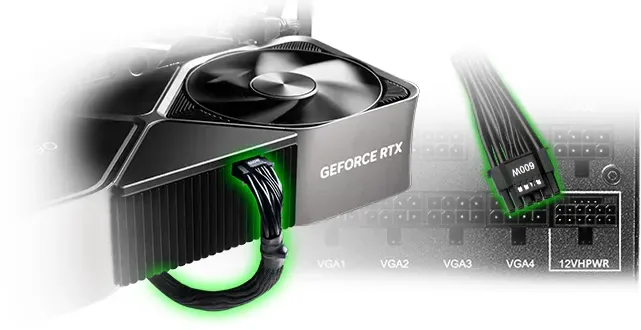
A critical feature is the native 12VHPWR cable. This cable can deliver up to 600W output to your graphics card. It also supports significant power excursions of 200 percent total and 300 percent GPU power for new PCIe 5.0 video cards. An ultra-quiet PWM fan controlled by EVGA ECO Mode operates silently at medium-low loads. This thermal control system improves fan lifespan and reduces noise without sacrificing cooling when needed.
Comprehensive Protection
Safety is prioritized with full-suite protections. These include Over Voltage, Under Voltage, Over Power, Short Circuit, Over Current, and Over Temperature protections. The product is covered by an exceptional 3-year warranty backed by legendary customer support. The modular design helps reduce case clutter and improves overall airflow. This flexibility allows users to disconnect unused cables from the power supply side. Dimensions remain compact at 86mm height by 150mm width and length.
Installation and Care
Proper installation requires attention to detail. The power supply should ideally be installed with the fan facing down for best airflow. If the case placement does not allow this, face it up for efficiency. Connect the 24-pin ATX cable and 8-pin EPS cables first. When connecting the 12VHPWR, ensure it is fully plugged in and avoid bending the cable within 35mm of the connector. Do not use adapters for graphics cards if direct power is available. Use only included cables or EVGA approved cables to prevent catastrophic failure. Ensure all connections are solid before turning on the AC power cord.
Power Specifications and Support
Users can choose between 850W or 1000W configurations. The AC input ranges from 100-240 volts at 50-60Hz. Both models include a PSU tester tool for optional bench testing without opening the computer case. This allows safe monitoring of power states. For further questions, support is available via email or phone channels in the United States and Europe. Always refer to specific guides for your model configuration to ensure optimal setup and safety in your system.
Search for 67,706 Manuals online


Type-in Brand or Model