
EVGA BQ Series Manual
PDF manual · 20 Pages
English



Quick check
Incorrect answer, please try again.
Chat with your EVGA BQ Series manual using AI
Get instant AI answers from your EVGA BQ Series manual
Ask anything about the EVGA BQ Series. Answers come from this manual, with the pages they are based on.
Ask a Question
Do you recommend BQ Series?
Yes NoFrequently Asked Questions
The primary difference lies in the wattage output and warranty duration. The 500BQ offers 500 watts of power with a 3-year warranty, while the 700BQ provides 700 watts of power and is covered by a 5-year warranty. Both share similar efficiency ratings and protection features.
Is this answer helpful?
No, it is strongly recommended to use only the cables included with the unit or those purchased directly from EVGA.com that are specifically labeled for your PSU. Using incorrect cables can lead to catastrophic failure and voids the warranty.
Is this answer helpful?
It is generally recommended to install the unit with the fan facing down towards the bottom of the case for better intake. However, if your case lacks ventilation holes at the bottom, you should install it with the fan facing up to ensure proper airflow and efficiency.
Is this answer helpful?
Yes, the series provides ultra-stable voltage and extremely clean power output, which helps achieve high levels of overclocking. Its stable performance ensures reliable power delivery to all components even under demanding conditions.
Is this answer helpful?
Nothing is missing. The power supply has extra holes to ensure optimal compatibility with various case designs. You only need to attach the unit using the four screws provided in the packaging.
Is this answer helpful?
Yes, all EVGA products are backed by top-tier warranties and 24/7 technical support. You can reach support via phone or email through the contact details provided on the official EVGA website for both US and European regions.
Is this answer helpful?
Advantages and Disadvantages
Advantages

- Fully modular design allows for custom cable management and better airflow.
- 80 PLUS BRONZE certified for high energy efficiency up to 88%.
- Comprehensive protection suite including OVP, UVP, OPP, SCP, and OCP.
- Ultra-silent 120mm fan ensures quiet operation under load.
- Industry-leading warranty coverage with up to 5 years on the 700BQ model.
Disadvantages

- Limited color options for cables compared to premium white or gold series.
- Non-full modular design means some cables like ATX and CPU are hardwired.
- Only supports standard ATX 2.3 form factor which may not fit small cases.
- Does not include RGB lighting or aesthetic customization features.
- Requires careful handling of cables to avoid pin damage during connection.
Product Specification
Cable Management
Partially Modular
+5V
20A
-12V
0.3A
Number of 12V Rails
1
PFC
Active
Form Factor
ATX PS/2
Specification
ATX 2.3
Features
ErP Lot 6
Color
Black
Product Description
Elevate Your System with the EVGA BQ Series
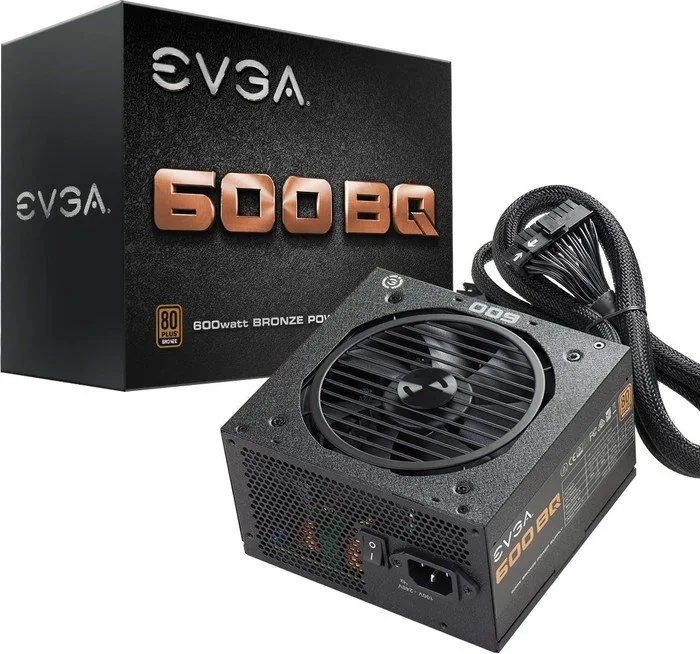
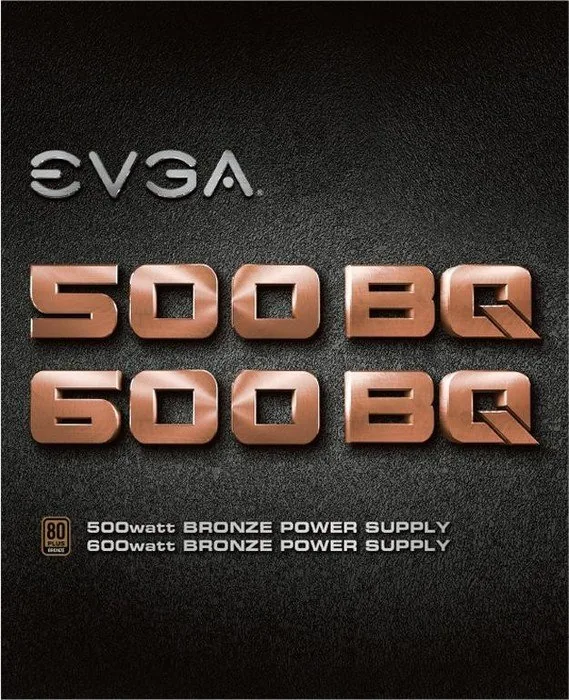
The EVGA BQ ATX 2.3 power supply series represents a significant leap in value and performance for gamers and system builders alike. Available in 500W, 600W, and 700W configurations, these units are designed to deliver stable, clean power while maintaining an ultra-quiet operation. The inclusion of the 80 PLUS BRONZE certification ensures that users benefit from high efficiency ratings, reaching up to 85% at 115VAC and 88% at 220VAC~240VAC. This efficiency not only reduces electricity costs but also minimizes heat generation during heavy workloads.
One of the standout features of the EVGA BQ series is its fully modular design. This allows users to disconnect cables that are not needed for their specific build, resulting in a cleaner interior, improved airflow, and easier cable management. Whether you are building a compact rig or a sprawling gaming machine, the ability to customize your cable configuration makes installation smoother and more aesthetically pleasing. The unit comes equipped with an ultra-silent 120mm fan that effectively dissipates heat without introducing disruptive noise into your workspace.
Safety and reliability are paramount in the design of these power supplies. The EVGA BQ series includes a comprehensive suite of protection mechanisms such as Over Voltage Protection (OVP), Under Voltage Protection (UVP), Over Power Protection (OPP), Short Circuit Protection (SCP), and Over Current Protection (OCP). These safeguards ensure that your expensive components remain protected against electrical anomalies. The 500BQ and 600BQ models come with a 3-year warranty, while the robust 700BQ model is backed by an impressive 5-year warranty, reflecting EVGA's confidence in their product durability.
Installation is straightforward thanks to clear guidelines included with the unit. It is recommended to install the power supply with the fan facing down for optimal cooling, unless your case design requires the fan to face upward due to ventilation constraints. Connecting the necessary cables, including the 20+4-Pin ATX, 4+4-Pin EPS, and various PCI-E and SATA connectors, is simplified by the modular layout. Always use the provided cables or those specifically labeled for your PSU to avoid catastrophic failure.
Notes:
- Ensure all connections are secure before powering on the system.
- Do not attempt to force an 8-pin PCI-E connector into a 6-pin slot without removing the extra pins.
- Contact EVGA support for any technical assistance regarding warranty or compatibility.
Search for 67,706 Manuals online


Type-in Brand or Model