
EVGA B5 Series Manual
PDF manual · 10 Pages
English



Quick check
Incorrect answer, please try again.
Chat with your EVGA B5 Series manual using AI
Get instant AI answers from your EVGA B5 Series manual
Ask anything about the EVGA B5 Series. Answers come from this manual, with the pages they are based on.
Ask a Question
Do you recommend B5 Series?
Yes NoFrequently Asked Questions
The product comes with a five-year limited warranty. This coverage protects against defects and ensures you have support for a long time.
Is this answer helpful?
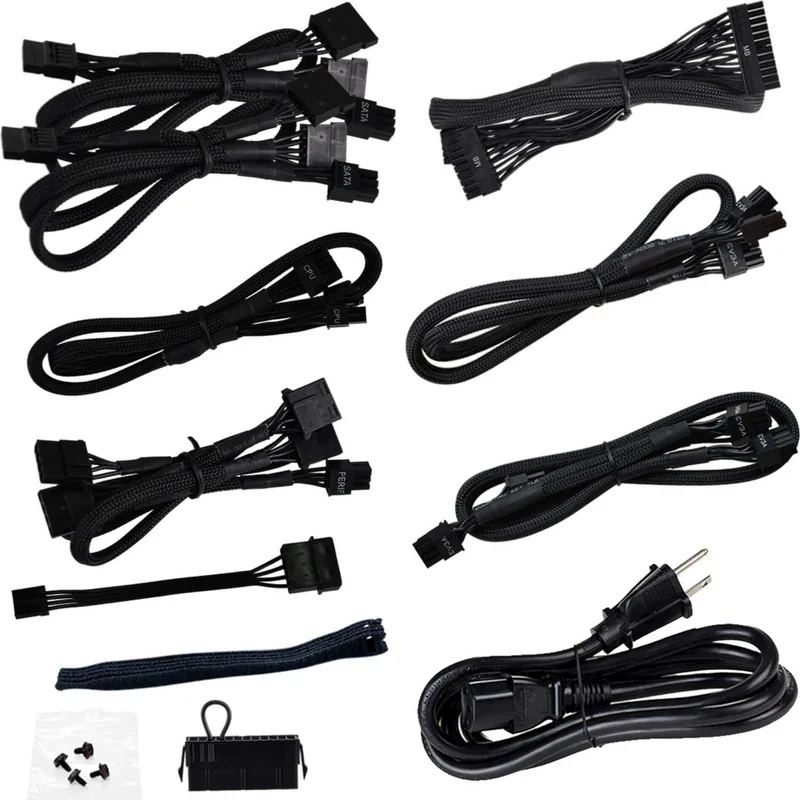
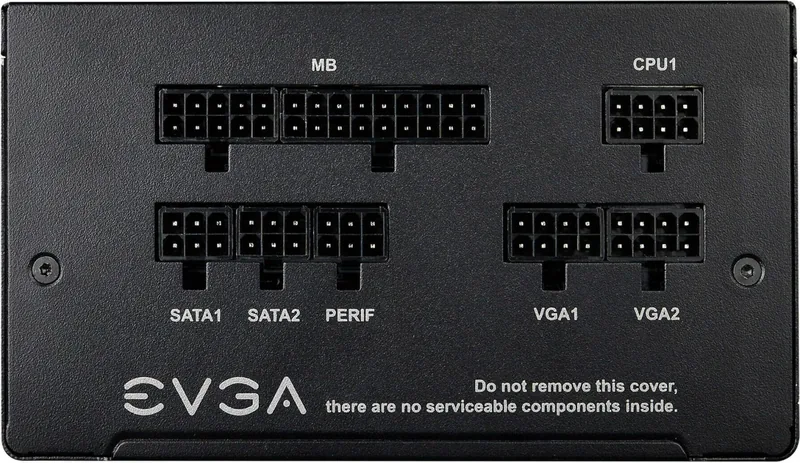
Yes, the design features a fully modular cable configuration which allows users to connect only what they need and reduces clutter.
Is this answer helpful?
It is 80 PLUS Bronze certified, achieving up to 88 percent efficiency depending on the input voltage used.
Is this answer helpful?
No. You must use only officially supported cables included with the unit or listed alternatives to avoid damage and voiding the warranty.
Is this answer helpful?
When EVGA ECO mode is active, the fan will stop spinning during very low to medium loads to reduce noise.
Is this answer helpful?
The unit supports a wide range from 100 to 240 volts AC for global compatibility.
Is this answer helpful?
Yes, higher watt models use 100 percent Japanese capacitors, while others use a Japanese main capacitor for reliability.
Is this answer helpful?
Advantages and Disadvantages
Advantages

- 80 PLUS Bronze certification ensures high energy efficiency up to 88 percent.
- Full modular cable design simplifies installation and improves airflow inside the case.
- Comprehensive protection suite safeguards your system from electrical damage
- Five-year warranty demonstrates manufacturer confidence in long-term reliability
- Eco mode stops the fan completely during low load periods for silence
Disadvantages

- Bronze efficiency is lower compared to Gold or Platinum certified units
- Fan may become audible under maximum load conditions compared to top tiers
- Only black cable colors are available, fitting a specific aesthetic style
Product Specification
Fan
5.31in, semi-passive
Cable Management
fully modular
Average Efficiency
89% (per manufacturer)
Certificates per Manufacturer
80 PLUS Bronze (per manufacturer, 115V)
Dimensions (WxHxD)
5.91x3.39x5.91in
Manufacturer Warranty
5 Years (INFO)
+3.3V
24A
+5V
24A
-12V
0.5A
+5Vsb
3A
Number of 12V Rails
1
PFC
active
Form Factor
ATX PS/2
Specification
ATX 2.52
Features
ErP Lot 6, supports Haswell C6/C7 Low-Power States
Color
Black
Product Description
EVGA B5 Series Analysis
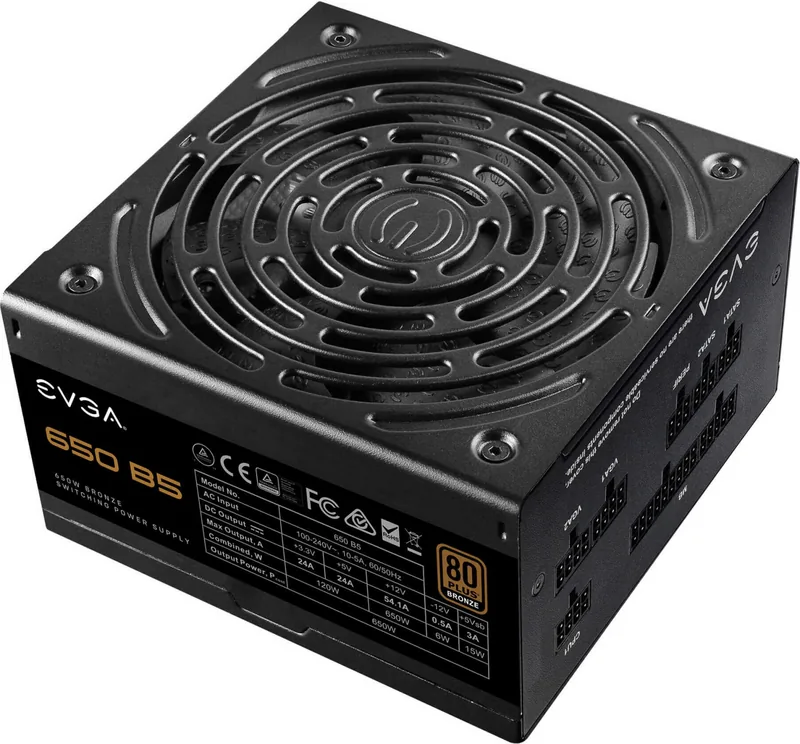
The EVGA B5 series represents a solid choice for system builders seeking reliable power delivery without breaking the bank. Known for their exceptional stability and clean power output, these units ensure your components run safely. When you are looking for guidance on setup, referencing the EVGA B5 ATX 2.52 Manual provides clarity on connection details that ensure longevity. Efficiency is a key highlight here, boasting 80 PLUS Bronze certification. This means power usage is optimized to reduce waste heat and lower electricity bills effectively. The internal architecture relies heavily on Japanese capacitors, which are famous for durability. Higher watt models feature 100 percent Japanese capacitors, while standard models utilize a Japanese main capacitor. This attention to component quality reduces stress on the power supply over time. The lineup includes 550W, 650W, 750W, and 850W models to suit different needs. Every wattage option offers the same core benefits regarding build quality and protection suites.
Noise and Protection Features
Managing airflow and noise is crucial for any build. This series includes a 135 mm fluid dynamic bearing fan designed for minimal noise. The EVGA ECO mode allows the fan to remain off during light loads, creating an almost silent experience. Protection mechanisms are comprehensive, covering over voltage, under voltage, short circuits, over power, over current, and over temperature. A five-year warranty backs the product, reflecting confidence in the engineering. Modular cable management simplifies the build process and improves airflow within the case. Connectors support various configurations including ATX, EPS, PCIe, and SATA. The compact chassis fits many standard cases easily.
Installation and Safety
Installation requires attention to detail. Ensure the fan faces downward if possible for better cooling intake, unless the case design dictates otherwise. Use only officially supported cables to maintain safety and warranty coverage. High efficiency ratings allow for overclocking potential while maintaining voltage stability. Whether you are building a gaming rig or a workstation, the balance of features makes this a strong contender in the Bronze tier market. Proper cable management prevents clutter and reduces strain on connectors. With multiple wattage options, users can scale power needs exactly to the system requirement. Overall performance remains consistent across the lineup. Trust and longevity are prioritized throughout the design process. Safety warnings emphasize that internal repairs are impossible and dangerous, voiding the warranty immediately. Adhering to installation guidelines ensures optimal thermal performance. The unit delivers stable voltages on +3.3V, +5V, and +12V rails, crucial for modern hardware compatibility.
Notes
These units require proper case airflow for best results.
Search for 67,706 Manuals online


Type-in Brand or Model