
eufy Smart Home Set Manual
PDF manual · 28 Pages
English



Quick check
Incorrect answer, please try again.
Chat with your eufy Smart Home Set manual using AI
Get instant AI answers from your eufy Smart Home Set manual
Ask anything about the eufy Smart Home Set. Answers come from this manual, with the pages they are based on.
Ask a Question
Do you recommend Smart Home Set?
Yes NoFrequently Asked Questions
The set typically includes a HomeBase hub, at least one eufyCam for video surveillance, entry sensors for doors, motion sensors for indoor detection, and a wireless keypad for easy system control.
Is this answer helpful?
Yes, the system offers Away, Home, Customize, and Disarm modes. In Customize mode, you can tailor exactly which sensors are active based on your specific routine and requirements.
Is this answer helpful?
Automation allows you to link triggers to actions. For example, if a motion sensor detects movement, you can set it to trigger the eufyCam to start recording video immediately without manual intervention.
Is this answer helpful?
Absolutely. You can set an alarm delay ranging from zero to 300 seconds. This gives you enough time to enter your home and disarm the system using the keypad before the siren activates.
Is this answer helpful?
No, the eufy Smart Home Set operates locally without mandatory monthly fees. All core monitoring, alerts, and automation features function fully without a cloud subscription plan.
Is this answer helpful?
Simply download the eufy Security app, create an account, and follow the on-screen instructions to pair new sensors or cameras with your HomeBase via the app interface.
Is this answer helpful?
Advantages and Disadvantages
Advantages

- Comprehensive 5-piece kit includes cameras, sensors, and keypad
- No monthly subscription fees required for core features
- Customizable security modes for different daily scenarios
- Smart automation links sensors to cameras for instant recording
- Easy setup via Ethernet or Wi-Fi connection to HomeBase
Disadvantages

- Requires a stable internet connection for remote access features
- Initial setup may take up to one minute per device
- Leaving and alarm delays must be manually configured for each mode
- Outdoor camera placement requires careful consideration of Wi-Fi range
- System relies on battery power for some sensors requiring periodic replacement
Product Specification
Type
Set
Standard
WLAN 802.11b/g/n
Function
Gateway, door/window sensor, alarm function
Topology
mesh
Features
app controlled
Other
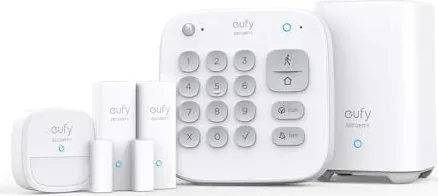
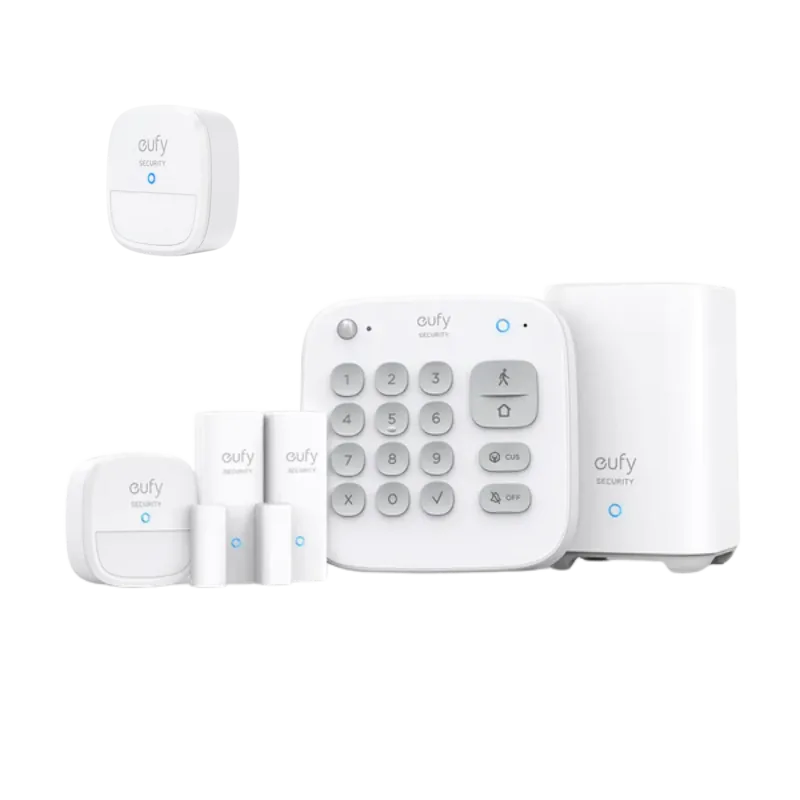
Set consisting of 1x Gateway, 1x Keypad, 1x motion detector, 2x door/window sensors
Product Description
Unlock Total Home Security with the eufy Smart Home Set 5-piece
Transform your living space into a fortress of safety with the eufy Smart Home Set 5-piece. This comprehensive security ecosystem is designed to provide peace of mind through intelligent monitoring and seamless automation. At the heart of this system lies the HomeBase, a central hub that connects all your devices, including eufyCam video cameras, entry sensors, motion detectors, and a convenient keypad. Once connected via the dedicated eufy Security app, the HomeBase continuously monitors every corner of your property for potential threats.
The true power of this set comes from its customizable security modes. You can switch between Away mode, which activates all sensors to guard your home when you are out, and Home mode, which disables interior sensors while keeping exterior ones active to alert you of outside activity without false alarms inside. For those with unique needs, a Customize mode allows for tailored configurations. If you need to troubleshoot or simply relax, the Disarm mode turns off all detection functions entirely.
Automation brings this system to life by allowing your devices to work together. Imagine setting your motion sensor as a trigger so that when it detects movement, your eufyCam automatically starts recording video. This level of integration ensures you never miss a moment. The system also features smart delay settings, giving you time to leave your house without triggering an alarm or time to enter and disarm the system before the siren sounds. With local storage capabilities and no monthly fees, the eufy Smart Home Set offers robust protection that respects your privacy and budget.
Search for 67,706 Manuals online


Type-in Brand or Model