
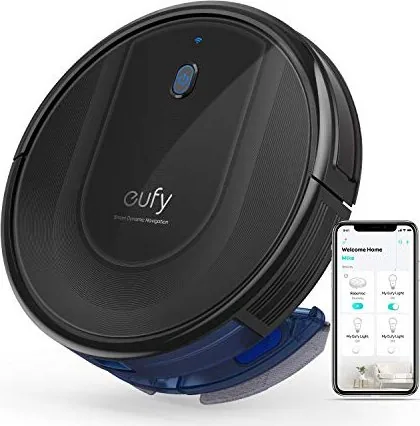
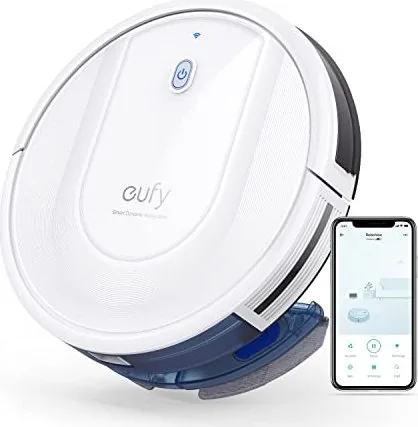
eufy RoboVac G10 Hybrid Manual
PDF manual · 24 Pages
English



Quick check
Incorrect answer, please try again.
Chat with your eufy RoboVac G10 Hybrid manual using AI
Get instant AI answers from your eufy RoboVac G10 Hybrid manual
Ask anything about the eufy RoboVac G10 Hybrid. Answers come from this manual, with the pages they are based on.
RoboVac G10 Hybrid Maintenance Schedule
Tap the filter to remove dust once a week (twice if you have pets). Do not wash with water unless specified; air dry if wet.
Check and clean the rubber strip on the bottom of the unit once a week.
Remove tangled hair and string from side brushes. Use a damp cloth for dust and reshape bristles if needed.
Dust off the drop sensors and other infrared sensors using a dry cloth or brush to ensure proper navigation.
Wipe the charging contact pins on the RoboVac and Charging Base with a dry cloth to ensure good connection.
Remove hair and debris entangled in the swivel wheel. Do not use water.
Replace the main filter element every 2 months or when it becomes visibly dirty/worn.
Replace side brushes every 3 to 6 months, or sooner if they become bent or damaged.
Replace the rubber strip every 6 months or when it shows visible wear.
Replace the filter elements in the mopping system every 6 months or when they turn yellow.
Empty the dust collector after every cleaning session to maintain suction power.
Rinse the mopping cloth and empty/clean the water tank after each mopping session. Air dry completely to prevent mildew.
Free maintenance reminders
Timed to your purchase date. Always free, unsubscribe anytime.
Ask a Question
Do you recommend RoboVac G10 Hybrid?
Yes NoFrequently Asked Questions
Standard suction mode provides approximately 80 minutes of cleaning on hard floors. Max suction mode on medium-pile carpets lasts around 40 minutes. When power is low, the robot automatically returns to the charging base to recharge.
Is this answer helpful?
No, the mopping mode is not recommended when there are carpets. It is intended for clean hard floors without stubborn stains. Use vacuum only mode if you have carpets or rugs in the cleaning area.
Is this answer helpful?
No, this device does not support the 5GHz frequency band. It requires a 2.4GHz wireless signal. If your router uses both bands, ensure you connect to the 2.4GHz network for setup.
Is this answer helpful?
The filter should be cleaned once every week, or twice weekly if you have pets. Ensure the filter is completely dry after washing before placing it back into the dust collector.
Is this answer helpful?
Yes, the system integrates with Amazon Alexa and the Google Assistant. You must link your EufyHome account to the respective smart home app first to enable voice control features.
Is this answer helpful?
Check for obstacles blocking the path or wheel. Clear any dust trapped in sensors or wheels. Move the device to a new clear position close to the original area to resume operation.
Is this answer helpful?
Yes, the water tank is removable. You must remove it for charging. Rinse it thoroughly with water after each use and allow it to air-dry completely to avoid mildew or odors.
Is this answer helpful?
Advantages and Disadvantages
Advantages

- Hybrid vacuum and mop function for comprehensive floor cleaning.
- Compatible with EufyHome app and voice assistants for remote control.
- Auto-return charging ensures the robot recharges before battery depletion.
- Multiple sensors prevent drops and avoid collisions effectively.
- Bow-shaped cleaning pattern covers floors systematically.
Disadvantages

- Does not support 5GHz Wi-Fi networks, only 2.4GHz.
- Battery life is significantly shorter when using Max suction mode.
- Water tank must be filled manually for mopping functionality.
- Mopping mode is not compatible with carpet surfaces.
- Sensors require regular cleaning to maintain navigation accuracy.
Product Specification
Cleaning Robot
Battery
1x Battery (14.4V, 2.6Ah, Li-Ion)
Dustbin Capacity
450ml Dust
Cleaning Modes
Vacuum, Vacuum & Mop
Navigation
Obstacle Sensor, Drop Sensor, Gyro Sensor, Obstacle Climbing (up to 0.63 inches), Stair Detection
Filtration
Washable Filter
Display
No
Features
1x Main Brush, 2x Side Brushes, Programmable Cleaning Schedules, Brushless Motor
Smart Home
App Control (EufyLife), Voice Assistant (Amazon Alexa, Google Assistant)
Battery Life
100min
Charging Time
6h
Charging System
Automatic
Noise Level
55dB(A)
Dimensions
12.80 x 2.83 inches (D x H)
Weight
5.95 lbs
Package Contents
Station, Cleaning Tool, Water Tank, Mop Module, 2x Mop Pads, Mop Mat, 4x Filters, 4x Side Brushes, 5x Cable Ties
Station
Station Color
Black
Station Display
No
Station Features
Automatic Charging Function
Product Description
Welcome to Your Smart Cleaning Companion
Welcome to the essential guide for your new home cleaning companion. The eufy RoboVac G10 Hybrid Vacuum/Mop Robot Manual provides detailed insights into operating this advanced smart device. This robot is designed to simplify your daily chores by combining powerful suction with effective mopping capabilities. Understanding how to use this tool ensures optimal performance and longevity for your investment. Proper preparation before the first use is necessary to avoid common issues later on.
Setting up the unit is straightforward with the included charging base and power adapter. You can place the base against a wall for easy navigation. The device features multiple sensors to prevent drops and detect obstructions. It navigates using a bow-shaped cleaning method that covers floors systematically. When the battery runs low, the robot automatically returns to the dock to recharge before resuming any unfinished tasks. The charging process takes approximately five to six hours from empty to fully charged. This ensures you have enough power for a full cleaning cycle on hard floors.
Connectivity is a major highlight of this system. You can control the vacuum via the EufyHome app on your smartphone. This allows you to schedule cleanings, select suction power levels, and receive status notifications. The app integrates with Amazon Alexa and Google Assistant for hands-free voice commands. You can simply speak to start or stop cleaning without reaching for your phone. This feature is particularly useful for busy households or when you have limited mobility. Ensure your Wi-Fi network supports 2.4GHz frequencies for stable connections. Voice alerts guide you through troubleshooting if an error occurs during operation.
Maintenance is key to keeping the device running smoothly. The dust collector and washable filter should be emptied after every use. Side brushes and rubber strips may need replacement every few months depending on usage. The water tank requires regular cleaning to prevent mildew and odors. Always ensure the mopping cloth is attached correctly before using the wet mode. Never operate the device on wet surfaces or carpets unless in vacuum only mode. Use physical barriers to block off stairs or balconies during operation. Check charging pins for dust regularly to ensure proper docking.
Safety instructions are vital for preventing accidents. Keep the area clear of cords and small objects before starting. Do not use the vacuum on unfinished floors or near stairs without barriers. The device is intended for indoor use only. Proper care instructions are included to help you avoid damage. Refer to the troubleshooting section if you encounter error codes or voice alerts. Following these guidelines ensures your robot maintains its efficiency and keeps your home clean with ease. Regular checks on sensors and wheels will prevent sticking issues. We recommend reading the full manual carefully to maximize the value of your purchase and ensure safe operation in your home environment for years to come. Adjusting settings based on floor type will yield the best results.
Search for 67,706 Manuals online


Type-in Brand or Model