
eufy eufyCam 2C Manual
PDF manual · 8 Pages
English



Quick check
Incorrect answer, please try again.
Chat with your eufy eufyCam 2C manual using AI
Get instant AI answers from your eufy eufyCam 2C manual
Ask anything about the eufy eufyCam 2C. Answers come from this manual, with the pages they are based on.
Ask a Question
Do you recommend eufyCam 2C?
Yes NoFrequently Asked Questions
A single HomeBase 2 unit can pair with and manage up to 16 eufyCam 2C cameras simultaneously. This allows users to secure multiple rooms or exterior points with a single hub.
Is this answer helpful?
No, the eufyCam 2C stores video footage locally on the HomeBase 2. There is no requirement for a cloud subscription plan to access recorded videos or basic features.
Is this answer helpful?
For optimal motion detection, the camera should be mounted 7 to 10 feet above the ground. Avoid placing it under direct sunlight to prevent overheating and sensor issues.
Is this answer helpful?
Yes, the eufyCam 2C is designed to function in temperatures as low as -20°C. However, charging should ideally occur in warmer environments between 5°C and 25°C.
Is this answer helpful?
Installation is straightforward. It involves connecting the base to the router, mounting the bracket, and securing the camera. The app provides a mounting guide to test signal strength beforehand.
Is this answer helpful?
Yes, the camera features a spotlight that activates upon motion detection to illuminate the area. Combined with HD sensors, it captures clear visuals even in low-light conditions.
Is this answer helpful?
Advantages and Disadvantages
Advantages

- Completely wire-free design eliminates complex installation and messy cabling for users.
- Local storage via HomeBase 2 ensures data privacy without requiring paid cloud subscriptions.
- Wide operating temperature range of -20°C to 50°C allows reliable performance in extreme weather.
- Supports up to 16 cameras per base, enabling scalable security coverage for large properties.
- Customizable motion detection zones reduce false alarms caused by non-threatening movement.
Disadvantages

- Requires a strong Wi-Fi signal which may necessitate moving the camera closer to the HomeBase if weak.
- Charging requires removing the camera from its mount, interrupting surveillance temporarily.
- Outdoor installation requires drilling holes and using anchors for hard surfaces like concrete or brick.
- User must strictly use the provided USB 2.0 or higher interface for power adapter connections.
- Initial setup requires downloading an app and creating an account before the system becomes active.
Product Specification
Swivel
No
Tilt
No
Protection Rating
IP67
Product Description
Discover the eufy eufyCam 2C Wireless Security Solution
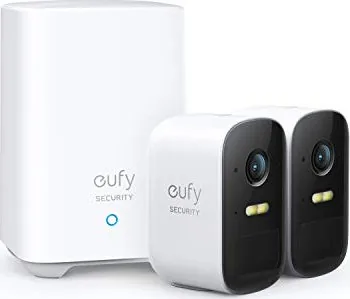
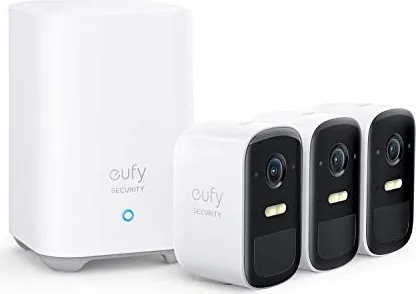
The eufy eufyCam 2C represents a significant leap in home security technology, offering a completely wire-free experience that prioritizes ease of installation and long-term reliability. Designed by Anker Innovations Limited, this HD security camera set eliminates the hassle of drilling holes for power cables or managing tangled wires around your property. The system relies on a central HomeBase 2 unit to store footage locally, ensuring your privacy remains intact without mandatory cloud subscriptions.
Setting up the eufy eufyCam 2C is an intuitive process that can be completed in minutes using the dedicated Eufy Security app available for both iOS and Android devices. Users simply connect the HomeBase 2 to their router via an Ethernet cable and follow the on-screen prompts to pair the cameras. The system supports up to 16 cameras per base, allowing homeowners to expand coverage across large properties with multiple entry points. A standout feature is the built-in motion detection zone, which allows users to customize sensitivity and avoid false alarms triggered by passing cars or swaying trees.
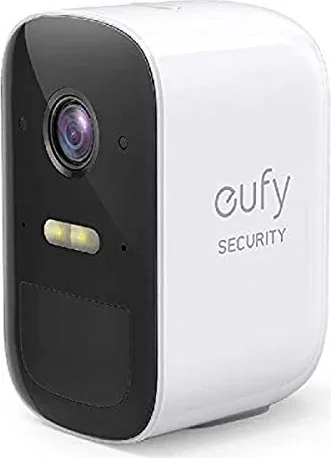
Durability is at the core of the eufyCam 2C design. Rated for outdoor use, the cameras operate effectively in temperatures ranging from -20°C to 50°C, making them suitable for harsh winters and scorching summers alike. The cameras feature a spotlight function that illuminates dark areas upon detecting motion, acting as a deterrent to potential intruders while capturing clear video evidence. Mounting is flexible, with options for indoor or outdoor placement at heights between 7 and 10 feet to maximize sensor range.
Important Usage Notes
- Always use the provided manufacturer charger to ensure safety and warranty validity.
- Maintain a 20cm distance between the device and human bodies during operation to comply with RF exposure standards.
- Use shielded cables for all connections to other computing devices to maintain FCC compliance.
- Charge the camera in a well-ventilated area with room temperature conditions for optimal battery life.
- Regularly check the wireless signal strength using the app before final mounting to ensure stable connectivity.
Search for 67,706 Manuals online


Type-in Brand or Model