
eufy eufyCam 2 Pro Manual
PDF manual · 10 Pages
English



Quick check
Incorrect answer, please try again.
Chat with your eufy eufyCam 2 Pro manual using AI
Get instant AI answers from your eufy eufyCam 2 Pro manual
Ask anything about the eufy eufyCam 2 Pro. Answers come from this manual, with the pages they are based on.
Ask a Question
Do you recommend eufyCam 2 Pro?
Yes NoFrequently Asked Questions
Power on the HomeBase and use the provided Ethernet cable to connect it to your router. Wait for the LED indicator to turn white, which signifies it is ready for setup.
Is this answer helpful?
For optimal motion detection, hang the eufyCam 7 to 10 feet (2 to 3 meters) above the ground. Avoid placing it under direct sunlight.
Is this answer helpful?
Using the HomeBase, charging takes approximately four hours. Charging via a universal 5V USB charger may take longer.
Is this answer helpful?
Yes, you can stick the camera directly to any flat iron surface. Alternatively, use the indoor mount hook which may require drilling into drywall.
Is this answer helpful?
Use the Mounting Guide function in the app to test the signal. If it is poor, move the camera closer to the HomeBase before final installation.
Is this answer helpful?
Yes, the product comes with a 12-month limited warranty covering defects in materials and workmanship under normal use.
Is this answer helpful?
Advantages and Disadvantages
Advantages

- No monthly subscription fees required for cloud storage or basic features
- Wire-free design allows for flexible indoor and outdoor installation
- Fast charging capability completes in under four hours
- Intelligent mounting guide helps optimize signal strength before permanent install
Disadvantages

- Requires a power outlet near the HomeBase for initial setup and charging
- Outdoor mounting requires drilling holes and using anchors for hard surfaces
- Charging takes longer if using a universal USB charger instead of the HomeBase
- Must maintain a 20cm distance from humans to comply with RF exposure rules
Product Specification
Viewing Angle
140°
Swivel
N/A
Tilt
N/A
Ingress Protection
IP67
Product Description
Secure Your Home with eufy eufyCam 2 Pro
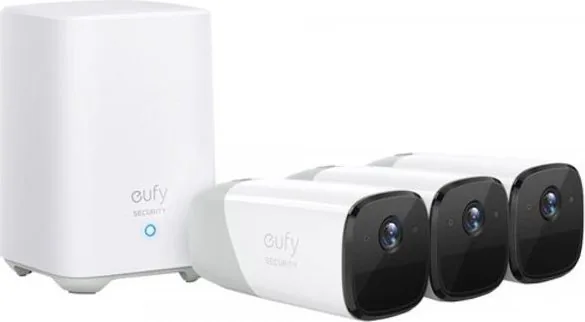
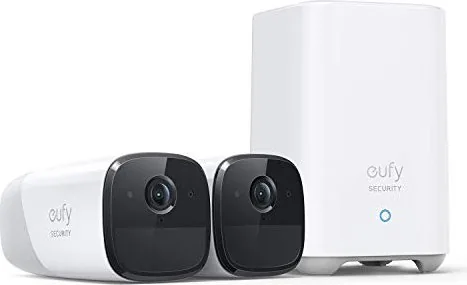
The eufy eufyCam 2 Pro represents a significant leap in wireless home security, offering users a powerful solution that requires no monthly fees. This comprehensive system centers around the HomeBase and the sleek, wire-free eufyCam cameras. The setup process is designed for simplicity, starting with connecting the HomeBase to your internet via an Ethernet cable. Once the LED indicator turns white, the system is ready for pairing through the dedicated eufy Security app available on both iOS and Android platforms.
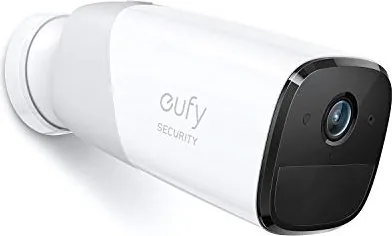
One of the standout features of this camera system is its intelligent mounting guide. Users can test wireless signal strength directly within the app before permanently installing the device. For outdoor installations, the cameras should be mounted between 7 to 10 feet above the ground to maximize motion detection range while avoiding direct sunlight. The robust outdoor mount allows for secure attachment to various surfaces like brick or concrete using provided anchors. Indoor mounting offers flexibility as well, allowing the camera to stick directly to iron surfaces or hang from hooks on drywall.
Power management is straightforward with the included micro-USB charging cable. Cameras can be fast-charged by connecting them to the HomeBase, taking approximately four hours to reach full capacity. The LED indicator provides clear status updates, turning solid red during charging and extinguishing when complete. Safety guidelines emphasize maintaining a 20cm distance from human bodies to comply with RF exposure limits and storing devices within specific temperature ranges to ensure longevity.
Key Notes
- Always use the manufacturer-provided charger to avoid voiding warranties.
- Keep cameras at least 30cm away from internal hard drives to prevent interference.
- Dispose of batteries according to local regulations to protect the environment.
Search for 67,706 Manuals online


Type-in Brand or Model