
eufy Clean X9 Pro Manual
PDF manual · 65 Pages
English



Quick check
Incorrect answer, please try again.
Chat with your eufy Clean X9 Pro manual using AI
Get instant AI answers from your eufy Clean X9 Pro manual
Ask anything about the eufy Clean X9 Pro. Answers come from this manual, with the pages they are based on.
Clean X9 Pro Maintenance Schedule
Empty the dust box and tap filters to remove dust. Rinse with water and air-dry completely before reuse.
Remove hair or debris wrapped around the side brush. Use a damp cloth to remove dust or reshape bristles.
Unlock the brush guard, lift out the rolling brush, and clean it with a cleaning tool. Reinstall securely.
Dust off sensors and charging contact pins using a dry cloth or soft brush to maintain performance.
Pull out the swivel wheel and remove tangled hair or debris. Do not use water. Push back until it clicks.
Replace the side brush every 3 months or when visibly worn.
Replace the mopping pads every 3 to 6 months.
Replace the high-performance filter and pre-filter every 3 to 6 months.
Replace the brush guard every 6 months or when visibly worn.
Replace the rolling brush every 6 months.
To preserve battery lifespan, recharge the RoboVac at least once every 6 months if it is not in regular use.
Remove and clean the dirty water tank after cleaning to prevent mildew or unpleasant smells.
Free maintenance reminders
Timed to your purchase date. Always free, unsubscribe anytime.
Ask a Question
Do you recommend Clean X9 Pro?
Yes NoFrequently Asked Questions
Yes, the station automatically cleans and dries the mopping pads when the robot returns to it after a cleaning session.
Is this answer helpful?
Yes, you can enable the eufy Clean Skill in the Amazon Alexa app to control the device with voice commands.
Is this answer helpful?
Avoid vacuuming high-pile rugs or rugs thicker than twenty-six millimeters as they may cause the device to malfunction.
Is this answer helpful?
Rinse filters with water but do not use brushes or detergents. They must be air-dried completely before reinserting them.
Is this answer helpful?
Check for obstacles within 0.5 meters to the sides and 1.5 meters to the front. Clean the charging pins and infrared sensors.
Is this answer helpful?
The dust box holds 410ml and should be emptied once a week depending on usage habits for optimal performance.
Is this answer helpful?
No, the device only supports 2.4GHz wireless signals. You must enable the 2.4GHz band on your router to connect.
Is this answer helpful?
Advantages and Disadvantages
Advantages

- Auto-Clean Station automatically washes and dries mopping pads keeping hygiene high
- Laser and camera sensors provide precise mapping and navigation for rooms
- BoostIQ technology increases suction automatically on thicker carpets for better cleaning
- eufy Clean App allows scheduling and virtual no-go zones for smart integration
- Compatible with voice control using Amazon Alexa and Google Assistant devices
Disadvantages

- Device only supports 2.4GHz Wi-Fi and is not compatible with 5GHz bands
- Filters must be dried completely after washing or suction performance will drop
- High pile rugs thicker than twenty-six millimeters can cause device malfunction
- Side brushes require monthly cleaning to prevent hair tangling issues
- Mopping pads need replacement every few months to avoid mold or odors
Product Specification
Cleaning robot
Battery
1x Battery (14.4V, 5.2Ah, Li-Ion)
Color
black
Dust Capacity
13.86 fl oz Dust
Cleaning Modes
Vacuum & Mop
Navigation
Obstacle sensor, Laser sensor (mapping, room recognition), obstacle detection, obstacle clearance (up to 0.79 inches), carpet detection (mop lift function), Virtual Wall
Filtration
yes
Display
no
Features
1x Floor brush (rubber brush), 1x Side brush, 2x Mop pads (microfiber pads)
Smart Home
App control, Voice assistant (Amazon Alexa, Google Assistant)
Runtime
3h
Charging Time
4.5h
Charging System
automatic
Noise Level
65 dB(A)
Dimensions
13.90 x 4.53 inches (Dia x H)
Included Items
Station, 2x Mop pads, Side brush, Filter
Station
Station Color
black
Station Display
no
Station Features
automatic charging function, automatic refill function, automatic cleaning function, automatic drying function (with hot air)
Station Dimensions
16.61 x 16.38 x 17.44 inches (WxHxD)
Product Description
Discover Automatic Cleanliness with the eufy Clean X9 Pro
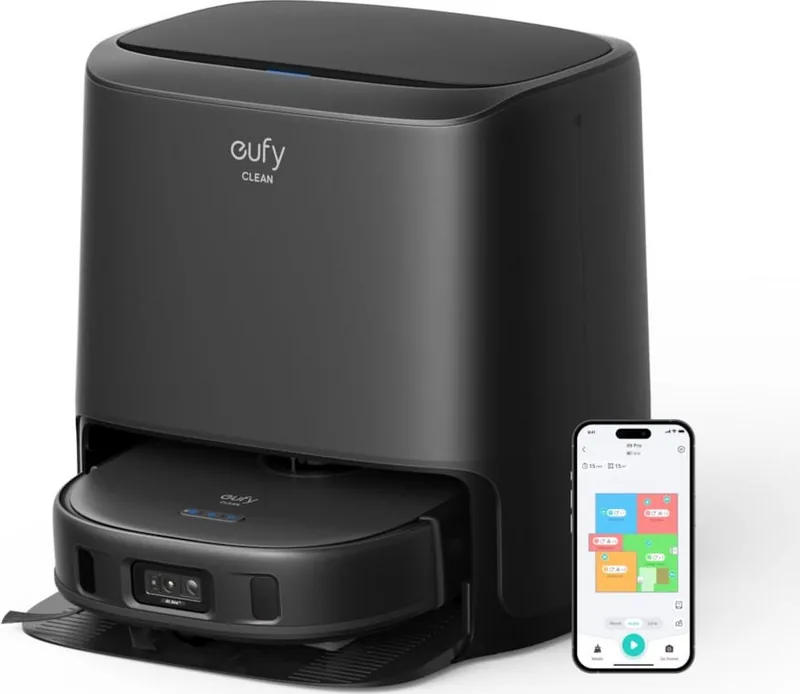
Keeping your home immaculate should never feel like a chore for busy families. The eufy Clean X9 Pro Robot Vacuum and Mop incl. Cleaning Station Black Manual simplifies this daily task for everyone in the household. This device merges vacuuming and mopping into one seamless process. It is designed to handle daily dust removal while also tackling sticky spills on hard surfaces efficiently.
Smart Technology at Your Fingertips
The device utilizes a laser distance sensor and camera for precise navigation throughout your rooms. It maps your home effectively to ensure every corner is reached systematically during cleaning cycles. You can control the device remotely through the eufy Clean App on your mobile phone. Scheduling cleanings for specific times of the day is possible from your smartphone interface. Additionally, you can set up virtual no-go zones to protect fragile areas or rooms with delicate furniture legs.
The Station Revolution
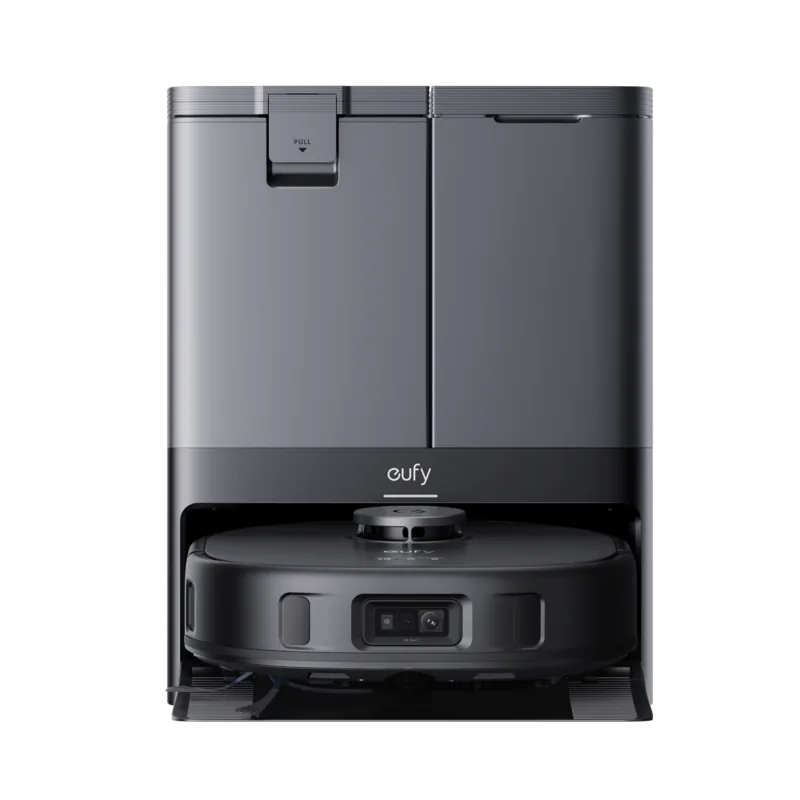
Unlike standard robots that just charge, this system features an Auto-Clean Station. This station automatically refills the clean water tank and cleans the mopping pads after each use. It dries the pads to prevent bacteria growth and unpleasant odors entirely. This feature ensures that the cleaning process remains hygienic without you having to touch dirty components constantly. It returns to the station when battery is low or cleaning is done automatically.
Powerful Suction and Versatility
Suction power can be adjusted to suit different floor types in your home easily. You may choose between Quiet, Standard, Turbo, and Max settings depending on your needs. The BoostIQ feature increases power on carpets automatically when it detects thicker debris. However, be aware that the device requires 2.4GHz Wi-Fi and does not support the faster 5GHz band. Ensure your router is configured correctly for the best connectivity experience.
Spot Cleaning and Mopping
For targeted messes, use the Spot Cleaning Mode which cleans a specific 4.9 foot square area intensively. You can choose three different water levels for mopping tasks via the convenient app interface. This flexibility handles both dust and liquid spills efficiently without manual intervention from you. Be mindful of high-pile rugs as they may cause malfunctions if thicker than twenty-six millimeters.
Safety and Maintenance
Battery life is robust, but recharge at least every six months for longevity of the lithium unit. Anti-drop sensors prevent falls down stairs effectively in most common household scenarios. Regular maintenance includes emptying the dust box weekly to prevent overflow issues. Filters must be dried completely before use to ensure optimal airflow for the motor. Mopping pads need replacement every few months to maintain hygiene standards. Side brushes trap hair and need monthly cleaning to prevent jamming issues. If the robot gets stuck, use the app to find the device location. Always check the manual for troubleshooting steps on error lights and warnings.
Conclusion on Home Care
Investing in this technology improves daily life significantly for modern homeowners everywhere. It takes the burden off your shoulders regarding routine floor care tasks. While you must follow specific guidelines to avoid rug damage or suction issues, the convenience outweighs the minor maintenance requirements. For detailed instructions regarding operation and specs, consult the eufy Clean X9 Pro Robot Vacuum and Mop incl. Cleaning Station Black Manual. This guide ensures you get the most from your purchase.
Search for 67,706 Manuals online


Type-in Brand or Model