
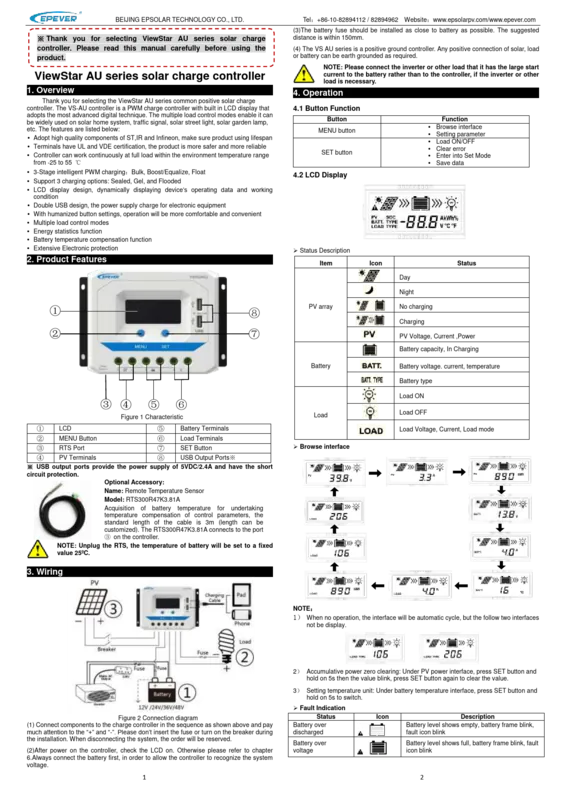
Epever ViewStar VS2024AU Manual
PDF manual · 2 Pages
English



Quick check
Incorrect answer, please try again.
Chat with your Epever ViewStar VS2024AU manual using AI
Get instant AI answers from your Epever ViewStar VS2024AU manual
Ask anything about the Epever ViewStar VS2024AU. Answers come from this manual, with the pages they are based on.
Ask a Question
Do you recommend ViewStar VS2024AU?
Yes NoFrequently Asked Questions
The VS2024AU has a rated charge and discharge current of 20 Amperes at 55 degrees Celsius, making it suitable for medium-sized solar arrays.
Is this answer helpful?
Yes, the controller supports Sealed, Gel, and Flooded battery types with adjustable voltage parameters accessible via the menu settings.
Is this answer helpful?
The unit adjusts charging voltages based on temperature readings, either from internal sensing or an optional external RTS sensor, to protect battery life.
Is this answer helpful?
The controller will immediately cut off the output and enter a protection mode, requiring a restart or a night cycle to reset after the fault clears.
Is this answer helpful?
No, the VS2024AU is designed specifically for 12V and 24V auto-detecting systems, not 48V configurations.
Is this answer helpful?
Access the load mode setting interface, hold the SET button until numbers flash, then use the MENU button to select desired hours and confirm with SET.
Is this answer helpful?
The maximum PV open circuit voltage for the VS2024AU is 96V DC, ensuring safe operation with higher voltage panel strings.
Is this answer helpful?
Advantages and Disadvantages
Advantages

- Advanced digital PWM technology ensures highly efficient power management
- Clear LCD display provides real-time monitoring of all system parameters
- Comprehensive protection suite guards against reverse polarity and shorts
- Dual USB ports offer convenient charging for mobile devices
- Wide operating temperature range supports use in extreme climates
Disadvantages

- Requires strict wiring sequence during initial system setup
- Lacks built-in wireless connectivity for remote system monitoring
- Fixed positive ground design restricts compatibility with negative ground systems
- Maximum input voltage is lower than what MPPT controllers support
- External temperature sensor must be purchased separately for best results
Product Specification
Note
Prices include 0% VAT rates for AT and DE in some cases
Type
Charge Controller
Product Description
Discover the Epever VS2024AU Solar Charge Controller
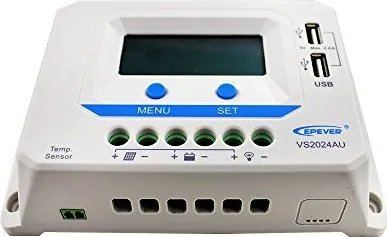
The Epever VS2024AU stands as a robust solution for modern solar energy systems, designed to maximize efficiency and reliability. This ViewStar AU series controller utilizes advanced PWM technology to manage power flow between solar panels and batteries effectively. Whether you are powering a remote home, a traffic signal, or a garden lighting system, this device offers versatile performance tailored to diverse applications.
Equipped with a clear LCD display, users can monitor real-time data including voltage, current, and battery status instantly. The interface is intuitive, allowing for easy navigation through settings using dedicated buttons. The controller supports three distinct charging stages: bulk, boost, and float, ensuring optimal battery health across sealed, gel, and flooded battery types. Its intelligent design includes temperature compensation, which adjusts charging parameters based on ambient conditions to prevent damage from extreme heat or cold.
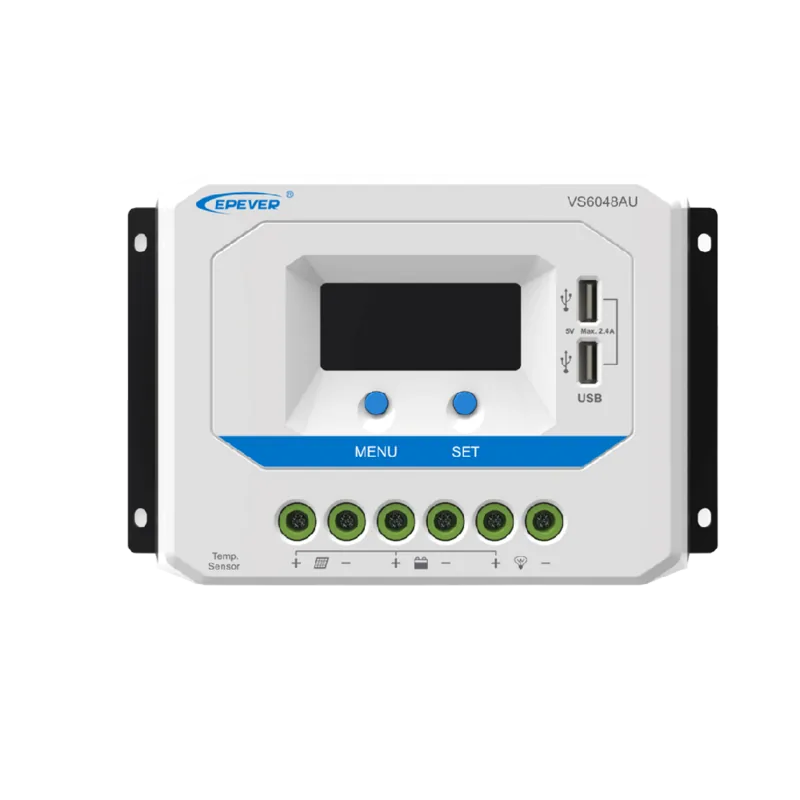
Safety is paramount in the VS2024AU design. It features extensive electronic protections against reverse polarity, over-voltage, and short circuits. The double USB ports provide convenient 5VDC power for small electronics, adding extra utility to your solar setup. Built with high-quality components from reputable manufacturers like ST and Infineon, the unit ensures a long operational lifespan even under continuous full load within temperatures ranging from -25 to 55 degrees Celsius.
Installation is straightforward thanks to its positive ground configuration and clearly labeled terminals. The manual guide emphasizes connecting the battery first to allow the controller to recognize system voltage automatically. With multiple load control modes such as timer-based operation and light sensor activation, managing when your loads turn on becomes effortless. The energy statistics function helps track power usage over time, aiding in system optimization.
This controller represents a perfect balance of functionality, durability, and user-friendly design for anyone looking to harness solar energy efficiently.
Important Notes
- Always connect the battery before the PV array to ensure proper voltage recognition.
- Use fuses close to the battery source for maximum safety.
- The RTS port requires an optional remote temperature sensor for accurate compensation.
- Large loads should be connected directly to the battery rather than the controller output.
Pros and Cons
Pros
- Advanced digital PWM technology for efficient charging
- Clear LCD display with dynamic operating data
- Extensive protection features including overload and short circuit defense
- Dual USB ports for auxiliary power needs
- Wide operating temperature range supporting harsh environments
Cons
- Requires specific wiring sequence during installation
- No built-in Wi-Fi connectivity for remote monitoring
- Fixed positive ground configuration limits some setups
- Max PV voltage limited compared to MPPT models
- Temperature sensor sold separately for full functionality
Frequently Asked Questions
What is the rated charge current for the VS2024AU?
The VS2024AU has a rated charge and discharge current of 20 Amperes at 55 degrees Celsius, making it suitable for medium-sized solar arrays.
Can I use different battery types with this controller?
Yes, the controller supports Sealed, Gel, and Flooded battery types with adjustable voltage parameters accessible via the menu settings.
How does the temperature compensation work?
The unit adjusts charging voltages based on temperature readings, either from internal sensing or an optional external RTS sensor, to protect battery life.
What happens if there is a short circuit?
The controller will immediately cut off the output and enter a protection mode, requiring a restart or a night cycle to reset after the fault clears.
Is the VS2024AU compatible with 48V systems?
No, the VS2024AU is designed specifically for 12V and 24V auto-detecting systems, not 48V configurations.
How do I set up the load timer modes?
Access the load mode setting interface, hold the SET button until numbers flash, then use the MENU button to select desired hours and confirm with SET.
What is the maximum PV open circuit voltage allowed?
The maximum PV open circuit voltage for the VS2024AU is 96V DC, ensuring safe operation with higher voltage panel strings.
Search for 67,706 Manuals online


Type-in Brand or Model