
Enermax StarryKnight SK30 Manual
PDF manual · 2 Pages
English



Quick check
Incorrect answer, please try again.
Chat with your Enermax StarryKnight SK30 manual using AI
Get instant AI answers from your Enermax StarryKnight SK30 manual
Ask anything about the Enermax StarryKnight SK30. Answers come from this manual, with the pages they are based on.
Ask a Question
Do you recommend StarryKnight SK30?
Yes NoFrequently Asked Questions
The Enermax StarryKnight SK30 supports ATX, Micro-ATX, and Mini-ITX motherboards, providing flexible mounting points and standoffs for standard form factors.
Is this answer helpful?
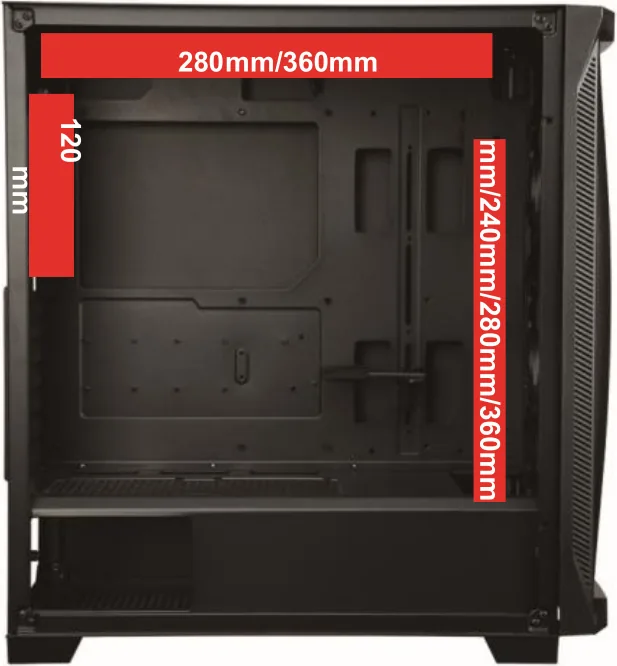
Radiator support includes front and top mounts for 360/280/240mm radiators and a rear 120mm mount. Compatibility may depend on installed drives or fan configurations, so verify clearance before final installation.
Is this answer helpful?
The front I/O provides two USB 3.2 Gen1 (USB 3.0) ports, one USB 2.0 port, and HD audio jacks for headphones and microphone.
Is this answer helpful?
The case supports GPUs up to approximately 405mm in length, though this can be affected by HDD cage placement and other internal components; removing drive cages can increase usable GPU clearance.
Is this answer helpful?
Yes, the SK30 typically ships with preinstalled SquA RGB fans and an ARGB hub for lighting control. Be mindful of the hub’s rated current when adding additional ARGB devices to avoid overcurrent.
Is this answer helpful?
Follow the step-by-step installation guidance included with the case for panel removal, motherboard and PSU installation, drive mounting, fan/radiator placement, and front-panel cable connections. Consult your motherboard manual for header pinouts.
Is this answer helpful?
If connectors differ, compare the case panel connector labels and your motherboard manual to match pins correctly. When in doubt, consult the motherboard documentation or Enermax support for assistance.
Is this answer helpful?
Advantages and Disadvantages
Advantages

- Tempered glass side panel showcases components and ARGB lighting.
- Supports ATX, Micro-ATX, Mini-ITX with ample radiator mounting (front/top/rear).
- Preinstalled SquA RGB fans and ARGB hub for synchronized lighting.
- Generous GPU clearance up to 405mm with flexible HDD cage options.
- Front I/O includes two USB 3.2 Gen1 ports, one USB 2.0, and HD audio.
Disadvantages

- ARGB hub has a maximum current limit—adding many fans may exceed it.
- Some front-panel connectors may not match all motherboards; manual checks required.
- Drive cage(s) may need removal to fit larger coolers or long GPUs.
- Mid-tower size may limit extreme multi-GPU or oversized PSU layouts.
- Specifications subject to change; regional options may vary.
Product Specification
External
N/A
Internal
2x 2.5"/3.5" (transverse, drive rails), 2x 2.5"
Ports
2x USB-A 3.0 (5Gb/s), 1x USB-A 2.0 (480Mb/s), 1x 3.5mm jack (Line-Out), 1x 3.5mm jack (Line-In)
PCI-Slots
9 (2x Riser Card)
Fans (front)
3x 5.51 in (RGB illuminated) or 3x 4.72 in (optional)
Fans (rear)
1x 4.72 in (RGB illuminated)
Fans (left)
N/A
Fans (right)
N/A
Fans (top)
2x 5.51 in (optional) or 3x 4.72 in (optional)
Fans (bottom)
N/A
Fans (other)
2x 4.72 in (optional)
Radiator sizes
4.72/5.51/9.45/11.02/14.17 in front, 4.72/5.51/9.45/11.02/14.17 in top, 4.72 in rear
Motherboard
up to ATX (E-ATX with unknown dimensions possible)
Supported Motherboards
Mini-ITX (6.7"x6.7")/uATX (9.6"x9.6")/ATX (12"x9.6")/E-ATX (unknown dimensions)
PSU
ATX (max. 7.87 in deep, 6.30 in with HDD cage)
PSU position
bottom
CPU cooler
max. 6.69 in height
Graphics cards
max. 15.94 in
Color
black, interior black
Lighting
RGB-Header 3-Pin ARGB (+5V/DATA/GND), integrated LED controller, illuminated fans
Dimensions (WxHxD)
8.66x19.13x18.31 in
Volume
13.14 gal
Weight
16.53 lb
Case type
Midi-Tower
Front
closed, glass, side ventilation slots
Top
partially closed, mostly fan grill, external dust filter
Bottom
partially closed, rear fan grill, external dust filter
Left
closed, glass, front ventilation slots
Right
closed, front ventilation slots
Rear
partially closed, top right fan grill, PCI-Slots (7x horizontal, 2x vertical)
Front I/O Position
Case side: Front, Height: middle, Position: right
Special features
integrated fan control, cable management, dust filter, graphics card vertically mountable, graphics card holder, glass viewing window
Note on E-ATX
Motherboard and case manufacturers designate different dimensions as E-ATX. This manufacturer provides no information on supported E-ATX dimensions. Motherboards with E-ATX/SSI EEB dimensions of 12.01x12.99 in or 12"x13" may not be supported.
USB notation
Link
Product Description
Enermax StarryKnight SK30 Glasfenster Manual — Overview and Features
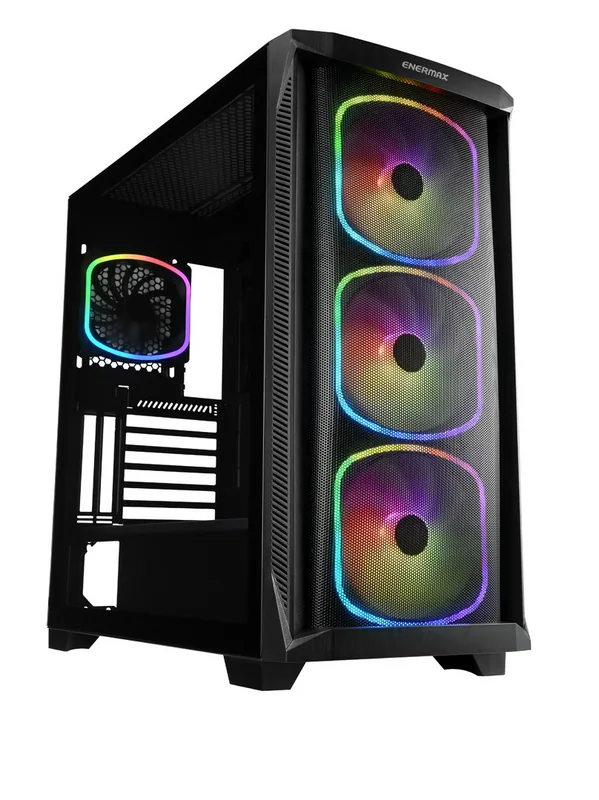
The Enermax StarryKnight SK30 Glasfenster is a mid-tower PC case that blends tempered glass aesthetics with practical airflow and modular expandability. Designed for builders who want a visually striking system without sacrificing functionality, the SK30 supports ATX, Micro-ATX, and Mini-ITX motherboards and offers flexible cooling and drive options. The case measures D465 x W220 x H486 mm and includes preinstalled RGB fans (SquA RGB), a removable PSU tunnel, and multiple radiator mounting points for custom liquid-cooling setups.
Design and Build
The SK30 features a tempered glass side panel that showcases internal components and ARGB lighting. The front and top support up to 360/280/240mm radiators, and the rear accepts a 120mm radiator. With room for up to three 140mm or 120mm fans at the front and additional fans across top and rear mounts, it balances style with thermal performance. Cable routing channels, an ARGB hub, and convenient front I/O (two USB 3.2 Gen1, one USB 2.0, HD audio) make assembly and maintenance straightforward.
Compatibility and Storage
Clearance specs include a GPU length support up to 405mm (with caveats for certain drive configurations), CPU cooler height limits varying with HDD cage placement, and PSU compatibility through a dedicated tunnel. Drive bays accommodate multiple 3.5" and 2.5" drives; some 3.5" bays can be converted to expand storage or improve airflow.
Cooling and Lighting
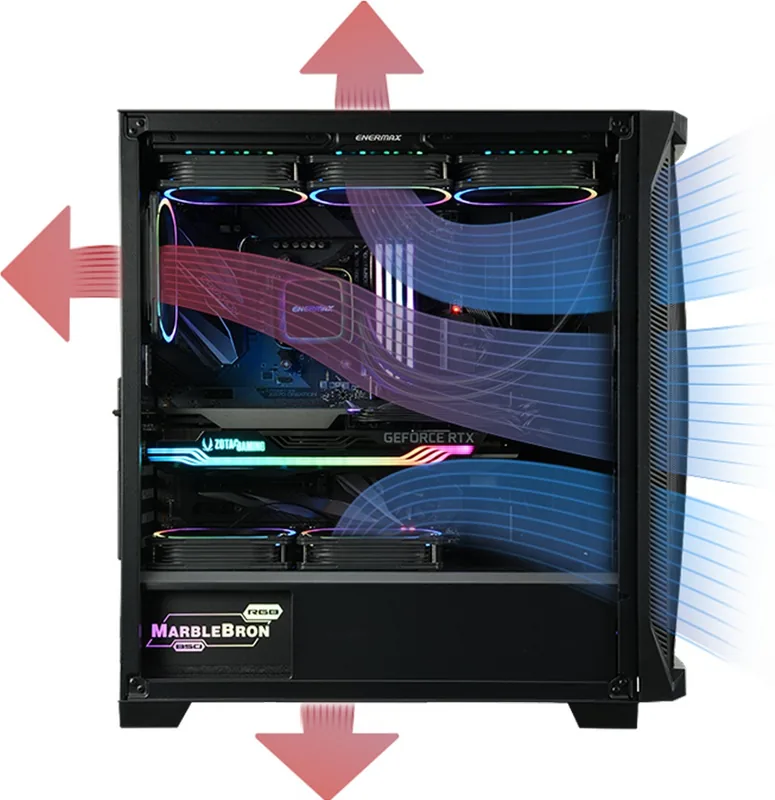
Preinstalled SquA RGB fans and an ARGB hub provide customizable lighting and synchronized effects. The ARGB hub has a maximum rated current and specific fan current limits, so adhere to the hub’s ratings when adding additional ARGB devices. Fan and radiator mounting options are generous, allowing both air- and water-cooled setups.
Installation Notes
The manual emphasizes step-by-step installation: removing both side panels, motherboard and PSU mounting, installing drives, fans, radiators, and connecting front-panel cables. Panel connectors (USB 3.0/2.0, HD audio, power/reset LEDs) should be matched carefully to motherboard headers; some motherboards may have different connector shapes or locations. Enermax recommends consulting your motherboard manual before connecting front-panel cables.
Final Thoughts
The Enermax StarryKnight SK30 Glasfenster is a feature-rich mid-tower for enthusiasts who want a showpiece build with solid cooling flexibility. It’s well suited for RGB-focused systems and offers the clearance and modularity needed for high-performance components.
Notes
- Check ARGB hub current limits before adding fans.
- Verify motherboard front-panel pinouts against the case connectors.
- Drive cage removal can increase GPU and cooler clearance.
Search for 67,706 Manuals online


Type-in Brand or Model
Amelia Ellis
9 months ago
Hi, does the Enermax StarryKnight SK30 provide strong airflow and enough space for a large GPU and cable management? Also, does it support front panel connections for Gigabyte motherboards?
Manual.ly
9 months ago
Yes. Reviewers highlight that the SK30 delivers very strong airflow right out of the box, without needing to run fans at extreme speeds. The case also offers ample internal space for large graphics cards, and cable routing is described as more than sufficient, helping keep things tidy and unobstructed. Regarding compatibility, the front panel headers are available for typical motherboard layouts, and reviewers specifically mention that the setup works with Gigabyte motherboards (front I/O support). If you have a particularly large GPU or thick cable bundles, checking your GPU length and clearance before purchase is still recommended.