
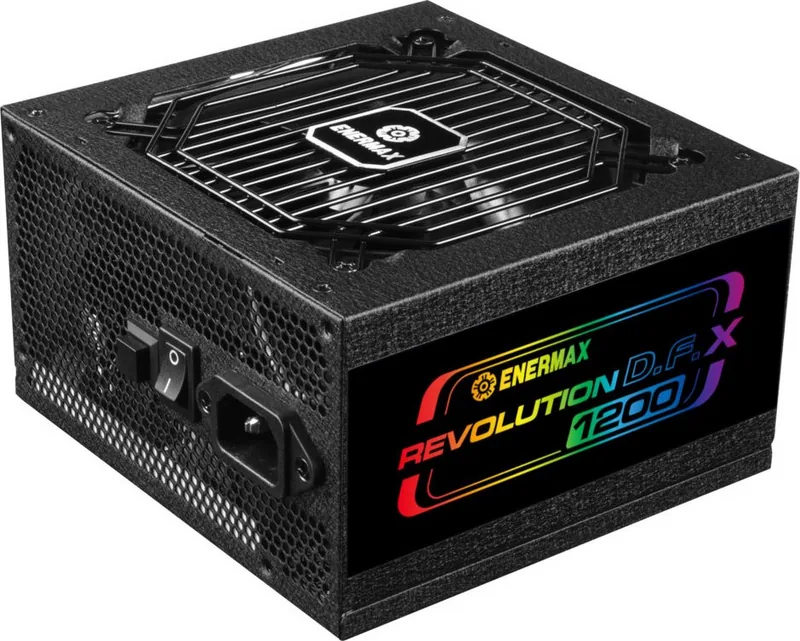
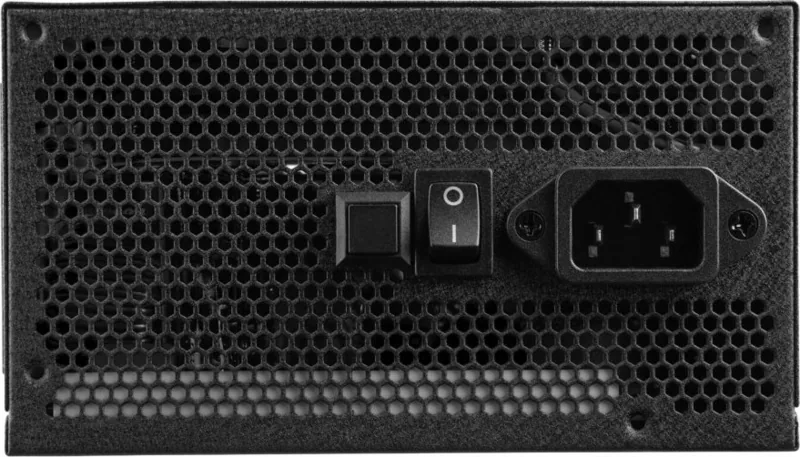
Enermax Revolution D.F. X Manual
PDF manual · 24 Pages
English


Quick check
Incorrect answer, please try again.
Ask a Question
Do you recommend Revolution D.F. X?
Yes NoFrequently Asked Questions
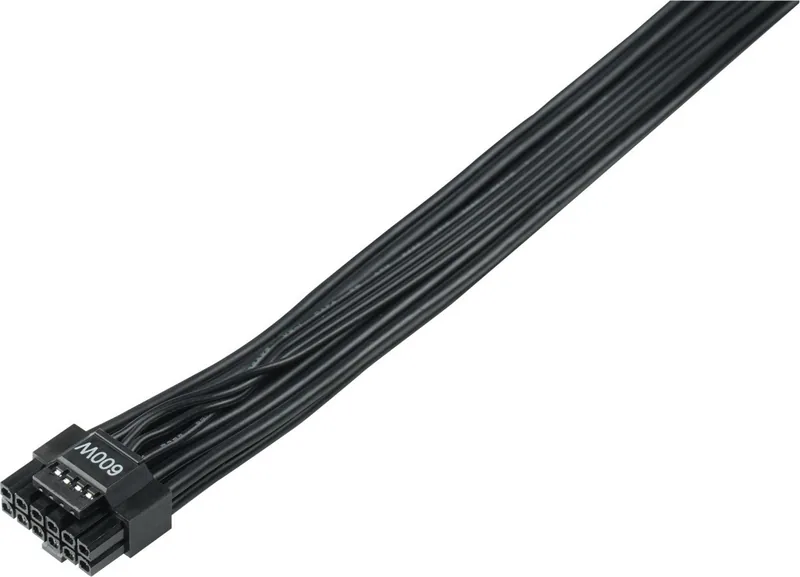
Yes, it supports the latest NVIDIA graphics cards using the built-in 12VHPWR connector. This allows direct power connection without needing external adapters for compatible models.
Is this answer helpful?
The warranty period is typically ten years. You must register your product online immediately after purchase to activate the coverage for your region.
Is this answer helpful?
Yes, you can connect both types of drives. The bundle includes dedicated cables for standard SATA storage and legacy 4P Molex devices for older peripherals.
Is this answer helpful?
RGB Sync allows the power supply LED indicators to match the color theme of your motherboard. This creates a unified aesthetic look for your computer interior.
Is this answer helpful?
This unit is fully modular. All cables detach from the main chassis allowing users to use only what they need for specific configurations.
Is this answer helpful?
Multiple protection circuits including OVP and SCP will shut down the unit instantly. This prevents damage to connected components during electrical irregularities.
Is this answer helpful?
Standard screw kits are usually included. Ensure you align the mounting holes correctly in your case before securing it to the frame.
Is this answer helpful?
Advantages and Disadvantages
Advantages

- ATX 3.0 standard native support for latest GPUs.
- Integrated 12VHPWR connector eliminates adapter needs.
- Quiet operation suitable for workstations.
- High quality Japanese capacitors used internally.
- Fully modular design for easy cable management.
Disadvantages

- Cable length could be longer for larger cases.
- Higher price point compared to previous generation units.
- No display monitor for real-time voltage readout.
- Warranty registration requires internet access upfront.
- Compact form factor limits airflow in small builds.
Product Specification
Cable Management
Fully Modular
Manufacturer Certifications
80 PLUS Gold (according to manufacturer, 115V)
Manufacturer Warranty
10 Years
-12V
0.3A
+5Vsb
3A
Number of 12V Rails
1
PFC
Active
Form Factor
ATX PS/2
Specification
ATX 3.0
Features
ErP Lot 6, RGB Interface 3-Pin (+5V/DATA/GND), Case RGB illuminated, Supports Haswell C6/C7 Low-Power States
Color
Black
Product Description
Comprehensive Guide to Enermax Revolution D.F. X ATX 3.0
The Enermax Revolution D.F. X ATX 3.0 stands as a robust solution for modern computer enthusiasts requiring high reliability and efficiency. As hardware demands grow exponentially, power supplies must adapt to new standards quickly to support emerging technologies. This unit fully fulfills the requirements set by the ATX 3.0 specification, ensuring readiness for upcoming flagship graphics cards without needing expensive adapters. Users who wish to maximize their system potential often refer to detailed guides when setting up their hardware components. Finding the Enermax Revolution D.F. X ATX 3.0 Manual provides necessary information regarding specific cable layouts and extended warranty policies associated with the brand. Understanding these details is crucial for optimal longevity and safe usage patterns.
Technical Specifications and Advanced Design
Central to its core function is the seamless integration of the 12VHPWR interface found at the top tier of compatibility lists. This new connector delivers significantly higher power directly to the GPU with reduced heat generation compared to older split methods. Legacy support remains exceptionally strong through dedicated SATA and 4P Molex connections included in the standard bundle. Motherboard compatibility spans various major brands, ensuring flexible builds across different platforms and generations. CPU power distribution is meticulously optimized for peak stability during intensive rendering and gaming tasks. RGB Sync capabilities allow full synchronization with compatible motherboard lighting systems for aesthetic unity throughout the entire build.
Installation Procedures and Safety Considerations
Proper installation is vital for safe operation within a tightly sealed case environment. Adequate internal airflow prevents dangerous overheating of sensitive electronic components during heavy loads. Case fans operate quietly even under full maximum load conditions for silent performance. Cable management tools assist users in routing wires neatly behind the motherboard tray area. Clear labeling reduces user confusion during the complex connecting process significantly. Electrical safety features protect against sudden overcurrent and accidental short circuits automatically triggering shutdowns.
Maintenance Protocols and System Longevity
Regular cleaning of dust filters maintains consistent airflow efficiency within the enclosure. Inspecting power cables for minor wear prevents accidental failures over many years of use. Firmware updates may occasionally apply depending on specific manufacturing date batches released recently. Keeping digital records of original purchase invoices helps validate warranty claims later if issues arise. Professional advice is highly recommended for complex overclocking setups involving this high performance hardware. Adhering to industry best practices ensures years of dependable and uninterrupted service for your professional or home workstation.
Energy Efficiency and Environmental Impact
Efficiency ratings exceed typical expectations for power conversion rates in this class. Lower waste heat results in reduced stress on your room cooling system overall. Eco friendly modes help reduce electricity bills for always on configurations. Certification marks verify compliance with international green energy regulations properly. This minimizes environmental footprint while maximizing computational throughput for users daily.
Search for 67,706 Manuals online


Type-in Brand or Model