● Specyfikacją konstrukcji zasilaczy Intel ATX12V i wstecznie zgodna z v2.0, v2.01, v2.2,
v2.3 oraz 2.4
● ATX System Design Guide v2.2,v2.1
● BTX/EEB/CEB/EPS12V
Ten PSU nie obsługuje MB z gniazdem rozszerzenia ISA, które mogą wymagać zasilania
-5V. Napięcie -5V usunięto z kolejnych specyfikacji Intel ATX12V v1.3.
Aby uniknąć awarii i wydłużyć żywotność PC zalecamy, aby:
● NIE umieszczać PC w pobliżu grzejnika lub innych urządzeń wytwarzających ciepło.
● NIE lokalizować PC w pobliżu urządzenia magnetycznego.
● NIE lokalizować PC w miejscu wilgotnym i/lub zapylonym oraz/albo w miejscu
występowania wibracji.
● NIE wystawiać PC na bezpośrednie oddziaływanie światła słonecznego.
● PC jest odpowiednio chłodzony przez dodatkowe wentylatory.
.
2017
Szanowni Klienci,
Dziękujemy za zakup tego zasilacza ENERMAX RevoBron (PSU)! Proszę przeczytać
uważnie ten podręcznik i wykonać zamieszczone w nim instrukcje przed instalacją PSU.
Proszę używać wyłącznie kable modularne, które zostały dostarczone z tym zasilaczem,
aby zapobieć uszkodzeniu systemu i zasilacza przez odmienne kolejności pinów.
#1 Niektóre napędy SATA mogą akceptować zasilanie SATA lub 4-pinowe Molex. Zwykle do zasilania napędu należy
użyć jedno ze złączy zasilania, ALE NIE OBU! Szczegółowe informacje zawiera podręczik napędu.
#2 W razie zainstalowania dodatkowych wysokowydajnych kart graficznych w systemie, proszę wybrać płytę główną z
dodatkowym(-ymi) gniazdem(-ami) 4-pin Molex, 4-pin FDD lub 6-pin PCI-Express i podłączyć je do zasilacza. W taki
sposób zapobiegać przeciążeniu płyty głównej i uszkodzeniu zasilacza i innych komponentów. W przypadku
zlekceważenia uwagi powyżej, spowodowane uszkodzenie płyty głównej lub zasilacza nie jest objęte gwarancją
producenta Enermax. Przed zainstalowaniem systemu proszę również uważnie przeczytać instrukcję obsługi płyty
głównej, aby zapewnić poprawne działania zasilacza i wszystkich innych komponentów systemu.
/2
%
Quick check
I'm not a robot
Incorrect answer, please try again.
Chat with your Enermax RevoBron manual using AI
Get instant AI answers from your Enermax RevoBron manual
Ask anything about the Enermax RevoBron. Answers come from this manual, with the pages they are based on.
Ask a Question
0/1000
Do you recommend RevoBron?
YesNo
Frequently Asked
Questions
A
It is a power supply unit designed to provide stable power for desktop PCs, especially systems that need modern ATX compatibility and organized modular cabling.
Is this answer helpful?
A
No. The text strongly warns against using other modular cables because different pin layouts can damage the PSU and connected components.
Is this answer helpful?
A
It supports many ATX-based standards, but it does not support ISA expansion-slot motherboards that may require -5V power.
Is this answer helpful?
A
It includes a 12 cm fan and is intended to work with good case airflow. The guidance also recommends keeping the system cool and away from heat sources.
Is this answer helpful?
A
Yes, but only if the motherboard provides the needed extra power connectors. Proper planning is important to avoid overload and damage.
Is this answer helpful?
A
Disconnect the AC cord or switch the PSU to off before assembly or maintenance. Also follow the motherboard and drive manuals for proper connector use.
Is this answer helpful?
M: OA-GPT-54-NAN
Advantagesand
Disadvantages
Advantages
ATX 2.4 compliance with backward support adds broad system compatibility.
Modular cabling helps keep builds cleaner and improves cable management.
The 12 cm fan and I/O switch make cooling and control simple.
Suitable for performance builds when the motherboard has the right extra power inputs.
VS
Disadvantages
Not compatible with older ISA motherboards that may require -5V power.
Using non-Enermax modular cables can risk pin damage and system failure.
High-end multi-GPU setups require careful motherboard and connector planning.
Best results depend on good airflow; hot, dusty, or humid environments are discouraged.
M: OA-GPT-54-NAN
Product
Specification
Fan
4.72in
Cable management
semi-modular
Certificates according to 80 PLUS
80 PLUS Bronze (115V, according to 80 PLUS certificate)
Dimensions (WxHxD)
5.91x3.39x5.51in
Manufacturer warranty
3 years
+3.3V
22A
-12V
0.3A
+5Vsb
2.5A
Number of 12V rails
2
PFC
active
Form factor
ATX PS2
Specification
ATX 2.4
Special features
ErP Lot 6, incl. external fan control
Color
black
M: OA-GPT-54-NAN
Product
Description
Enermax RevoBron ATX 2.4 Manual: What Makes This PSU Stand Out
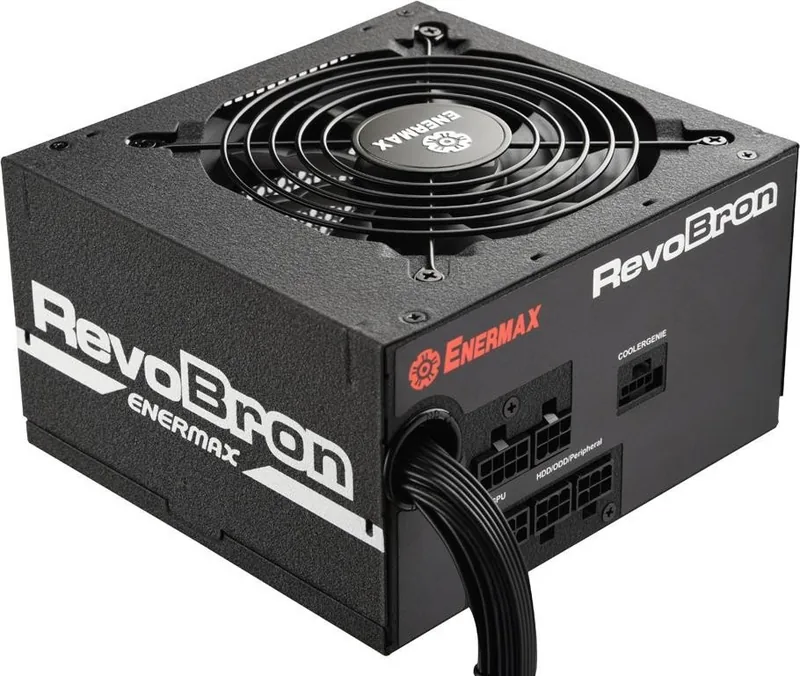
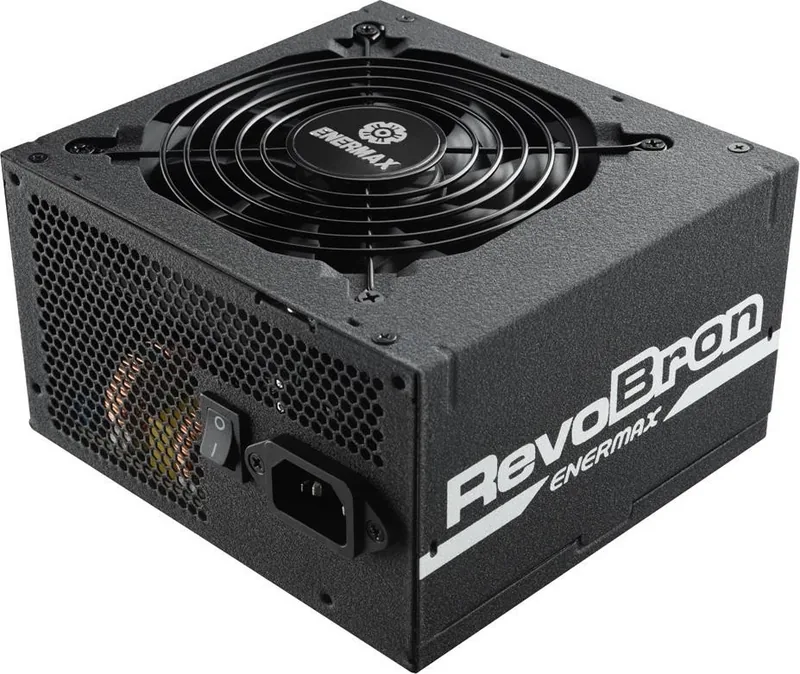
Enermax RevoBron is built for PC users who want a reliable power supply with modern ATX 2.4 compatibility and a practical modular design. It is aimed at builders who value cleaner cable routing, stable power delivery, and straightforward installation. The unit follows Intel ATX12V v2.4 standards and remains backward compatible with earlier ATX revisions, making it a flexible choice for a wide range of systems.
One of the biggest advantages is the focus on safe, careful setup. The included modular cables should be used as supplied, since mixing in other cables can create pinout problems and damage both the PSU and connected hardware. The power supply also includes a 12 cm fan and a dedicated I/O switch, giving users simple control and dependable cooling during everyday use or heavier workloads.
RevoBron is also positioned for systems that may need more power headroom. The guidance highlights support for setups with stronger components, including configurations with multiple graphics cards, as long as the motherboard provides the needed extra power connectors. That makes it appealing for gaming PCs and performance-focused desktops where power planning matters.
Compatibility is broad, covering ATX, BTX, EEB, CEB, and EPS12V design guides, while also noting that older ISA-based boards needing -5V are not supported. This is an important detail for anyone upgrading older hardware. The emphasis on proper airflow, avoiding heat sources, and keeping the system away from dust and moisture also shows that long-term reliability depends on good system placement and cooling.
Beyond the hardware itself, the product emphasizes responsible use: disconnect AC power before maintenance, follow motherboard instructions carefully, and make sure the PSU is installed in a suitable case. These reminders may sound basic, but they matter when building or upgrading a PC.
Notes
Use only the bundled modular cables.
Disconnect power before assembly or maintenance.
Ensure strong airflow and a clean environment.
Check motherboard power requirements before adding high-end GPUs.