
Enermax Marbleshell MS31 Manual
PDF manual · 19 Pages
English



Quick check
Incorrect answer, please try again.
Chat with your Enermax Marbleshell MS31 manual using AI
Get instant AI answers from your Enermax Marbleshell MS31 manual
Ask anything about the Enermax Marbleshell MS31. Answers come from this manual, with the pages they are based on.
Ask a Question
Do you recommend Marbleshell MS31?
Yes NoFrequently Asked Questions
The chassis supports Mini ITX, Micro ATX, ATX, and E ATX motherboards. This wide compatibility allows flexibility for various build sizes and power requirements.
Is this answer helpful?
Fans can be installed at the front, rear, and top. Front and top locations support 120mm and 240mm radiators for cooling solutions.
Is this answer helpful?
Yes, top and front mounts support 240mm and 280mm radiators. Ensure clearance with side fans and E ATX boards before installation.
Is this answer helpful?
Installation is straightforward with the provided manual. Removing the HDD cage creates space for the power supply and cabling.
Is this answer helpful?
Multiple bays exist for 2.5 inch SSDs and 3.5 inch drives. Drives can be mounted internally or in the front area depending on needs.
Is this answer helpful?
Yes, removable dust filters are located at the front and bottom. Cleaning them regularly prevents dust accumulation inside the case.
Is this answer helpful?
Advantages and Disadvantages
Advantages

- Supports Mini ITX to E ATX motherboards
- Tempered glass side panel for aesthetics
- Flexible storage for 2.5 SSD and 3.5 HDD
- Top mounted PSU mount assists airflow
- Removable dust filters for easy cleaning
Disadvantages

- Side fans interfere with large motherboards
- Requires manual reference for complex steps
- E ATX may block side fan mounts
- Cable management requires careful routing
- Glass panel requires careful handling
Product Specification
External Bays
N/A
Internal Bays
1x 2.5"/3.5" (Horizontal, Drive Bay Cage), 1x 3.5" (Horizontal, Drive Bay Cage), 2x 2.5"
Connectors
1x USB-C 3.1 (10Gb/s, 20-Pin Key-A Header), 2x USB-A 3.0 (5Gb/s), 1x 3.5mm Jack (Line-In/Out)
PCI Slots
7
Fan (Front)
3x 4.72 inches (RGB lit) or 3x 5.51 inches (optional)
Fan (Rear)
1x 4.72 inches (RGB lit)
Fan (Left)
N/A
Fan (Right)
2x 4.72 inches (optional)
Fan (Top)
2x 5.51 inches (optional)
Fan (Bottom)
N/A
Fan (Misc)
2x 4.72 inches (optional)
Radiator Sizes
4.72/5.51/9.45/11.02/14.17/16.54 inches front, 4.72/5.51/9.45/11.02/14.17 inches top, 4.72 inches back
Motherboard Support
Up to ATX (E-ATX with unknown dimensions possible)
Supported Motherboards
Mini-ITX (6.7"x6.7")/Micro-ATX (9.6"x9.6")/ATX (12"x9.6")/E-ATX (Unknown Dimensions)
Power Supply
ATX (max. 9.06 inches deep)
PSU Position
Bottom
CPU Cooler
Max 6.38 inches Height
Graphics Cards
Max 16.14 inches (Without Radiator, 14.57 inches With Radiator)
Lighting
RGB Header 3-Pin ARGB (+5V/DATA/GND), Lit Fans
Dimensions (WxHxD)
8.27 x 18.50 x 16.34 inches
Volume
1.45 cu ft
Weight
14.55 lbs
Case Type
Midi-Tower
Front
Partially closed, mostly Mesh, Dust filter inside
Top
Partially closed, mostly Fan grille, Dust filter outside
Bottom
Partially closed, Fan grille back, Dust filter outside
Left Side
Closed, Glass
Right Side
Partially closed, Fan grille front
Back
Partially closed, Fan grille right top, PCI Slots (7x horizontal)
Front I/O Position
Case Side: Top, Height: Middle, Position: Right
Motherboard Orientation
Motherboard Orientation: Towards Left
Features
Cable Management, Dust Filter, Glass Viewing Window
Note on E-ATX
Motherboard and Case manufacturers designate different dimensions as E-ATX. This Manufacturer provides no information on supported E-ATX dimensions. Motherboards with E-ATX/SSI EEB dimensions of 12.01 x 13.00 inches or 12"x13" may not be supported.
USB Port Position
Left
Product Description
Enermax Marbleshell MS31 Overview
Introduction
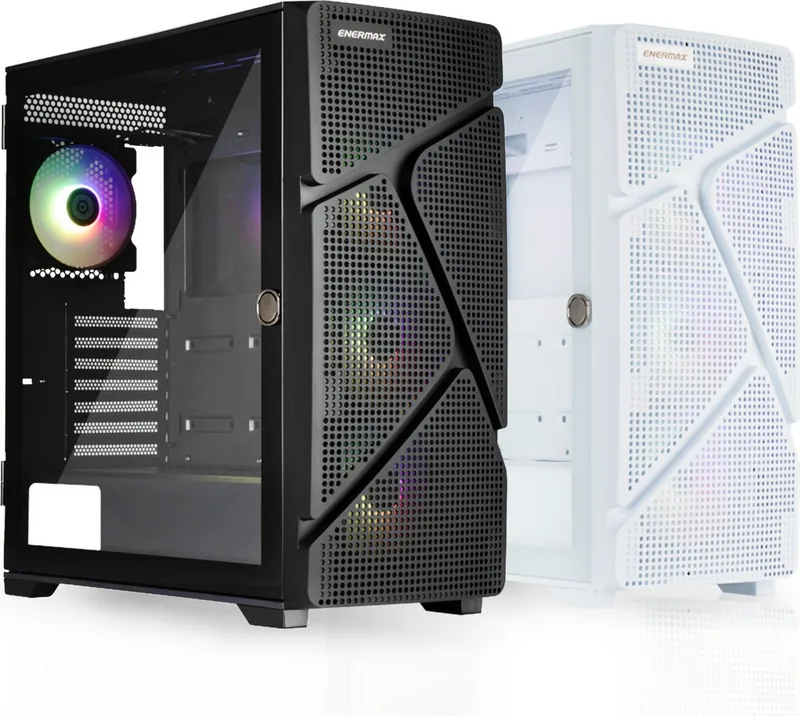
Building a robust gaming PC starts with the right chassis selection. The Enermax Marbleshell MS31 Manual outlines the specifications and assembly process for this versatile tower design. This mid tower supports a wide range of Mini ITX to E ATX motherboards effectively. It features a tempered glass panel for high visibility of internal components. The physical dimensions are approximately 415mm wide by 210mm deep by 470mm tall. This size fits well in most modern home office setups and gaming bedrooms without issues.
Detailed Installation Process
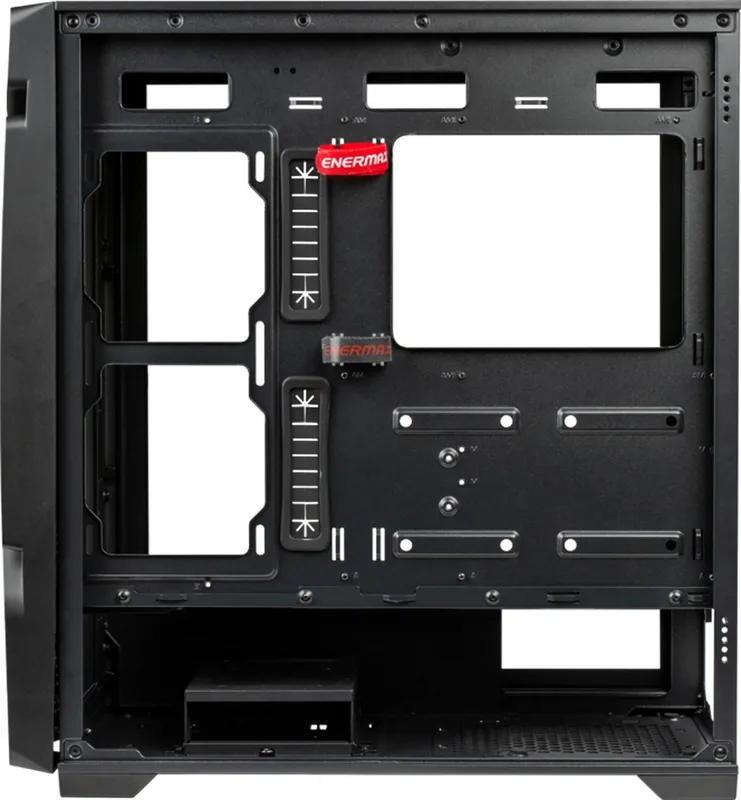
Installing the motherboard requires standard standoffs for proper mounting. Ensure the standoffs align carefully with screw holes to prevent damage to the board. The case includes a top power supply unit mount for better airflow routing. This layout helps with cable management and internal thermals significantly. Side fans must be oriented correctly to push or pull air efficiently. Refer to the Enermax Marbleshell MS31 Manual for specific orientation warnings. Side fans conflict with large motherboards like E ATX during installation.
Storage and Cooling Capacity
Storage options include multiple hard drive bays for future expansion needs. Both 3.5 inch drives and 2.5 inch SSDs fit easily in the front. Cable management channels are available behind the motherboard tray for hiding wires. Remove the HDD cage to create extra space for large power supplies. Radiator support is provided at the top and front panels. This allows for liquid cooling solutions up to 240mm or 280mm sizes.
Safety and Maintenance
The chassis is designed for safe operation within standard guidelines. Always check compatibility before buying new hardware components for the case. E ATX boards might interfere with side fan mounts during assembly. Verify screw types for different component types to ensure proper fit. The manual provides safety instructions for handling tempered glass panels properly. Contact energetic support if you run into any difficulties during build. Follow social media channels for updates on new products.
Features Breakdown
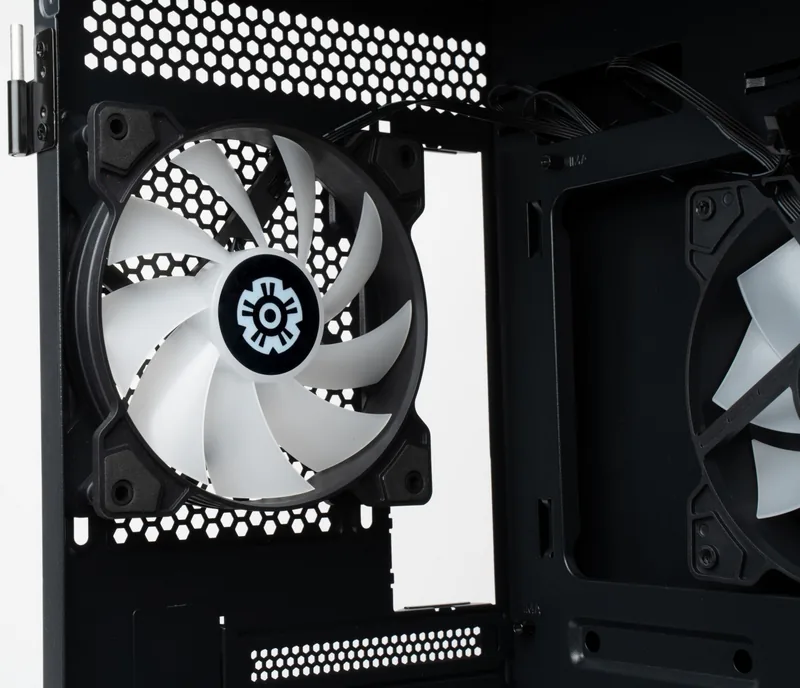
The front intake provides air for the GPU and CPU cooling. Rear exhaust helps clear hot air from the case interior. Top venting assists with thermal efficiency for the whole system. The interior is spacious for cable hiding and routing tasks. It includes rubber grommets for cable entries near the rear. Dust filters are removable for easy cleaning sessions later. The side glass offers a clear view of your hardware. This case aligns with their component standards for quality.
Notes and Warnings
Read every instruction before starting the assembly project. It explains how to handle the glass panel safely without risk. It warns about potential electrical hazards from unconnected power. Following the manual ensures warranty compliance with the manufacturer. It details wire connections for front panel switches and LEDs. Users should keep the documentation handy for reference during build. Check for dust filters before initial system run. Keep the case updated on the Enermax website. Verify all cables are secure before powering on the unit.
Search for 67,706 Manuals online


Type-in Brand or Model