
Enermax Marbleshell MS30 Manual
PDF manual · 2 Pages
English



Quick check
Incorrect answer, please try again.
Chat with your Enermax Marbleshell MS30 manual using AI
Get instant AI answers from your Enermax Marbleshell MS30 manual
Ask anything about the Enermax Marbleshell MS30. Answers come from this manual, with the pages they are based on.
Ask a Question
Do you recommend Marbleshell MS30?
Yes NoFrequently Asked Questions
The case supports ATX, Micro-ATX, and Mini-ITX motherboards, making it suitable for a wide range of builds from compact systems to full-sized towers.
Is this answer helpful?
You can install up to three 120mm fans or two 140mm fans at the front, plus additional options at the rear and top for flexible cooling configurations.
Is this answer helpful?
The case includes RGB headers for connecting compatible fans and strips, allowing you to customize lighting effects, but it does not include pre-installed RGB fans.
Is this answer helpful?
Yes, the front and top positions support radiator mounts for liquid cooling systems, enabling effective heat dissipation for high-performance components.
Is this answer helpful?
Yes, the tempered glass side panel can be removed for easier access to internal components, but it should be handled with care to avoid breakage.
Is this answer helpful?
The case features dedicated bays for both 2.5-inch SSDs and 3.5-inch HDDs, providing ample space for various storage drives.
Is this answer helpful?
Advantages and Disadvantages
Advantages

- Supports ATX, Micro-ATX, and Mini-ITX motherboards
- Excellent cooling options with multiple fan mounts
- Tempered glass side panel for premium aesthetics
- Includes USB 3.2 Gen 1 and USB 2.0 ports
Disadvantages

- Tempered glass panel requires careful handling
- Limited space for very large GPU setups
- Cable management could be improved
- No included fans in the base package
Product Specification
Extern
N/A
Intern
1x 2.5"/3.5" (horizontal, drive rails), 1x 3.5", 4x 2.5"
Ports
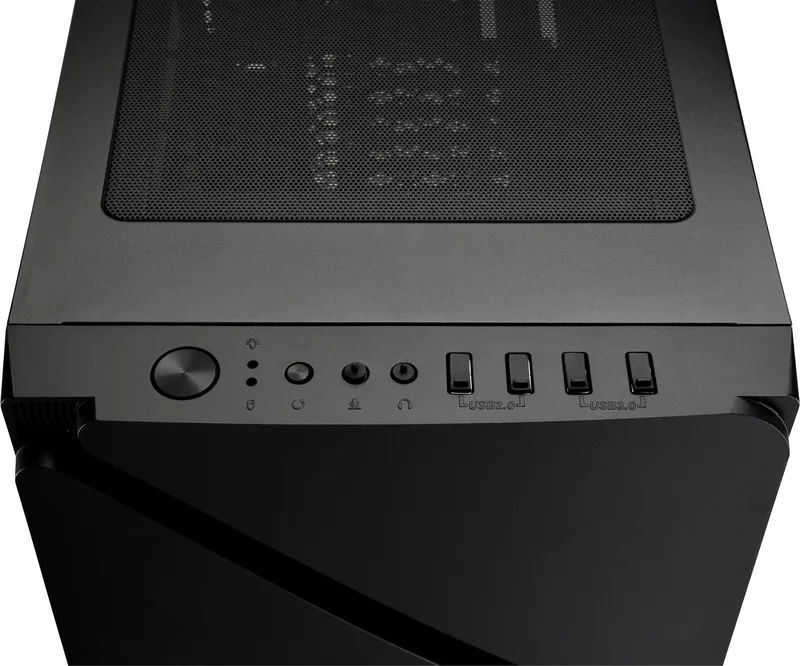
2x USB-A 3.0 (5Gb/s), 2x USB-A 2.0 (480Mb/s), 1x 3.5mm jack (Line-Out), 1x 3.5mm jack (Line-In)
PCI Slots
7
Fans (front)
3x 120mm (RGB lit) or 2x 140mm (optional)
Fans (rear)
1x 120mm (RGB lit) or 1x 140mm (optional)
Fans (left)
N/A
Fans (right)
N/A
Fans (top)
2x 140mm (optional)
Fans (bottom)
N/A
Fans (other)
2x 120mm (optional)
Radiator Sizes
120/140/240/280/360mm front, 120/140/240mm top, 120/140mm rear
Motherboard
up to ATX
Supported Motherboards
Mini-ITX (6.7"x6.7")/µATX (9.6"x9.6")/ATX (12"x9.6")
Power Supply
ATX (max 6.3" deep)
Power Supply Position
bottom
CPU Cooler
max 6.9" height
Graphics Cards
max 14.1"
Lighting
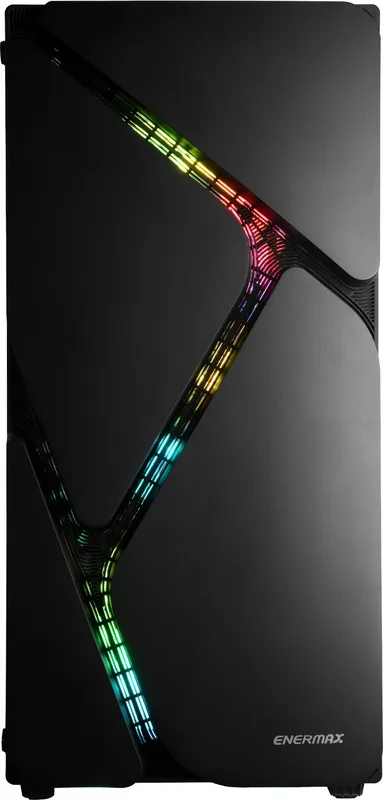
RGB Header 3-Pin ARGB (+5V/DATA/GND), integrated LED controller, lit fans
Dimensions (WxDxH)
8.5x18.1x16.0 in
Volume
1.42 cu ft
Weight
12.7 lbs
Chassis Type
Mid-Tower
Front
closed, ventilation slots center
Top
partially closed, mostly fan grille, dust filter outside
Bottom
partially closed, fan grille rear, dust filter outside
Left
closed, glass
Right
closed
Rear
partially closed, fan grille top right, PCI slots (7x horizontal)
Front I/O Position
Chassis side: top, Height: Front, Position: center
Features
cable management, dust filter, glass window
USB Spelling
Link
Product Description
Enermax Marbleshell MS30: A Stylish and Functional PC Case
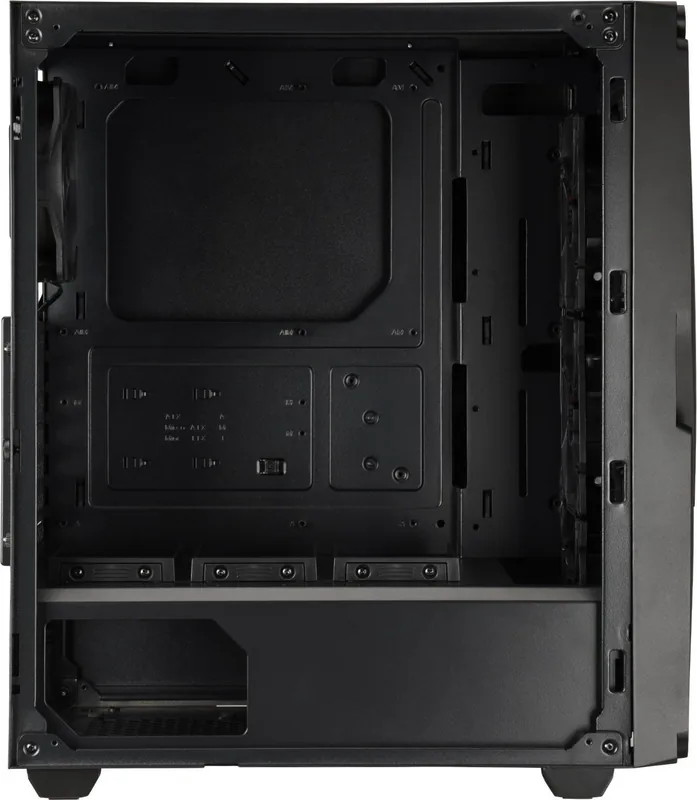
The Enermax Marbleshell MS30 stands out as a premier choice for enthusiasts seeking a blend of aesthetic appeal and robust functionality. Designed with a sleek tempered glass side panel, this case offers an unobstructed view of your internal components while maintaining a modern, sophisticated look. The chassis supports ATX, Micro-ATX, and Mini-ITX motherboards, making it versatile for various build sizes. Its dimensions of 407mm in width, 215mm in depth, and 460mm in height provide ample space for high-performance hardware without occupying excessive desk real estate.
Cooling is a priority with the Marbleshell MS30, featuring support for multiple fan configurations. Users can install up to three 120mm fans or two 140mm fans at the front, ensuring optimal airflow even under heavy loads. The rear and top positions offer additional flexibility for exhaust options, accommodating radiators for liquid cooling solutions. This level of thermal management ensures that your system remains cool and stable during intense gaming sessions or demanding workloads.
Storage flexibility is another highlight, with dedicated bays for both 2.5-inch SSDs and 3.5-inch HDDs. The case includes pre-installed USB 3.2 Gen 1 and USB 2.0 ports on the I/O panel, alongside HD audio jacks, providing convenient connectivity right at your fingertips. The inclusion of RGB headers allows users to customize their lighting setup, syncing effects across compatible components for a cohesive visual experience.
Installation and Features
Assembly is straightforward thanks to the tool-less design for many panels, though care must be taken when handling the tempered glass to prevent accidental drops. The interior layout is well-thought-out, offering cable management channels to keep wires hidden and improve airflow. Whether you are building a compact rig or a full-tower powerhouse, the Marbleshell MS30 adapts to your needs with ease.
Key Notes
- Supports large graphics cards and CPU coolers.
- Tempered glass requires careful handling during installation.
- RGB headers allow for extensive customization.
- Multiple drive bays ensure ample storage options.
Search for 67,706 Manuals online


Type-in Brand or Model