vielen Dank, dass Sie sich für dieses ENERMAX MARBLEBRON-Netzteil (PSU)
entschieden haben! Bitte lesen Sie sich dieses Handbuch sorgfältig durch und folgen Sie
bitte seinen Anweisungen bevor Sie das Netzteil installieren!
Bitte verwenden Sie ausschließlich die modularen Kabel, die diesem Netzteil beiliegen.
Andere modulare Kabel haben gegebenenfalls eine abweichende Pinbelegung und
können Ihr System und Netzteil beschädigen.
Chers clients,
Merci d’avoir choisi l’alimentation ENERMAX MARBLEBRON ! Veuillez lire avec
attention ce manuel avant de procéder à l’installation de l’alimentation.
Utilisez uniquement les câbles modulaires fournis dans l'emballage de votre alimentation
Enermax. N'utilisez jamais d'autres câbles modulaires et ce, afin d'éviter d'abîmer les
broches ou endommager votre système et votre alimentation.
Dear customer,
Thank you for choosing this ENERMAX MARBLEBRON power supply unit (PSU)! Please
read this manual carefully and follow its instructions, before installing the PSU.
Please only use the modular cables provided in your ENERMAX power supply package.
Do NOT use other modular cables to prevent pin configuration damage to your system
and your power supply.
Estimado cliente:
Muchas gracias por comprar nuestra fuente ENERMAX MARBLEBRON. Le
recomendamos, se familiarice bien con este manu al del usuario.
Se ruega utilizar únicamente los cables modulares que están en el embalaje de la fuente
de alimentación ENERMAX. NO utilice otros cables modulares para evitar daños al
sistema y a su fuente de alimentación a causa de la diferente configuración de los pines.
Gentile cliente,
La ringraziamo per aver acquistato l’unità di alimentazione (PSU) ENERMAX MARBLEBRON.
Prima di installare la PSU legga con attenzione questo manuale e segua le istruzioni.
Si prega di utilizzare solo i cavi modulari forniti nella confezione dell'alimentatore ENERMAX.
NON utilizzare altri cavi modulari per evitare danni al vostro sistema e al vostro alimentatore
a causa della diversa configurazione dei pin.
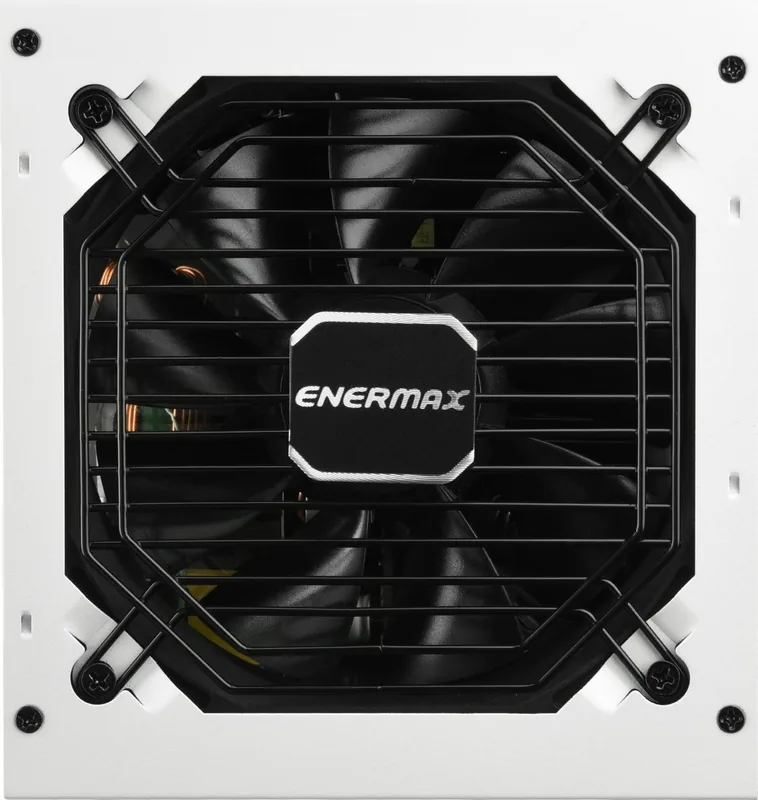
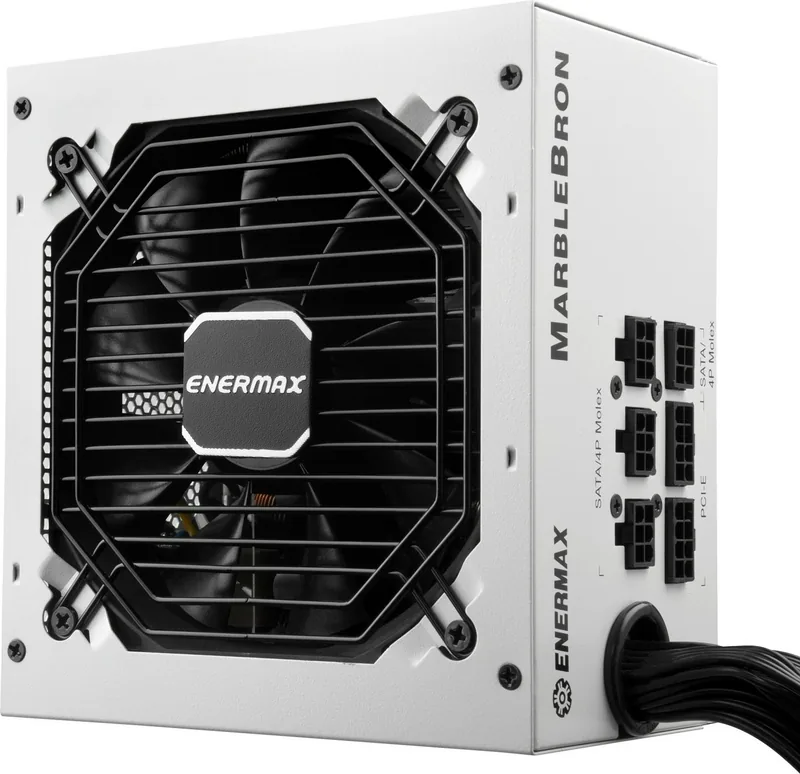
部品名
1. 出力ケーブル:「ケーブルとコネクタ」の項を参照してくだ
さい
2. 12cmファン
3. AC インレット*
4. I/Oスイッチ*:電源I/O(オン/オフ)スイッチ
(I=ON, O=OFF)
*システムアセンブリまたはメンテナンスを行う場合、AC
コードをAC インレットから取り外すまたはI/Oスイッチを
“O”位置(オフ)にする。
外觀結構
1. 輸出線材:請參閱“線材及連接頭"說明
2. 12公分風扇
3. AC交流電插座*
4. I/O 開關*:電源供應器獨立開關
(I=開, O=關)
*當您要組裝或維護系統時,請將AC電源線移除
,或是將I/O開關切換到 “O" 位置。
/2
%
Quick check
I'm not a robot
Incorrect answer, please try again.
Chat with your Enermax MarbleBron manual using AI
Get instant AI answers from your Enermax MarbleBron manual
Ask anything about the Enermax MarbleBron. Answers come from this manual, with the pages they are based on.
Ask a Question
0/1000
Do you recommend MarbleBron?
YesNo
Frequently Asked
Questions
A
Yes, it complies with Intel ATX12V Power Supply Design Guide v2.3. It is also backward compatible with versions 2.0, 2.01, and 2.2. This ensures it works with most current system designs.
Is this answer helpful?
A
No. You must use only the cables provided in the box. Using third-party cables can lead to pin configuration mismatches that may permanently damage your motherboard or graphics cards.
Is this answer helpful?
A
Enermax typically provides a three-year warranty. This coverage begins from the date of purchase subject to normal use conditions. Keep your receipt for proof.
Is this answer helpful?
A
It features a long-life bearing fan with a minimum operational lifespan of one hundred thousand hours. This reduces replacement needs and maintains stable cooling performance.
Is this answer helpful?
A
No. This unit does not support motherboards with legacy ISA expansion slots that require a -5V power rail. This voltage was removed from Intel specifications starting in version 1.3.
Is this answer helpful?
A
It accepts an input voltage range from 100 to 240VAC. This wide range allows for usage in various countries without requiring an external voltage converter.
Is this answer helpful?
A
Yes, it supports multi-GPU setups. However, you should use additional 4-pin Molex or 6-pin PCI Express connectors on the motherboard to prevent overloading power slots.
Is this answer helpful?
M: QW-35-FL
Advantagesand
Disadvantages
Advantages
Modular design allows for better cable management and airflow inside the case.
High efficiency rating greater than 0.9 at full load reduces power consumption.
Long life bearing fan offers a minimum lifespan of one hundred thousand hours.
Wide input voltage range supports 100 to 240VAC for international usability.
Complies with multiple industry safety certifications including CE, FCC, and TUV.
VS
Disadvantages
Does not support older motherboards with ISA expansion slots requiring -5V.
Strict requirement to use only provided modular cables prevents third-party use.
Warranty becomes void immediately if the serial number or warranty seal is damaged.
Specific models like 650W have lower wattage compared to high-end competitors.
Users must follow strict installation guidelines to maintain warranty coverage.
M: QW-35-FL
Product
Specification
Cable Management
semi-modular
Manufacturer Certifications
80 PLUS Bronze (according to manufacturer, 115V)
80 PLUS Certifications
80 PLUS Bronze (115V, according to 80 PLUS certificate)
Dimensions (WxHxD)
5.91x3.39x5.51in
Manufacturer Warranty
3 Years
+3.3V
20A
+5V
20A
-12V
0.3A
+5Vsb
2.5A
Number of 12V Rails
1
Power Factor Correction
Active
Form Factor
ATX PS/2
Specification
ATX 2.4
M: QW-35-FL
Product
Description
Enermax MarbleBron ATX 2.4 Comprehensive Guide
Selecting the right power supply is critical for system longevity and performance. The Enermax MarbleBron ATX 2.4 is a robust solution for builders seeking reliability and efficiency. When planning an upgrade or initial build, users should consult the Enermax MarbleBron ATX 2.4 Manual for precise technical specifics. This document provides essential data regarding voltage requirements, connector types, and safety protocols. It ensures that your system operates safely under various load conditions.
Compatibility and Standards
The unit complies with the Intel ATX12V Power Supply Design Guide v2.3 specification. It maintains backward compatibility with versions 2.0, 2.01, and 2.2. It also supports various system designs including BTX, EEB, CEB, and EPS12V. Please note that this power supply does not support older motherboards with legacy ISA expansion slots requiring -5V. This voltage standard was removed from Intel guidelines starting in version 1.3. This limitation is acceptable for most modern builds.
Performance and Cooling
Stability is a primary focus of the MarbleBron series design. It features a 12cm fan designed for long life, offering a minimum operational lifespan of 100,000 hours. This significantly reduces the risk of failure during extended gaming sessions or heavy workloads. The power factor is greater than 0.9 at 230Vac input. This ensures efficient energy usage and reduces electrical waste during operation. Input voltage ranges from 100 to 240VAC for global compatibility.
Safety and Installation
Safety protocols are outlined thoroughly in the Enermax MarbleBron ATX 2.4 Manual. Users are advised strictly to use only the provided modular cables. Using third-party cables can lead to pin configuration mismatches. This mismatch might damage your motherboard or graphics cards permanently. Ensure the power cord is removed before assembly. Also, verify that the I/O switch is in the off position.
Warranty and Support
Enermax typically provides a three-year warranty for this product line. This coverage begins from the date of purchase. However, the warranty is void if the serial number label or warranty seal is defaced. To maintain coverage, keep the original packaging and receipt. If issues arise, contact the authorized distributor. Do not attempt repairs yourself, as unauthorized opening voids the guarantee. Specific models include 550W, 650W, 750W, and 850W ratings.
Connector Flexibility
It includes a 24-pin mainboard connector and a 4+4 pin CPU connector. There are multiple PCI Express 6+2 pin outputs for graphics cards. This flexibility supports multi-GPU setups without stressing the motherboard power slots.
Conclusion
In summary, the Enermax MarbleBron ATX 2.4 offers a blend of efficiency and safety features. By following the manual instructions carefully, you ensure your PC runs smoothly.