
Eltako MS Manual
PDF manual · 1 Pages
English


Quick check
Incorrect answer, please try again.
Chat with your Eltako MS manual using AI
Get instant AI answers from your Eltako MS manual
Ask anything about the Eltako MS. Answers come from this manual, with the pages they are based on.
Ask a Question
Do you recommend MS?
Yes NoFrequently Asked Questions
The multisensor must be attached to a vertical wall or pole. It must be mounted horizontally in a transverse position.
Is this answer helpful?
Listen for a distinct click when fitting the cover over the bottom part. Check that the cover and bottom part are correctly engaged.
Is this answer helpful?
The power supply line of the multisensor may be a maximum of 100 meters long using commercial telephone wire.
Is this answer helpful?
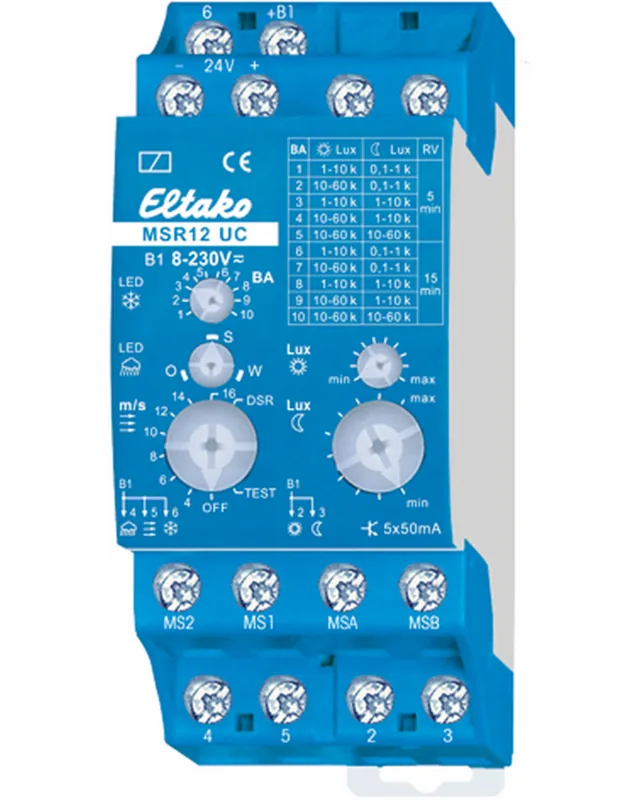
It may control a multifunctional sensor relay MSR12, the weather gateway FWG14MS or the Weather data transmitter module FWS61.
Is this answer helpful?
The temperature at the mounting location must be between negative twenty degrees Celsius and plus fifty degrees Celsius.
Is this answer helpful?
No. Do not open the multisensor if water or rain can penetrate. Even a few drops will render it unusable.
Is this answer helpful?
Connection should be done with commercial telephone wire such as J-Y(ST)Y2x2x0.8 or an equivalent type.
Is this answer helpful?
Advantages and Disadvantages
Advantages

- All-in-one weather sensor solution combines multiple functions.
- Secure mounting with catches allows easy installation and removal.
- Compatible with Eltako relay and gateway modules like MSR12.
- Durable housing protects internal components from weather elements.
- Clear visual indication when cover is correctly engaged.
Disadvantages

- Water exposure can permanently damage the internal electronics.
- Installation requires skilled electricians and specific safety precautions.
- Maximum cable length is limited to 100 meters for reliability.
- Sensitive rain sensor may require careful positioning to avoid drips.
- Fixed device only cannot be operated without mounting hardware.
Product Specification
Type
Sensor
Standard
Wireless Bus
Function
Light, Humidity, Rain, Wind
Topology
Bus
Dimensions
4.65x3.78x3.03in
Features
IP44
Product Description
Overview of the Eltako MS Multisensor
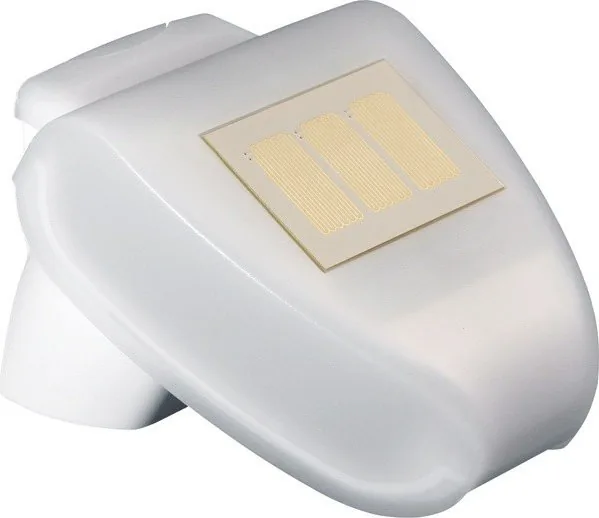
The Eltako MS Multisensor stands out as a robust solution for precise environmental monitoring in modern automated structures. This advanced unit simplifies complex weather data acquisition by housing multiple sensors within a single durable enclosure. Users appreciate its ability to measure temperature, detect incoming light, track wind, and identify rain without needing separate dedicated devices. Integrating this technology into your system requires careful planning to ensure reliability and data accuracy.
Mounting and Installation Details
Mounting preparation is the first critical step. The wall mount should be fixed vertically to a structural wall or pole. Specific bore holes are required, with a spacing of 22mm and a diameter of 5mm to ensure stability. Once the mount is secure, snap the multisensor cover on using the catches located on the bottom left and right edges. The cover includes an integrated rain sensor, which is vital for accurate precipitation data. Care must be taken not to rip the wires connecting the PCB in the bottom part to the rain sensor. Feed the connecting wire through the rubber seal on the bottom and connect to the terminals provided.
Placement Guidelines
Proper placement significantly impacts performance. Select a location where wind, rain, and sun are detected properly. Do not place structural parts above the multisensor that could drip water onto the rain sensor after precipitation stops. Avoid positioning the device in the shadow of building components or trees. Leave a clearance of at least 60cm under the multisensor to measure wind correctly and prevent snow from covering the sensor. Normally, the multisensor should point south. If local conditions prevent this, the direction may be adjusted.
Integration and Power Requirements
Electrical integration relies on compatible modules. The multisensor controls the multifunctional sensor relay MSR12, the weather gateway FWG14MS, or the Weather data transmitter module FWS61. Power supply is handled by SNT12-230V/24VDC or SNT61-230V/24VDC. The power supply line can be a maximum of 100m long. Use commercial telephone wire like J-Y(ST)Y2x2x0.8. Safety warnings are non-negotiable. Even a few drops of water penetrating the housing will render it unusable. Wiring the terminal incorrectly may destroy the multisensor or connected electronic devices. Only skilled electricians should install this electrical equipment. The temperature at the mounting location must be between -20C up to +50C. Reference materials such as the Eltako MS Multisensor Manual often emphasize that the device is a fixed appliance. It must not be operated as a handheld unit. Proper engagement of the cover and housing ensures weatherproofing. When removing the unit, lift it out of the mount by pulling against the resistance of the catches. This ensures the catches remain functional for future use.
Search for 67,706 Manuals online


Type-in Brand or Model