
Elmo TX-1 Manual
PDF manual · 49 Pages
English



Quick check
Incorrect answer, please try again.
Chat with your Elmo TX-1 manual using AI
Get instant AI answers from your Elmo TX-1 manual
Ask anything about the Elmo TX-1. Answers come from this manual, with the pages they are based on.
TX-1 Maintenance Schedule
Turn off power, unplug, and remove dust from power plug prongs or connector surface to prevent fire.
If brightness has significantly diminished after long-term use, contact dealer for replacement (chargeable).
Ask a Question
Do you recommend TX-1?
Yes NoFrequently Asked Questions
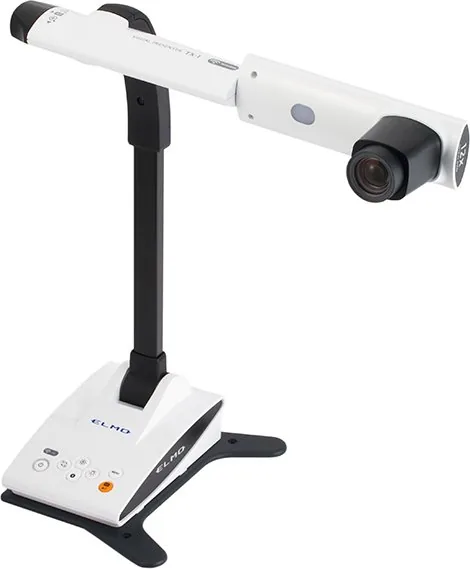
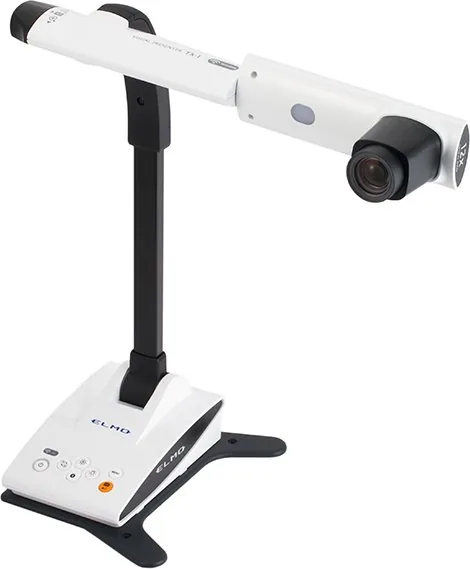
The TX-1 is a visual presenter for displaying live images of objects, printed materials, demonstrations, and close-up details on a monitor, projector, or computer.
Is this answer helpful?
It provides 12x optical zoom and up to 8x digital zoom. When using RGB output, digital zoom is limited to 4x. Optical zoom is preferable when image quality is important.
Is this answer helpful?
Yes. It supports UVC over USB, so it can work with compatible computer applications without a separate driver. Image Mate 4 adds camera control, still capture, and video recording tools.
Is this answer helpful?
No. When the TX-1 outputs video through USB, it cannot simultaneously output video through HDMI or RGB. Disconnect the USB cable to use HDMI or RGB output again.
Is this answer helpful?
Access point mode connects the TX-1 directly to one computer. Station mode connects it through a compatible wireless network or router. Change the default SSID and security key to improve access security.
Is this answer helpful?
Yes. A microscope mode is available for use with a separately available compatible microscope adapter. The adapter is intended for eyepieces with an outer diameter of 20 to 28 mm.
Is this answer helpful?
Advantages and Disadvantages
Advantages

- 12x optical zoom supports detailed close-up viewing before digital zoom is needed.
- HDMI, RGB, USB UVC, and 2.4 GHz WiFi provide flexible connection choices.
- One-touch autofocus, zoom-sync focus, brightness controls, and image rotation simplify operation.
- Image Mate 4 enables computer control, still-image capture, and video recording.
Disadvantages

- USB video output cannot be used at the same time as HDMI or RGB output.
- Digital zoom can reduce image quality, and RGB output limits digital zoom to 4x.
- WiFi uses the crowded 2.4 GHz band and may be affected by Bluetooth, metal, or concrete.
- The bright LED can become hot and should not be viewed directly.
Product Specification
Type
Document camera/overhead camera
Product Description
Elmo TX-1 Document Camera Manual: Flexible Visual Presentations
The Elmo TX-1 is a versatile visual presenter designed for classrooms, training rooms, demonstrations, and professional presentations. This compact unit combines a 3.4-megapixel CMOS camera, a 12x optical zoom lens, and clear HDMI, RGB, USB, and WiFi connectivity to help users share detailed live images with confidence. The Elmo TX-1 Document Camera Manual is an essential reference for setting up the unit, choosing the right output, and getting the best image quality for every task.
Designed for Clear, Detailed Viewing
The TX-1 captures close-up subjects, printed materials, objects, and demonstrations with dependable detail. Its 12x optical zoom lets users enlarge small features without immediately relying on digital enlargement. Digital zoom is also available when extra magnification is needed, although optical zoom provides the strongest image quality. One-touch autofocus makes it easy to regain sharp focus, while the zoom-sync focus option can automatically adjust focus after zooming.
A built-in high-brightness LED light helps illuminate subjects in dim rooms. Brightness buttons on the control panel allow quick adjustments, and the image can be rotated 180 degrees for flexible camera positioning. The adjustable arm and camera head support front, rear, overhead, and angled viewing, making the TX-1 suitable for a wide range of presentation layouts.
Connections for Modern Workflows
The TX-1 supports HDMI and analog RGB output for connection to compatible monitors and projectors. It also works as a UVC USB camera, allowing direct use with many computer applications without a separate driver. For users who need computer-based capture and control, Image Mate 4 software supports live viewing, still-image capture, video recording, zoom, brightness, autofocus, and rotation controls.
WiFi capability adds another layer of flexibility. In access point mode, the TX-1 can connect directly to a computer without an existing wireless network. Station mode allows it to join a compatible wireless network or router. Updating the SSID and security key is recommended to protect wireless access.
Practical Controls and Care
The simple control panel includes power, menu, autofocus, image rotation, LED, brightness, and WiFi status controls. The on-screen menu provides access to output selection, flicker reduction, digital zoom, language, network mode, reset options, and specialized modes. A microscope mode is also available when using a compatible optional microscope adapter.
Note: Place the TX-1 on a stable, level surface, carry it by the base with both hands, and avoid moving it by the arm or camera head. Use only the supplied power equipment and keep the unit away from moisture, dust, heat, and direct sunlight.
The Elmo TX-1 offers a balanced combination of optical flexibility, broad connectivity, straightforward controls, and wireless presentation options for users who need reliable live image sharing.
Search for 67,706 Manuals online


Type-in Brand or Model