
Elmo MX-P2 Manual
PDF manual · 27 Pages
English



Quick check
Incorrect answer, please try again.
Chat with your Elmo MX-P2 manual using AI
Get instant AI answers from your Elmo MX-P2 manual
Ask anything about the Elmo MX-P2. Answers come from this manual, with the pages they are based on.
MX-P2 Maintenance Schedule
Use a soft dry cloth. Do not use liquid cleaners or sprays.
Replace if operating time becomes very short due to battery life expiration.
Contact dealer if brightness has significantly decreased after long-term use.
Consult dealer for part replacement if performance declines after warranty period.
Ask a Question
Do you recommend MX-P2?
Yes NoFrequently Asked Questions
The device supports resolutions up to 4160x3120 pixels via USB 3.0 and 3840x2160 pixels via HDMI, ensuring high-quality image output for various applications.
Is this answer helpful?
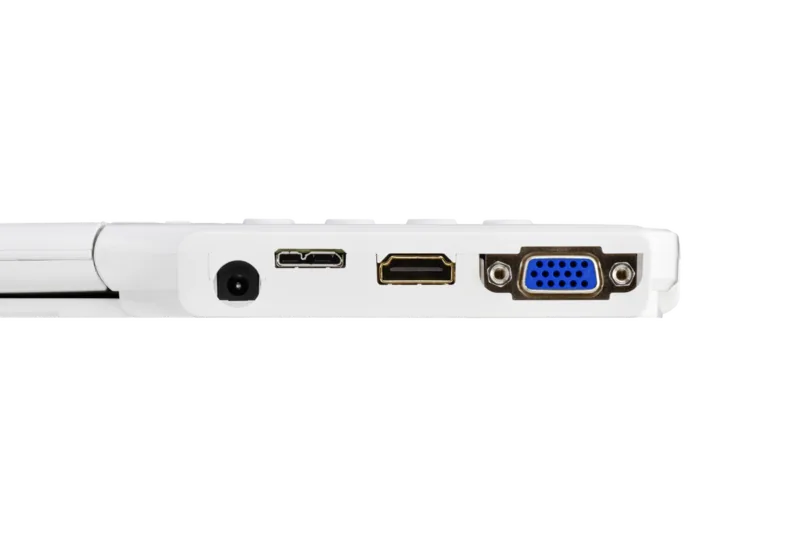
Yes, you can connect the MX-P2 to a projector using either an HDMI cable or an RGB cable, allowing for large-scale presentations in classrooms or meeting rooms.
Is this answer helpful?
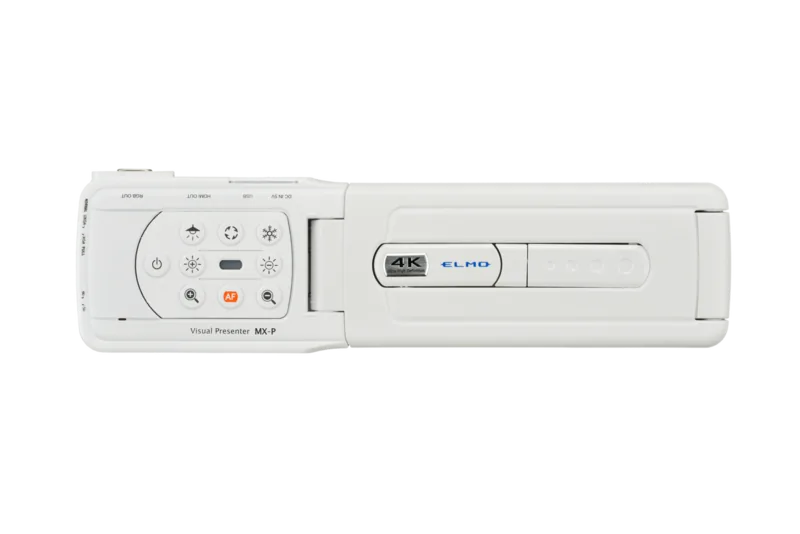
You can automatically focus by pressing the One-push AF button on the operating panel, which quickly adjusts the lens for a sharp image.
Is this answer helpful?
While the LED lighting is high-brightness and safe for general use, you should avoid looking directly into it at close range to prevent eye strain or injury.
Is this answer helpful?
The MX-P2 works with Image Mate +C, Image Mate 4, and ELMO Interactive Toolbox (EIT) for advanced features like annotation and remote control.
Is this answer helpful?
Advantages and Disadvantages
Advantages

- High-resolution CMOS sensor captures detailed images of documents and objects
- Flexible arm and camera head allow for versatile positioning and angles
- Multiple connectivity options including HDMI, RGB, and USB 3.0 support
- Built-in LED lighting provides consistent illumination for clear viewing
- Compatible with various software solutions for enhanced interactivity
Disadvantages

- Digital zoom may degrade image quality at maximum magnification levels
- Requires specific power supply adapters depending on the region
- USB audio performance can be unstable in certain environments
- Initial setup requires careful alignment to avoid magnetic interference
- Software installation may be needed for full feature utilization
Product Specification
Type
Overhead camera/document camera (CMOS)
Resolution
13.0 Megapixels
Connections
1x USB 3.0 Micro-B, 1x HDMI-Out, 1x VGA-Out
Dimensions
3.23x11.89x13.50 inches
Weight
1.21 lbs
Features
LED lighting, 16x digital zoom, built-in microphone
Manufacturer warranty
5 years
Product Description
Elmo MX-P2 Dokumentenkamera - Read, Download & Print Free
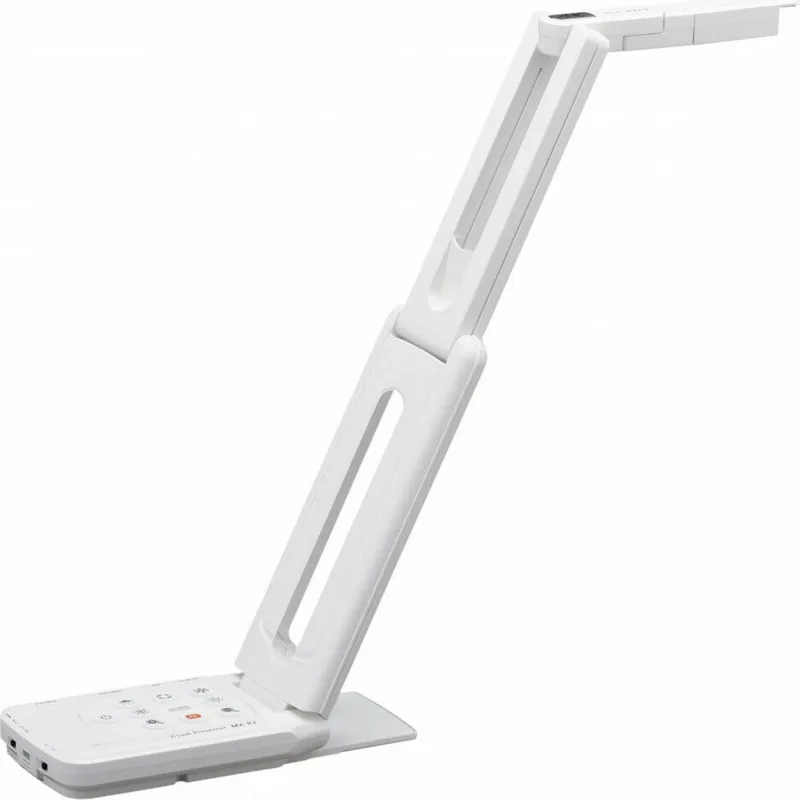
The Elmo MX-P2 Dokumentenkamera stands as a pinnacle of visual presentation technology, designed to bring clarity and precision to any educational or professional setting. This versatile device transforms static materials into dynamic visual experiences, allowing users to capture, display, and share content with exceptional ease. Its robust build and intuitive interface make it an indispensable tool for teachers, business professionals, and presenters who demand high-quality output without unnecessary complexity.
At the heart of this system lies a powerful CMOS sensor capable of capturing intricate details from documents, books, and three-dimensional objects. The adjustable arm and flexible camera head provide a wide range of motion, ensuring that every angle can be captured perfectly. Whether you are projecting onto a large screen or streaming directly to a computer, the MX-P2 delivers crisp images with vibrant colors and sharp focus. The built-in LED lighting ensures consistent illumination, eliminating shadows and glare for a clear view of your subject matter.
Connectivity is seamless, supporting multiple output options including HDMI, RGB, and USB connections. Users can easily integrate the device with existing projectors, monitors, or computers to enhance their presentations. The inclusion of specialized software like Image Mate +C and EIT further expands its capabilities, offering advanced features such as live annotation, screen recording, and remote control. These tools empower users to create interactive sessions that engage audiences effectively.
Safety and durability are paramount in the design of the MX-P2. Comprehensive safeguards protect against electrical hazards, overheating, and physical damage. The unit operates within specific environmental conditions to ensure longevity and optimal performance. Regular maintenance is straightforward, with clear guidelines provided for cleaning and storage. The product also adheres to strict regulatory standards, ensuring compliance with FCC rules and other international safety certifications.
In conclusion, the Elmo MX-P2 Dokumentenkamera offers a blend of functionality, reliability, and ease of use that sets it apart in the market. Its ability to handle diverse tasks makes it a valuable asset for anyone looking to enhance their visual communication strategies.
Search for 67,706 Manuals online


Type-in Brand or Model