
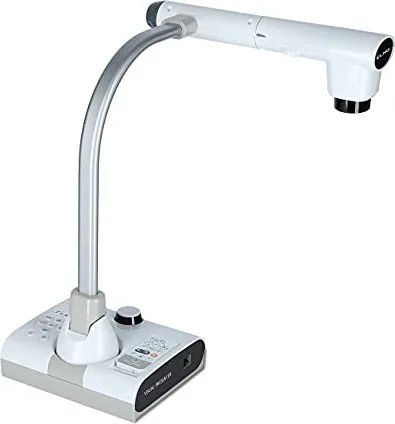
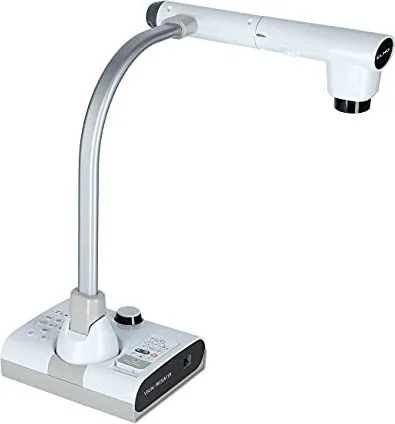
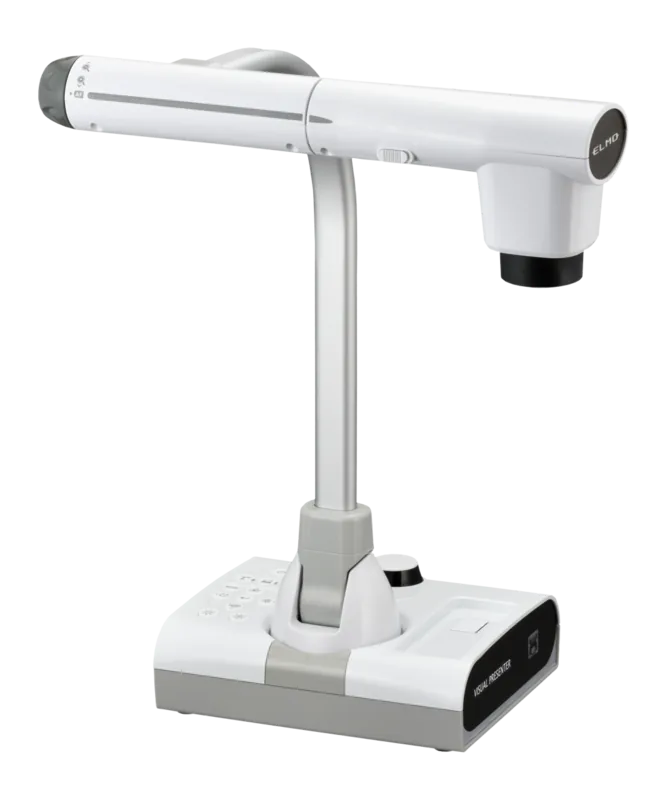
Elmo L-12W Manual
PDF manual · 85 Pages
English



Quick check
Incorrect answer, please try again.
Chat with your Elmo L-12W manual using AI
Get instant AI answers from your Elmo L-12W manual
Ask anything about the Elmo L-12W. Answers come from this manual, with the pages they are based on.
L-12W Maintenance Schedule
Use a soft, dry cloth for cleaning. Do not use volatile solvents such as thinner or benzene.
If the remote does not work due to low battery power, replace the coin battery with a new one.
If the brightness of the LED light has significantly diminished due to long-term use, consult a dealer for replacement.
Ask a Question
Do you recommend L-12W?
Yes NoFrequently Asked Questions
It is designed for displaying objects, notes, images, demonstrations, and other visual materials in classrooms, meetings, training spaces, and collaborative environments.
Is this answer helpful?
Yes. It provides up to 12x optical zoom, additional digital zoom, and autofocus to help users present both broad areas and small details.
Is this answer helpful?
The unit includes HDMI, RGB, USB, LAN, audio, SD card, and USB storage connections. This supports use with displays, projectors, computers, storage devices, and selected accessories.
Is this answer helpful?
Yes. Still images and video can be saved to supported SD cards, USB storage, or internal memory. A high-speed Class 10 SD card is recommended for video recording.
Is this answer helpful?
Yes. The built-in drawing tools include pens, highlighters, colors, line widths, erasing, and a tool for moving around enlarged views. Added marks can be included in saved captures.
Is this answer helpful?
It supports Miracast with compatible devices for wireless sharing. Wi-Fi or Ethernet can also support online features, depending on the network configuration.
Is this answer helpful?
Advantages and Disadvantages
Advantages

- 12x optical zoom and autofocus help present close details with clarity.
- HDMI, RGB, USB, LAN, audio, SD card, and USB storage provide flexible connectivity.
- Captures still images and video, with support for annotations and internal or removable storage.
- Built-in tools include split screen, QR reading, timer, whiteboard, microscope mode, and Miracast.
- Movable camera components and LED lighting support varied presentation setups.
Disadvantages

- Digital zoom can reduce image quality after the 12x optical zoom range.
- Some advanced functions depend on network access, compatible devices, or optional accessories.
- Video recording benefits from a Class 10 or faster SD card and adequate storage space.
- USB video streaming may vary depending on the computer, cable, and software environment.
- The bright LED should be used carefully around people and should not be viewed directly.
Product Specification
Type
Overhead camera/document camera (CMOS)
Resolution
3840 x 2160 dpi
Ports
1 x USB 2.0, 2 x USB-A 2.0 (host), 1 x LAN, card reader (SD), 1 x HDMI input, 1 x HDMI output, 1 x VGA input, 1 x VGA output, 1 x audio input (0.14 in jack), 1 x audio output (0.14 in jack)
Wireless
Wi-Fi
Power consumption
16.2 W (typical)
Dimensions
13.98 x 16.81 x 14.72 in
Weight
7.05 lb
Special features
LED lighting, 12x optical zoom, 16x digital zoom, security lock, includes remote control
Product Description
Elmo L-12W Document Camera - Read, Download & Print Free
The Elmo L-12W Document Camera is a versatile visual presentation tool designed for classrooms, training rooms, meetings, and collaborative workspaces. It combines a high-quality camera system with practical controls, flexible connectivity, and built-in productivity features to help users display objects, handwritten notes, illustrations, experiments, and teaching materials with clarity.
Clear Viewing and Flexible Control
With up to 12x optical zoom and additional digital zoom, the Elmo L-12W Document Camera makes it easier to focus on fine details or show a wider work area. Autofocus support helps maintain a sharp image, while manual brightness controls allow quick adjustment for changing room conditions. A switchable LED light provides extra illumination when needed, helping users create a well-lit presentation setup.
The movable camera arm and head offer flexible positioning for different subjects and angles. Whether you are demonstrating a small object, reviewing printed material, or sharing a hands-on process, the adjustable design supports natural, efficient setup. Image rotation and freeze functions add useful control during live presentations.
Connections for Modern Workspaces
The Elmo L-12W Document Camera includes HDMI, RGB, USB, audio, LAN, SD card, and USB storage connections. This broad selection makes it suitable for use with displays, projectors, computers, and compatible external devices. HDMI output supports common display resolutions, while USB video compatibility can help integrate the camera into video conferencing and other software-based workflows.
Wireless and network functions extend its usefulness beyond a single screen. Wi-Fi and Ethernet connectivity support online features, browser access, app updates, and selected educational tools. Miracast capability can enable wireless screen sharing with compatible devices, creating a more adaptable presentation environment.
Capture, Review, and Create
Users can capture still images and record video to supported SD cards, USB storage, or internal memory. Saved content can be reviewed through an on-screen gallery, while selected images can be compared using split-screen viewing. Built-in drawing tools allow annotations, highlights, and marks to be added during a presentation or saved with captured visuals.
Additional functions include QR code reading, a timer, microscope support, a whiteboard mode, and access to selected apps through ELMO Play. These tools make the Elmo L-12W Document Camera more than a basic visual display device. It is a capable platform for interactive lessons, demonstrations, explanations, and visual collaboration.
Notes
- Use a stable surface and keep ventilation openings clear.
- Avoid looking directly into the LED light at close range.
- For video recording, a high-speed Class 10 SD card is recommended.
- Use the supplied power adapter and compatible cables for reliable operation.
Search for 67,706 Manuals online


Type-in Brand or Model