
Elmo L-12G Manual
PDF manual · 73 Pages
English



Quick check
Incorrect answer, please try again.
Chat with your Elmo L-12G manual using AI
Get instant AI answers from your Elmo L-12G manual
Ask anything about the Elmo L-12G. Answers come from this manual, with the pages they are based on.
L-12G Maintenance Schedule
Use a soft dry cloth. Do not use volatile solvents like thinner or benzol.
Unplug the power cord from the outlet before cleaning the device.
Ask a Question
Do you recommend L-12G?
Yes NoFrequently Asked Questions
Yes, the device supports internal recording. You can save videos directly to the internal memory slot, an SD card, or a USB flash drive without needing external recording hardware.
Is this answer helpful?
Yes, the system supports up to 4K UHD resolution for both HDMI and USB output options. This ensures high clarity when projecting to compatible screens.
Is this answer helpful?
You can use the rear panel HDMI port to connect to most projectors. Simply plug in the HDMI cable directly from the device to the projector input.
Is this answer helpful?
Yes, microscope mode is available when using a separately sold attachment lens. Ensure the eyepiece diameter is between 20 to 28mm for proper fit.
Is this answer helpful?
No, standard drivers are not needed. The unit complies with UVC standards, allowing it to work directly with computers or operating systems.
Is this answer helpful?
Yes, Miracast is supported for wireless connection. Compatible devices like ElmoCast or HS-2 can receive the stream automatically.
Is this answer helpful?
Use a soft dry cloth for cleaning. Do not use liquid cleaners or aerosol sprays near the lens to prevent damage to the coating.
Is this answer helpful?
Advantages and Disadvantages
Advantages

- Supports 4K UHD resolution for sharp image quality during sharing
- Features 12x optical zoom for detailed close-up presentation
- Includes Miracast technology for wireless screen streaming
- Allows internal recording to SD cards and USB drives
- Compatible with microscope attachment for scientific observation
Disadvantages

- Requires external speaker for audio output functionality
- HDMI cables are not included in the standard package
- Unit is heavy and requires careful transport handling
- Remote control needs separate coin batteries for power
- USB streaming bandwidth limits high resolution performance
Product Specification
Type
Overhead Camera / Document Camera (CMOS)
Resolution
3840x2160dpi
Interfaces
1x USB-C 2.0, 1x USB-A 2.0 (Host), 1x LAN, SD Card Reader, 1x HDMI-In, 1x HDMI-Out, 1x VGA-In, 1x VGA-Out, 1x Audio-In (3.5mm Jack), 1x Audio-Out (3.5mm Jack)
Wireless
Wi-Fi 4 (WLAN 802.11a/b/g/n)
Power Consumption
21.6W (typical)
Dimensions
13.74x17.13x14.84 in
Weight
6.61 lbs
Features
LED Lighting, 12x Optical Zoom, 16x Digital Zoom, Integrated Microphone, Security Lock, incl. Remote Control
Manufacturer Warranty
5 Years
Product Description
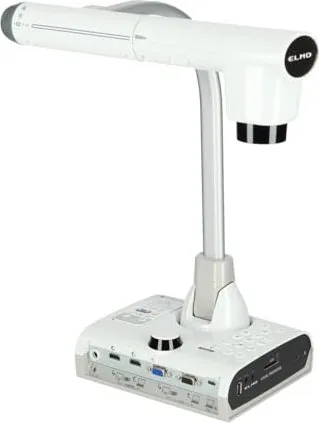
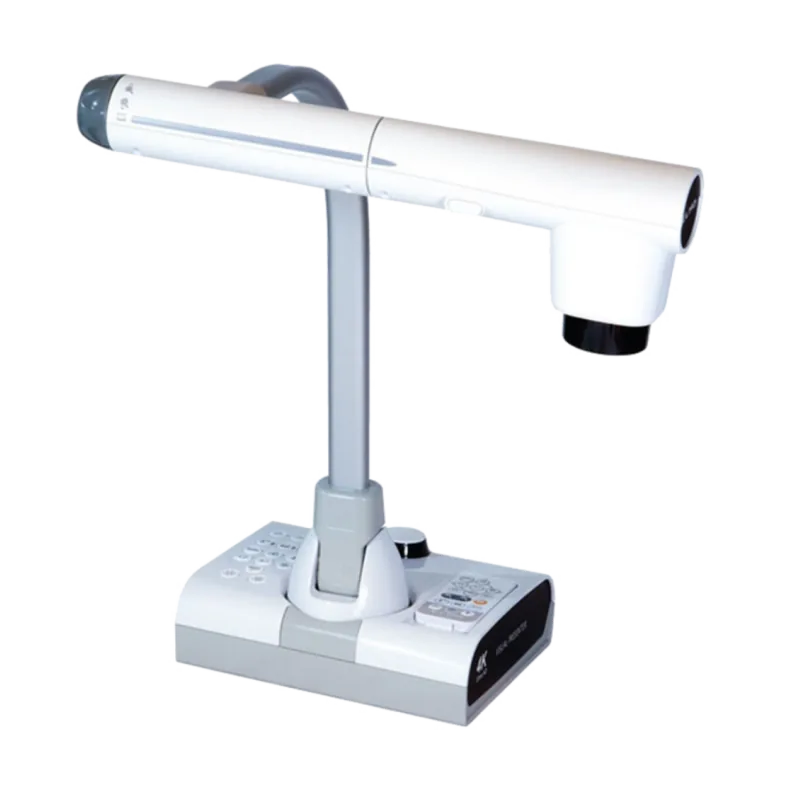
Welcome to the world of professional visual presentation with the Elmo L-12G. This device transforms how educators and business leaders share information globally. It brings clarity to your meetings through high resolution display capabilities. The Elmo L-12G Dokumentenkamera Manual provides essential setup details for initial configuration. You will find detailed guidance on operating the unit safely and efficiently within any environment.
Key Features
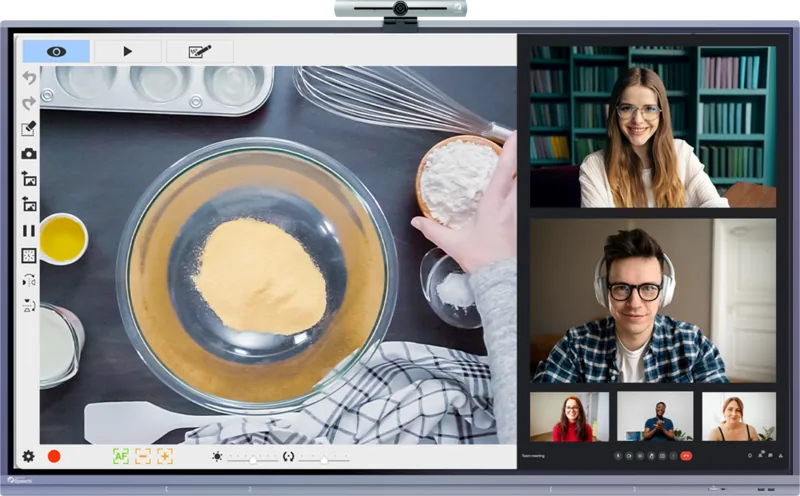
This unit supports 4K UHD resolution for crisp visuals during projection. Optical zoom allows you to focus closely on small text or intricate objects without losing quality. Digital zoom extends the reach when needed for specific viewing angles. Connectivity is flexible with multiple HDMI and USB ports available. You can stream wirelessly using Miracast technology for modern displays. Recording capabilities save your work directly without extra hardware required. This ensures you capture critical moments instantly.
Usage and Performance
Users appreciate the built-in LED lighting for consistent brightness levels. Adjusting the view is simple with the integrated zoom dial mechanism. The remote control offers convenient access to all functions remotely. You can rotate images to match the orientation of your materials. Audio input allows for live commentary during live sharing sessions. Safety guidelines ensure long-term reliability of the equipment for years.
Storage and Media
Data management is efficient with local storage options. You can save images and videos directly to the internal memory slot. SD cards or USB drives provide additional capacity for larger projects. Formatting is simple through the system menus for quick preparation. Backup your data regularly to prevent any potential loss during use. Transfer data to computers using the USB cable for editing.
Connectivity and Power
HDMI input and output allow signal pass-through capabilities easily. You can connect external computers for additional media sources seamlessly. USB host ports support flash drives for storage expansion. Power consumption remains low ensuring energy efficiency during long sessions. The AC adapter provides stable voltage for continuous operation. Ensure you use the supplied cable for optimal performance standards.
Final Thoughts
Investing in this visual presenter enhances interaction significantly for teams. Reliable performance ensures smooth presentations every time without technical glitches. The flexibility of recording saves time for later review and reference. Check the official resources for firmware updates regularly to maintain compatibility. This equipment stands the test of time for institutional environments effectively. The Elmo L-12G Dokumentenkamera Manual remains a valuable resource. It covers troubleshooting and maintenance tips thoroughly. Enjoy seamless integration with your existing technology stack today. Always keep the manual accessible for reference during setup.
Search for 67,706 Manuals online


Type-in Brand or Model