
Elmo L-12F Manual
PDF manual · 81 Pages
English



Quick check
Incorrect answer, please try again.
Chat with your Elmo L-12F manual using AI
Get instant AI answers from your Elmo L-12F manual
Ask anything about the Elmo L-12F. Answers come from this manual, with the pages they are based on.
L-12F Maintenance Schedule
Use a soft, dry cloth for cleaning. Do not use volatile solvents such as thinner or benzene.
After any maintenance or repair, ask the technician to perform safety checks to ensure correct operation.
Ask a Question
Do you recommend L-12F?
Yes NoFrequently Asked Questions
No, the HDMI cable is not included with the product. You will need to purchase a compatible HDMI cable separately to connect the camera to a projector or monitor.
Is this answer helpful?
Video recording is supported only on SD cards with a speed class of 10 or higher. USB drives can store still images but are not recommended for video capture.
Is this answer helpful?
Yes, an external electret condenser microphone must be purchased separately if you wish to use audio input beyond the built-in mono microphone.
Is this answer helpful?
You can connect the camera to a computer using the included USB cable. Ensure the region settings are configured via HDMI before connecting the USB cable for streaming.
Is this answer helpful?
The camera offers a total zoom of up to 288x, combining 12x optical zoom, sensor zoom, and digital zoom capabilities for extreme close-ups.
Is this answer helpful?
Advantages and Disadvantages
Advantages

- High-resolution optical zoom captures fine details clearly
- Integrated LED lighting ensures consistent image brightness
- Supports multiple connection types including HDMI and USB
- Remote control allows for hands-free operation
- Annotation tools help highlight or hide specific areas
Disadvantages

- External microphone must be purchased separately
- HDMI cable is not included in the package
- Digital zoom may reduce image quality at high levels
- Requires specific SD card speed classes for video recording
- USB streaming setup requires region configuration first
Product Specification
Type
Overhead camera/Document camera (CMOS)
Resolution
3840x2160dpi
Connections
1x USB 3.0, 1x USB-A 2.0 (Host), 1x LAN, Cardreader (SD), 1x HDMI-In, 1x HDMI-Out, 1x VGA-In, 1x VGA-Out, 1x Audio-In (3.5mm jack), 1x Audio-Out (3.5mm jack)
Wireless
N/A
Power consumption
21W (typical)
Dimensions
13.74x17.01x14.84in
Weight
6.61lbs
Features
LED lighting, 12x optical zoom, 16x digital zoom, integrated microphone, security lock, remote control included
Manufacturer warranty
5 years
Product Description
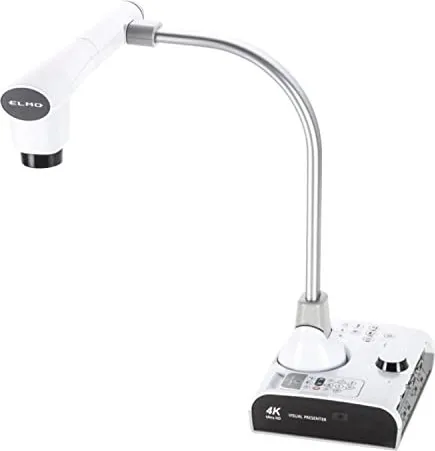
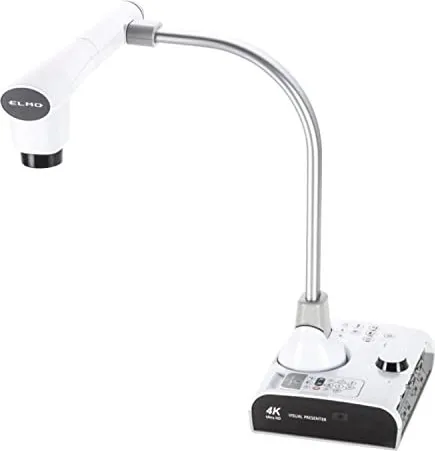
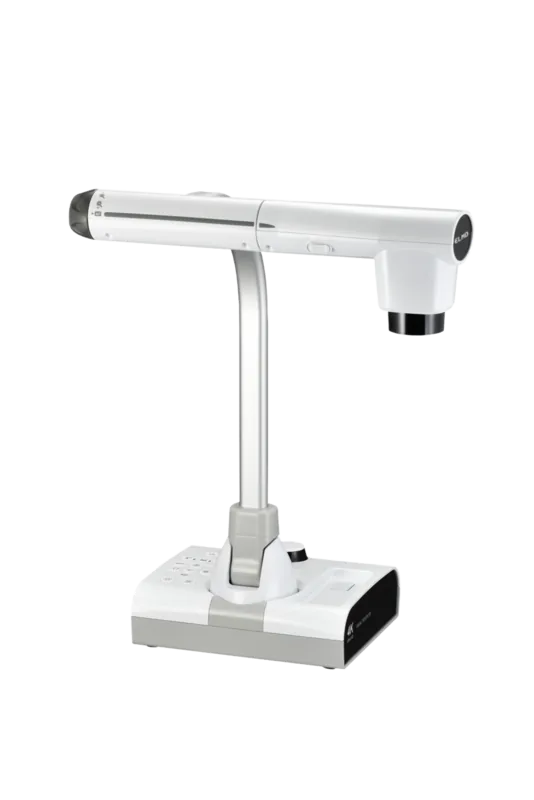
Elmo L-12F Document Camera: Elevate Your Visual Presentations
The Elmo L-12F Document Camera stands as a versatile tool designed to transform how visual content is shared in educational and professional settings. This high-performance device captures detailed imagery of documents, objects, and even microscopic specimens with exceptional clarity. Its robust build ensures reliability during long sessions, while the intuitive interface allows users to navigate features effortlessly.
At the heart of this system is a powerful optical zoom capability that brings fine details into sharp focus without losing image quality. The integrated LED lighting provides consistent illumination, ensuring that text and colors are reproduced accurately regardless of ambient light conditions. Users can easily switch between different modes to suit their specific needs, whether displaying live footage or reviewing stored media from removable storage devices.
Connectivity options are extensive, supporting seamless integration with projectors, interactive whiteboards, and computers via standard cables. This flexibility makes it an ideal choice for classrooms, conference rooms, and medical facilities where clear visual communication is paramount. The inclusion of a remote control further enhances usability, allowing presenters to manage operations from a distance.
Advanced software features enable annotation directly on the displayed image, helping instructors highlight key points or hide irrelevant sections to maintain audience focus. The ability to record video and capture still images means valuable moments can be preserved for later review or distribution. Safety protocols are built into the design, protecting both the user and the equipment from electrical hazards and overheating.
Whether you are teaching a class, conducting a meeting, or analyzing small parts, the Elmo L-12F delivers consistent performance. Its durable construction and comprehensive feature set make it a staple for anyone requiring high-quality document imaging. By combining ease of use with professional-grade results, this camera empowers users to communicate more effectively and engage their audience with dynamic visual aids.
Search for 67,706 Manuals online


Type-in Brand or Model