
Elgato Facecam Manual
PDF manual · 5 Pages
English



Quick check
Incorrect answer, please try again.
Chat with your Elgato Facecam manual using AI
Get instant AI answers from your Elgato Facecam manual
Ask anything about the Elgato Facecam. Answers come from this manual, with the pages they are based on.
Ask a Question
Do you recommend Facecam?
Yes No
Sarah Klein
7 months ago
Why does the camera keep crashing when I try to use it with OBS?
Frequently Asked Questions
The Facecam is optimized for a distance between 30 cm and 120 cm (12 to 47 inches). Staying within this range ensures the fixed-focus lens keeps your face perfectly sharp without any blurring.
Is this answer helpful?
Yes, the Camera Hub software includes a digital zoom function. However, applying heavy zoom will degrade image quality. It is highly recommended to physically reposition the camera for better framing instead of using digital zoom.
Is this answer helpful?
The ISO readout displays real-time sensor data, allowing you to see if your lighting is insufficient. If the ISO is high, you know you need more light to reduce film grain and improve overall video quality.
Is this answer helpful?
Absolutely. The Facecam supports plug-and-play functionality with all popular video conferencing software including Zoom, Microsoft Teams, Google Meet, and Skype without requiring complex driver installations.
Is this answer helpful?
Turn noise reduction off when you have good lighting conditions to ensure the sharpest possible image. Enable it only in low-light scenarios where reducing film grain becomes necessary.
Is this answer helpful?
Advantages and Disadvantages
Advantages

- Fixed focus lens eliminates auto-focus hunting for consistent sharpness
- Manual controls for exposure, white balance, and shutter speed via Camera Hub
- Unique ISO readout feature helps optimize lighting conditions effectively
- Seamless plug-and-play compatibility with popular video conferencing apps
Disadvantages

- Digital zoom degrades image quality if used excessively
- Requires good external lighting to achieve optimal low-noise performance
- No built-in microphone or speaker capabilities included in the unit
- Fixed focal length limits flexibility compared to zoom lenses
Product Specification
Type
Webcam
Image Sensor
1x 1/4" CMOS (Sony Starvis) 2.0 MP
Resolution
1920x1080 Pixels (60fps)
Lens
0.95 inch (F2.4)
Field of View
82 degrees (diagonal)
Connectivity
1x USB-C 3.0 (5Gb/s)
Wireless
N/A
Camera Cover
Included
Speaker
N/A
Lighting
N/A
Cable Length
6.56 feet
Power Supply
Via USB
Mounting
Clip mount, with 1/4 inch thread
Dimensions
3.15x2.28x1.89 inches
Weight
3.63 ounces (without mount)
Package Contents
Camera, Camera cover, USB-C to USB-A adapter
Features
Status LED
Product Description
Elevate Your Stream with Elgato Facecam
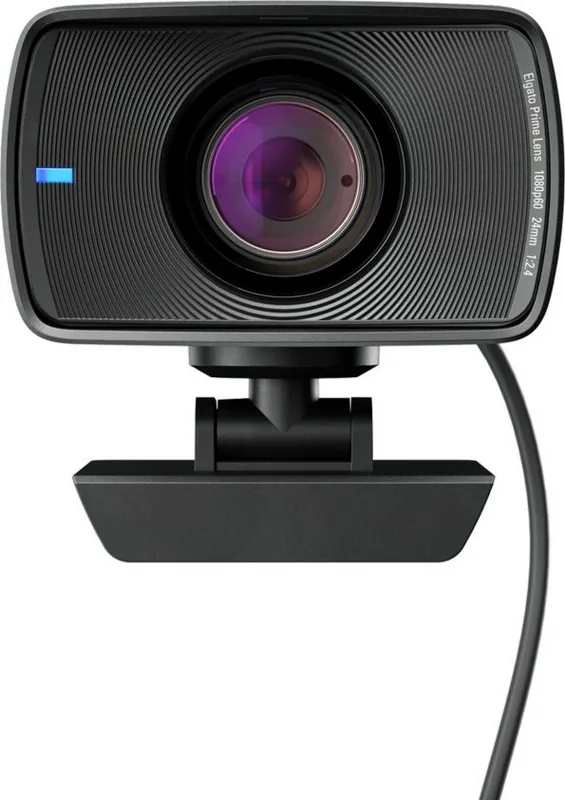
The Elgato Facecam is a premium webcam designed specifically for content creators, streamers, and professionals who demand high-quality video without the bulk of traditional cameras. Unlike standard webcams that rely on automatic adjustments often resulting in poor image quality, the Facecam features a fixed-focus lens optimized to keep you sharp within a range of 30 to 120 centimeters. This eliminates the distracting hunting motion of auto-focus systems, ensuring your audience stays focused on your message.
Uncompromised Image Quality
One of the standout features of this device is its ability to function like a DSLR camera. Through the dedicated Camera Hub software, users gain manual control over exposure compensation, white balance, and shutter speed. A groundbreaking addition for webcams is the ISO readout feature, which displays sensor data directly. This allows users to monitor lighting levels precisely; if the ISO reading is too high, it indicates a need for brighter studio lights to reduce grain and improve clarity. For those seeking perfect framing, the digital zoom option is available, though it is recommended to position the camera physically rather than relying heavily on digital zoom to maintain maximum resolution.
Seamless Integration and Control
Setting up the Facecam is a straightforward plug-and-play experience compatible with all major video conferencing applications. Simply connect via USB 3.0, install the Camera Hub software, and select the Facecam as your input source. The included privacy cap ensures security when not in use. Furthermore, the device integrates beautifully with other Elgato ecosystem products. Using a Stream Deck provides tactile, instant control over settings like brightness and zoom, while the Multi Mount accessory allows flexible placement on monitors or stands. Proper lighting remains crucial; positioning lights from the side or front and centering yourself in the frame yields the best results.
Notes for Optimal Performance
- Always use USB 3.0 ports to ensure stable data transmission.
- Disable noise reduction in well-lit environments for sharper images.
- Keep the camera at eye level for the most engaging perspective.
- Regularly update Camera Hub software for the latest features.
Search for 67,706 Manuals online


Type-in Brand or Model
Buford Littel
7 months ago
Does this webcam have a built-in microphone?
Manual.ly
7 months ago
No, the Elgato Facecam does not include an integrated microphone. It is designed primarily for video capture with high-quality Full HD image output. For audio, you will need to use an external microphone, such as a condenser mic or a headset with a microphone. This setup allows for better sound quality, which is often preferred by streamers and content creators.