
Elgato Facecam MK.2 Manual
PDF manual · 6 Pages
English



Quick check
Incorrect answer, please try again.
Chat with your Elgato Facecam MK.2 manual using AI
Get instant AI answers from your Elgato Facecam MK.2 manual
Ask anything about the Elgato Facecam MK.2. Answers come from this manual, with the pages they are based on.
Ask a Question
Do you recommend Facecam MK.2?
Yes NoFrequently Asked Questions
The camera supports uncompressed SDR and HDR video up to 1080p at 60 frames per second. It also handles 720p and 540p at various frame rates, ensuring smooth motion for gaming and streaming applications.
Is this answer helpful?
No, the Elgato Facecam MK.2 is UVC compliant, meaning it works immediately upon connection without installing any drivers. You can connect it directly to your computer and start using it in your preferred app.
Is this answer helpful?
Yes, it is fully compatible with all major video conferencing platforms including Zoom, Microsoft Teams, Google Meet, Skype, and FaceTime, as well as streaming software like OBS.
Is this answer helpful?
Use a soft microfiber cloth to gently wipe the lens. Avoid using paper towels or chemical detergents, as these can scratch the glass coating or leave residue that degrades image quality.
Is this answer helpful?
Yes, the Facecam MK.2 features a sliding privacy shutter. You can easily slide it closed to physically block the lens when the camera is not in use, ensuring total privacy.
Is this answer helpful?
It connects via a USB 3.0 Type-C cable. For best results, use the supplied cable or another high-quality USB 3.0 cable that supports the necessary data transfer speeds.
Is this answer helpful?
The camera has a fixed focus range between 30 cm and 120 cm (approximately 11.8 to 47.2 inches). It is optimized for typical desktop usage distances.
Is this answer helpful?
Advantages and Disadvantages
Advantages

- Sony STARVIS CMOS sensor delivers superior low-light performance
- Uncompressed 1080p60 video output for maximum clarity
- No driver installation required; plug-and-play compatibility
- Built-in physical privacy shutter for security
- Compact and lightweight design fits any setup
Disadvantages

- Requires USB 3.0 port for full resolution capabilities
- No integrated microphone included
- Fixed focal length limits zooming options
- Minimum focus distance is 30 cm, limiting close-ups
- Price point is higher than basic webcam alternatives
Product Specification
Type
Webcam
Image sensor
1x 1/2.5" CMOS (Sony Starvis) 2.0 MP
Resolution
1920x1080 pixels (60fps), 1280x720 pixels (120fps)
Lens
0.94 inches (F2.4)
Field of view
84 degrees (diagonal)
Connectivity
1x USB-C 3.0 (5Gb/s, port)
Wireless
N/A
Focus
Fixed focus
Camera cover
Sliding shutter
Microphone
N/A
Speaker
N/A
Lighting
N/A
Cable length
6.56 feet
Power supply
via USB
Mounting
Clip mount, with 1/4 inch thread
Dimensions (WxDxH)
3.31x1.50x2.40 inches (without mount)
Weight
3.17 ounces (without mount)
Package contents
Camera, USB-C to USB-A cable
Features
Status LED
Product Description
Elevate Your Stream with the Elgato Facecam MK.2
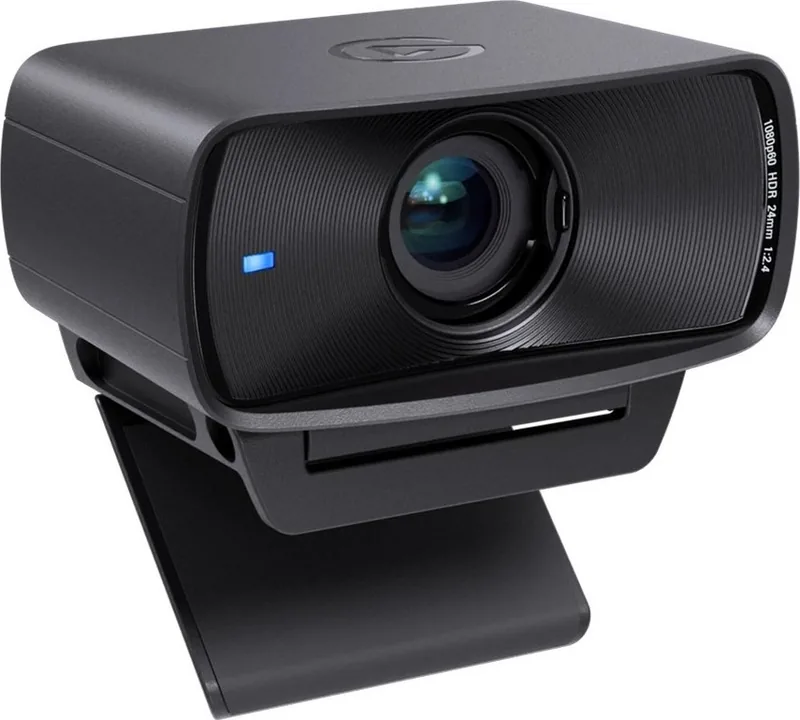
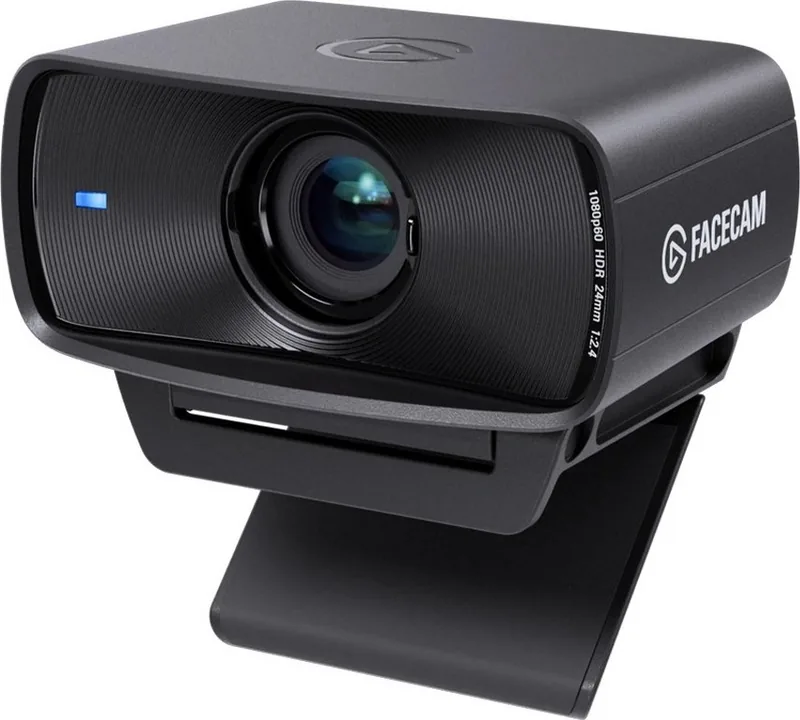
The Elgato Facecam MK.2 stands as a premier solution for content creators, streamers, and professionals seeking uncompromising video quality without the clutter of complex setups. Designed by Corsair Memory Inc., this device transforms any digital interaction into a crisp, professional broadcast. Whether you are hosting a high-stakes webinar, engaging with your community on Twitch, or recording tutorial videos, the Facecam MK.2 delivers a level of clarity that standard webcams simply cannot match.
At the heart of this camera lies the advanced Sony STARVIS CMOS sensor, paired with an Elgato Prime Lens featuring a fast f/2.4 aperture. This combination ensures exceptional performance even in lower light conditions, capturing vibrant colors and sharp details from 30 cm to 120 cm away. The lens provides a natural 84-degree field of view, framing you perfectly while maintaining a cinematic depth of field that keeps the focus squarely on you. Unlike many competitors, the Facecam MK.2 outputs uncompressed video directly via USB 3.0 Type-C, eliminating the lag and artifacts often associated with compressed streaming software.
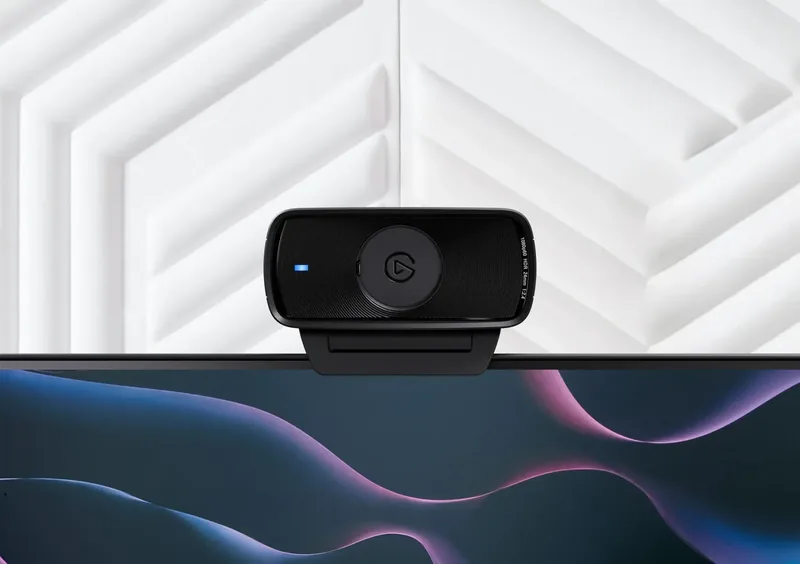
Installation is remarkably straightforward, requiring no drivers or complicated software suites. Simply plug the camera into your PC or Mac, open your favorite application like OBS, Zoom, or Skype, and start broadcasting immediately. The device features a built-in privacy shutter that slides smoothly over the lens, giving you peace of mind when you are not live. Its compact design allows it to sit flush against monitors or mount securely using the included 1/4-inch thread onto standard tripods or the Elgato Multi Mount system. Cleaning the lens is easy with a microfiber cloth, ensuring your image remains spotless for every session.
This camera is engineered for flexibility and reliability. It supports multiple resolutions including 1080p at 60 frames per second, allowing for buttery smooth motion in fast-paced gaming or dynamic presentations. The inclusion of HDR support further enhances the visual experience, balancing highlights and shadows for a more realistic look. With its lightweight build of just 90 grams, it adds minimal weight to your desk setup while maximizing output quality. By choosing the Elgato Facecam MK.2, you are investing in a tool that respects your time and elevates your production value instantly.
Key Notes
- Ensure you use a USB 3.0 port for optimal uncompressed performance.
- Do not use USB hubs as they may limit power and data throughput.
- The camera operates best within a distance of 30 to 120 cm from the subject.
Search for 67,706 Manuals online


Type-in Brand or Model