

Elegoo Saturn 3 Ultra 12K Manual
PDF manual · 26 Pages
English



Quick check
Incorrect answer, please try again.
Chat with your Elegoo Saturn 3 Ultra 12K manual using AI
Get instant AI answers from your Elegoo Saturn 3 Ultra 12K manual
Ask anything about the Elegoo Saturn 3 Ultra 12K. Answers come from this manual, with the pages they are based on.
Saturn 3 Ultra 12K Maintenance Schedule
Before and after printing, clean the build plate with paper towels or alcohol. Ensure there are no bumps or burrs.
Before each print, daily check the exterior and all mechanical parts for obvious damage, defects, or abnormalities.
Check for looseness, scratches, or severe whitening before each print. Replace the film if these conditions are found.
Replace the release film at least once every 1-2 months, more often with increased printing frequency.
Perform daily screen cleaning and unplug the machine promptly after printing.
Check and apply lubricant grease at least every 2-3 months. Increase frequency with heavier printing use.
Free maintenance reminders
Timed to your purchase date. Always free, unsubscribe anytime.
Ask a Question
Do you recommend Saturn 3 Ultra 12K?
Yes NoVideo Manual
Elegoo Saturn 3 Ultra - 12K Resin 3D Printer - Unbox & Setup
Frequently Asked Questions
The Elegoo Saturn 3 Ultra 12K features an impressive 11520 x 5120 XY resolution, ensuring high-detail prints.
Is this answer helpful?
The printer provides a build volume of 218.88 x 122.88 x 260mm, allowing for the creation of larger models or multiple smaller items at once.
Is this answer helpful?
Always wear gloves and a mask when handling photopolymer resin. Ensure the resin tank is filled between 1/3 and the MAX line. Keep the printer in a clean, dry environment.
Is this answer helpful?
Regularly clean the resin tank, lubricate the Z-axis, and replace the release film every 1-2 months to ensure optimal performance.
Is this answer helpful?
The printer is compatible with Chitu Box and Voxeldance Tango slicing software, both of which offer extensive customization options for different print settings.
Is this answer helpful?
The printer comes with a 1-year warranty, and the LCD screen has a 6-month warranty. The warranty does not cover issues caused by improper use or self-disassembly.
Is this answer helpful?
Attach the WiFi antenna, navigate to 'Settings' > 'WiFi' on the touch screen, select your network, enter the password, and click 'Confirm' to connect.
Is this answer helpful?
Advantages and Disadvantages
Advantages

- High 12K resolution for detailed prints
- Large build volume for versatile projects
- Advanced light source ensures consistent curing
Disadvantages

- Requires regular maintenance of the release film
- Photopolymer resin handling requires safety precautions
- Limited warranty on the LCD screen
Product Specification
Method
LCD/TFT Stereolithography
Configuration
1x LCD panel from below, 1x movable print bed (up/down)
Structure
Ready-made model, closed print chamber (with viewing window, removable lid), control in the device, comparable to ChiTu L5.5 Series
Manufacturer's recommended materials
Liquid resin, open system, 405nm wavelength
Print size
8.62x10.24x4.84in (WxHxD)
Contour generation
1x LCD panel (10" diagonal, 11520x5120 pixels, 405nm)
Layer height
0.00-0.01in
Accuracy X
4.8um
Accuracy Y
4.8um
Accuracy Z
10um
Speeds
5.91in/h
Print bed
Rectangular, metal with coating
Interfaces
USB-A 2.0, WLAN
Camera
N/A
Scanner
N/A
Screen
4" diagonal, color, touchscreen
Control
Touchscreen
Power supply
110-240V
Dimensions
10.75x22.17x12.04in (WxHxD)
Weight
35.71lb (empty)
Color
Black (housing), transparent black (cover)
Scope of delivery
1x printer, tool set, cleaning set
Special features
Print chamber ventilation (activated carbon filter)
Manufacturer's warranty
one year
Product Description
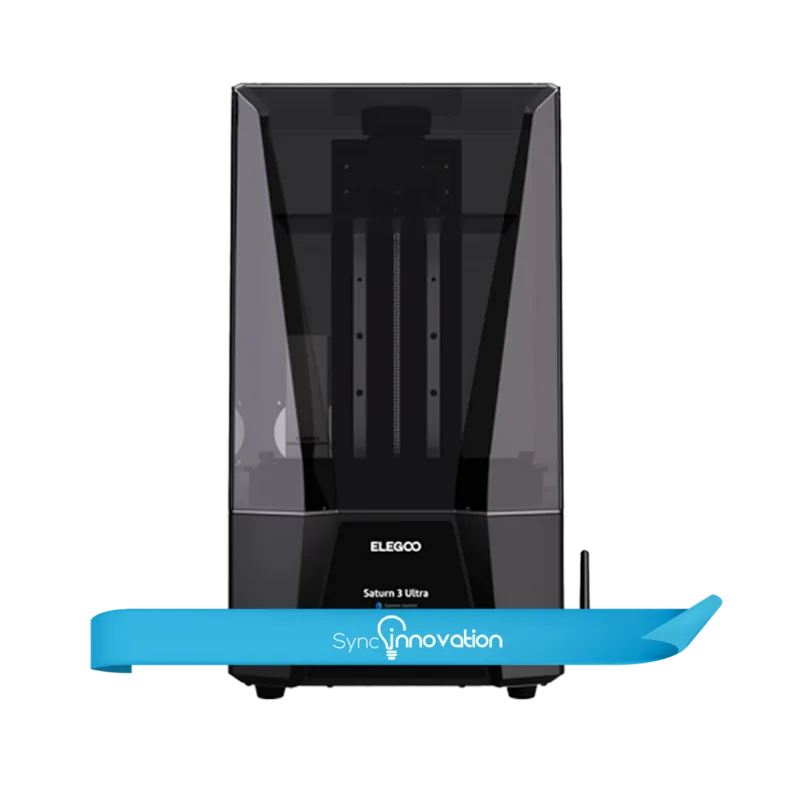
Elegoo Saturn 3 Ultra 12K: A Leap in 3D Printing Technology ## Overview The Elegoo Saturn 3 Ultra 12K is a cutting-edge 3D printer designed to deliver high-resolution prints with unmatched precision. Boasting a 12K resolution and advanced MSLA stereolithography, this printer is perfect for hobbyists and professionals alike. Let's explore what makes the Elegoo Saturn 3 Ultra 12K an exceptional addition to your 3D printing arsenal. ## Key Features ### High Resolution and Precision The Elegoo Saturn 3 Ultra 12K features a remarkable 11520 x 5120 XY resolution, ensuring every print is detailed and accurate. The Z-axis accuracy of 0.01mm further enhances the precision, making it ideal for intricate models and prototypes. ### Robust Build Volume With a build volume of 218.88 x 122.88 x 260mm, the Saturn 3 Ultra 12K offers ample space to print larger models or multiple smaller items simultaneously. This flexibility allows you to take on a broader range of projects with ease. ### Advanced Light Source Utilizing a COB+ refractive light source with a 405nm wavelength, the printer ensures even exposure across the entire print area. This results in consistent curing and higher-quality prints. ### User-Friendly Interface The 4.0-inch capacitive touch screen provides an intuitive interface, making it easy to navigate through settings and monitor print progress. The printer supports both USB and WiFi connectivity, allowing for seamless file transfers and remote operation. ### Efficient Slicing Software The included Chitu Box and Voxeldance Tango software simplify the slicing process. These programs offer extensive customization options, enabling you to optimize print settings for different resins and models. ## Notes - Always wear protective gear, such as gloves and a mask, when handling photopolymer resin. - Ensure the resin tank is filled between 1/3 and the MAX line. - Maintain a clean and dry environment for the printer to prevent damage. - Regularly check and maintain the release film and the Z-axis for optimal performance. ## Conclusion The Elegoo Saturn 3 Ultra 12K stands out with its high resolution, large build volume, and user-friendly features. Whether you're a hobbyist looking to achieve professional-quality prints or a professional seeking a reliable 3D printer, the Saturn 3 Ultra 12K is an excellent choice. # Elegoo Saturn 3 Ultra 12K Manual ## Unboxing and Setup - Confirm that all components are included and intact. - Follow the leveling tutorial for initial setup. - Use the Chitu Box software for slicing models. ## Maintenance - Clean the resin tank before changing colors. - Lubricate the Z-axis regularly. - Replace the release film every 1-2 months. ## Warranty - 1-year warranty for the printer. - 6-month warranty for the LCD screen. - Excludes issues caused by improper use or self-disassembly.
Search for 67,706 Manuals online


Type-in Brand or Model