
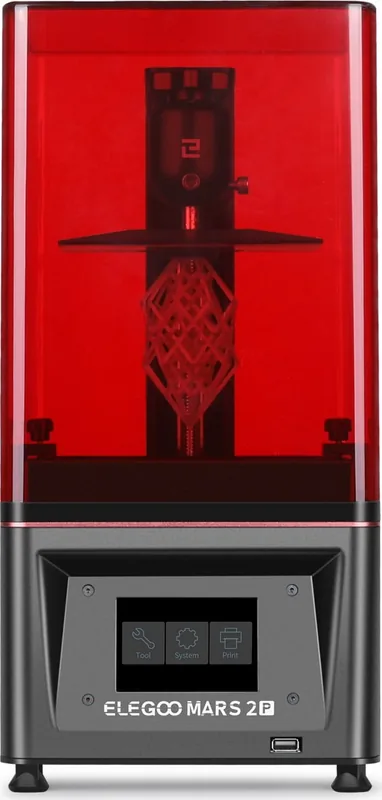
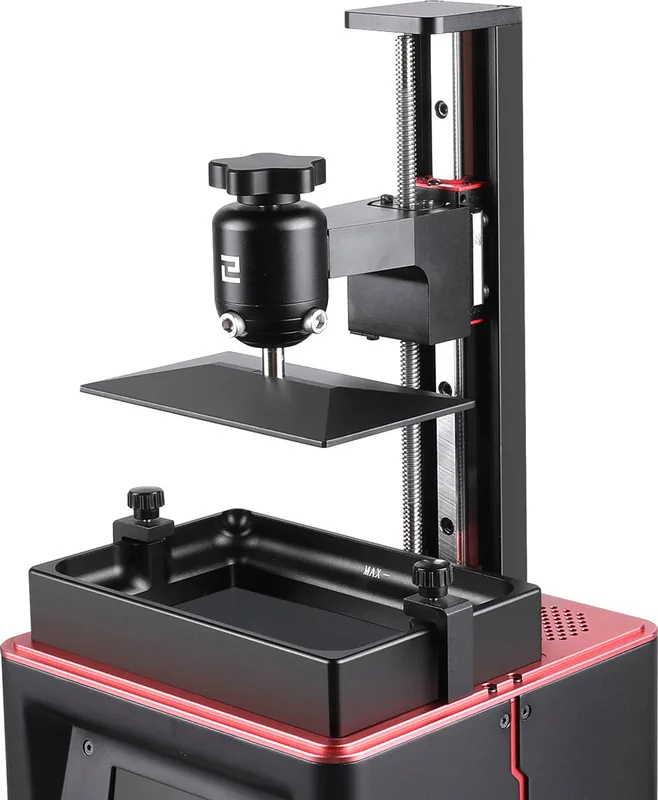
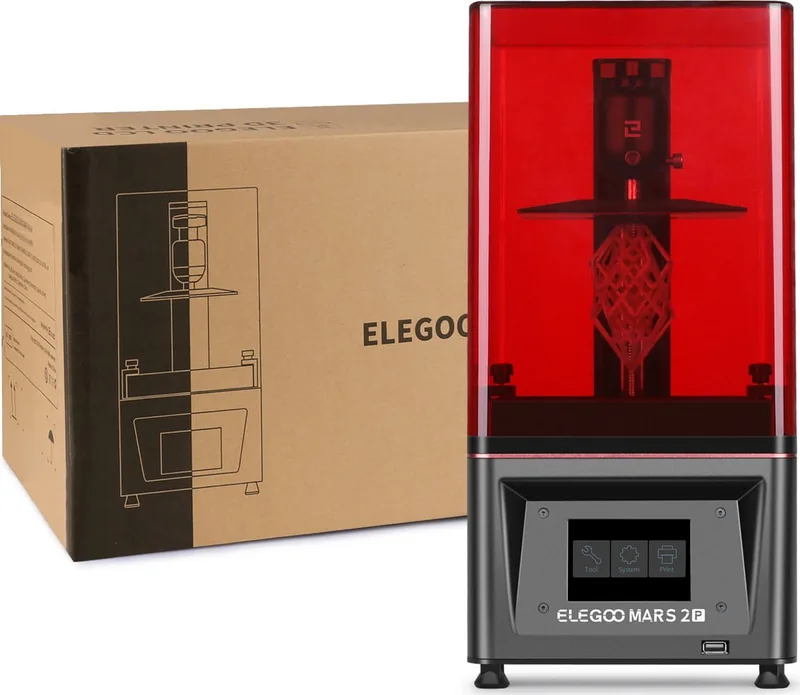
Elegoo Mars 2 Pro Manual
PDF manual · 15 Pages
English



Quick check
Incorrect answer, please try again.
Chat with your Elegoo Mars 2 Pro manual using AI
Get instant AI answers from your Elegoo Mars 2 Pro manual
Ask anything about the Elegoo Mars 2 Pro. Answers come from this manual, with the pages they are based on.
Ask a Question
Do you recommend Mars 2 Pro?
Yes No
ut_earum
5 months ago
How can I verify if the printing method matches the description before buying?

Rosamond Ondricka
5 months ago
Is this printer actually FDM or does it use resin?

Manual.ly
5 months ago
Thank you for your feedback. We apologize for the confusion. This specific model uses FDM technology as described in the product listing. If you received a unit that appears to be a resin printer, please contact our support team immediately with your order number so we can arrange a replacement or refund.
Sarah Chen
5 months ago
Can you confirm the printing method before I buy?
Luca Ferri
3 months ago
Is this a filament-based FDM 3D printer, or does it use liquid resin?
Manual.ly
3 months ago
This printer uses liquid resin, not FDM filament. Resin printing is a different technology and requires resin handling, washing, and curing of finished prints. Please check the product specifications for the exact resin printing method and compatible materials.
Lena Schmitt
6 months ago
Is this printer an FDM model, or does it use liquid resin?
Manual.ly
6 months ago
This printer uses a liquid resin printing process, not FDM filament printing. Resin and FDM are fundamentally different technologies: resin printers cure liquid photopolymer layer by layer, while FDM printers melt and extrude plastic filament. Please ensure you have suitable resin, cleaning supplies, and curing equipment before purchasing.
QuiIllo76
4 months ago
Is this printer an FDM model, or does it print with liquid resin?
Manual.ly
4 months ago
This product uses liquid resin printing technology, not FDM filament extrusion. Resin and FDM are fundamentally different processes: resin printers cure liquid photopolymer layer by layer, while FDM printers melt and deposit plastic filament. Please check the product's technical specifications for the exact resin technology and compatible materials.
Broderick Hauck
6 months ago
Is this an FDM printer, or does it use liquid resin? The product description seems contradictory.
Manual.ly
5 months ago
This printer uses liquid resin rather than FDM filament. Resin printing is a different process and requires compatible resin, washing, and curing steps. Please check the listed specifications and safety instructions before purchasing.
Ryder Brekke
3 months ago
Is this 3D printer an FDM model, or does it print with liquid resin?
Manual.ly
3 months ago
This printer uses liquid resin rather than FDM filament. Resin printing is a different process and requires compatible resin, washing, and curing steps. Please check the product specifications carefully, as an FDM description would be incorrect.
Frequently Asked Questions
It is well suited to detailed miniatures, collectible figures, tabletop parts, small prototypes, dental-style study models, jewelry concepts, and other objects where fine surface detail matters. Its compact build area is best for small to medium prints.
Is this answer helpful?
Use 405 nm UV-curable photopolymer resin compatible with LCD resin printers. Exposure settings can vary by resin type, color, and layer height, so begin with recommended values and perform small calibration prints if necessary.
Is this answer helpful?
Fill the resin tank gradually to about one-third of its capacity. This helps reduce overflow risk and leaves room for displacement during printing. Add more resin only after pausing the print if the level becomes too low.
Is this answer helpful?
Allow excess resin to drip from the build platform, then carefully remove the model with a scraper. Wash the print with 95% or stronger ethyl alcohol or isopropyl alcohol. Wear gloves and avoid direct skin contact with uncured resin.
Is this answer helpful?
Common causes include bottom exposure that is too short, too few bottom layers, insufficient contact area, or incorrect platform leveling. Increase bottom exposure slightly, add bottom layers, improve support contact, and re-level the platform.
Is this answer helpful?
Import an STL model into compatible ChiTu slicing software, adjust its size and position, add supports if required, select the printer profile, set resin parameters, slice the model, and export the print data to a USB drive.
Is this answer helpful?
Advantages and Disadvantages
Advantages

- Fine 0.047 mm XY resolution supports detailed resin models and smooth surface finishes.
- Adjustable 0.01-0.2 mm layer height allows users to prioritize detail or printing speed.
- Compact 120 x 68 x 155 mm build volume fits miniatures, prototypes, and small functional parts.
- Touchscreen controls, USB printing, and ChiTu slicing workflow simplify daily operation.
- 405 nm UV curing system and stable Z-axis setup support accurate layer-by-layer printing.
Disadvantages

- The build volume is limited for large objects or batch production.
- Resin handling requires gloves, a mask, alcohol cleaning, and careful spill prevention.
- Failed prints require tank cleaning and resin filtering before the next job.
- Exposure settings may need testing for different resins, layer heights, and model shapes.
- FEP film and LCD-related components require careful maintenance and should not be scraped with sharp tools.
Product Specification
Process
LCD/TFT stereolithography
Configuration
1x LCD panel from below, 1x movable build platform (up/down)
Design
Pre-assembled model, enclosed print chamber (with viewing window, removable cover), onboard controls, comparable to ChiTu L5.5 Series
Manufacturer-recommended materials
liquid resin, open system, 405 nm wavelength
Print size
5.08 x 6.30 x 3.15 in (W x H x D)
Image formation
1x LCD panel (6 in diagonal, 2560 x 1440 pixels, 405 nm)
Layer height
0.0004-0.0079 in
X accuracy
0.002 in
Y accuracy
0.002 in
Z accuracy
0.00005 in
Speed
0.89 in/h
Build platform
rectangular, coated metal
Interfaces
USB-A 2.0
Camera
N/A
Scanner
N/A
Screen
3.5 in diagonal, color, touchscreen
Controls
Touchscreen
Power supply
110/220 V, 60 W
Dimensions
7.87 x 16.14 x 7.87 in (W x H x D)
Weight
11.02 lb (empty)
Color
black (housing), transparent red (cover)
Included
1x printer, tool set, cleaning set
Special features
Print chamber ventilation (activated carbon filter)
Manufacturer warranty
one year
Product Description
Elegoo Mars 2 Pro - Read, Download & Print Free
The Elegoo Mars 2 Pro is a compact resin 3D printer designed for detailed miniature models, prototypes, figures, jewelry-style pieces, and other precision projects. Its UV LCD curing system uses a 405 nm integrated light source to harden resin layer by layer, helping users achieve smooth surfaces and fine features that are difficult to reproduce with many entry-level filament printers.
Precision in a Compact Workspace
With a stated XY resolution of 0.047 mm and adjustable layer heights from 0.01 to 0.2 mm, the printer supports a balance between sharp detail and practical print times. The build volume of 120 x 68 x 155 mm is well suited to small and medium objects, while the 3.5-inch touchscreen and USB connectivity keep operation straightforward. A stable, level setup is important for consistent results, especially when creating narrow parts or models with delicate supports.
Setup and Everyday Printing
Before printing, the build platform should be leveled using a sheet of paper, then securely tightened. Resin is added gradually, with the tank kept to about one-third full to reduce spills and make handling easier. After selecting a prepared model from a USB drive, place the cover on the printer and keep it away from direct sunlight, moisture, dust, and unstable surfaces.
For model preparation, ChiTu-based slicing software can import STL designs, scale and position them, add supports when needed, and convert them into printable layers. Recommended starting settings include a 0.05 mm layer height, three to six bottom layers, and exposure values adjusted for the selected resin and model complexity. Testing and small adjustments can improve adhesion, surface quality, and reliability.
Cleaning, Care, and Safe Use
Resin printing requires careful handling. Wear gloves and a mask, avoid skin contact with uncured resin, and clean finished models with 95% or stronger ethyl alcohol or isopropyl alcohol. Let excess resin drain from the build platform before removing a print. Use the scraper carefully, particularly around sharp-edged models, to avoid damage or injury.
Regular maintenance protects both prints and hardware. Filter unused resin before returning it to its bottle, clean the tank after failed prints or color changes, and avoid using sharp tools on the FEP film. If the printer will remain unused for more than 48 hours, return resin from the tank to a sealed bottle. Keeping the Z axis lubricated and checking that the tank and platform are firmly secured can also prevent common printing issues.
Notes
- Keep resin, tools, and accessories out of reach of children.
- Do not disassemble the printer, as this may affect warranty coverage.
- Clean failed-print residue promptly to protect the LCD screen and FEP film.
Search for 67,706 Manuals online


Type-in Brand or Model
Melissa Evans
5 months ago
Is this printer using FDM or resin technology? The description says FDM but the review mentions liquid resin.
Manual.ly
5 months ago
Thank you for your inquiry. Our product listing accurately describes an FDM (Fused Deposition Modeling) printer. If you received a device that uses resin, it may be a shipping error or a different model was sent by mistake. Please contact our support team immediately with your order number so we can investigate and arrange a replacement or refund.