Slide the pointer speed selector up or down. The indicator light blinks once for 750 dpi and twice for 1500 dpi.
Is this answer helpful?
A
Yes, it works with Macintosh OS X 10.10 or later. Back and forward buttons are usable with software.
Is this answer helpful?
A
No, it is not waterproof. Exposure to rain or liquids may cause damage and void warranty.
Is this answer helpful?
A
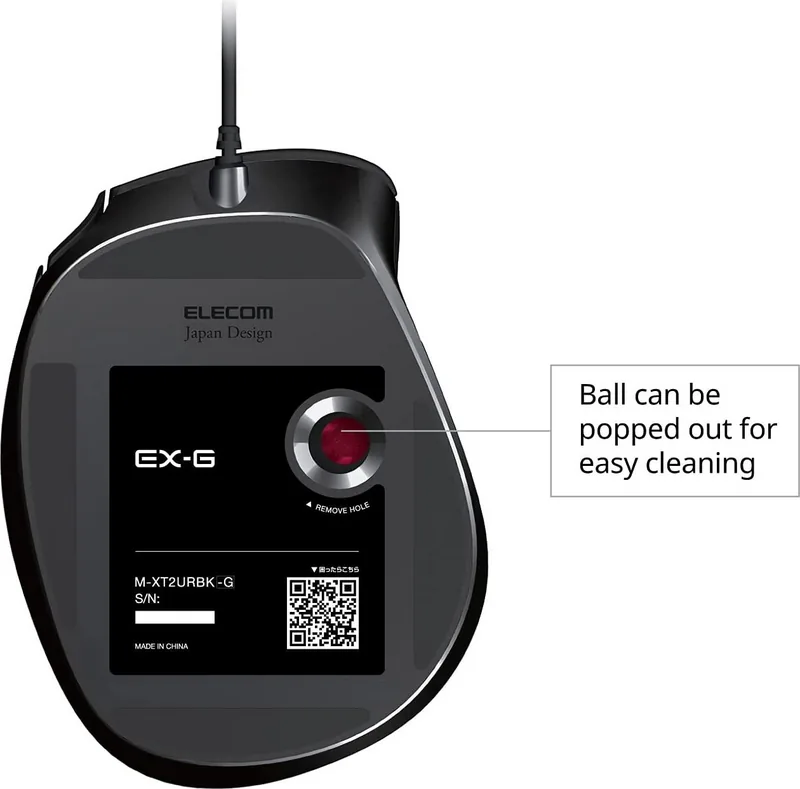
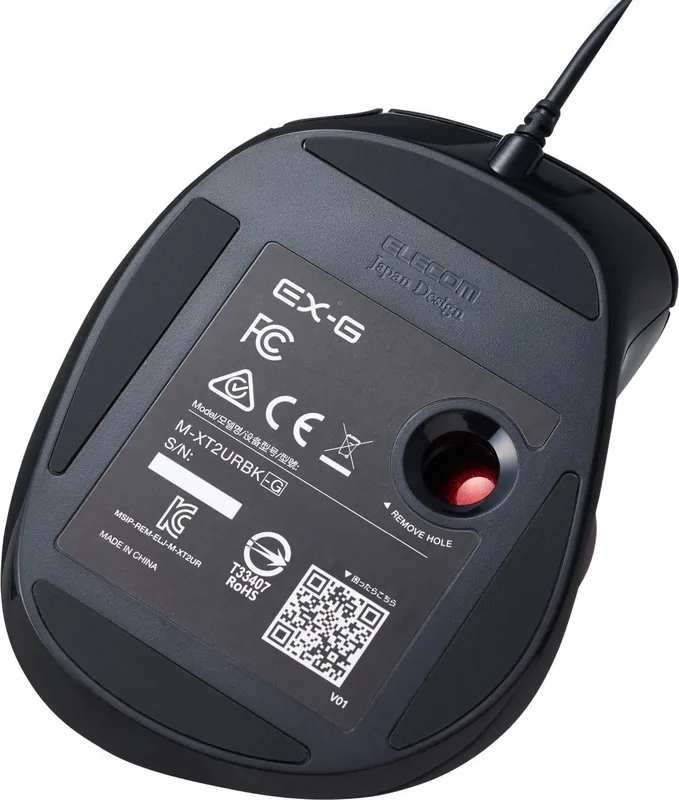
Push the ball out from behind. Use a cotton swab to clean the red support balls contact areas carefully.
Is this answer helpful?
A
The driver installs automatically. Download the ELECOM Mouse Assistant for advanced button functions.
Is this answer helpful?
A
It is approximately 95 mm wide, 125 mm deep, and 48 mm high.
Is this answer helpful?
A
No, do not attempt to disassemble or modify the product as it may cause fire or shock.
Is this answer helpful?
M: QW-35-FL
Advantagesand
Disadvantages
Advantages
Adjustable DPI between 750 and 1500 for different precision needs.
Tilt wheel allows horizontal scrolling for efficient web browsing.
Trackball design reduces wrist strain compared to traditional mice.
Software support enables button customization on Mac and Windows.
Simple cleaning process with removable ball mechanism.
VS
Disadvantages
Wired connection limits mobility compared to wireless models.
ELECOM Mouse Assistant software is not compatible with Windows RT.
Requires regular cleaning to maintain accurate pointer movement.
Not waterproof so liquids can cause permanent damage to device.
Dimensions may be bulky for users with small desk spaces.
M: QW-35-FL
Product
Specification
Type
Trackball
Buttons
5
Connection
Wired (4.92 ft), USB-A 2.0
Power Supply
USB
Dimensions (WxHxD)
3.74 x 1.89 x 4.88 in
Weight
0.34 lbs
Features
Omron Switches
M: QW-35-FL
Product
Description
Discovering Precision with the Elecom EX-G MXT2
For professionals seeking ergonomic comfort and precise control, the Elecom EX-G MXT2 offers a unique solution for daily computing tasks. This wired trackball mouse stands out in a market dominated by traditional optical designs. It allows users to control the cursor by rotating a ball with their thumb rather than moving an entire device across a desk surface. This design significantly reduces wrist strain and fatigue, making it ideal for long work sessions in office environments.
One of the standout features is the highly customizable resolution settings. You can switch between 750 and 1500 dpi using the dedicated pointer speed selector. A blinking indicator light clearly shows your current setting location. This flexibility ensures smooth navigation whether you are editing detailed graphics or browsing the web casually on a screen. The innovative tilt wheel further enhances productivity by enabling horizontal scrolling without requiring complex gestures during normal use.
Cross-platform compatibility is a major strength. The device works seamlessly with Windows 10 and 8.1, as well as Macintosh OS X 10.10. However, for advanced features like button assignment, users should download the ELECOM Mouse Assistant. This software unlocks the full potential, enabling back and forward button functionality on Mac systems. Please note that Windows RT is not supported by the assistant software.
Maintenance is straightforward yet requires caution. The ball can be removed easily for cleaning to ensure consistent performance. Users must use a cotton swab to remove dust from the contact areas where the support balls touch the trackball underneath. Care must always be taken not to damage the optical sensor during this cleaning process. Safety precautions advise against using the device in wet environments or near strong magnets. If strange heat occurs, discontinue use immediately and contact your retailer.
Understanding the hardware is essential for optimal performance. The product includes detailed specifications found within the Elecom EX-G MXT2 Manual available on the official website. While this guide covers installation, knowing the internal components helps prevent accidental damage to the USB connector. Remember that the device is not waterproof and should be kept away from liquids.
In summary, this trackball mouse provides a robust method for navigating digital space. It combines durability with ergonomic design. Whether for office work or creative projects, the Elecom EX-G MXT2 ensures reliability for your computer setup. It fits most desk layouts well. Please check guidelines for safety tips before starting.