

Free Elecom Manuals – Read, Download & Print
6 Manuals
Manuals



Categories

Free Elecom Manuals - Read, Download & Print
Find the Right Elecom Manual for Your Device
Looking for a free Elecom manual? Access clear product documentation for Elecom peripherals, accessories, networking equipment, storage devices, and computer-related tools in one convenient place. Whether you need setup guidance for a wireless mouse, troubleshooting instructions for a keyboard, connection details for a router, or maintenance information for an external drive, an Elecom user manual can help you get started quickly.
Elecom products are designed for home offices, workspaces, gaming setups, travel, and everyday technology use. Because each model can have its own buttons, software requirements, charging methods, wireless pairing steps, and compatibility notes, checking the correct manual is the best way to use every feature properly. Manuals are useful for new owners, replacement users, technicians, and anyone who no longer has the printed guide that came with a device.
Read Elecom Manuals Online
Reading an Elecom manual online is an easy way to find information without downloading files or searching through packaging. Online manuals make it simple to review product specifications, identify parts, understand indicator lights, and locate setup steps from a computer, tablet, or smartphone.
Most user guides are organized into practical sections that help users find answers quickly. Common sections may include:
- Product overview and package contents
- Button, switch, port, and LED descriptions
- Initial installation and connection instructions
- Bluetooth, USB receiver, or wired setup information
- Battery, charging, and power-saving guidance
- Driver and software installation details
- Compatibility requirements
- Cleaning, storage, and safety instructions
- Troubleshooting and support information
Online reading is especially helpful when you only need to check a single detail, such as how to change a mouse DPI setting, reconnect a Bluetooth keyboard, reset a wireless device, or confirm the meaning of a status light. Use the document search function in your browser or PDF viewer to look for keywords such as "pairing," "charging," "reset," "driver," or "troubleshooting."
Download Elecom User Guides for Offline Access
Downloading an Elecom manual gives you access to important instructions even when an internet connection is unavailable. A saved digital copy can be useful while traveling, setting up equipment in a new location, working in a school or office environment, or keeping product information available for future reference.
PDF manuals are often the preferred format because they preserve the original layout, diagrams, tables, and warning notices. Once downloaded, a manual can be stored in a device folder, cloud drive, or dedicated documentation library. Renaming the file with the product name and model number makes it easier to find later.
For example, a clear file name might include the device category, exact model, and language version. This is particularly useful for users who own several Elecom products, such as multiple mice, keyboards, chargers, hubs, or networking devices. Keeping manuals together can simplify future troubleshooting and reduce time spent searching for instructions.
Before downloading, confirm that the manual matches your exact product model. Similar-looking devices may have different features, connection methods, button layouts, or supported operating systems. The model number is commonly found on the product label, the original packaging, a USB receiver, or the bottom or back of the device.
Print Elecom Manuals When You Need a Paper Copy
Printing an Elecom manual can be practical for users who prefer physical instructions at their desk, in a workshop, or near a device installation area. A printed guide is also useful when setting up products in locations where computers and mobile devices are not convenient to use.
You do not always need to print the entire manual. Many users print only the most useful pages, such as quick-start instructions, shortcut charts, safety information, pairing steps, or troubleshooting tables. Printing selected pages can save paper while still providing the information needed for regular use.
For the best printed result, review the print preview before starting. Choose portrait or landscape orientation based on the layout, and make sure diagrams, labels, and small text remain readable. If a manual includes color-coded indicators, consider printing in color when possible. For lengthy documents, double-sided printing may help reduce paper use.
Elecom Product Categories Covered by Manuals
Elecom produces a broad range of technology accessories and electronics, and each category may have unique documentation needs. Finding the right manual can help you understand device-specific features and avoid configuration mistakes.
Mice and Trackballs
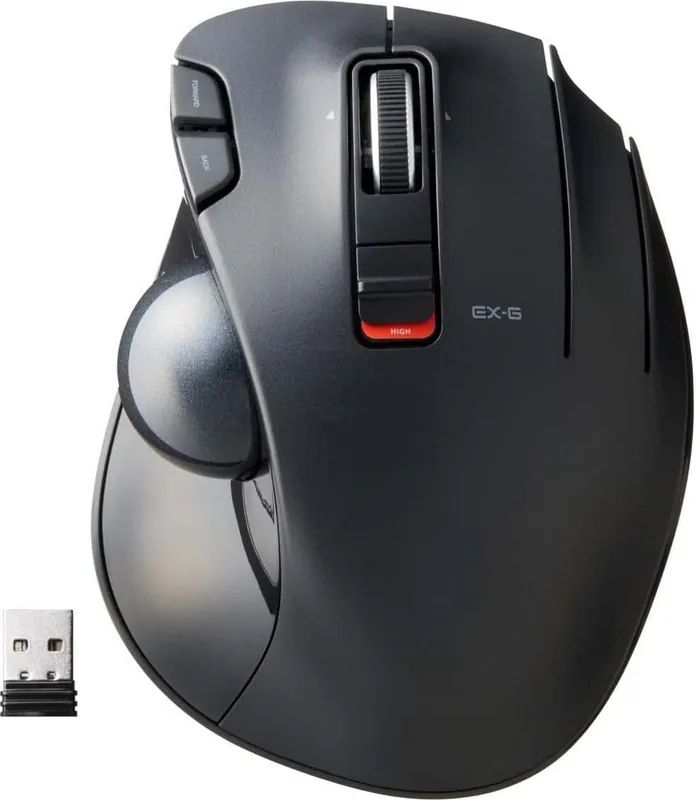
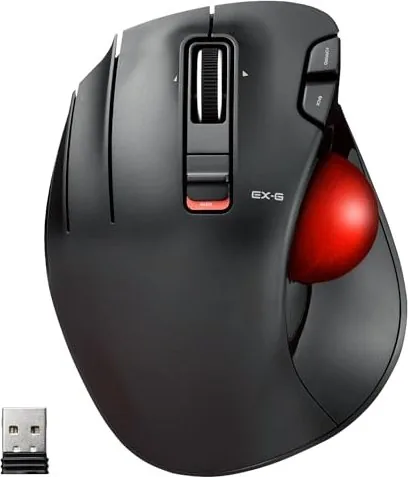
Elecom mouse and trackball manuals may explain button functions, wireless receiver placement, Bluetooth pairing, battery replacement, sensitivity settings, scrolling controls, and optional customization software. Trackball guides can also include information about ball removal, cleaning, and routine maintenance for smooth movement.
Keyboards
Keyboard manuals may cover wired, wireless, Bluetooth, compact, ergonomic, and multi-device models. Look for details about operating system mode selection, function key combinations, pairing memory slots, charging status, device switching, and layout-specific shortcuts. If special characters or keys behave unexpectedly, the manual can help verify language and OS settings.
Headsets, Earphones, and Audio Accessories
Audio product guides often include charging instructions, pairing procedures, microphone controls, playback buttons, LED meanings, reset methods, and supported Bluetooth profiles. They may also provide guidance for managing connection issues, low sound output, or device recognition problems.
USB Hubs, Card Readers, and Storage Products
Manuals for hubs, card readers, external drives, cables, and storage accessories can explain supported ports, power requirements, transfer limitations, formatting considerations, and safe removal procedures. These documents are useful when a connected device is not recognized or when users need to confirm compatibility with USB standards and operating systems.
Network Devices and Accessories
For routers, adapters, switches, and related network equipment, manuals may include installation diagrams, configuration steps, security options, LED status explanations, and reset procedures. Always review setup instructions carefully before changing network settings, especially in shared home or office environments.
How to Identify the Correct Elecom Model Number
The model number is the most important detail when searching for an Elecom manual. Product names alone are not always enough, because a product family may include several versions with different capabilities. A model number may contain letters, numbers, hyphens, or regional identifiers.
Check these common locations to find it:
- A label on the bottom or back of the product
- The battery compartment or charging case
- The original retail box
- The quick-start sheet or warranty card
- A label on the USB wireless receiver
- A connected device list in your computer or mobile settings
- Purchase records or order confirmations
Enter the model number exactly as shown, including any letters or hyphens. If multiple manuals appear, compare the product image, listed specifications, and language to make sure the document is appropriate for your device.
Troubleshooting with an Elecom Manual
A manual is often the fastest place to start when an Elecom product does not work as expected. Many common problems can be resolved by following the recommended sequence for power, connection, pairing, software, and reset checks.
For wireless products, verify battery charge, power switch position, receiver connection, Bluetooth status, and pairing mode. For wired accessories, inspect the cable and try another compatible port. If a device includes software or drivers, make sure the correct version is installed for your operating system.
Manuals may also explain indicator lights and blinking patterns. These signals can reveal whether a device is charging, waiting for a connection, in low-power mode, or experiencing a pairing issue. Follow only the reset procedure listed for your specific model, as reset methods can differ between products.
Make the Most of Your Elecom Device
An Elecom manual is more than a basic setup sheet. It can help you discover features that may otherwise go unused, including programmable buttons, multi-device switching, advanced scrolling modes, power-saving functions, shortcut combinations, and specialized settings. Reviewing the guide after initial setup can improve comfort, productivity, and device performance.
Keep a digital or printed copy of your manual available for future use. With the right documentation, you can confidently read instructions online, download a copy for offline access, print essential pages, solve common problems, and get the most from your Elecom product.
Search for 67,732 Manuals online


Type-in Brand or Model