
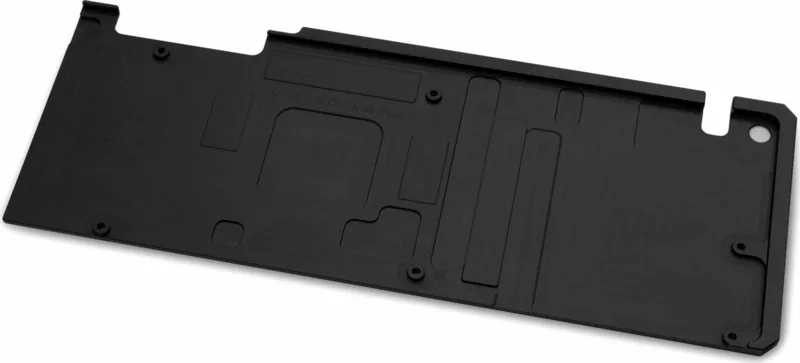
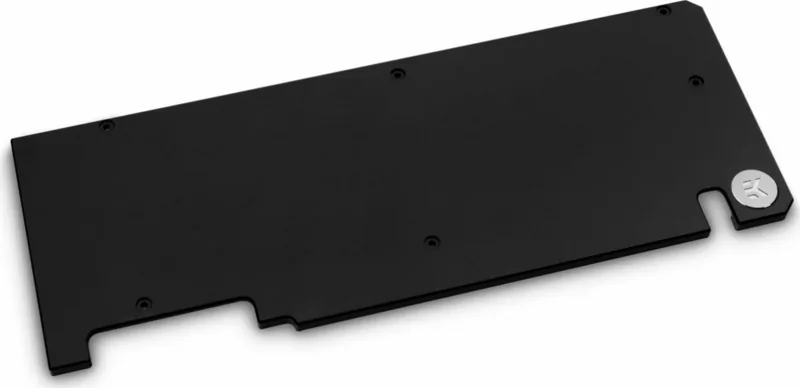
EK Water Blocks EK-Vector Dual Evo RTX 2070/2080 Manual
PDF manual · 7 Pages
English



Quick check
Incorrect answer, please try again.
Chat with your EK Water Blocks EK-Vector Dual Evo RTX 2070/2080 manual using AI
Get instant AI answers from your EK Water Blocks EK-Vector Dual Evo RTX 2070/2080 manual
Ask anything about the EK Water Blocks EK-Vector Dual Evo RTX 2070/2080. Answers come from this manual, with the pages they are based on.
Ask a Question
Do you recommend EK-Vector Dual Evo RTX 2070/2080?
Yes NoFrequently Asked Questions
Yes. This EK Water Blocks Quantum Line backplate is specifically intended for EK-Quantum Vector Dual Evo RTX 2070/2080 setups, following the installation procedure described for that mounting pattern.
Is this answer helpful?
Yes. The installation guidance recommends removing the graphics card to make mounting safer and to help prevent possible damage to the GPU and the graphics card PCB during the backplate and thermal pad work.
Is this answer helpful?
The pads must be cut into smaller pieces to cover all VRM components, then placed as illustrated in the installation steps. Remove the protective foil from both sides of the pads before installation.
Is this answer helpful?
EK advises using corrosion inhibiting coolants and specifically recommends EK CryoFuel for best results. Do not use pure distilled water, since the guidance is aimed at reducing corrosion risk in liquid cooling loops.
Is this answer helpful?
After the installation is completed, it is recommended to test the cooling circuit for leaks before powering the computer. EK suggests a 24-hour leak test prior to powering on.
Is this answer helpful?
No. The instructions warn that city water pressure can rupture the top of the housing, making the block unusable and voiding warranty coverage. Use appropriate testing methods instead.
Is this answer helpful?
EK indicates the blocks are sealed with a warranty void circular label that proves leak testing under pressure. Removing it can void the leak-free guarantee, even if the product itself remains covered for other aspects.
Is this answer helpful?
Advantages and Disadvantages
Advantages

- Includes thermal pads for VRM coverage, supporting better heat transfer from critical PCB areas.
- Nickel backplate finish pairs well with EK-Quantum Vector builds for a clean, durable look.
- Mounting uses straightforward hardware and a Phillips-head screwdriver with even-tightening guidance.
- Recommended leak testing improves reliability before powering the PC.
Disadvantages

- Intended for expert users; improper installation may damage equipment.
- Requires removing the graphics card for safer mounting, adding labor to the build.
- Thermal pads must be cut to size and have foil removed before placement.
- Using city water pressure for testing can damage the housing and affect warranty coverage.
Product Specification
Type
Backplate
Material
Aluminium
Compatibility
NVIDIA GeForce RTX 2070, NVIDIA GeForce RTX 2070 SUPER, NVIDIA GeForce RTX 2080, ASUS Dual GeForce RTX 2070 SUPER Advanced Evo, ASUS Dual GeForce RTX 2070 SUPER Evo, ASUS Dual GeForce RTX 2070 SUPER OC Evo, ASUS Dual GeForce RTX 2080 Advanced Evo, ASUS Dual GeForce RTX 2080 SUPER Evo, ASUS Dual GeForce RTX 2080 SUPER OC Evo, ASUS Dual GeForce RTX 2080 Evo, ASUS Dual GeForce RTX 2070 Evo, ASUS Dual GeForce RTX 2070 OC Evo
Product Description
EK Water Blocks Quantum Line EK-Quantum Vector Dual Evo RTX 2070/2080 Backplate Nickel
Targeted reinforcement and cleaner thermals
The EK Water Blocks Quantum Line EK-Quantum Vector Dual Evo RTX 2070/2080 Backplate Nickel is designed to complement EK-Quantum Vector cooling setups for GeForce RTX 2070 and RTX 2080 class graphics cards. Its nickel finish helps provide a durable, polished look while also supporting more effective thermal management across key PCB components.
A key part of this build is the backplate's thermal interface. The kit includes thermal pads intended for VRM coverage, helping transfer heat away from critical areas on the board. For best system performance, the approach is practical: cut the supplied pads to fit, apply them to the backplate where needed, and then mount the assembly securely to the PCB.
Installation flow, tools, and fitment
This backplate installation is intended for expert users. Before mounting, you should complete the water block installation first, then remove the graphics card to reduce the risk of damage to the GPU or PCB during handling. You will use a Phillips-head screwdriver to remove and install the mounting hardware, and a careful, even tightening pattern is recommended. Avoid excessive force, because the liquid seal in the overall cooling system relies on proper gasket compression, not overtightening.
The thermal pads come with protective foil on both sides, which must be removed prior to placement. If you need replacements, EK specifies 1.0mm thermal pad material, supplied in a defined size and identified by a specific EAN.
Important disclosures and reliability guidance
After installation, it is recommended to test the cooling circuit for leaks before powering on the PC, with an advised 24-hour leak test. Do not pressure-test using city water pressure, as it can damage the housing and may render the block unusable, impacting warranty coverage.
For coolant, EK discourages pure distilled water and recommends using EK CryoFuel coolants, including the general guidance to use corrosion inhibiting coolants for liquid cooling systems.
Notes
- Perform leak testing before powering your system.
- Remove protective foil from thermal pads before installing.
- Use only appropriate coolant, not pure distilled water.
Key results
- Nickel backplate design adds reinforcement and improved thermal contact support for VRM areas.
- Included 1.0mm thermal pads (with removal of protective foil) enable a more complete cooling interface.
- Even, moderate tightening helps secure the backplate without stressing mounting points.
- A 24-hour leak test helps catch issues before system power-up.
Search for 67,706 Manuals online


Type-in Brand or Model