
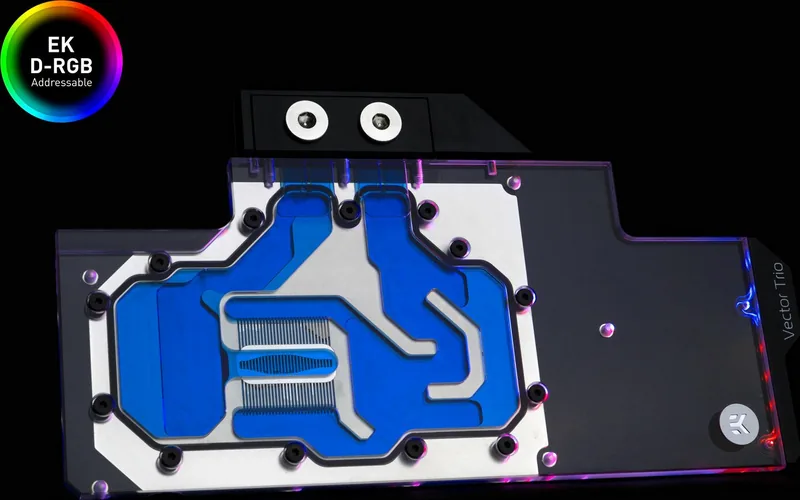
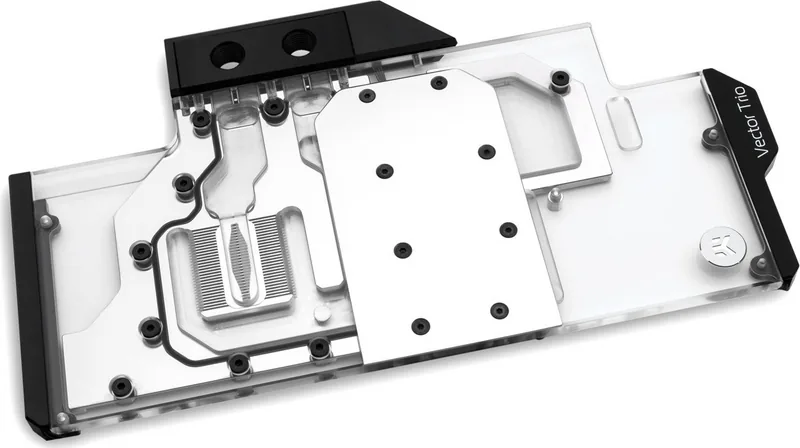
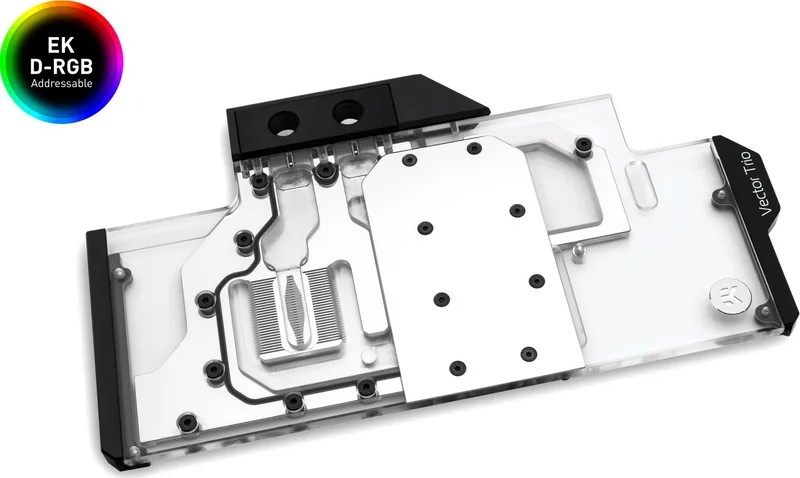
EK Water Blocks EK-Quantum Vector Trio RTX 2080 Manual
PDF manual · 3 Pages
English



Quick check
Incorrect answer, please try again.
Chat with your EK Water Blocks EK-Quantum Vector Trio RTX 2080 manual using AI
Get instant AI answers from your EK Water Blocks EK-Quantum Vector Trio RTX 2080 manual
Ask anything about the EK Water Blocks EK-Quantum Vector Trio RTX 2080. Answers come from this manual, with the pages they are based on.
Ask a Question
Do you recommend EK-Quantum Vector Trio RTX 2080?
Yes NoFrequently Asked Questions
Yes. The guidance recommends removing the GPU from your computer for the safest mounting process. This reduces the chance of damaging the PCB, the GPU, or surrounding components while aligning the block and tightening screws.
Is this answer helpful?
After removing the factory cooler and all securing screws, wipe away old thermal compound until components and the circuit board are completely clean. EK recommends using denatured alcohol for TIM leftovers, and using a non-abrasive cloth or q-tip to avoid damage.
Is this answer helpful?
Use the included thermal pads to cover VRM components such as MOSFETs and drivers. Some pads may already be pre-cut, while others must be cut to size. Remove the protective foil from both sides before installation, then place each pad according to the provided sizes and locations.
Is this answer helpful?
Align mounting holes carefully and avoid pressing too hard. Tighten screws following the suggested pattern: start tightening around the GPU core and work outward. Always use plastic washers under each screw, unless the board already has washers around the core screw holes.
Is this answer helpful?
Yes, if needed. The instructions suggest temporarily removing the block to confirm uniform surface contact, with special attention to the VRM section. If contact is not good, re-check thermal pad thickness and re-attach the block.
Is this answer helpful?
Screw in the two G1/4 threaded male fittings, attach tubes securely (hose clamps recommended), and connect the water block into your cooling loop. Any opening can serve as inlet or outlet. Plug the remaining openings using the enclosed G1/4 plugs or equivalent parts.
Is this answer helpful?
For 4-pin RGB, use the motherboard header order +12V G R B, and ensure the connector arrow points to the +12V line. For 3-pin D-RGB, use +5V G R B with the arrow aligned to +5V. Incorrect wiring can damage your motherboard or LED strip.
Is this answer helpful?
Advantages and Disadvantages
Advantages

- Covers the GPU core and VRM area for strong heat management during demanding loads.
- Thermal pads and TIM guidance support proper thermal transfer when installed carefully.
- Clear mounting order and tightening approach promotes uniform contact and reduces misalignment risk.
- RGB and D-RGB support adds visual customization with correct header mapping.
- G1/4 fitting system and port-plugging guidance make loop integration straightforward.
Disadvantages

- Requires expert-level installation and careful handling due to chip-die fragility.
- Correct thermal pad thickness and foil removal are critical; errors reduce performance.
- RGB/D-RGB headers must match voltage and pin order or components can be damaged.
- Use of fittings must respect G1/4 thread-length limits, especially with non-EK connectors.
- Card removal from the PC is recommended to reduce the chance of PCB or GPU damage.
Product Specification
Type
GPU
Connections
G1/4"
Lighting
LED (RGB)
Special features
Voltage regulators co-cooled (GPU)
Product Description
EK Water Blocks Quantum Line EK-Quantum Vector Trio RTX 2080 Manual - Precision Water Cooling for Your GPU
The EK Water Blocks Quantum Line EK-Quantum Vector Trio RTX 2080 is built for enthusiasts who want quieter operation and strong thermal performance from a water-cooled graphics card. This cooling solution targets the GPU core and the surrounding VRM area, helping you manage heat where it matters most during gaming and sustained workloads. When used alongside the included thermal materials and the correct mounting approach, the result is a clean, confident fit that supports stable temperatures.
A solid installation starts before the block ever touches the PCB. The safest approach is to remove the graphics card from your PC, detach the factory cooler, and thoroughly clean away old thermal compound until the components and PCB are fully clean. For best performance, EK recommends applying EK-TIM Ectotherm thermal grease in a cross pattern on the NVIDIA GPU chip.
Because modern GPUs rely heavily on VRM components, the block uses thermal pads to transfer heat from MOSFETs, drivers, and memory areas. Some pads may be pre-cut, while others require trimming to fully cover all relevant VRM sections. Make sure to remove the protective foil from both sides of the thermal pads before placing them on the PCB.
Mounting is all about even pressure and alignment. Position the water block with its preinstalled standoffs, align the mounting holes, and avoid excessive force since chip dies can crack under uneven pressure. Use the specified screws and always follow the guidance on plastic washers under each screw, tightening around the GPU core first and then moving outward.
Before final tubing, it is smart to check contact. If uniform contact is not achieved, verify thermal pad thickness and re-check that the block makes proper contact, especially in the VRM region.
Once the block is secured, install the G1/4 threaded male fittings and connect the liquid cooling tubes. EK recommends using EK-Fittings with the Vector Trio RTX 2080 series, and securing tubing with hose clamps. You can use any opening as an inlet or outlet, but do not forget to plug the remaining ports. For RGB lighting, connect the 4-pin RGB header as +12V G R B, and connect the 3-pin D-RGB header as +5V G R B, ensuring the connector arrow matches the + voltage line to prevent damage.
Key results
- Supports efficient GPU and VRM cooling with targeted thermal grease and pad placement.
- Helps achieve consistent mounting contact by aligning holes and using plastic washers.
- Simplifies routing with G1/4 fittings, inlet/outlet flexibility, and required port plugs.
- Enables RGB and D-RGB lighting with strict header voltage and pin order requirements.
- Encourages a contact check step to protect thermal transfer performance.
Notes
- Installation is intended for expert users, and improper mounting can damage equipment.
- If using non-EK compression connectors, keep the G1/4 male thread length within the stated maximum of 5mm.
- Keep coolants corrosion-inhibiting for long-term reliability.
Search for 67,706 Manuals online


Type-in Brand or Model