
EK Water Blocks EK-Quantum Vector Strix RX 5700 +XT Backplate Manual
PDF manual · 7 Pages
English



Quick check
Incorrect answer, please try again.
Chat with your EK Water Blocks EK-Quantum Vector Strix RX 5700 +XT Backplate manual using AI
Get instant AI answers from your EK Water Blocks EK-Quantum Vector Strix RX 5700 +XT Backplate manual
Ask anything about the EK Water Blocks EK-Quantum Vector Strix RX 5700 +XT Backplate. Answers come from this manual, with the pages they are based on.
Ask a Question
Do you recommend EK-Quantum Vector Strix RX 5700 +XT Backplate?
Yes NoFrequently Asked Questions
No. It is intended exclusively for use with EK-Quantum Vector Strix RX 5700 blocks. EK notes it has not been tested with factory or aftermarket heatsinks and water blocks, so support is not provided for other pairings.
Is this answer helpful?
Yes, EK recommends removing the graphics card to ensure the safest mounting process. This reduces the chance of damaging the GPU and the graphics card PCB during alignment and tightening.
Is this answer helpful?
Cut the thermal pads into smaller pieces so they cover all VRM components. Before installation, remove the protective foil from both sides of each pad, then apply the pads to the backplate in the correct positions.
Is this answer helpful?
Tighten evenly using a Phillips-head screwdriver and do not use excessive screwing force. The goal is secure, uniform fastening without stressing the PCB.
Is this answer helpful?
EK recommends testing the cooling circuit for leaks for 24 hours before powering the computer. Do not use city water pressure to test the water block, because it can rupture the housing and render the block unusable.
Is this answer helpful?
The warranty covers defects in materials or workmanship for 24 months from the delivery date to the final user. It can be voided by misuse, careless handling, incorrect use, contact with aggressive UV additives or other improper liquids, or removing the warranty void circular label.
Is this answer helpful?
Advantages and Disadvantages
Advantages

- Reinforces the GPU PCB area and supports efficient thermal pad contact over VRMs
- Thermal pads are included in quantities intended to cover VRM components
- Mounting uses a clear six-screw, alignment-based procedure
- Recommends a 24-hour leak test before powering the PC
- Warranty details outline what is required for coverage
Disadvantages

- Intended for installation only by expert users
- Designed for use with EK-Quantum Vector Strix RX 5700 blocks only
- Not tested with other factory or aftermarket water blocks or heatsinks
- Excessive screw force or incorrect testing can risk damage and warranty issues
- Thermal pads must be cut precisely and have protective foil removed
Product Specification
Type
Backplate
Material
Aluminum
Compatibility
ASUS ROG Radeon RX 5700 XT OC, ASUS ROG Radeon RX 5700 OC
Dimensions (LxWxH)
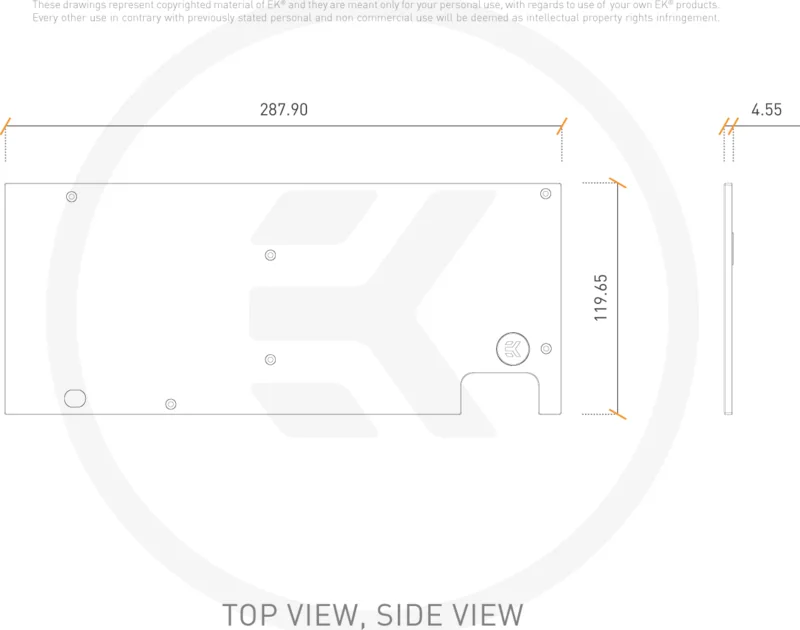
11.34x4.72x1.77in
Product Description
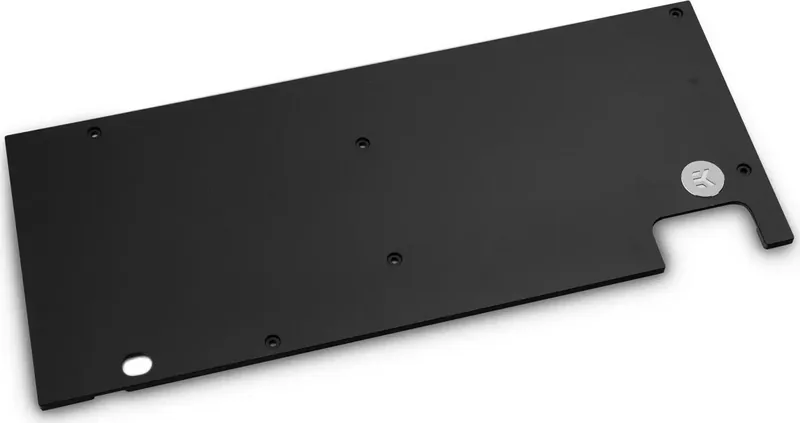
EK Water Blocks Quantum Line EK-Quantum Vector Strix RX 5700 +XT Backplate
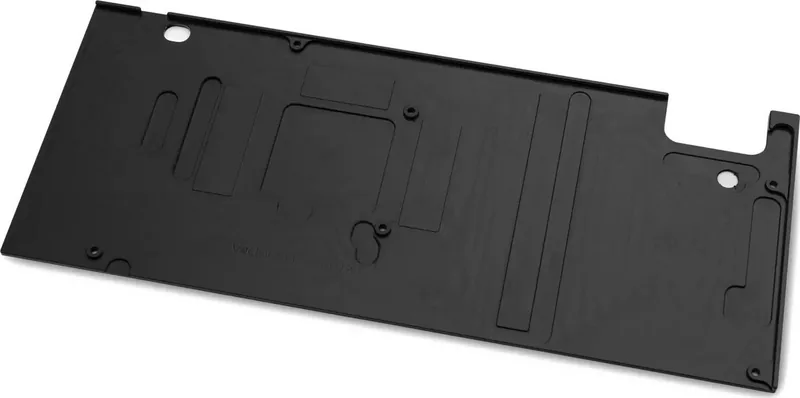
The EK Water Blocks Quantum Line EK-Quantum Vector Strix RX 5700 +XT Backplate is designed to complement EK-Quantum Vector Strix cooling for AMD Radeon RX 5700 and RX 5700 XT GPUs. It reinforces the card and helps spread cooling-related contact pressure across the PCB area, while also providing a dedicated surface for thermal pad placement over VRM components.
This backplate is intended for expert installation. EK Water Blocks recommends removing the graphics card before mounting to minimize the risk of damage to the GPU and its PCB. To get the best results, plan your workflow around the exact mounting pattern and take your time aligning every hole before tightening screws.
Installation highlights
Start by completing the EK-Quantum Vector Strix RX 5700 water block installation steps first. The backplate then uses included thermal pads that must be cut to size to cover the VRM areas. Before applying, remove the protective foil from both sides of each pad. Replacement pad options are listed in the EK Water Blocks Quantum Line EK-Quantum Vector Strix RX 5700 +XT Backplate Manual keyword guidance, including combinations like Thermal PAD F 1.5 mm and Thermal PAD F or G 1.0 mm.
Mounting and leak testing
Once the thermal pads are positioned, align the backplate to the PCB holes and install the six M2.5x7 screws. Tighten evenly with a Phillips-head screwdriver and avoid excessive force.
After installation, EK recommends a 24-hour leak test before powering the system. Do not pressure-test with city water pressure, as it can rupture the housing and void warranty coverage.
Key takeaways
- Supports EK-Quantum Vector Strix RX 5700 (+XT) blocks and is not meant for pairing with untested third-party solutions.
- Thermal pads require correct cutting and foil removal to ensure proper VRM coverage.
- Even, moderate screw tightening helps maintain alignment without stressing the PCB.
- Leak testing for 24 hours reduces the risk of damage before powering the computer.
Pros and cons
Pros
- Improves mechanical support and helps optimize thermal contact over VRM zones.
- Includes sufficient thermal pads for covering VRM components.
- Clear step structure for backplate alignment and fastening.
- Leak-test guidance helps protect hardware.
Cons
- Installation is intended only for expert users.
- Not tested with factory or aftermarket heatsinks and water blocks.
- Improper pressure testing (city water) can damage the housing and void warranty.
- Warranty conditions require careful handling and correct installation.
Notes
Keep all instructions aligned with EK updates at www.ekwb.com. Warranty is 24 months from delivery, and it can be voided by misuse or improper liquids. Removing the warranty void circular label can void the leak-free guarantee.
Search for 67,706 Manuals online


Type-in Brand or Model