
EK Water Blocks EK-Quantum Vector Radeon RX 5700 +XT Manual
PDF manual · 10 Pages
English



Quick check
Incorrect answer, please try again.
Chat with your EK Water Blocks EK-Quantum Vector Radeon RX 5700 +XT manual using AI
Get instant AI answers from your EK Water Blocks EK-Quantum Vector Radeon RX 5700 +XT manual
Ask anything about the EK Water Blocks EK-Quantum Vector Radeon RX 5700 +XT. Answers come from this manual, with the pages they are based on.
Ask a Question
Do you recommend EK-Quantum Vector Radeon RX 5700 +XT?
Yes NoFrequently Asked Questions
Yes. The block is designed specifically for AMD Radeon RX 5700 and Radeon 5700 XT graphics cards. Ensure you are using the correct variant for your exact model before installing.
Is this answer helpful?
EK recommends corrosion-inhibiting coolants for liquid cooling systems, and it is mandatory to use compatible coolant for nickel plated water blocks. Pure distilled water is discouraged because it can contribute to corrosion and performance issues.
Is this answer helpful?
Air trapped in the cooling loop can prevent consistent liquid flow and heat transfer. EK emphasizes thoroughly bleeding air out of the water block to reach optimal performance.
Is this answer helpful?
Plug the 3-pin connector from the water block D-RGB LED strip into the motherboard D-RGB header. Make sure the connector arrow aligns with the +5V line shown on the motherboard. Wrong orientation can damage the motherboard or LED strip.
Is this answer helpful?
Yes. Remove the stock thermal pads from both sides of the PCB during preparation. The EK-supplied thermal pads must be cut into smaller pieces to cover all VRM components, and you must remove the protective foil from both sides prior to installation.
Is this answer helpful?
If contact is not uniform, remove the block and verify thermal pad thickness and placement, especially around the VRM section. Then re-attach and re-check contact. If needed, consult EK support for guidance.
Is this answer helpful?
Advantages and Disadvantages
Advantages

- Full-cover cooling for Radeon RX 5700 and 5700 XT, including VRM-focused contact
- Rubber O-ring gaskets provide liquid seal with only modest tightening force
- Thermal pad and TIM process targets even thermal transfer across the PCB
- Integrated D-RGB strip supports motherboard 3-pin D-RGB header connection
- G1/4 threaded port system enables flexible inlet and outlet configuration
Disadvantages

- Installation is intended for expert users and improper mounting can damage components
- Requires corrosion-inhibiting coolants; pure distilled water is not recommended
- Achieving optimal results depends on correct thermal pad cutting and thickness
- Incorrect D-RGB header orientation (arrow vs +5V) can damage LED strip or motherboard
- Heavier GPU assembly means extra care during PCIe slot insertion and handling
Product Specification
Type
GPU
Compatibility
AMD Radeon RX 5700, AMD Radeon RX 5700 XT
Connectors
G1/4"
Lighting
LED (RGB)
Special features
Voltage converters cooled (GPU)
Product Description
EK Water Blocks Quantum Line EK-Quantum Vector Radeon RX 5700 +XT
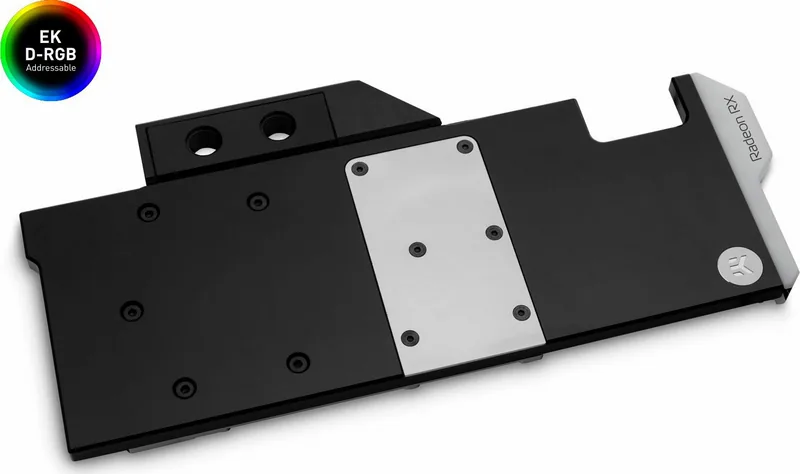
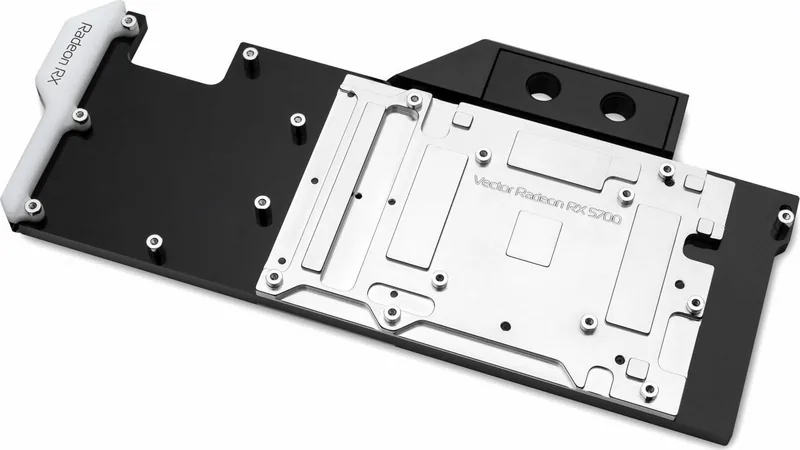
The EK Water Blocks Quantum Line EK-Quantum Vector Radeon RX 5700 +XT is a full-cover GPU water block designed for AMD Radeon RX 5700 and 5700 XT graphics cards. Instead of cooling only the core area, this solution focuses on delivering direct liquid contact to the GPU while also covering surrounding components like the VRM section, helping keep temperatures stable during demanding workloads.
Built for performance-minded builders, the block installation follows EK Water Blocks EK-Vector style guidance: remove the factory backplate and stock cooler, clean the GPU core thoroughly, and replace the thermal interfaces with EK-specified materials. Thermal pads are used to transfer heat from the VRM and other PCB components, and they must be cut to the right sizes and installed with the protective foil removed. For the main thermal interface, EK recommends applying EK-TIM Ectotherm in a cross pattern to promote even coverage.
Once the block is positioned with preinstalled standoffs, mounting is done with care. Use the included screws, tighten evenly around the GPU core, and place a plastic washer under each screw. Chip dies can be fragile, so the process emphasizes alignment and controlled pressure. After mounting, it is important to check contact quality and verify that the block properly touches the intended integrated circuits, particularly around the VRM area.
The EK-Quantum Vector supports liquid-loop integration through G1/4 threaded fittings. Ports must be managed correctly: you can configure which connections act as inlets or outlets, and all unused ports should be plugged with EK-Plug G1/4 or equivalents. EK also stresses using corrosion-inhibiting coolants, with nickel plated blocks requiring mandatory compatible additives. Do not rely on pure distilled water, and bleed air thoroughly so you reach optimal performance.
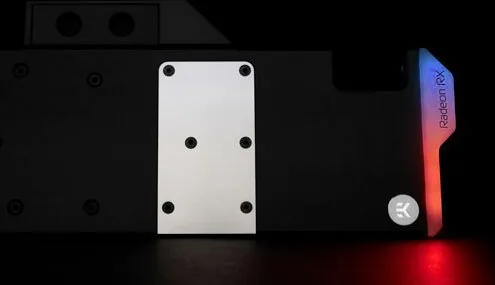
A built-in D-RGB LED strip adds visual flair and connects to a motherboard 3-pin D-RGB header. Correct orientation matters: align the connector arrow to the +5V line to avoid LED or motherboard damage.
Key results
- GPU and VRM-focused full-cover cooling for Radeon RX 5700 and 5700 XT
- Better thermal transfer via properly placed and thickness-matched EK thermal pads
- Leak-safe mounting when screws are evenly tightened with plastic washers
- Cleaner liquid-loop behavior with correct port usage and thorough air bleeding
- Consistent visuals with correct D-RGB wiring to the motherboard +5V line
Pros
- Full-cover design targets GPU and VRM components for improved thermal stability
- Rubber O-ring gasket sealing helps reduce the need for excessive screw force
- Includes guidance for correct thermal pad placement and EK-recommended TIM application
- Supports D-RGB lighting through a 3-pin motherboard header
- Uses standard G1/4 fittings for flexible loop planning
Cons
- Installation is intended for expert users and requires careful handling of the GPU
- Requires compatible corrosion-inhibiting coolant; pure distilled water is not recommended
- Thermal pad thickness and contact checks are critical for best results
- D-RGB connection orientation must be correct to prevent damage
- The installed card can be heavier, increasing the need for careful PC handling
Notes
- If contact looks uneven, re-check VRM pad thickness and mounting alignment before finalizing the loop.
- If you want the smoothest start, take your time bleeding air and confirming all ports are properly connected or plugged.
- Follow the EK Water Blocks Quantum Line EK-Quantum Vector Radeon RX 5700 +XT Manual guidance for the intended materials and wiring orientation.
Search for 67,706 Manuals online


Type-in Brand or Model