
EK Water Blocks EK-Quantum Vector Aorus RTX 2080 Manual
PDF manual · 2 Pages
English



Quick check
Incorrect answer, please try again.
Chat with your EK Water Blocks EK-Quantum Vector Aorus RTX 2080 manual using AI
Get instant AI answers from your EK Water Blocks EK-Quantum Vector Aorus RTX 2080 manual
Ask anything about the EK Water Blocks EK-Quantum Vector Aorus RTX 2080. Answers come from this manual, with the pages they are based on.
Ask a Question
Do you recommend EK-Quantum Vector Aorus RTX 2080?
Yes NoFrequently Asked Questions
It is a GPU water block designed to replace the stock cooler on the Aorus RTX 2080, improving heat transfer and fitting into a custom liquid cooling loop.
Is this answer helpful?
It is intended for expert users or builders with experience in GPU disassembly and liquid cooling. Careful handling is important to avoid damaging the card or PCB.
Is this answer helpful?
Yes. The card should be removed from the computer first so the cooler can be safely taken off, the PCB cleaned, and the block mounted with better control.
Is this answer helpful?
Thermal pads help transfer heat from memory and power components to the block. Correct thickness and placement are critical for proper contact and performance.
Is this answer helpful?
You can use standard G1/4 fittings, but the manual warns to check male thread length. Too long a thread may cause fitment problems or damage.
Is this answer helpful?
The block’s 4-pin RGB connector plugs into a motherboard RGB header with +12V, G, R, B alignment. The arrow on the connector must match the +12V pin.
Is this answer helpful?
Advantages and Disadvantages
Advantages

- Tailored for the Aorus RTX 2080 layout, helping ensure accurate fit and strong cooling contact.
- Includes thermal pad guidance and assembly steps for VRM, memory, and GPU areas.
- Supports custom liquid loops with standard G1/4 connections and flexible inlet/outlet use.
- RGB header support adds visual customization to a performance-focused build.
Disadvantages

- Installation is best suited for experienced users and may be difficult for beginners.
- Thermal pad trimming and placement require care to avoid poor component contact.
- The card becomes heavier after mounting, which can add stress during case installation.
- Using the wrong fitting length or mounting force can risk damage to the GPU or board.
Product Specification
Type
GPU
Connectors
G1/4"
Lighting
LED (RGB)
Features
VRMs co-cooled (GPU)
Product Description
EK Water Blocks Quantum Line EK-Quantum Vector Aorus RTX 2080 Manual: A Precision Cooling Upgrade
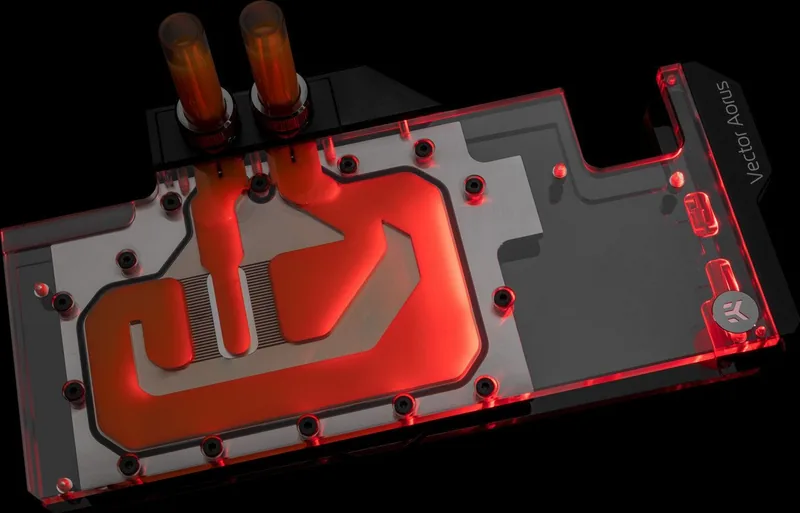
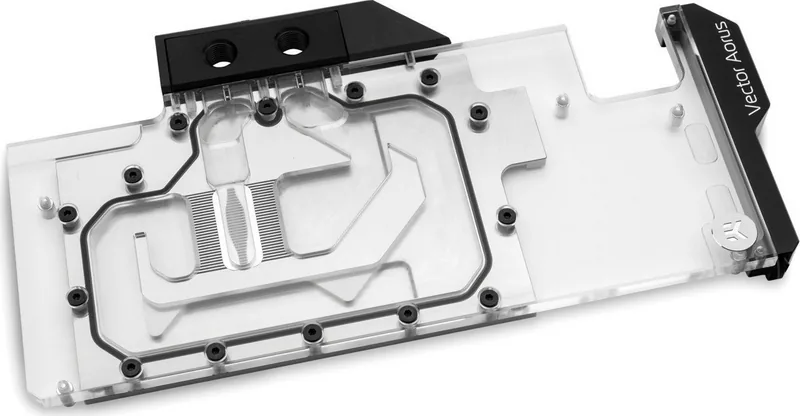
The EK Water Blocks Quantum Line EK-Quantum Vector Aorus RTX 2080 Manual introduces a focused guide for building a cleaner, cooler, and more refined GPU setup. Designed around the Aorus RTX 2080 platform, this water block aims to replace the stock air cooler with a direct-contact liquid cooling solution that improves thermal performance while adding a premium aesthetic to the system.
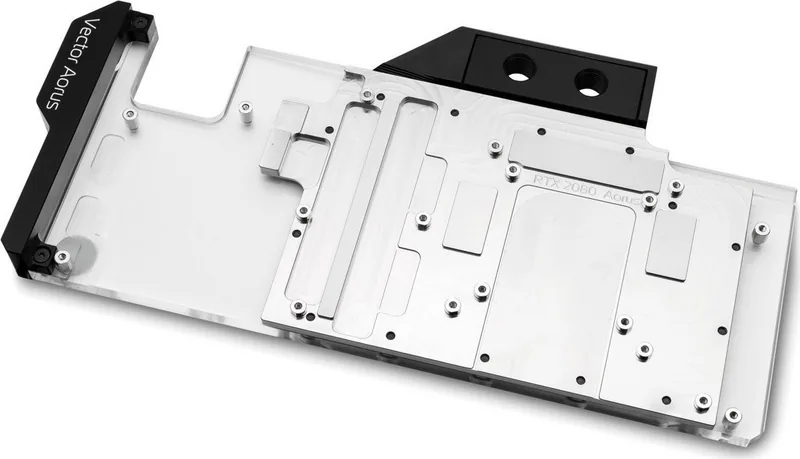
What stands out immediately is the attention to detail. The manual walks through every major step, from removing the original heatsink and backplate to cleaning the PCB and applying thermal compound in the right pattern. It also explains how to place thermal pads for memory and power delivery components, which is essential for achieving proper contact across the entire board.
This product is clearly intended for experienced builders who want more than a simple swap. The installation process demands patience, careful alignment, and an understanding of the GPU layout. EK Water Blocks emphasizes the importance of using the correct pad thickness, tightening screws in the proper order, and checking surface contact before finalizing the build. That approach helps reduce the risk of uneven mounting and ensures the block performs as designed.
Another strong point is compatibility with liquid cooling loops. The block uses standard G1/4 threading, making it easy to integrate into a custom setup with the right fittings and tubing. The manual also includes guidance for RGB LED connection, which allows the block to blend performance with visual customization. For users building a showcase PC, this balance of function and style is a major advantage.
Overall, the EK-Quantum Vector Aorus RTX 2080 solution is about control, cooling efficiency, and careful installation. It is not aimed at casual users, but for enthusiasts who appreciate detailed instructions and high-end components, it offers a reliable path to better GPU thermals and a more polished build.
Notes
- Always verify pad placement before tightening the block.
- Use compatible fittings and check thread length carefully.
- Handle the graphics card gently after installation, as the assembly becomes heavier.
- Consult EKWB support if contact or fitment looks uneven.
Search for 67,706 Manuals online


Type-in Brand or Model