
EK Water Blocks EK-Quantum Vector Aorus RTX 2080 Ti Manual
PDF manual · 2 Pages
English



Quick check
Incorrect answer, please try again.
Chat with your EK Water Blocks EK-Quantum Vector Aorus RTX 2080 Ti manual using AI
Get instant AI answers from your EK Water Blocks EK-Quantum Vector Aorus RTX 2080 Ti manual
Ask anything about the EK Water Blocks EK-Quantum Vector Aorus RTX 2080 Ti. Answers come from this manual, with the pages they are based on.
Ask a Question
Do you recommend EK-Quantum Vector Aorus RTX 2080 Ti?
Yes NoFrequently Asked Questions
It is designed to cover the back of the graphics card, improve the overall look of the build, and support passive cooling for the PCB and nearby components when used with the matching EK water block.
Is this answer helpful?
No. It is intended only for EK-Vector RTX Aorus 2080 Ti series water blocks. Third-party heatsinks and coolers are not officially supported.
Is this answer helpful?
Yes. The pads are an essential part of the setup because they help transfer heat from the PCB and components to the backplate. Correct placement is important for proper performance.
Is this answer helpful?
It is recommended for expert users. The installation is simple in concept, but it requires careful screw removal, pad placement, and proper mounting. A qualified technician may be a good idea for first-time builders.
Is this answer helpful?
A leak test helps confirm that the cooling loop is sealed before the computer is powered on. EK recommends testing for about 24 hours to reduce the risk of damage from leaks.
Is this answer helpful?
Misuse, incorrect liquids, aggressive UV additives, careless handling, or removing the warranty seal can affect coverage. Using the product outside the stated instructions can also void support.
Is this answer helpful?
Advantages and Disadvantages
Advantages

- Adds a premium, finished look to the GPU build.
- Includes thermal pads for passive PCB and component cooling.
- Built-in standoffs help reduce overtightening risk.
- Designed for a precise fit with the matching EK water block.
Disadvantages

- Only compatible with EK-Vector RTX Aorus 2080 Ti water blocks.
- Installation is intended for expert users, not beginners.
- Requires careful thermal pad placement and trimming.
- A leak test is recommended before powering on, adding setup time.
Product Specification
Type
Backplate
Material
Aluminum
Compatibility
NVIDIA GeForce RTX 2080 Ti, Gigabyte Aorus GeForce RTX 2080 Ti 11G, Gigabyte Aorus GeForce RTX 2080 Ti Xtreme 11G
Product Description
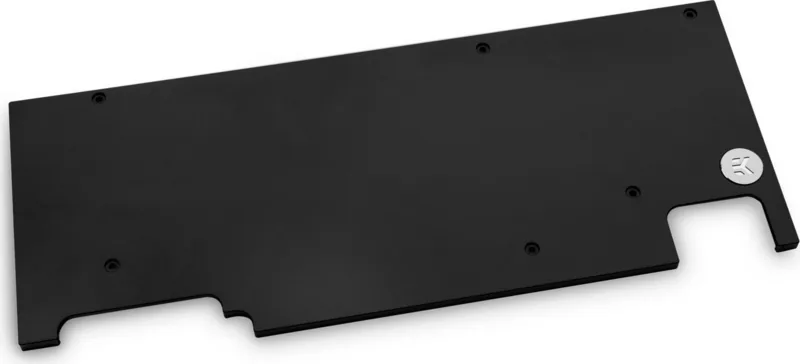
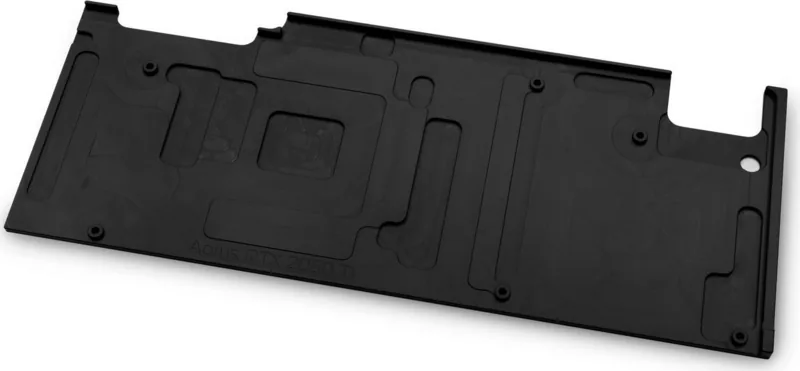
EK Water Blocks Quantum Line EK-Quantum Vector Aorus RTX 2080 Ti Backplate
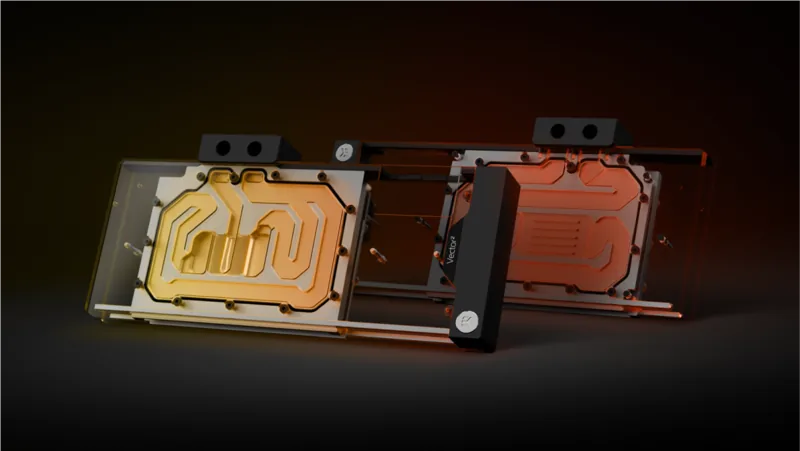
The EK Water Blocks Quantum Line EK-Quantum Vector Aorus RTX 2080 Ti Backplate is a fitting upgrade for enthusiasts who want a cleaner, more complete look for a high-end gaming build. Designed for pairing with the matching EK-Vector RTX Aorus 2080 Ti water block, it adds structural support to the rear of the graphics card while helping create a polished, unified visual style. For builders who care about both performance and presentation, this accessory fits right into a premium liquid-cooling setup.
Why it stands out
One of the most important aspects of this backplate is that it is not just cosmetic. The design supports passive cooling for the PCB and nearby components, which is why the included thermal pads matter so much. The manual emphasizes proper placement of the 1.5 mm and 2 mm pads, ensuring contact where it counts. This helps the back side of the card contribute to thermal management rather than simply acting as a decorative cover.
Installation notes
The process is straightforward for experienced users, but it does demand attention to detail. Existing screws need to be removed from the graphics card, the correct thermal pads must be trimmed and applied, and the backplate is then secured with the provided M2.5x7 screws. The built-in standoffs help reduce the risk of overtightening, which is a useful design touch for a component mounted near sensitive electronics. Even so, careful handling is essential.
Compatibility and care
This backplate is intended specifically for EK-Vector RTX Aorus 2080 Ti series water blocks, and support for third-party cooling hardware is not officially offered. That narrow compatibility makes it a specialized part rather than a universal accessory. Before powering on the system, a leak test is strongly recommended, ideally for 24 hours, to confirm that the cooling loop is sealed and stable.
Final thoughts
For builders following the EK Water Blocks Quantum Line EK-Quantum Vector Aorus RTX 2080 Ti Backplate Manual, the result is a refined and practical addition to a premium GPU cooling project. It combines aesthetics, protective coverage, and thermal support in one compact piece. If you are assembling a custom loop around the matching EK block, this backplate helps the finished build look intentional and perform with confidence.
Notes
- Best suited for advanced PC builders and custom loop users.
- Use only the recommended screws, pads, and fitting sequence.
- Always check compatibility before starting installation.
- Leak testing is a smart final step before first boot.
Search for 67,706 Manuals online


Type-in Brand or Model