
EK Water Blocks EK-Quantum Vector Aorus RTX 2080 Manual
PDF manual · 2 Pages
English



Quick check
Incorrect answer, please try again.
Chat with your EK Water Blocks EK-Quantum Vector Aorus RTX 2080 manual using AI
Get instant AI answers from your EK Water Blocks EK-Quantum Vector Aorus RTX 2080 manual
Ask anything about the EK Water Blocks EK-Quantum Vector Aorus RTX 2080. Answers come from this manual, with the pages they are based on.
Ask a Question
Do you recommend EK-Quantum Vector Aorus RTX 2080?
Yes NoFrequently Asked Questions
It is made for EK-Vector RTX Aorus 2080 series graphics card water-cooling setups. Its main role is to complete the compatible EK solution while helping with PCB support and a cleaner overall look.
Is this answer helpful?
No special toolkit is required, but you should have a Phillips head screwdriver and scissors for handling the thermal pads. Careful installation is important to avoid damaging the card or pads.
Is this answer helpful?
The thermal pads provide passive cooling for the PCB and surrounding components. They help transfer heat away from areas not covered by the main water block, improving overall thermal management.
Is this answer helpful?
No official support is provided for third-party heatsinks or coolers. EK states that the backplate is intended for use only with EK-Vector RTX Aorus 2080 series water blocks.
Is this answer helpful?
Yes. A 24-hour leak test is strongly recommended before powering on the computer. This helps confirm that the loop is sealed and reduces the risk of damage to your hardware.
Is this answer helpful?
The product is warranted against defects in materials or workmanship for 24 months from delivery to the end user, provided it is used and installed according to the instructions and not misused.
Is this answer helpful?
Advantages and Disadvantages
Advantages

- Purpose-built fit for EK-Vector RTX Aorus 2080 water blocks.
- Included thermal pads support passive PCB cooling.
- Milled standoffs help reduce overtightening risk.
- Backs the build with a 24-month warranty when used correctly.
Disadvantages

- Only compatible with EK-Vector RTX Aorus 2080 series blocks.
- Expert installation is recommended, not beginner-friendly.
- Thermal pads must be placed and trimmed carefully.
- Third-party coolers and heatsinks are not officially supported.
Product Specification
Type
Backplate
Material
Aluminum
Compatibility
NVIDIA GeForce RTX 2080, Gigabyte Aorus GeForce RTX 2080 8G, Gigabyte Aorus GeForce RTX 2080 Xtreme 8G
Product Description
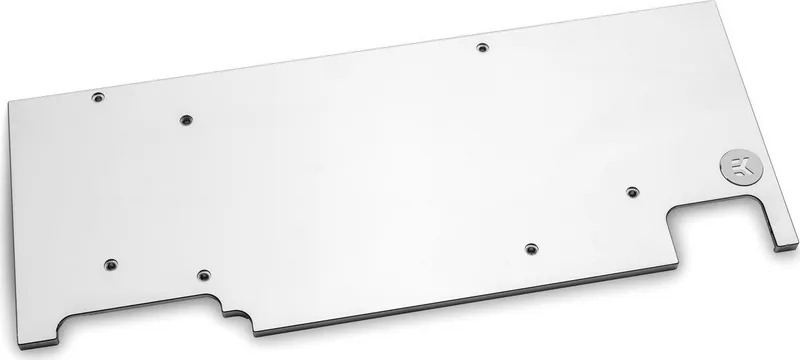
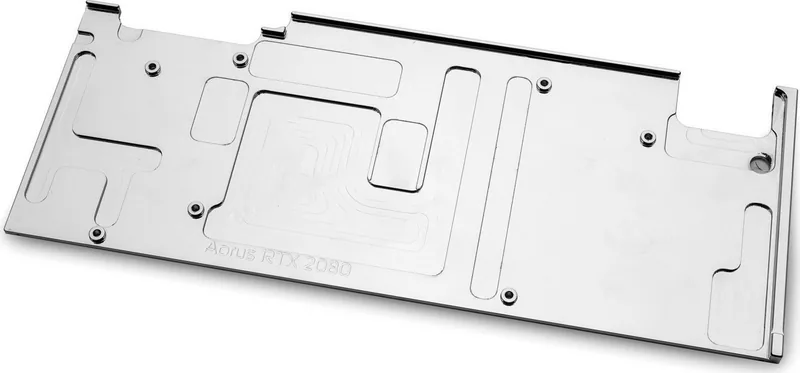
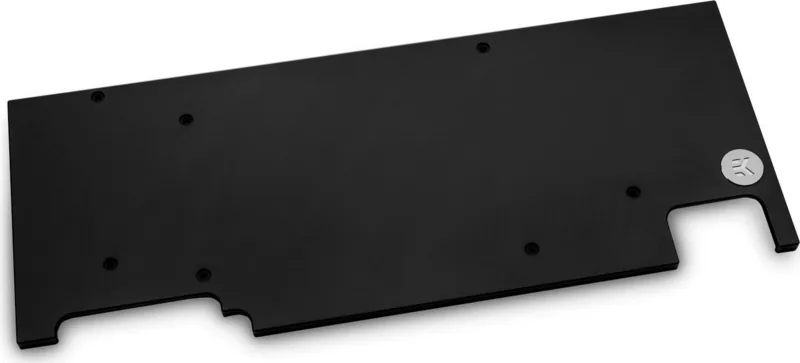
EK Water Blocks Quantum Line EK-Quantum Vector Aorus RTX 2080 Backplate
The EK Water Blocks Quantum Line EK-Quantum Vector Aorus RTX 2080 Backplate is a refined finishing component made for builders who want their graphics card cooling setup to look clean and perform consistently. Designed for the EK-Vector RTX Aorus 2080 family, it complements the water block with a precise fit and a polished, purpose-driven design.
The EK Water Blocks Quantum Line EK-Quantum Vector Aorus RTX 2080 Backplate Manual makes one thing clear: this is not a universal accessory, but a matching part for a specific cooling ecosystem. That focus is part of its appeal. Instead of trying to fit every build, it is shaped for accurate placement, stable mounting, and a seamless visual result on compatible Gigabyte Aorus RTX 2080 hardware.
Installation is straightforward for experienced users, but it still requires attention. After the compatible EK-Vector RTX Aorus 2080 water block is installed, the backplate setup involves removing selected screws, placing the included thermal pads, and securing the backplate with the provided M2.5x7 screws. The thermal pads are essential because they help cool passive PCB areas and nearby components, adding practical thermal support beyond aesthetics.
This product also reflects EK Water Blocks’ engineering mindset. The milled standoffs help reduce the risk of overtightening, and the mounting process is designed to feel controlled rather than forced. That matters in a custom loop, where alignment and pressure distribution can influence both appearance and reliability. For enthusiasts, the result is a more complete and professional-looking GPU build.
Another important strength is the safety guidance built into the installation notes. A 24-hour leak test is strongly recommended before powering on the system, which is a smart step for any liquid-cooled rig. The manual also warns against using city water pressure during testing, reinforcing that this is a precision component meant for proper loop conditions.
Beyond the hardware itself, the backplate is backed by a 24-month warranty against defects in materials or workmanship when used as intended. That gives buyers additional peace of mind, especially when pairing it with other EK components. If you already run an EK-based cooling setup, this backplate is a natural match that adds structure, protection, and a premium final touch.
Notes
- Use a Phillips screwdriver and scissors for the thermal pads.
- Trim pad material only if needed for a clean fit.
- Follow the correct screw order and avoid forcing the mounts.
- Perform a leak test before first startup.
Search for 67,706 Manuals online


Type-in Brand or Model