
EK Water Blocks EK-Quantum Momentum Aorus X570 Master D-RGB Manual
PDF manual · 14 Pages
English



Quick check
Incorrect answer, please try again.
Chat with your EK Water Blocks EK-Quantum Momentum Aorus X570 Master D-RGB manual using AI
Get instant AI answers from your EK Water Blocks EK-Quantum Momentum Aorus X570 Master D-RGB manual
Ask anything about the EK Water Blocks EK-Quantum Momentum Aorus X570 Master D-RGB. Answers come from this manual, with the pages they are based on.
Ask a Question
Do you recommend EK-Quantum Momentum Aorus X570 Master D-RGB?
Yes NoFrequently Asked Questions
It is designed for the ASUS ROG Rampage VI Encore motherboard. Because mounting points and component locations are board-specific, verify the exact motherboard model before purchase or installation.
Is this answer helpful?
The block is designed to cool the CPU and the motherboard voltage regulation area, including the MOSFET section. Thermal paste is used on the CPU, while supplied thermal pads transfer heat from the motherboard components.
Is this answer helpful?
The installation guidance identifies this as a product for expert users. It requires motherboard disassembly, thermal pad trimming, screw alignment, fitting installation, and custom-loop leak testing. A qualified technician is recommended for inexperienced builders.
Is this answer helpful?
Use a 3-pin, 5V D-RGB or addressable RGB header with the layout +5V, Digital, empty, and Ground. Align the connector arrow with the +5V pin. Do not connect it to a standard 12V RGB header.
Is this answer helpful?
The instructions discuss fittings and coolant recommendations, but they should be selected for the custom loop separately unless a retailer listing explicitly states otherwise. Use securely fitted tubing and corrosion-inhibiting, biocide-containing coolant.
Is this answer helpful?
The replacement heatsink works with the original I/O cover screen and retained standoffs after the factory cooling assembly is removed. It helps maintain the motherboard's rear I/O area while the monoblock takes over primary liquid cooling duties.
Is this answer helpful?
Advantages and Disadvantages
Advantages

- Integrated design cools the CPU and MOSFET area in one custom-loop component.
- Designed specifically for the ASUS ROG Rampage VI Encore motherboard layout.
- Includes thermal pads, replacement heatsink hardware, and D-RGB lighting support.
- Supports a cleaner loop layout than using separate CPU and motherboard blocks.
Disadvantages

- Installation requires motherboard removal and careful disassembly of factory cooling parts.
- Intended for expert users; incorrect mounting or RGB connection may damage hardware.
- Compatibility is limited to the specified ROG Rampage VI Encore board design.
- Thermal pads must be cut and placed accurately before mounting.
Product Specification
Type
Monoblock (CPU/MOSFET)
Connections
G1/4"
Lighting
LED (RGB)
Product Description
EK Water Blocks Quantum Line EK-Quantum Momentum Monoblock - Read, Download & Print Free
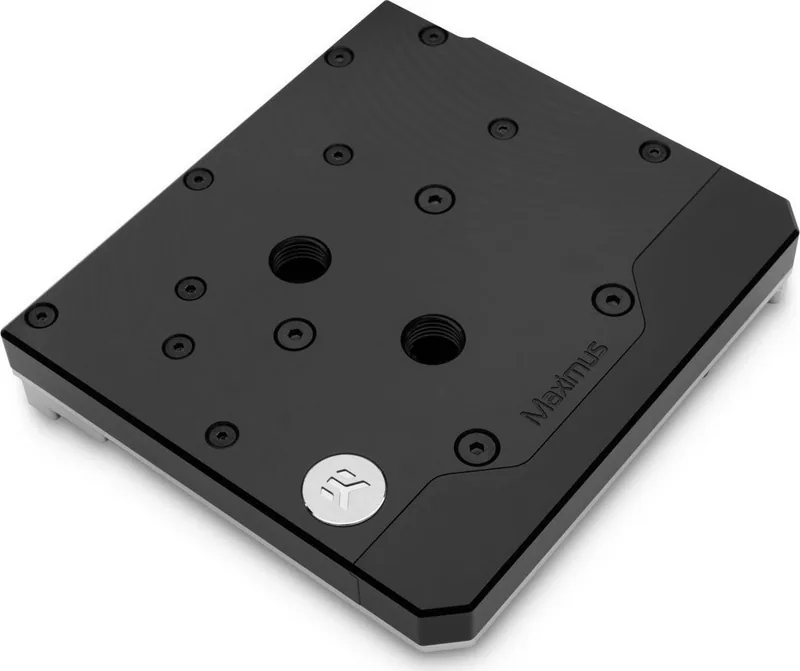
The EK Water Blocks Quantum Line EK-Quantum Momentum Monoblock is a purpose-built liquid cooling solution designed for the ASUS ROG Rampage VI Encore motherboard platform. It combines CPU and motherboard voltage regulation cooling into a single, precisely fitted assembly, helping enthusiasts create a clean and capable custom loop without relying on separate cooling blocks for each critical area.
Integrated Cooling for Demanding Builds
This monoblock is engineered to make direct contact with the CPU heat spreader and the motherboard MOSFET area. Its integrated design supports more consistent thermal management across components that can become stressed during gaming, rendering, overclocking, and other demanding workloads. Thermal grease is applied to the CPU, while supplied thermal pads are trimmed and positioned over the voltage regulation components for reliable heat transfer.
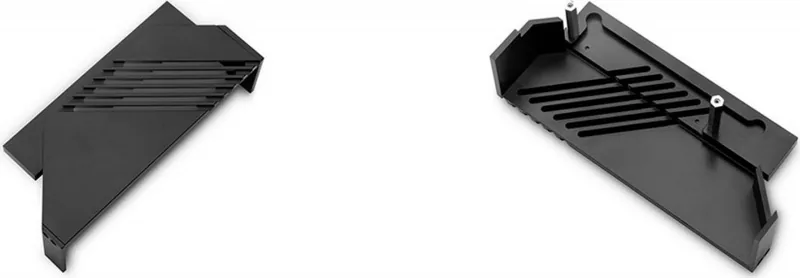
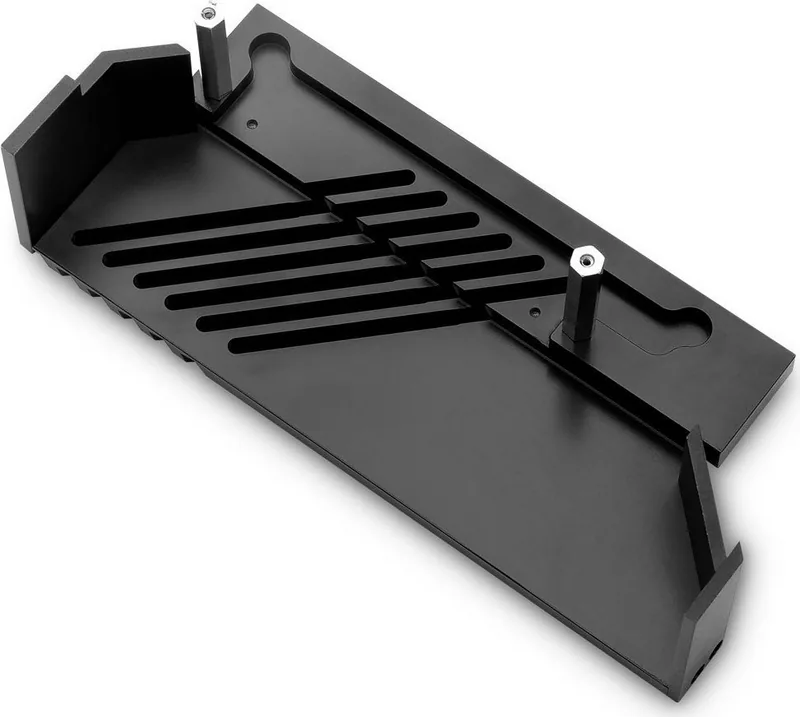
The installation process involves removing the original motherboard cooling hardware, including the backplate, heat pipe assembly, and I/O cover screen connections. The original standoffs and selected screws are retained for use with the included replacement heatsink, allowing the finished installation to preserve the motherboard's visual integration around the rear I/O section.
Custom Loop Ready Details
The EK-Quantum Momentum ROG Rampage VI Encore monoblock uses fittings and tubing as part of a custom liquid cooling loop. EK recommends EK fittings, although compatible alternatives may be used when tubing is properly secured. A designated inlet opening is identified to support correct coolant flow through the block. For dependable long-term operation, use a quality coolant with corrosion inhibitors and biocide protection.
Lighting is handled through a 3-pin D-RGB connector. It is intended for a motherboard header arranged as +5V, Digital, empty, and Ground. Connector orientation matters: the marked arrow must align with the +5V pin. Incorrect connection can damage the LED lighting or motherboard header.
Installation Considerations
This product is intended for experienced users or installation by a qualified technician. The motherboard should be removed from the system before work begins, reducing the risk of damage to the PCB or CPU. Mounting screws should be tightened evenly with the appropriate tools, without excessive force. Proper thermal pad placement, aligned mounting holes, and correctly connected I/O screen cables are essential to a successful build.
Notes
- Check motherboard compatibility before purchasing, as this monoblock is made for the ROG Rampage VI Encore layout.
- Use only a 5V addressable D-RGB header, not a conventional RGB header.
- Inspect the loop for leaks before powering the full computer system.
- Follow current EK guidance and warranty conditions before installation.
Search for 67,706 Manuals online


Type-in Brand or Model