
EK Water Blocks EK-Quantum Lumen Manual
PDF manual · 11 Pages
English



Quick check
Incorrect answer, please try again.
Chat with your EK Water Blocks EK-Quantum Lumen manual using AI
Get instant AI answers from your EK Water Blocks EK-Quantum Lumen manual
Ask anything about the EK Water Blocks EK-Quantum Lumen. Answers come from this manual, with the pages they are based on.
Ask a Question
Do you recommend EK-Quantum Lumen?
Yes NoFrequently Asked Questions
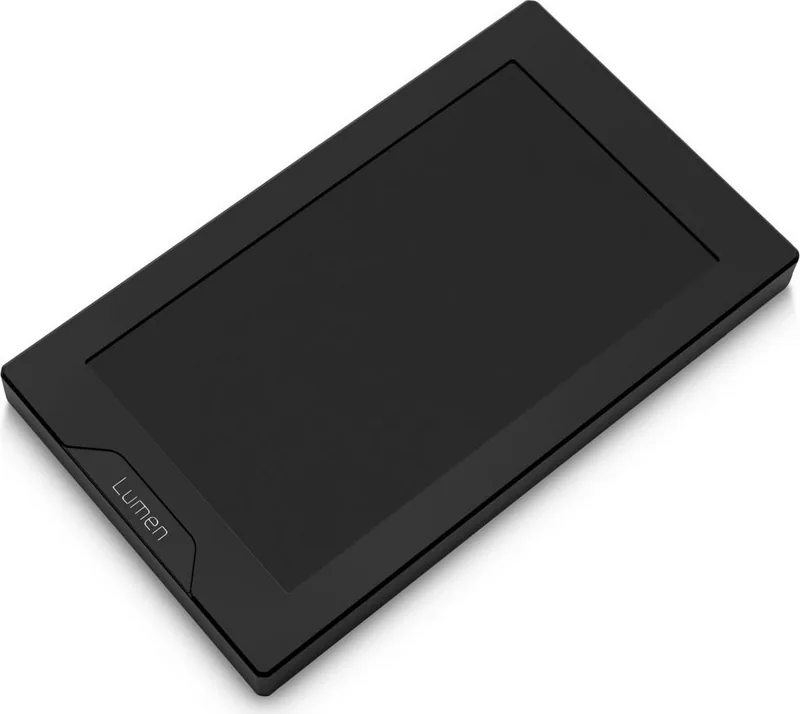
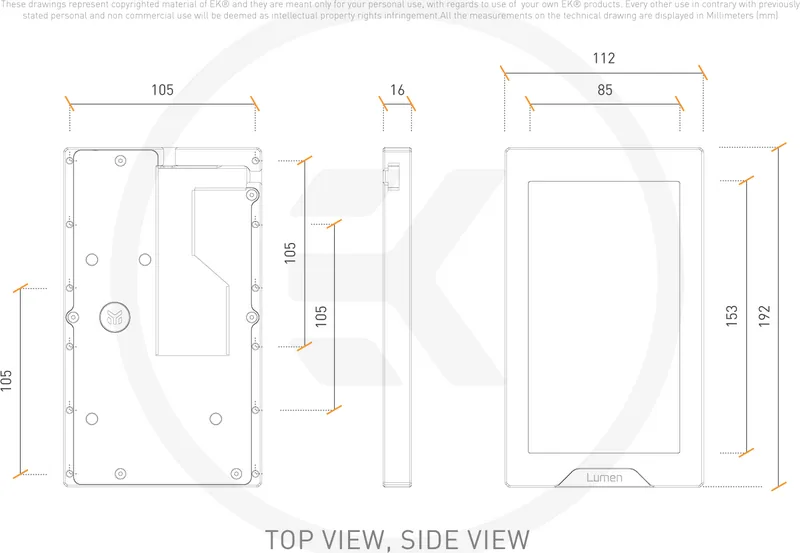
The EK-Quantum Lumen has dimensions of 192 x 112 x 16 mm and features a 7.0-inch LCD with a 1024 x 600 resolution, suitable for compact in-chassis monitoring and custom visuals.
Is this answer helpful?
There are three main mounting methods: direct installation into the chassis using four M4 screws, mounting onto fans (105 mm hole spacing) using rubber dampers, and vertical mounting on the EK-Loop angled bracket 120 mm.
Is this answer helpful?
The package includes an HDMI cable, internal Type-C cable (5-pin), M4 x 4 screws (5 pcs), rubber dampers (5 pcs), a 2.5 mm Allen key, and the EK-Quantum Lumen 7” LCD unit.
Is this answer helpful?
Basic tools (2.5 mm Allen key included) are provided, but installation is recommended for trained or experienced users. Careful handling and correct cable routing are important to avoid damage; contact EKWB support if unsure.
Is this answer helpful?
Refer to the technical specifications and parts list for EAN numbers, then contact EKWB customer support with the EANs and quantities. Support contact information is available on the EKWB website and via their official channels.
Is this answer helpful?
Yes. When mounting the display onto fans, M4 rubber dampers must be used to isolate vibration; do not omit them to avoid potential damage or display instability.
Is this answer helpful?
Use the supplied 2.5 mm Allen key and avoid excessive force when tightening M4 x 4 screws. Over-torquing can damage the display frame or the mounting threads.
Is this answer helpful?
Advantages and Disadvantages
Advantages

- High-resolution 7-inch 1024x600 LCD for clear telemetry and visuals
- Standard 105 mm mounting pattern compatible with EK fans and brackets
- Includes cables, screws, dampers, and Allen key for multiple installation options
- Compact dimensions (192 x 112 x 16 mm) fit a variety of builds
- EAN-listed parts simplify spare-part ordering and support requests
Disadvantages

- Installation requires experience; improper mounting may damage the product
- Mounting onto fans mandates rubber dampers to prevent vibration issues
- Requires available internal Type-C and HDMI connections on the system
- Limited to 7-inch display size which may be small for some dashboards
- No liability for damage from incorrect installation; support may be needed
Product Specification
Type
Diagnostic Display/System Monitoring Display
Form Factor
internal, special form
Control Range
N/A
Display
LCD (7", IPS, 1024x600@60Hz, 1x HDMI, 1x USB-C)
Power Supply
1x USB 2.0 Micro-B
Fan Connector
N/A
Front I/O
N/A
Product Description
EK Water Blocks EK-Quantum Lumen Hardware Monitor Manual
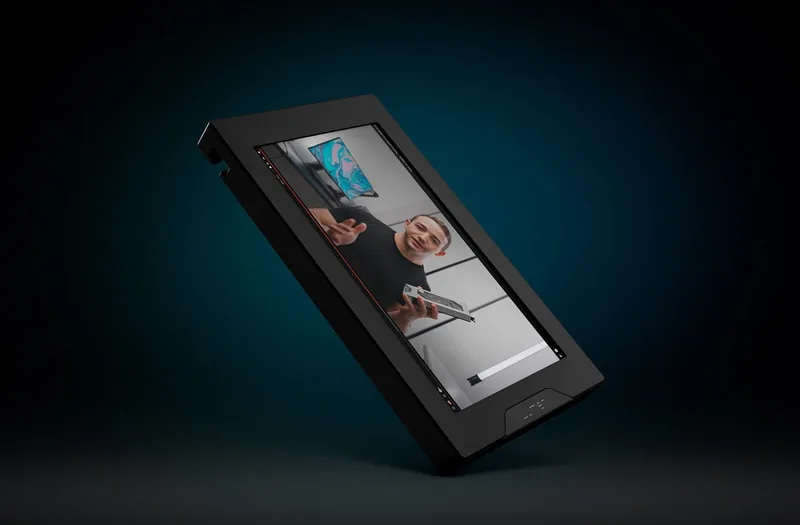
The EK Water Blocks EK-Quantum Lumen Hardware Monitor is a versatile 7-inch LCD designed to bring real-time system telemetry and custom visuals inside your PC build. With a 1024 x 600 resolution and compact 192 x 112 x 16 mm body, this display integrates seamlessly into fan mounts, chassis panels, or angled brackets to showcase temperatures, pump speeds, fan RPMs, and personalized overlays. Its standard 105 mm mounting pattern matches EK fans and accessory brackets, enabling direct installation or mounting onto fans using included M4 rubber dampers to minimize vibration.
Installation is straightforward for experienced builders. The kit includes an HDMI cable, Type-C internal cable, screws, rubber dampers, and an Allen key. Preparations involve attaching dampers when mounting to fans, connecting display cables to the PCB before final mounting, and ensuring secure, but not over-tightened, M4 x 4 screws. Three main installation options are supported: direct chassis installation, fan-mounted installation (requires rubber dampers), and vertical mounting on the EK-Loop angled bracket 120 mm. The manual emphasizes careful handling, proper cable routing, and verifying connections to the motherboard or controller.
On the hardware side, the product package lists multiple components and spare parts identifiers, including HD screen frames and covers in black and natural elox, PCB assemblies, screws, standoffs, and protective foam. These EANs simplify spare-part ordering and support requests via EKWB’s customer support channels. The display’s physical design focuses on compactness and compatibility, with included accessories to address common mounting scenarios and to protect the panel from mechanical stress.
As a monitoring solution, the EK-Quantum Lumen serves builders who want integrated system feedback without relying solely on software overlays. It’s suited for custom loops, enthusiast rigs, and showcase builds where internal visibility and telemetry matter. Users are reminded that installation should be performed by trained or experienced persons; improper installation can cause product damage and is not covered by liability.
Notes:
- Use the included M4 rubber dampers when mounting onto fans to avoid vibration transfer.
- Pre-connect cables to the PCB before final mounting for easier installation.
- Tighten M4 x 4 screws gently with the supplied 2.5 mm Allen key; avoid excessive torque.
- Refer to the technical parts list and EANs when ordering replacements or spare parts.
Search for 67,706 Manuals online


Type-in Brand or Model