
EK Water Blocks EK-Pro GPU WB A100 Rack Manual
PDF manual · 13 Pages
English



Quick check
Incorrect answer, please try again.
Chat with your EK Water Blocks EK-Pro GPU WB A100 Rack manual using AI
Get instant AI answers from your EK Water Blocks EK-Pro GPU WB A100 Rack manual
Ask anything about the EK Water Blocks EK-Pro GPU WB A100 Rack. Answers come from this manual, with the pages they are based on.
Ask a Question
Do you recommend EK-Pro GPU WB A100 Rack?
Yes NoFrequently Asked Questions
Yes, a 1 g tube of EK-TIM Ectotherm is included. Apply a thin, even layer over the GPU heat spreader (IHS). Excessive or uneven application can reduce thermal performance. Wipe and clean surfaces first with denatured alcohol.
Is this answer helpful?
No. EK strongly recommends corrosion-inhibiting coolants such as EK-CryoFuel. Pure distilled water lacks corrosion inhibitors and can promote corrosion and biological growth over time.
Is this answer helpful?
If temperatures are high, temporarily remove the water block and inspect contact surfaces and thermal pads. Ensure the block touches intended VRMs and the GPU die uniformly, then re-attach following the recommended screw-tightening sequence.
Is this answer helpful?
Perform a 24-hour leak test with the pump powered from an external PSU while the rest of the system is disconnected. Inspect all fittings and joints; fix any leaks and repeat testing. Ensure all hardware is dry before powering the system.
Is this answer helpful?
Yes. The manual includes a technical specifications and parts table with EAN numbers. Use these EANs when contacting EK customer support or ordering spares from the EK web store.
Is this answer helpful?
The kit includes multiple screws (M2.5, M3, M4 variants), washers, thermal pads (various sizes, 1.0 mm), G1/4 plugs, Allen keys, an inox power adapter, and the EK-TIM thermal compound. Specific counts are listed in the box contents.
Is this answer helpful?
Attach the inox power adapter to the block with the supplied M3x6 screws and place the included plastic pads. Route and insert the 8-pin power connector carefully, aligning pads and latch orientation; minor cable bending may be necessary.
Is this answer helpful?
Advantages and Disadvantages
Advantages

- Direct full-cover cooling for GPU die, VRMs, and memory, improving thermal performance under sustained loads.
- Nickel-plated copper coldplate and stainless Inox components for corrosion resistance and durability.
- Comprehensive accessory kit (screws, pads, TIM, adapters) simplifies installation and future servicing.
- G1/4 threaded ports and standard fittings provide compatibility with custom loops and rack setups.
- Detailed parts list with EANs enables easy ordering of replacement parts and support requests.
Disadvantages

- Requires full GPU disassembly and careful handling; improper installation risks damaging the die or PCB.
- Not a plug-and-play air cooler — needs custom liquid-cooling loop and pump infrastructure.
- Thermal pad trimming and precise TIM application demand attention and manual dexterity.
- Higher upfront cost compared to air cooling and additional loop components required.
- Weight increase and altered connector routing may complicate insertion into tight chassis or rack mounts.
Product Specification
Type
GPU
Material
Copper (nickel-plated), Stainless steel, POM
Compatibility
NVIDIA A100
Connections
G1/4"
Dimensions (LxWxH)
9.95x3.82x0.77in
Special features
Voltage regulators also cooled (GPU)
Product Description
EK Water Blocks EK-Pro GPU WB A100 Rack, Nickel, Inox Manual
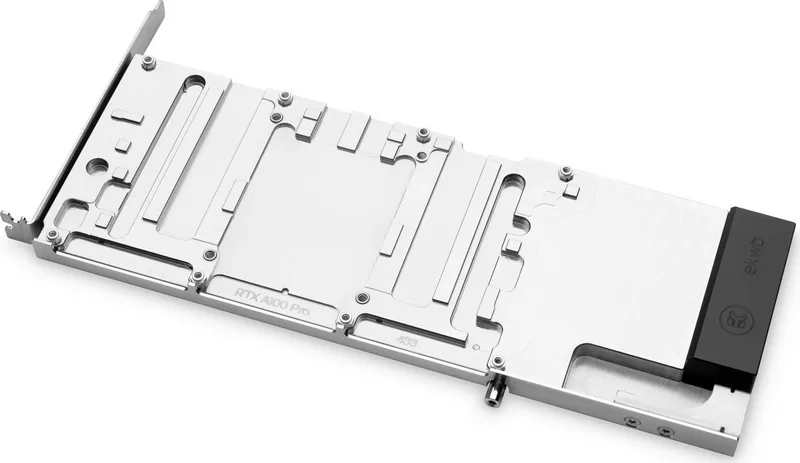
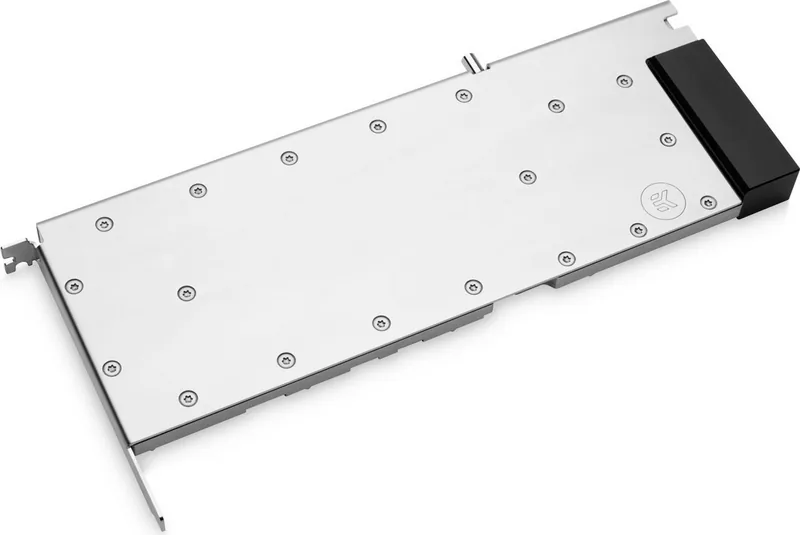
The EK Water Blocks EK-Pro GPU WB A100 Rack in Nickel and Inox is a premium full-cover water block designed specifically for the A100-class professional GPUs. Engineered for high-density compute workloads and sustained heavy loads, this water block provides efficient heat extraction from the GPU die, VRMs, and memory components while maintaining a refined, corrosion-resistant finish. Built with a nickel-plated copper coldplate and stainless Inox accents, it blends robust cooling performance with durable, premium materials suitable for long-term use in datacenter-style racks or enthusiast workstations.
Installation is guided step-by-step: remove the stock cooler, thoroughly clean the PCB and GPU heatspreader, cut and place the supplied thermal pads on VRMs and other components, apply a thin, even layer of the included EK-TIM Ectotherm thermal compound on the GPU IHS, then align and attach the water block using the provided screws, spacers, and washers. The kit includes G1/4 plugs for coolant ports, an inox power adapter for connector routing, and a variety of screws and standoffs to ensure compatibility and secure mounting.
The block’s design emphasizes reliable contact and assembly: preinstalled standoffs and recommended screw-tightening patterns help prevent chip damage, and adhesive-backed washers and plastic pads simplify power adapter mounting. EK recommends using corrosion-inhibiting coolants (EK-CryoFuel preferred) rather than pure distilled water, and bleeding trapped air from the loop to achieve optimal thermal performance. A 24-hour external pump leak test before powering the rest of the system is advised to safeguard components.
Dimensions and a comprehensive parts list are provided for identification and spare ordering; each part lists EAN codes for straightforward support and replacement. The package contains thermal pads in multiple sizes, allen keys, multiple screw types, washers, the EK-TIM Ectotherm thermal compound, and the nickel + Inox water block assembly itself.
Whether deployed in racks or single-system builds, this water block targets professionals and enthusiasts seeking maximum thermal headroom and longevity for A100-series GPUs. Proper preparation, gentle handling, and adherence to torque and contact checks will ensure both safe installation and top cooling efficiency.
Notes
- Use only corrosion-inhibiting coolants; avoid pure distilled water.
- Follow the recommended screw-tightening sequence to prevent die damage.
- Perform a 24-hour external pump leak test before powering the system.
- Keep spare thermal pads and check EANs when ordering replacements.
Search for 67,706 Manuals online


Type-in Brand or Model