
EK Water Blocks EK-Loop Vertical GPU Holder EVO Manual
PDF manual · 16 Pages
English



Quick check
Incorrect answer, please try again.
Chat with your EK Water Blocks EK-Loop Vertical GPU Holder EVO manual using AI
Get instant AI answers from your EK Water Blocks EK-Loop Vertical GPU Holder EVO manual
Ask anything about the EK Water Blocks EK-Loop Vertical GPU Holder EVO. Answers come from this manual, with the pages they are based on.
Ask a Question
Do you recommend EK-Loop Vertical GPU Holder EVO?
Yes NoFrequently Asked Questions
Yes. The package includes a PCIe Riser Cable 4.0 (Gen4) and mounting points specifically designed for it. The holder also supports the older PCIe 3.0 riser with an alternate mounting position.
Is this answer helpful?
Only basic tools are required, primarily a Phillips screwdriver. The kit includes necessary screws and standoffs; you may not need every screw provided depending on your case configuration.
Is this answer helpful?
Yes, in certain mounting orientations the clamping part is raised above the PCIe bracket area, allowing support for 3-slot GPUs. Always verify there’s no interference with I/O ports or CPU coolers before final mounting.
Is this answer helpful?
Remove an existing motherboard screw and compare threads to the provided standoffs to determine whether you need M3 or UNC 6-32 spacers, then attach the correct standoff(s) through the motherboard to the case to secure the holder.
Is this answer helpful?
The product is intended for expert users; EK recommends consulting a qualified technician. Improper installation can damage motherboard, CPU, or GPU, and EK disclaims liability for improper use.
Is this answer helpful?
Apply the included protective adhesive foam pads where indicated, handle components carefully to avoid scratches, ensure the riser latch is down before seating the GPU, and use the supplied UNC screws to secure the GPU to the holder.
Is this answer helpful?
Contact EKWB customer support and reference the EAN numbers listed in the manual’s parts list when ordering replacements. EK provides support channels and online resources for spare parts and assistance.
Is this answer helpful?
Advantages and Disadvantages
Advantages

- Multiple mounting orientations to fit various case layouts and support 3-slot GPUs when positioned correctly.
- Includes PCIe Riser Cable 4.0 and backwards-compatible mounting option for 3.0 risers.
- Comprehensive hardware kit (standoffs, multiple screw types, protective foam) for secure installation.
- Sturdy steel bracket construction minimizes GPU sag and provides reliable mechanical support.
- Clear instructions on matching standoff thread types and stepwise installation reduce risk of errors.
Disadvantages

- Intended for expert users; novices may risk damaging components if procedures aren’t followed.
- May require breaking off PCIe bracket tabs for upper-case mounting, a non-reversible modification.
- Installation can be time-consuming due to multiple configuration choices and screw/standoff matching.
- Potential clearance conflicts with CPU coolers or I/O ports depending on case and GPU dimensions.
- EK disclaims liability for improper installation, placing responsibility on the user or technician.
Product Specification
Quantity
1x
Specification
PCIe 4.0
Connection
PCIe x16 PCIe x16
Form
wired straight
Cable length
7.87 in
Cable connection
Fixed flat ribbon cable
Additional power supply
N/A
Power cable included
N/A
Special features
including graphics card holder, including slot cover
Product Description
EK Water Blocks EK-Loop Vertical GPU Holder EVO, Gen4 Riser, Graphics Card Holder Manual
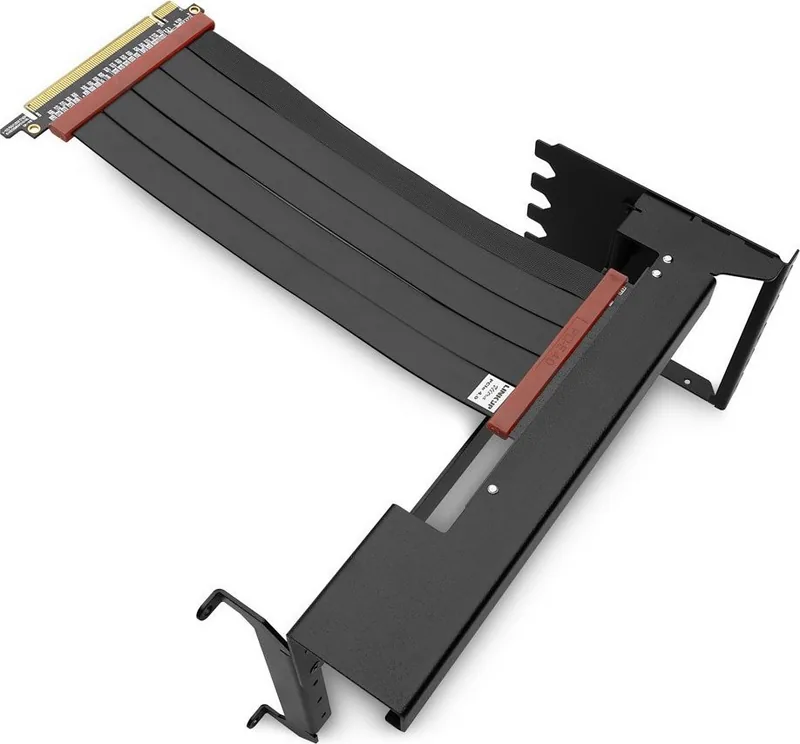
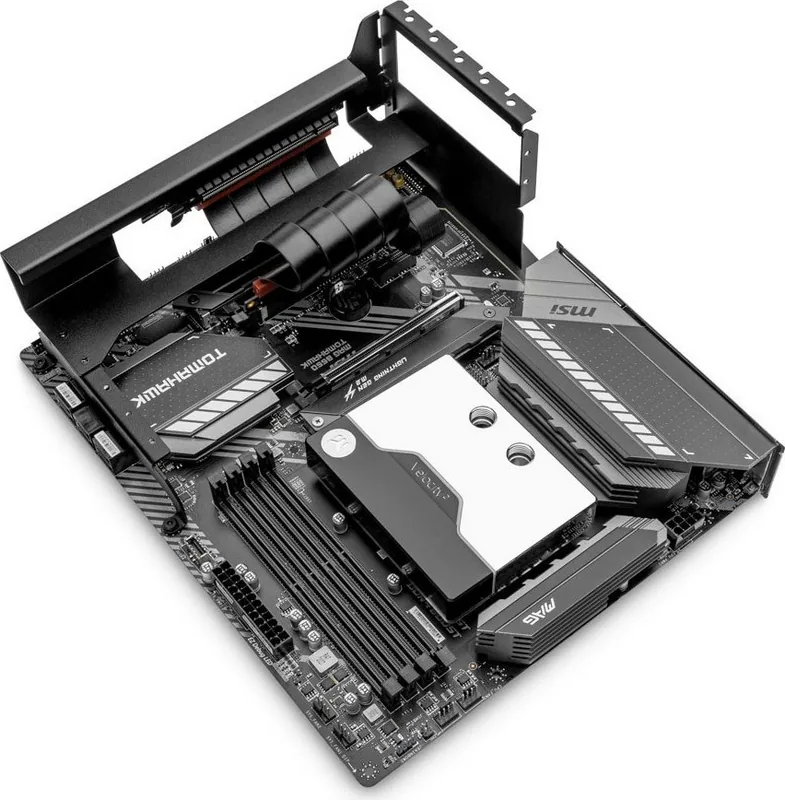
The EK Water Blocks EK-Loop Vertical GPU Holder EVO with Gen4 Riser is a premium mounting solution for enthusiasts seeking a clean, secure vertical GPU presentation. Designed for experienced builders, this holder pairs a sturdy steel bracket assembly with a PCIe Riser Cable 4.0 to relocate and showcase your graphics card without stressing the motherboard slot. The EVO series offers multiple mounting configurations to fit varied PC case layouts, supporting multi-slot GPUs and accommodating different cooler and I/O arrangements.
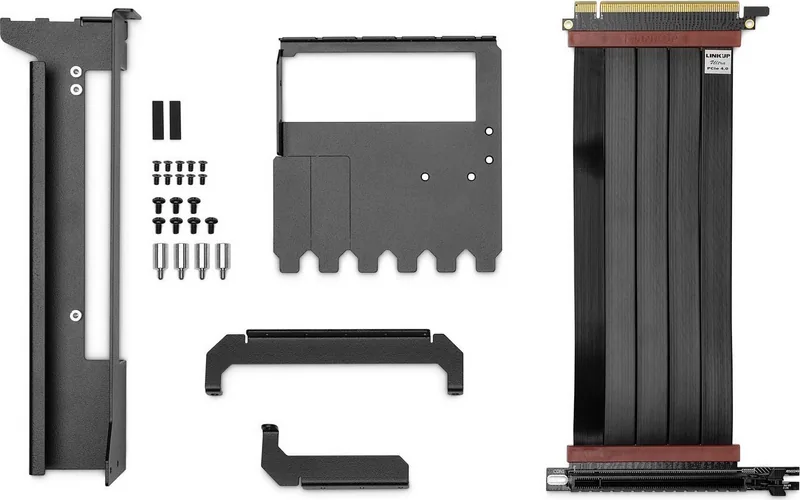
Assembling the holder begins with attaching the steel brackets using included M3x5 countersunk screws and selecting one of several orientation options to match your chassis. The package contains standoffs, screws (M3, M2.5, UNC 6-32), protective foam pads, and the Gen4 riser cable. Installation requires removing select PCIe brackets from the case, properly matching and fitting standoffs to the motherboard threads (M3 or UNC 6-32), and securing the holder to the case with at least five screws. The riser cable must be connected carefully to the motherboard PCIe slot with the latch pushed down, and the GPU can be mounted to the holder using supplied UNC screws. Optional support for the older PCIe 3.0 riser is included with alternate mounting placement.
Safety and compatibility notes emphasize powering down and unplugging the system before beginning, storing parts away from children, and consulting qualified technicians for complex installations. EK warns that improper installation can damage CPU, GPU, or motherboard components and disclaims liability for misuse or external damage. The manual also details dimensions, required tools (simple screwdriver), and describes when breaking off certain PCIe bracket tabs may be necessary for upper-case placements.
With its flexible mounting options, foam protection, and clear guidance on standoffs and screw selection, the EK-Loop Vertical GPU Holder EVO is tailored for custom builds aiming for aesthetic vertical GPU display while preserving mechanical support and PCIe connectivity.
Notes
- Intended for expert users; follow electrostatic and safety precautions.
- Confirm GPU clearance with CPU cooler and I/O ports before final installation.
- Keep removed case screws; reuse them to fasten the holder where applicable.
Search for 67,706 Manuals online


Type-in Brand or Model