
EK Water Blocks EK-Annihilator Pro Square ILM Manual
PDF manual · 2 Pages
English



Quick check
Incorrect answer, please try again.
Chat with your EK Water Blocks EK-Annihilator Pro Square ILM manual using AI
Get instant AI answers from your EK Water Blocks EK-Annihilator Pro Square ILM manual
Ask anything about the EK Water Blocks EK-Annihilator Pro Square ILM. Answers come from this manual, with the pages they are based on.
Ask a Question
Do you recommend EK-Annihilator Pro Square ILM?
Yes NoFrequently Asked Questions
The EK-Annihilator Pro Square ILM is designed specifically for Intel LGA 3647 sockets used in server and workstation motherboards.
Is this answer helpful?
There are two configurations: six G1/8 ports for low-profile server cooling (center ports as inlets, others as outlets) and three G1/4 ports for workstation use (center as inlet, side ports as outlets). Ensure unused ports are plugged.
Is this answer helpful?
EK recommends EK-TIM Ectotherm™ applied using a blob or line method—about a pea-sized amount. Avoid overapplication, as excess thermal compound can reduce cooling performance.
Is this answer helpful?
EK recommends using EK-HFB fittings and EK-Tube ZMT tubing: 6/9mm for G1/8 setups and 10/16mm for G1/4 setups. Use compatible barb fittings and clamps per the manual for secure connections.
Is this answer helpful?
Clean the CPU surface, apply TIM, place the block over the LGA 3647 socket, and tighten screws in a cross pattern with a 4mm Allen key. Tighten screws 1 and 2 until they hit the limiter; avoid overtightening screws 3 and 4.
Is this answer helpful?
Yes. The product is intended for expert users. EK advises consulting a qualified technician if you are not experienced, as improper installation can damage the CPU or motherboard.
Is this answer helpful?
Use corrosion-inhibiting and biocide-containing coolants for longevity and protection against corrosion. EK recommends EK-CryoFuel as a suitable coolant choice.
Is this answer helpful?
Advantages and Disadvantages
Advantages

- Optimized for Intel LGA 3647, ideal for servers and workstations.
- Multiple port configurations (G1/8 and G1/4) for flexible loop routing.
- Copper base and jet plate design for efficient heat transfer.
- Includes clear installation guidance and recommended fittings/tubing.
- Supports secure O-ring sealed fittings that require minimal torque.
Disadvantages

- Intended for expert users; improper installation risks hardware damage.
- Requires specific tubing and fittings for best performance.
- Tightening limits and sequence must be followed to avoid mounting issues.
- Unused ports must be firmly plugged to prevent leaks.
- Manufacturer disclaims liability for installation errors.
Product Specification
Type
CPU
Material
Copper (nickel-plated), POM (black)
Compatibility
3647-Square-ILM
Connectors
G1/8", G1/4"
Product Description
EK Water Blocks EK-Annihilator Pro Square ILM Manual
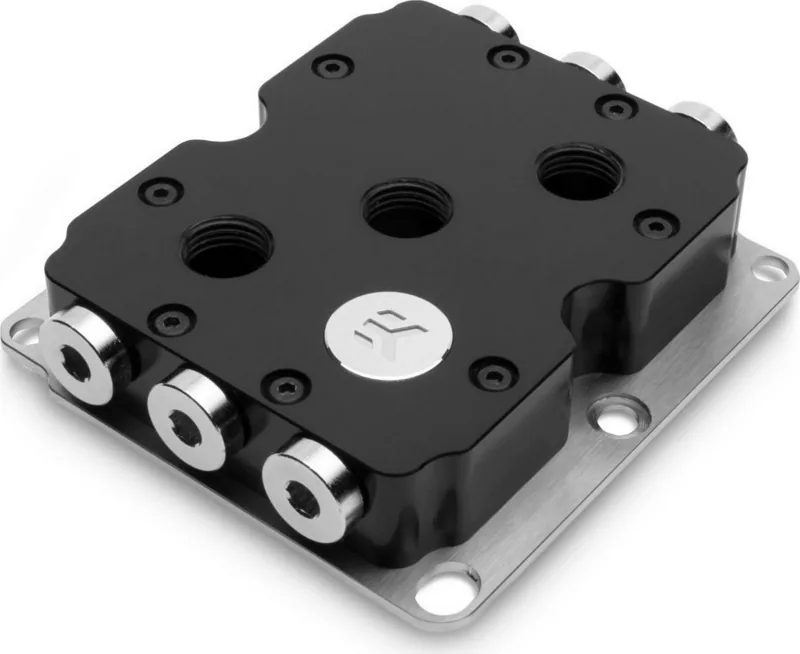
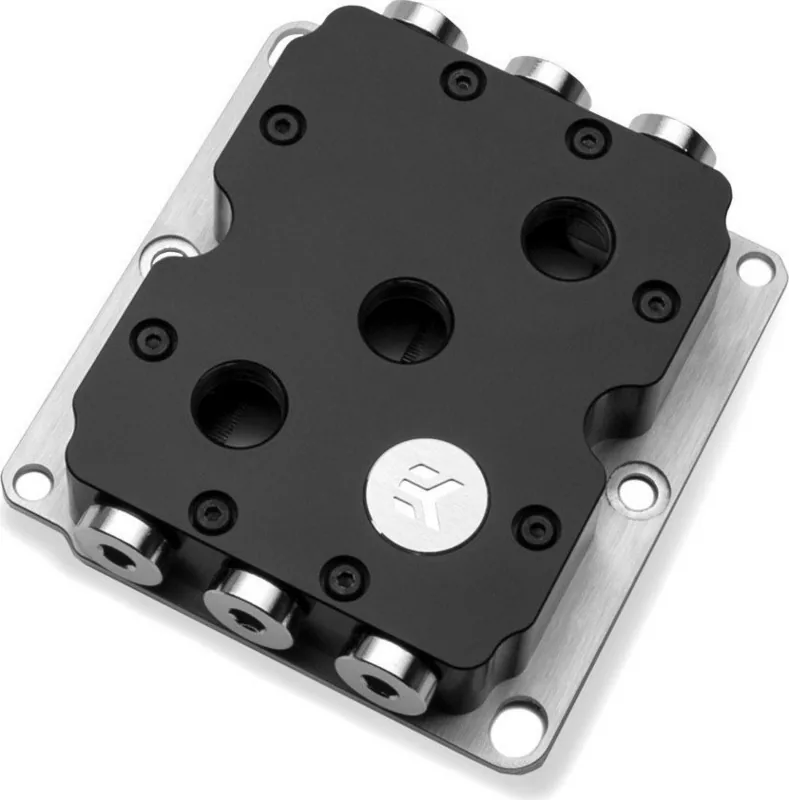
The EK Water Blocks EK-Annihilator Pro Square ILM is a high-performance CPU water block designed for Intel LGA 3647 sockets used in servers and workstations. Engineered for expert installers, the Annihilator Pro Square ILM combines precision machining, a copper base, and smart port configurations to deliver efficient heat transfer for heavy-duty computation and professional workloads. Its modular top and jet plate design optimize coolant flow across the CPU integrated heat spreader (IHS), while multiple port options provide flexible loop routing for both compact server setups and larger workstation cooling loops.
Installation begins with careful CPU cleaning and precise application of thermal interface material (EK-TIM Ectotherm™ recommended) using a blob or line method. The manual emphasizes removing the motherboard for the safest mounting but notes most motherboards can be installed in-chassis if handled properly. The block is mounted using four screws tightened in a cross pattern with a 4 mm Allen key; screws 1 and 2 are tightened until they hit the limiter, while screws 3 and 4 should not be over-torqued.
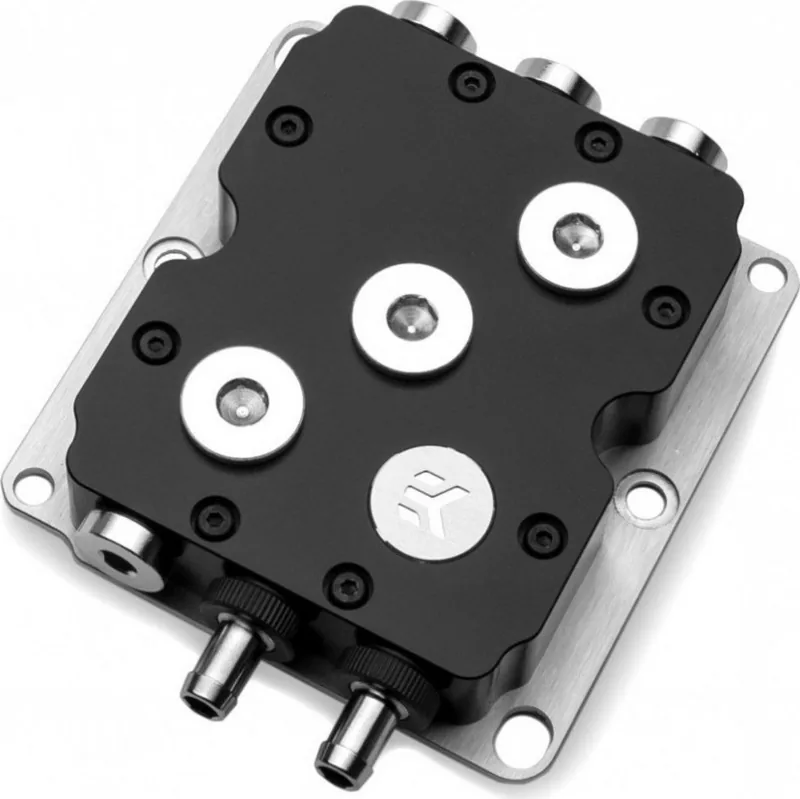
Port configuration is a standout feature: for low-profile server cooling, six G1/8 ports are available with central ports designated as inlets and peripheral ports usable as outlets. For standard workstation setups, three G1/4 ports are offered with the center as inlet and the sides as outlets. All unused ports must be sealed with the supplied plugs and O-rings. The product includes G1/8 and G1/4 plugs and emphasizes ensuring fittings are firmly tightened—EK fittings rely on o-ring seals and require only modest torque.
Connecting tubing follows clear steps for both G1/8 and G1/4 barb setups. EK recommends using EK-HFB fittings and EK-Tube ZMT tubing (6/9mm for G1/8 and 10/16mm for G1/4) and suggests biocide-containing, corrosion-inhibiting coolants such as EK-CryoFuel for long-term system health. The manual repeatedly stresses that improper installation can damage hardware and that EK Water Blocks assumes no liability for incorrect installation—consult a qualified technician if unsure.
Notes:
- Always verify flow direction and tighten unused port plugs.
- Use corrosion-inhibiting coolant and biocide to protect the loop.
- Follow the screw tightening sequence to avoid uneven mounting pressure.
Search for 67,706 Manuals online


Type-in Brand or Model