
Eizo RadiLight for ColorEdge Manual
PDF manual · 16 Pages
English



Quick check
Incorrect answer, please try again.
Chat with your Eizo RadiLight for ColorEdge manual using AI
Get instant AI answers from your Eizo RadiLight for ColorEdge manual
Ask anything about the Eizo RadiLight for ColorEdge. Answers come from this manual, with the pages they are based on.
Ask a Question
Do you recommend RadiLight for ColorEdge?
Yes NoFrequently Asked Questions
It is a monitor-mounted lighting accessory that adds soft backlighting behind the screen and focused light for the desk area. It is designed to improve comfort, visibility, and workflow during long sessions at a monitor.
Is this answer helpful?
It offers two modes: RadiLight Area for indirect room lighting and RadiLight Focus for illuminating the hands and desktop. The controls let you switch the lights on or off and adjust brightness for the area light.
Is this answer helpful?
Yes. The unit is attached with a mounting bracket and a dedicated cable. The monitor should be laid face down for installation, and the lighting unit should be removed before rotating the monitor.
Is this answer helpful?
No. It is powered through the monitor’s USB port using the supplied dedicated cable. Using the wrong port or an external adapter can cause the unit not to power on or malfunction.
Is this answer helpful?
Do not look directly into the light, do not force the arm, and do not open or modify the unit. If smoke, burning smells, or unusual noises appear, disconnect power immediately and seek service.
Is this answer helpful?
Use a soft cloth with a small amount of water for gentle cleaning. Avoid harsh chemicals, abrasive cleaners, thinner, and benzene, since they can damage the finish or reduce quality over time.
Is this answer helpful?
Advantages and Disadvantages
Advantages

- Dual lighting design supports both ambient room brightness and focused desk illumination.
- Monitor-powered operation keeps the setup tidy and avoids extra adapters.
- Adjustable arm and brightness controls help tailor the light to the workspace.
- Lightweight, compact build is easy to mount and remove when needed.
Disadvantages

- Must be connected correctly to the monitor USB port or it may not work properly.
- The light should not be viewed directly, which limits how it can be positioned.
- The arm can be damaged if handled with excessive force or during monitor rotation.
- Lighting performance may vary by room layout, wall color, and reflective surfaces.
Product Description
Eizo RadiLight for ColorEdge: Smart Lighting for Better Screen Work
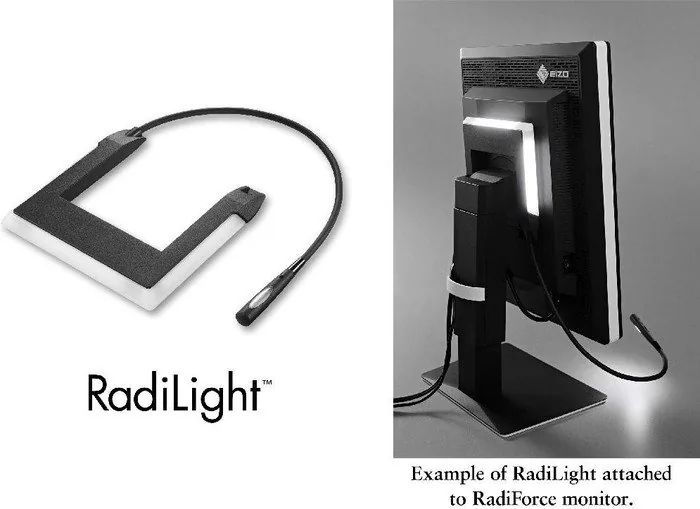
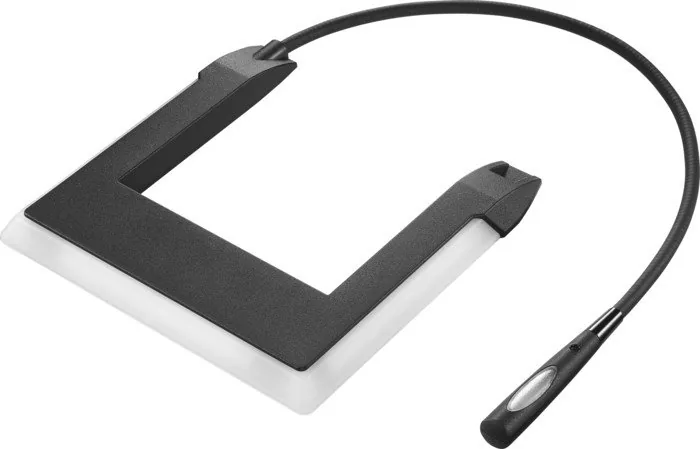
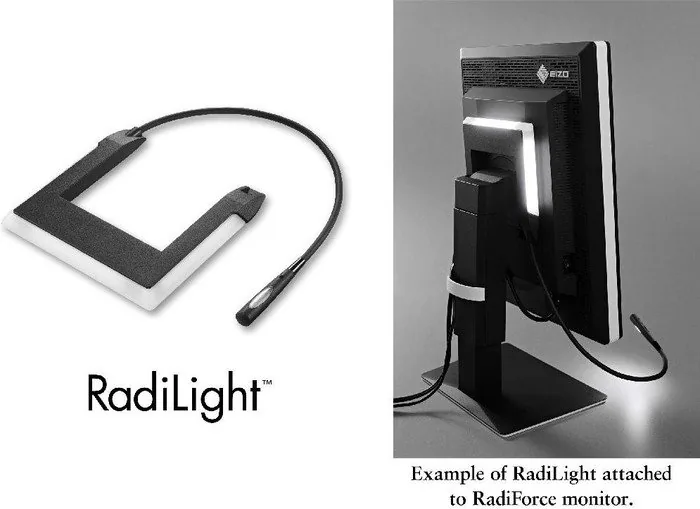
Eizo RadiLight for ColorEdge is a thoughtful monitor-mounted lighting solution designed to make long hours at a display feel easier on the eyes and more efficient on the desk. It combines two lighting styles in one compact accessory: a soft indirect glow that brightens the area behind the monitor and a focused task light that illuminates the hands and workspace below. For creative professionals, medical environments, and anyone who relies on accurate visual work, this kind of balanced lighting can make a real difference.
What stands out most is how naturally it fits into a monitor-based setup. The lighting unit attaches with a bracket system, uses a dedicated cable, and draws power from the monitor USB port. That means there is no need for extra clutter or a separate power adapter. The arm can be adjusted to position the light where it is needed, while the operation switches allow easy control of the area light and the focus light, including brightness adjustment for the indirect component.
The Eizo RadiLight for ColorEdge Manual places strong emphasis on safe use, simple installation, and proper handling. That makes sense, because the product is meant to support precision work rather than distract from it. The lighting should not be viewed directly, the arm should not be forced, and the unit should be removed before rotating the monitor. These reminders help protect both the equipment and the user while keeping the workspace organized and comfortable.
Another strength is its practical design. At roughly 370 grams, it is light enough to integrate cleanly with a compatible monitor without feeling bulky. It is also efficient, with a maximum power draw of only 2.5 watts. For users who value understated tools that improve the work environment without taking over the desk, RadiLight is a strong fit.
In everyday use, this accessory is best understood as a productivity helper. It softens the visual transition between a bright monitor and a darker room, and it helps reduce strain around the keyboard and desk area. That makes it especially useful for editing, reviewing images, working in reading rooms, or spending extended periods in front of a display.
Notes
- Use only the supplied cable and follow the mounting steps carefully.
- Keep the unit away from moisture, heat, and harsh environments.
- Clean gently with a soft cloth and avoid strong chemicals.
- Check compatibility before installation.
Search for 67,706 Manuals online


Type-in Brand or Model