
Eizo FlexScan S2134 Manual
PDF manual · 38 Pages
English



Quick check
Incorrect answer, please try again.
Chat with your Eizo FlexScan S2134 manual using AI
Get instant AI answers from your Eizo FlexScan S2134 manual
Ask anything about the Eizo FlexScan S2134. Answers come from this manual, with the pages they are based on.
FlexScan S2134 Maintenance Schedule
Wipe gently with a soft cloth dampened with water or EIZO ScreenCleaner. Do not use alcohol, solvents, or abrasive cleaners.
If using a separate VESA arm, periodically verify that mounting screws are securely tightened to prevent detachment.
Ask a Question
Do you recommend FlexScan S2134?
Yes NoFrequently Asked Questions
No audio speakers are installed in this model. You should use external speakers or headphones connected via your computer source device for sound output instead.
Is this answer helpful?
Yes, three input ports allow switching between sources. Use the input selection button on the front panel or enable the auto-detection feature in settings.
Is this answer helpful?
Wait approximately thirty minutes before making adjustments for accurate calibration. Stabilization ensures the display reaches its intended brightness and color consistency levels.
Is this answer helpful?
Yes, tilting, height extension, and pivot rotation are supported. VESA mount compatibility allows adding a wall bracket or desk clamp if desired later.
Is this answer helpful?
The Auto EcoView sensor adjusts brightness based on ambient room light levels automatically. This reduces glare and fatigue during prolonged usage sessions indoors.
Is this answer helpful?
It is compatible with macOS systems. Check USB drivers if using peripherals on newer OS versions to ensure full functionality of the hub.
Is this answer helpful?
Normal characteristics include effective pixel rates above ninety nine percent guaranteed coverage. Defects exceeding these thresholds qualify for repair or replacement claims.
Is this answer helpful?
Advantages and Disadvantages
Advantages

- IPS display reduces color shift at wide viewing angles for collaborative work.
- EcoView features lower power usage effectively through automated brightness control.
- Multiple input ports support various computer setups including legacy systems.
- Adjustable stand improves ergonomic positioning to reduce physical strain.
- USB hub simplifies peripheral connectivity reducing cable clutter on desks.
Disadvantages

- Built-in speakers are not included in design requiring external audio.
- Some brightness controls disabled in specific color modes like DICOM.
- Pixel defects possible due to manufacturing characteristics inherent to LCD tech.
- Stand does not lock firmly without purchasing separate pivot arm kit.
- Response time may show minor ghosting without enabling overdrive setting.
Product Specification
Function
Monitor (stationary)
Diagonal
21.3 inches
Resolution
1600x1200 (UXGA), 4:3, 94 ppi
Panel
IPS
Backlight
LED, Blue light filter, flicker-free
Brightness
500 cd/m^2 (typical)
Contrast
1,800:1 (static)
Response Time
6 ms (GtG)
Refresh Rate
60 Hz (1600x1200)
Signal Frequency
31-76 kHz (H) / 59-61 Hz (V)
Ports
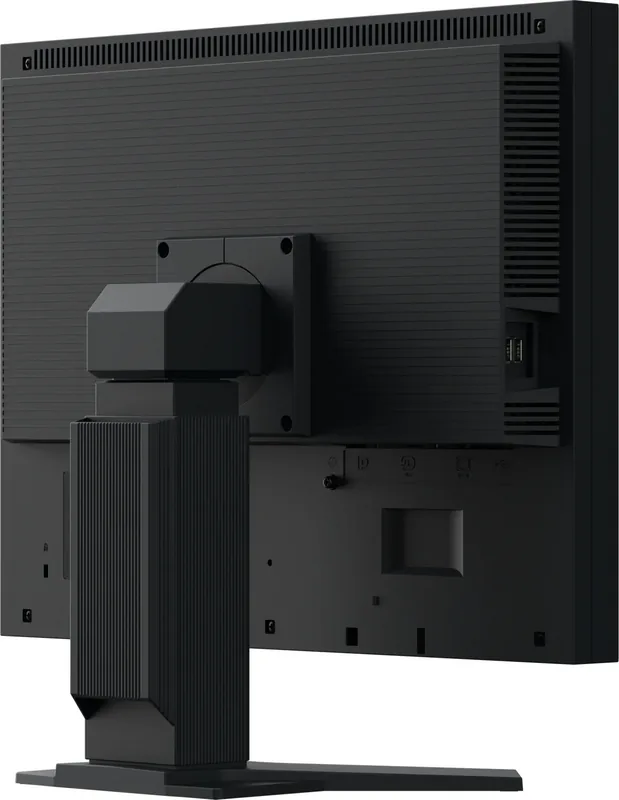
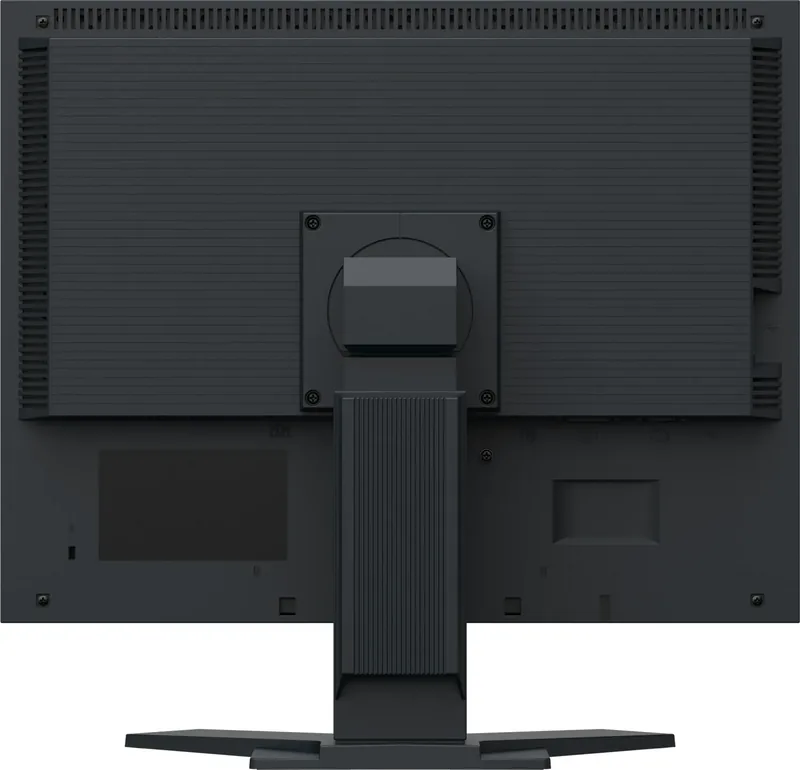
1x VGA (60Hz@1600x1200), 1x DisplayPort, 1x DVI, 1x USB-B 2.0 (Upstream, 480 Mb/s), 2x USB-A 2.0 (Downstream, 480 Mb/s), 1x AC-In C13 (Power)
Form
Flat (rectangular)
Viewing Angles
178° / 178°
Coating
Non-glare (Matte)
Color Depth
8-bit (16.7 million colors)
FRC
Unknown
Certifications/Standards
EPEAT Gold
Controls
Mechanical buttons
Ergonomics
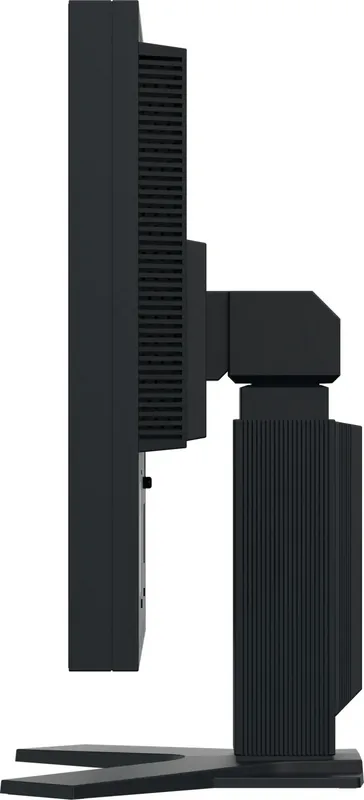
With stand, height-adjustable (3.23 inches), Pivot (+90°), Swivel (+/-35°), Tilt (+40°/-0°)
VESA
3.94x3.94 inches (Covered)
Power Consumption
42 W (Max), 13 W (Typ), 0.5 W (Standby)
Energy Efficiency SDR (A to G)
10 kWh/1000h (C)
Features
Security lock (Kensington Security Slot), Light sensor
Screen-to-Body Ratio
83.69% (Calculated)
Dimensions
18.31 x 17.13 x 8.21 inches (W x H x D) with stand compressed, 18.31 x 14.21 x 2.52 inches (W x H x D) without stand
Color
Black (Display Frame) / Black (Bottom Bezel) / Black (Stand) / Black (Back)
Weight
17.86 lbs (with stand), 11.24 lbs (without stand)
Power Supply
Internal
Warranty
Five years (On-site replacement service)
USB Port Location
Left
Product Description
Eizo FlexScan S2134 Black Review
Comprehensive Display Solution
The Eizo FlexScan S2134 black represents a versatile 21.3 inch LCD color monitor ideal for office tasks and multimedia consumption. Designed for reliability, this unit integrates high precision technology suitable for document creation and detailed image viewing sessions. Daily usage expectations suggest around twelve hours of continuous operation while maintaining stable performance metrics across typical workflows.
Advanced Eye Comfort and Energy Efficiency
Users enjoy reduced eye strain thanks to specialized lighting technologies embedded within the chassis including auto sensors. EcoView features automatically detect surrounding illumination to adapt screen luminosity appropriately without manual intervention required daily. This approach conserves electricity while preventing harsh glare during late night shifts or dimly lit rooms significantly improving workflow comfort levels significantly for employees working long hours consecutively without discomfort issues arising frequently anymore.
Robust Connection Capabilities
Three distinct input interfaces allow flexibility when connecting diverse computing devices simultaneously to maximize utility. DisplayPort, DVI-D, and mini D-Sub connectors cater to almost any workstation environment found in corporate settings today. Integrated USB hubs streamline peripheral access by routing mouse and keyboard signals through a single upstream cable connection for convenient desktop organization without cluttered wiring messes accumulating underneath the workspace table surfaces constantly causing trips hazards.
Ergonomic Versatility
Physical adjustments ensure proper posture alignment for health conscious professionals. Tilting mechanisms facilitate optimal viewing angles without neck bending. Height extension capabilities accommodate different desk heights easily. Rotation functions enable portrait mode switching for reading lengthy text documents vertically without rotating the head constantly during analysis phases.
Long Term Durability Considerations
Cleaning protocols require gentle care using specific microfiber materials to preserve coating integrity. Chemical solvents can damage surface layers leading to visible deterioration over extended periods. Regular shutdown cycles help extend internal component longevity beyond typical manufacturer lifespan recommendations. Warranty policies cover functional defects excluding normal wear associated with pixel matrix aging processes inherent to current manufacturing standards globally.
Final Assessment
This monitor serves as a dependable tool for productivity focused environments requiring consistent color fidelity and operational stability without excessive maintenance demands.
Search for 67,706 Manuals online


Type-in Brand or Model