
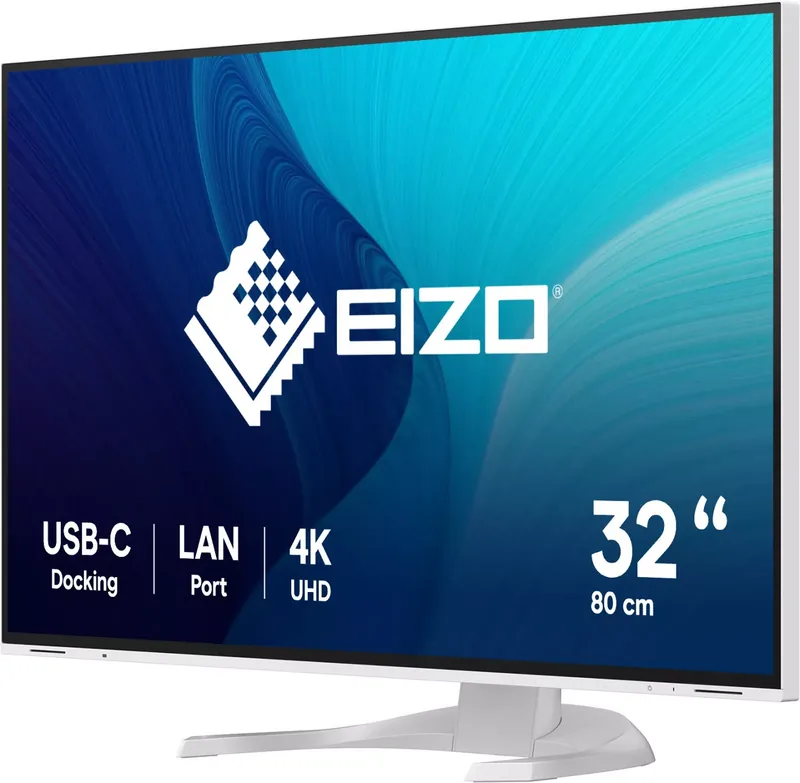
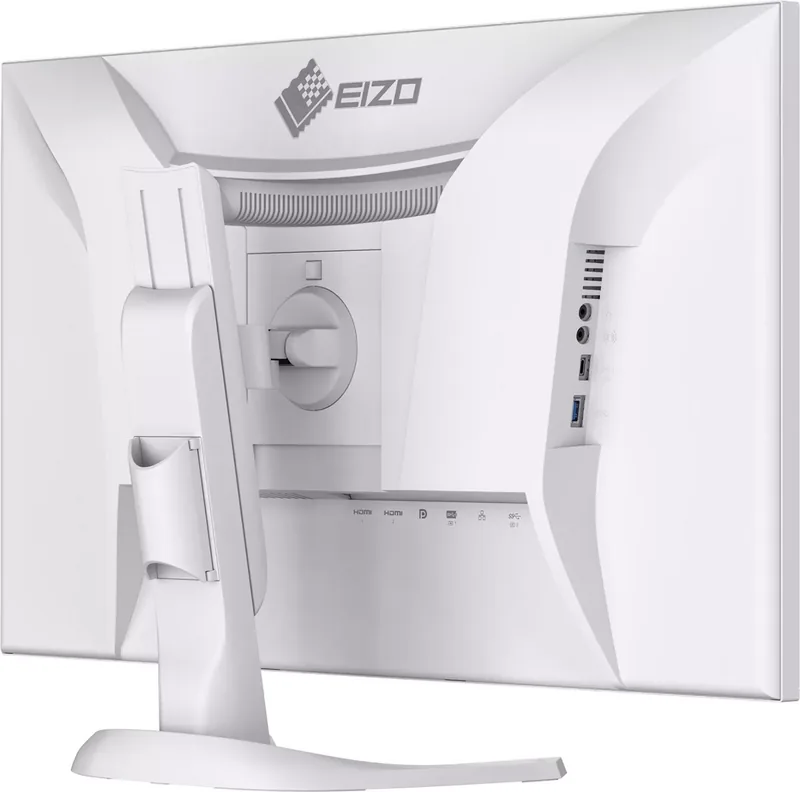
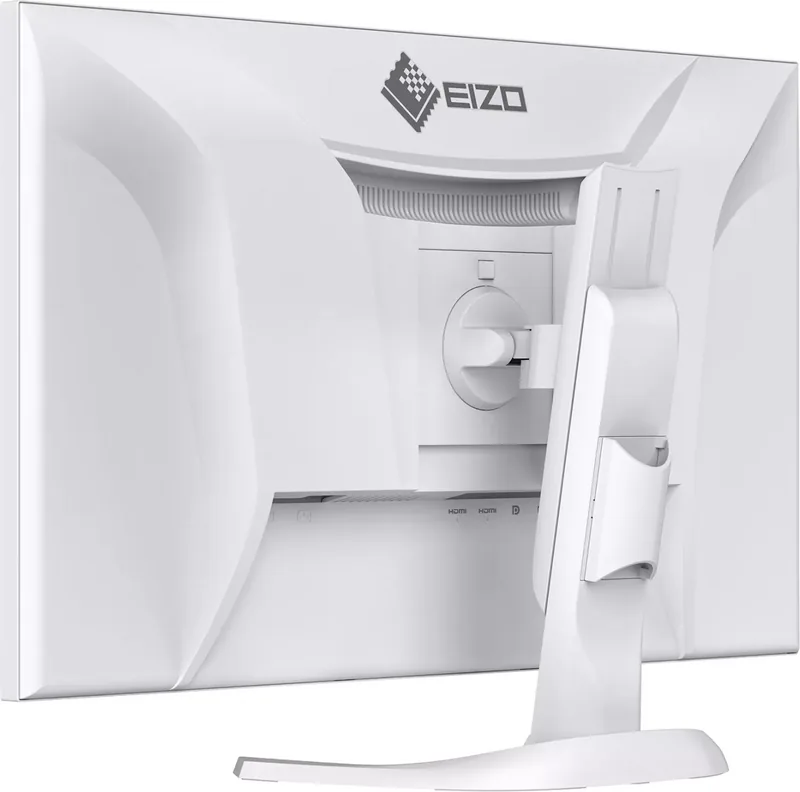
Eizo FlexScan EV3240X Manual
PDF manual · 53 Pages
English



Quick check
Incorrect answer, please try again.
Chat with your Eizo FlexScan EV3240X manual using AI
Get instant AI answers from your Eizo FlexScan EV3240X manual
Ask anything about the Eizo FlexScan EV3240X. Answers come from this manual, with the pages they are based on.
FlexScan EV3240X Maintenance Schedule
Moisten a soft cloth with water or use ScreenCleaner to gently wipe stains. Do not use alcohol, thinner, benzene, wax, or abrasive cleaners.
If using an optional arm or stand, check periodically that the screws are tight enough to prevent the monitor from coming unattached.
Ask a Question
Do you recommend FlexScan EV3240X?
Yes NoFrequently Asked Questions
The monitor supports a maximum resolution of 3840 by 2160 pixels providing sharp visuals.
Is this answer helpful?
Yes via the USB-C port with Power Delivery capability for connected laptops and tablets.
Is this answer helpful?
Yes it is specifically designed to support up to 12 hours of daily use safely.
Is this answer helpful?
Use a soft cloth dampened with water only. Avoid chemicals to prevent damage.
Is this answer helpful?
EcoView adjusts brightness automatically based on room lighting to reduce eye fatigue.
Is this answer helpful?
No an effective pixel ratio of at least 99.9994 percent guarantees no defect.
Is this answer helpful?
Yes it supports VESA 100 by 100 mm for optional arm or stand mounting.
Is this answer helpful?
Advantages and Disadvantages
Advantages

- Supports 4K UHD resolution for crystal clear image quality during CAD work.
- USB-C port allows video and power delivery for compatible devices.
- EcoView sensor adjusts brightness automatically to save power.
- Includes multiple input options like HDMI and DisplayPort.
- Sturdy stand provides height and tilt adjustment easily.
Disadvantages

- Maximum power draw is 163W which is notable during heavy use.
- Cleaning solution chemicals may damage the display surface.
- Overdrive settings might cause inverse ghosting if misconfigured.
- No support for HDMI CEC for device control features.
- Stand only tilts up 35 degrees without arm attachment.
Product Specification
Function
Monitor (stationary)
Diagonal
31.5" (31.50")
Resolution
3840x2160 (4K UHD), 16:9, 140 ppi
Panel
IPS (IPS Black), Manufacturer: LG Display
Backlight
LED, Blue light filter, flicker-free
Brightness
350 cd/m2 (typical)
Contrast
2000:1 (static)
Response Time
5 ms (GtG)
Refresh Rate
60 Hz (3840x2160)
Signal Frequency
31-134 kHz (H) / 29-61 Hz (V)
Connectors
2 x HDMI 2.0 (60Hz@3840x2160), 1 x DisplayPort 1.2 (60Hz@3840x2160), 1 x USB-C 3.0 with DisplayPort 1.2 (Upstream, 5Gb/s, PD 94W, 60Hz@3840x2160), 1 x USB-C 3.0 (Downstream, 5Gb/s, PD 15W), 1 x USB-B 3.0 (Upstream, 5Gb/s), 3 x USB-A 3.0 (Downstream, 5Gb/s), 2 x 3.5mm Jack (Line-Out), 1 x RJ-45 1Gb LAN, 1 x AC-In C13 (AC Power Input)
Shape
Straight (Flat)
Viewing Angle
178 deg / 178 deg
Coating
Non-glare (Matte)
Color Depth
8-bit (16.7 Million Colors)
FRC
N/A (8-bit native)
sRGB
100%
LUT (Lookup Table)
10-bit, Factory Calibration
Certifications / Standards
EPEAT, DICOM
Speakers
Speakers (2 x 2W)
Ergonomics
With stand, height-adjustable (7.68 in), Pivot (+90 deg), rotatable (+/- 45 deg), tiltable (+35 deg/-5 deg)
VESA
100x100 (included)
Power Consumption
196 W (max), 18 W (typical), 0.3 W (standby)
Energy Efficiency SDR (A to G)
21 kWh/1000h (D)
Features
Security lock (Kensington Security Slot), Light sensor, KVM switch, Picture-in-Picture, Slim Bezel
Screen-to-Body Ratio
92.48% (calculated)
Dimensions
28.04x16.82x9.87 in (WxHxD) with stand folded, 28.04x16.35x2.32 in (WxHxD) without stand
Weight
20.72 lbs (with stand), 14.77 lbs (without stand)
Power Supply
Internal
Warranty
Five years
USB Spelling
Link
Product Description
Experience Excellence with the Eizo FlexScan EV3240X
The Eizo FlexScan EV3240X stands out as a premium choice for professionals seeking exceptional display performance and reliability. This 31.5-inch LCD monitor delivers stunning 4K UHD resolution, ensuring every detail is crisp and clear on the screen. Whether you are working on complex CAD designs or managing high-resolution multimedia content, this device handles it all with ease. It is specifically engineered to support up to 12 hours of daily use, making it robust enough for demanding long workflows in various environments.
Connectivity is a major highlight here. The monitor features DisplayPort, dual HDMI inputs, and a versatile USB-C port. The USB-C connection is particularly impressive as it supports DP Alt Mode and USB Power Delivery. This sophisticated setup allows you to charge compatible devices like tablets or laptops directly through the display without needing extra adapters. Additionally, the built-in USB hub significantly reduces cable clutter on your desk. For those managing multiple systems, Picture-by-Picture and Picture-in-Picture modes enable seamless switching between different sources without losing track of critical tasks.
Eco-Friendly Design and Comfort
Power consumption is managed efficiently with advanced EcoView technology. The built-in sensor adjusts screen brightness based on room lighting to save energy and reduce eye strain naturally. Users can monitor their energy savings and carbon footprint reduction through the dedicated settings menu. The monitor also supports Screen InStyle software, allowing for comfortable color mode adjustments tailored to specific applications such as printing or video editing. Color modes include sRGB and DICOM for precise medical imaging standards.
Installation and Maintenance
Setting up the unit is straightforward. The stand offers height adjustment, tilt, and rotation capabilities. For advanced setups, it supports VESA mounting with optional swivel arms for flexibility. Cleaning requires a soft cloth and water only. Chemicals like alcohol should never be used on the panel as they damage the surface. Regular breaks are highly recommended to prevent eye fatigue during extended sessions.
Important Usage Notes
This device is built for reliability. While pixel variations can occur due to manufacturing characteristics, the effective pixel ratio meets high standards exceeding 99.9994 percent. If you experience issues like ghosting, using a screensaver or adjusting the backlight can help. Always ensure you use recommended cables to maintain optimal performance. The robust construction ensures longevity when handled correctly around temperature changes to avoid condensation damage.
Notes at the End
- Allow 30 minutes for stabilization after turning on.
- Do not press hard on the screen surface.
- Use a screensaver to prevent image burn-in.
- Adjust color settings for best results.
- Ensure proper ventilation to avoid overheating.
Search for 67,706 Manuals online


Type-in Brand or Model