
Eizo FlexScan EV2490 Manual
PDF manual · 42 Pages
English



Quick check
Incorrect answer, please try again.
Chat with your Eizo FlexScan EV2490 manual using AI
Get instant AI answers from your Eizo FlexScan EV2490 manual
Ask anything about the Eizo FlexScan EV2490. Answers come from this manual, with the pages they are based on.
Ask a Question
Do you recommend FlexScan EV2490?
Yes NoFrequently Asked Questions
The monitor supplies a maximum of 70 W of power to a connected notebook PC when used as an external monitor via the USB-C upstream port.
Is this answer helpful?
You can connect a maximum of four monitors in a daisy chain configuration if your computer's graphics board supports Multi-Stream Transport (MST).
Is this answer helpful?
Yes, the Eizo FlexScan EV2490 is equipped with stereo speakers providing 1 W + 1 W of audio output.
Is this answer helpful?
The monitor has a DICOM mode suitable for displaying medical digital images, but it is not intended for diagnostic purposes.
Is this answer helpful?
If the sensor is blocked, the Auto EcoView function cannot detect ambient brightness, preventing it from automatically adjusting the screen brightness.
Is this answer helpful?
Yes, the monitor supports macOS Sierra (10.12) or later, along with Windows 10 and Windows 8.1 operating systems.
Is this answer helpful?
Advantages and Disadvantages
Advantages

- Built-in docking station with LAN port and USB hub for streamlined connectivity
- USB Type-C support with up to 70W Power Delivery for single-cable laptop charging
- Daisy chain capability allows connecting up to four monitors efficiently
- EcoView technology automatically adjusts brightness to save energy and protect eyes
- Versatile color modes including sRGB, Paper, Movie, and DICOM for specific needs
Disadvantages

- Daisy chain functionality requires a graphics card that supports Multi-Stream Transport
- Some advanced settings may not be available depending on the selected color mode
- Ambient light sensor must remain unobstructed for Auto EcoView to function correctly
- KVM switching requires specific USB cable configurations for optimal dual-PC use
- USB communication speed is restricted to USB 2.0 when Daisy Chain is enabled
Product Specification
Function
Monitor (stationary)
Diagonal
23.8" (60.5cm)
Resolution
1920x1080 (FHD), 16:9, 93ppi
Panel
IPS
Backlight
LED, blue light filter, flicker-free
Brightness
250cd/m^2 (typical)
Contrast
1,000:1 (static)
Response Time
5ms (GtG)
Refresh Rate
60Hz (1920x1080)
Signal Frequency
31-68kHz (H) / 59-61Hz (V)
Connections
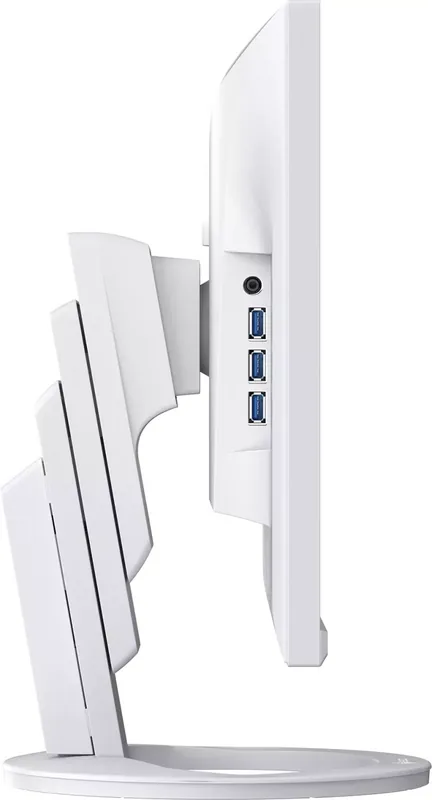
1x HDMI 1.4, 1x DisplayPort, 1x USB-C 3.0 with DisplayPort (Upstream, 5Gb/s, PD 70W), 1x USB-C 3.0 (Downstream, 5Gb/s, PD 15W), 1x USB-B 3.0 (Upstream, 5Gb/s), 3x USB-A 3.0 (Downstream, 5Gb/s), 1x 3.5mm jack (Line-Out), 1x RJ-45 1Gb LAN, 1x AC-In C13 (power input)
Shape
straight (flat)
Viewing Angle
178°/178°
Coating
non-glare (matte)
Color Depth
8bit (16.7M colors)
FRC
unknown
LUT (Lookup Table)
10bit, factory calibrated
Certifications/Standards
TCO 9, DICOM
Speakers
Speakers (2x 1W)
Ergonomics
with stand, height adjustable (7.5in), Pivot (+/-90°), swivel (+/-172°), tilt (+35°/-5°)
VESA
100x100 (occupied)
Power Consumption
155W (max), 11W (typical), 0.5W (standby)
Energy Efficiency SDR (A to G)
9kWh/1000h (C)
Features
security lock (Kensington Security Slot), light sensor, slim bezel
Screen-to-Body Ratio
90.62% (calculated)
Dimensions
21.17x13.09x9.06in (WxDxH) with stand compressed, 21.17x12.61x2.26in (WxDxH) without stand
Weight
15.87lbs (with stand), 9.92lbs (without stand)
Power Supply
internal
Warranty
five years (on-site exchange service)
USB Spelling
Link
Product Description
Eizo FlexScan EV2490 - Read, Download & Print Free
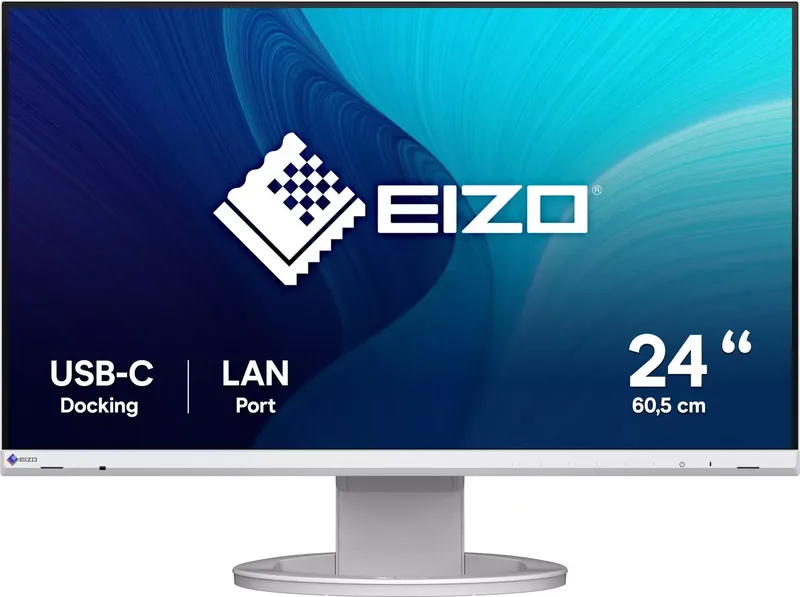
The Eizo FlexScan EV2490 is a versatile 23.8-inch IPS color LCD monitor designed for professionals and general users who demand high reliability and flexibility. This device serves as more than just a display; it acts as a powerful docking station featuring a built-in LAN port and USB hub. This allows users to connect peripheral devices and charge smartphones or laptops directly through the monitor, creating a stable network environment even on devices lacking native LAN ports.
Equipped with a USB Type-C connector, the EV2490 supports DisplayPort Alt Mode for video signal transfer and USB Power Delivery, capable of supplying up to 70 W of power to connected notebook PCs. This eliminates the need for multiple cables, streamlining your workspace significantly. The monitor also features a Daisy Chain Connection capability, enabling you to link up to four monitors in a row using a single connection from your computer, provided your graphics board supports Multi-Stream Transport.
For those concerned about energy efficiency, the EV2490 includes advanced EcoView functions. Auto EcoView utilizes an ambient light sensor to automatically adjust screen brightness based on the surrounding environment, reducing eye strain and power consumption. Additionally, EcoView Optimizer 2 adjusts brightness according to the white level of the input signal without compromising the specified brightness. These features help reduce CO2 emissions and lower electricity costs over time.
Color accuracy is paramount for this monitor. It offers various preinstalled color modes such as sRGB for photo printing, Paper mode for document viewing which reduces blue light emission, Movie mode for vibrant video playback, and DICOM mode for medical imaging purposes. Users can further fine-tune their experience with advanced settings for brightness, contrast, gamma, hue, and saturation. The Screen InStyle utility enhances convenience by allowing automatic color mode switching based on the software in use and enabling keyboard shortcuts for input signal changes.
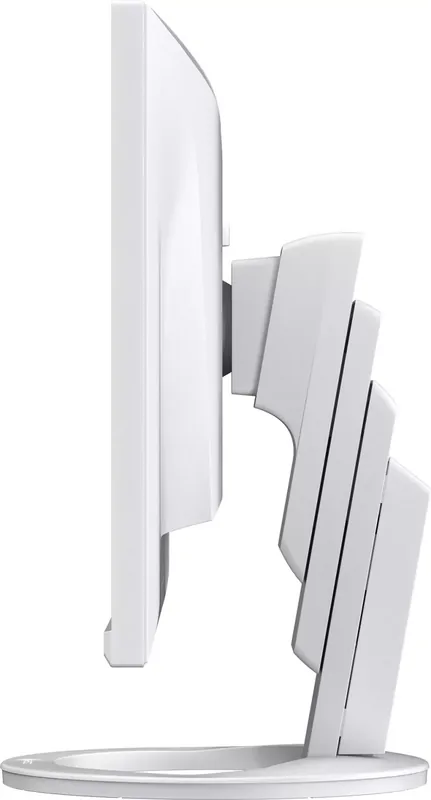
Installation is highly flexible. The stand allows for height adjustment, tilt, swivel, and vertical rotation. The monitor can be rotated 180 degrees for portrait usage when attached to an optional arm. The rear panel is well-equipped with HDMI, DisplayPort, and multiple USB ports, ensuring compatibility with a wide range of computers and peripherals. Whether you are managing a multi-monitor setup or simply need a reliable display for daily tasks, the Eizo FlexScan EV2490 delivers exceptional performance and ease of use.
Search for 67,706 Manuals online


Type-in Brand or Model