
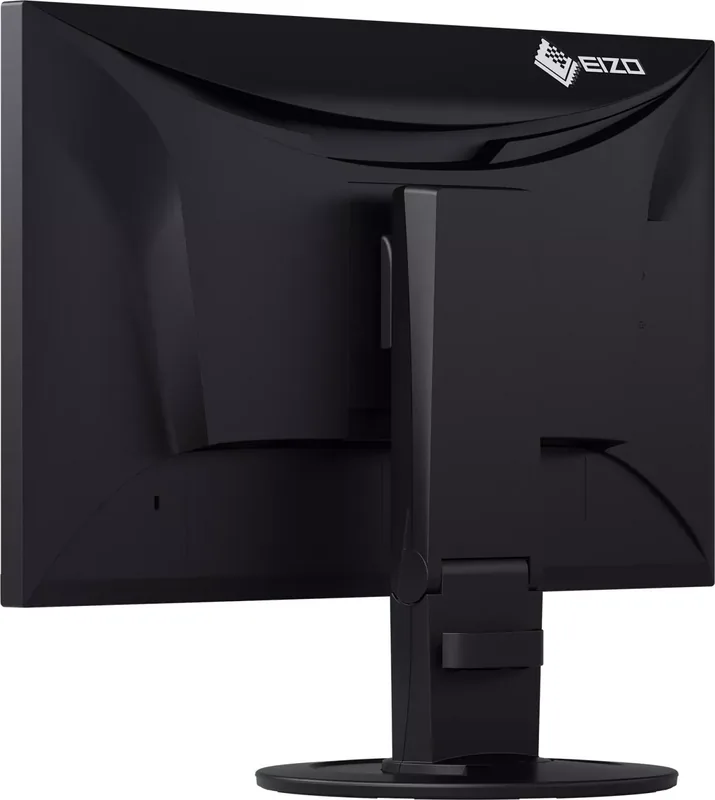
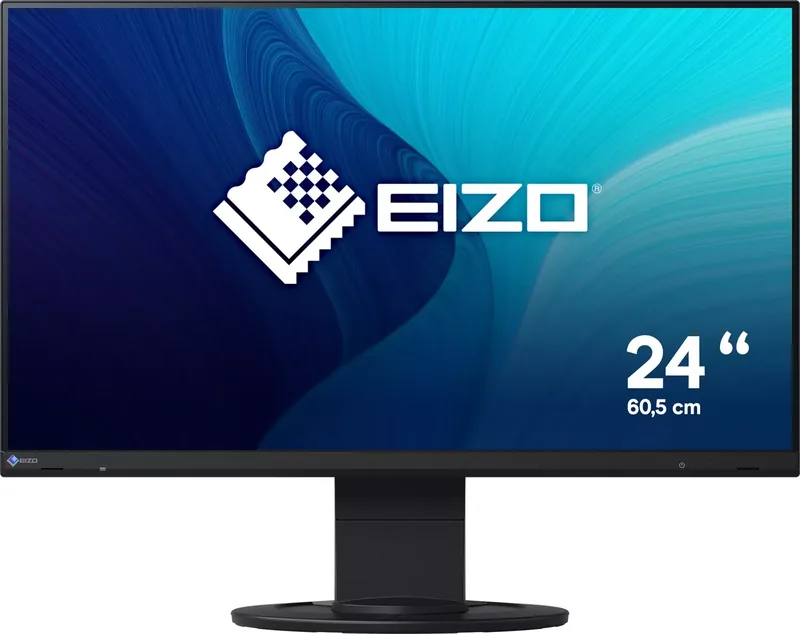
Eizo FlexScan EV2460 Manual
PDF manual · 42 Pages
English



Quick check
Incorrect answer, please try again.
Chat with your Eizo FlexScan EV2460 manual using AI
Get instant AI answers from your Eizo FlexScan EV2460 manual
Ask anything about the Eizo FlexScan EV2460. Answers come from this manual, with the pages they are based on.
FlexScan EV2460 Maintenance Schedule
Remove stains using a soft cloth moistened with water or ScreenCleaner. Do not use alcohol, thinner, benzine, wax, or abrasive cleaners.
Staring at the monitor for a long time tires your eyes. Take a 10-minute rest every hour to prevent eye strain.
Ask a Question
Do you recommend FlexScan EV2460?
Yes NoFrequently Asked Questions
The EV2460 has a native resolution of 1920 x 1080 pixels on a 23.8-inch display. This Full HD format is the recommended resolution for the sharpest text and image presentation.
Is this answer helpful?
The monitor includes DisplayPort, HDMI, DVI-D, and 15-pin D-Sub inputs. These connections allow it to work with a wide range of current and older desktop PCs, laptops, and compatible video sources.
Is this answer helpful?
Yes. Its stand supports 90-degree rotation to the left or right, allowing portrait use. The computer display settings must also be configured for vertical orientation. The on-screen menu can rotate 90 or 270 degrees.
Is this answer helpful?
Auto EcoView uses the monitor's ambient-light sensor to detect room brightness and automatically adjust screen brightness. This can improve viewing comfort and reduce the power used by the backlight.
Is this answer helpful?
Yes. The EV2460 includes a USB Type-B upstream connection and four USB Type-A downstream ports. When connected to a compatible computer, it functions as a USB 3.1 Gen 1 hub for peripherals.
Is this answer helpful?
Available color modes include User1, User2, sRGB, Paper, Movie, and DICOM. Paper mode is intended to provide a paper-like viewing effect, while DICOM supports simple medical image display and is not for diagnosis.
Is this answer helpful?
Advantages and Disadvantages
Advantages

- 23.8-inch IPS panel delivers Full HD clarity, anti-glare viewing, and wide 178-degree viewing angles.
- Four video inputs - DisplayPort, HDMI, DVI-D, and D-Sub - support modern and legacy computers.
- Ergonomic stand offers height adjustment, tilt, swivel, and 90-degree portrait rotation.
- Auto EcoView and EcoView Optimizer 2 can reduce energy use through automatic brightness control.
- Built-in USB 3.1 Gen 1 hub with four downstream ports improves peripheral connectivity.
Disadvantages

- Full HD resolution may offer less desktop space than QHD or 4K alternatives.
- The DICOM color mode is not intended for diagnostic medical use.
- Screen InStyle software support is limited to Windows operating systems.
- Static images can cause temporary image retention if displayed for extended periods.
- Built-in speakers provide modest 1 W + 1 W output for basic audio needs.
Product Specification
Function
Monitor (stationary)
Diagonal
23.8 in
Resolution
1920 x 1080 (FHD), 16:9, 93 ppi
Panel
IPS
Backlight
LED, blue light filter, flicker-free
Brightness
250 cd/m² (typical)
Contrast
1,000:1 (static)
Response time
5 ms (GtG)
Refresh rate
60 Hz (1920 x 1080)
Signal frequency
31-68 kHz (H) / 59-61 Hz (V)
Ports
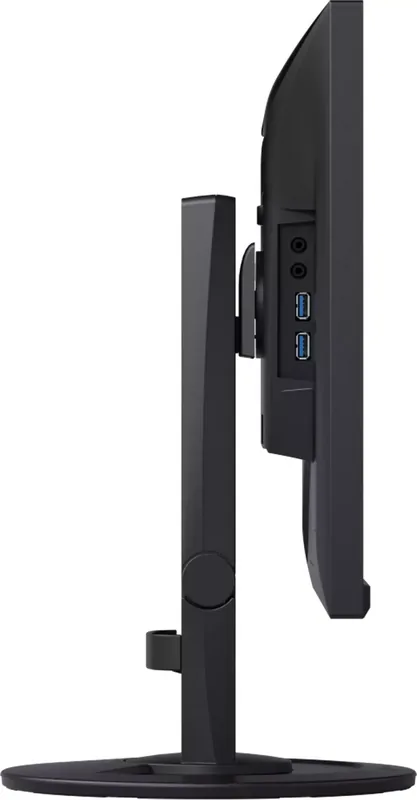
1x VGA (60 Hz at 1920 x 1080), 1x HDMI 1.4, 1x DisplayPort, 1x DVI, 1x USB-B 3.0 (upstream, 5 Gb/s), 4x USB-A 3.0 (downstream, 5 Gb/s), 1x 3.5 mm jack (line-out), 1x 3.5 mm jack (line-in), 1x AC-in C13 (power connection)
Shape
straight (flat)
Viewing angle
178° / 178°
Coating
non-glare (matte)
Color depth
8-bit (16.7 million colors)
FRC
unknown
LUT (Look-Up Table)
10-bit, factory calibration
Certifications/standards
TCO 9, DICOM
Speakers
Speakers (2x 1 W)
Ergonomics
with stand, height-adjustable (5.51 in), pivot (+90°), swivel (±172°), tilt (+35° / -5°)
VESA
100 x 100 (occupied)
Power consumption
44 W (maximum), 10 W (typical), 0.5 W (standby), 12 W (old energy label A+++ to G)
Energy efficiency SDR (A to G)
9 kWh/1,000 h (B)
Old energy efficiency (A+++ to G)
17.5 kWh (A++)
Features
Security lock (Kensington Security Slot), presence sensor, light sensor, slim bezel
Screen-to-body ratio
90.70% (calculated)
Dimensions
21.18 x 18.66 x 9.17 in (W x H x D) with stand compressed, 21.18 x 12.6 x 2.13 in (W x H x D) without stand
Weight
13.67 lb (with stand), 8.38 lb (without stand)
Power supply
internal
Warranty
five years (on-site exchange service)
USB notation
Link
Product Description
Eizo FlexScan EV2460 Manual: A Flexible Full HD Monitor for Everyday Work
The Eizo FlexScan EV2460 is a 23.8-inch IPS LCD monitor designed for dependable daily office work, document creation, web-based tasks, and multimedia viewing. With a Full HD resolution of 1920 x 1080, a matte anti-glare surface, and wide 178-degree viewing angles, it provides a clear workspace for individual users and shared desktop environments.
Practical Connectivity and Workspace Flexibility
This display supports a broad range of devices through DisplayPort, HDMI, DVI-D, and D-Sub inputs. Multiple computers can remain connected, while the input selection feature makes it easy to choose the active source. A built-in USB 3.1 Gen 1 hub adds four downstream USB ports for practical access to peripherals, helping reduce cable clutter around the desk.
The adjustable stand supports height adjustment, tilt, swivel, and 90-degree rotation in either direction. This makes the EV2460 suitable for portrait-oriented documents, long spreadsheets, coding, and multi-monitor layouts. It can also be fitted to a compatible VESA 100 x 100 mm arm or stand when a more customized workstation is required.
Comfortable Viewing and Energy-Aware Features
The Eizo FlexScan EV2460 Manual highlights features intended to support comfortable, efficient screen use. Auto EcoView uses the front ambient-light sensor to adapt screen brightness to the room. EcoView Optimizer 2 can also adjust brightness based on the white level of the incoming signal, helping reduce power consumption while maintaining a suitable image.
Several preset color modes are available, including User1, User2, sRGB, Paper, Movie, and DICOM. Paper mode reduces blue light output by adjusting color tone and brightness, creating a more paper-like appearance for reading. The DICOM mode is intended for simple display of medical images based on DICOM Part 14, but it is not designed for diagnostic use.
Detailed Image and Audio Control
Users can adjust brightness, contrast, color temperature, gamma, hue, saturation, and RGB gain in supported modes. Overdrive can improve response performance for moving images, with a typical gray-to-gray response time of 5 ms when enhanced. The monitor also includes built-in 1 W + 1 W speakers, a headphone jack, and audio input options for connected equipment.
For Windows users, EIZO Screen InStyle software can simplify monitor control, automate color mode changes by application, and coordinate settings across multiple compatible displays. The monitor is rated for general-purpose operation of roughly 12 hours per day.
Note: Allow about 30 minutes after power-on before making precise image adjustments. To help prevent image retention and extend service life, avoid leaving static images on screen for long periods and use power-saving features when possible.
Search for 67,706 Manuals online


Type-in Brand or Model