
Eizo FlexScan EV2456 Manual
PDF manual · 49 Pages
English



Quick check
Incorrect answer, please try again.
Chat with your Eizo FlexScan EV2456 manual using AI
Get instant AI answers from your Eizo FlexScan EV2456 manual
Ask anything about the Eizo FlexScan EV2456. Answers come from this manual, with the pages they are based on.
FlexScan EV2456 Maintenance Schedule
Use a soft cloth moistened with water or optional ScreenCleaner. Do not use alcohol, thinner, benzine, wax, or abrasive cleaners.
Take a 10-minute rest every hour to avoid eye strain caused by staring at the monitor for long periods.
To maximize the life of the monitor and prevent burn-in or dark smudges from continuous long-term display.
If mounted on an arm in specific orientations, periodically clean dust, water, or oil from the power connector area to prevent fire risk.
Ask a Question
Do you recommend FlexScan EV2456?
Yes NoFrequently Asked Questions
The monitor features DisplayPort HDMI DVI-D and D-Sub inputs. A USB hub is also included for connecting peripherals easily to the PC.
Is this answer helpful?
You can adjust brightness using the capacitive buttons on the front. The EcoView Auto feature also adjusts it based on room lighting sensors.
Is this answer helpful?
Eizo offers a five-year warranty or thirty-thousand operating hours whichever comes first for this model.
Is this answer helpful?
Yes the stand supports a ninety-degree rotation for portrait mode viewing. Ensure your PC settings are adjusted for the orientation.
Is this answer helpful?
Use a soft cloth dampened with water. Avoid alcohol or harsh chemicals which can damage the display surface and casing.
Is this answer helpful?
This model is designed for standard color workflows including sRGB and DICOM. Specific HDR support is not listed in the specifications.
Is this answer helpful?
Yes the included USB hub supports USB 3.0 for high speed data transfer with compatible devices.
Is this answer helpful?
Advantages and Disadvantages
Advantages

- Wide IPS viewing angles provide accurate color from any position
- EcoView technology significantly reduces power consumption automatically
- Built-in USB hub simplifies peripheral connection and cable management
- Comprehensive five-year warranty ensures long-term reliability
- Ergonomic stand allows height tilt and swivel for comfort
Disadvantages

- Native resolution lacks ultra-high definition for 4K workflows
- Static images shown long-term may cause screen burn-in
- Ambient light sensor must not be covered for optimal function
- Overdrive features might introduce slight artifacts in some modes
- Dead pixels are within specification and not covered by warranty
Product Specification
Function
Monitor (stationary)
Diagonal
24.1 inches
Resolution
1920x1200 (WUXGA), 16:10, 94 ppi
Panel
IPS
Backlight
LED, Blue Light Filter, Flicker-Free
Brightness
350 cd/m^2 (typical)
Contrast
1000:1 (static)
Response Time
5ms (GtG)
Refresh Rate
60Hz (1920x1200)
Signal Frequency
31-76kHz (H) / 59-61Hz (V)
Ports
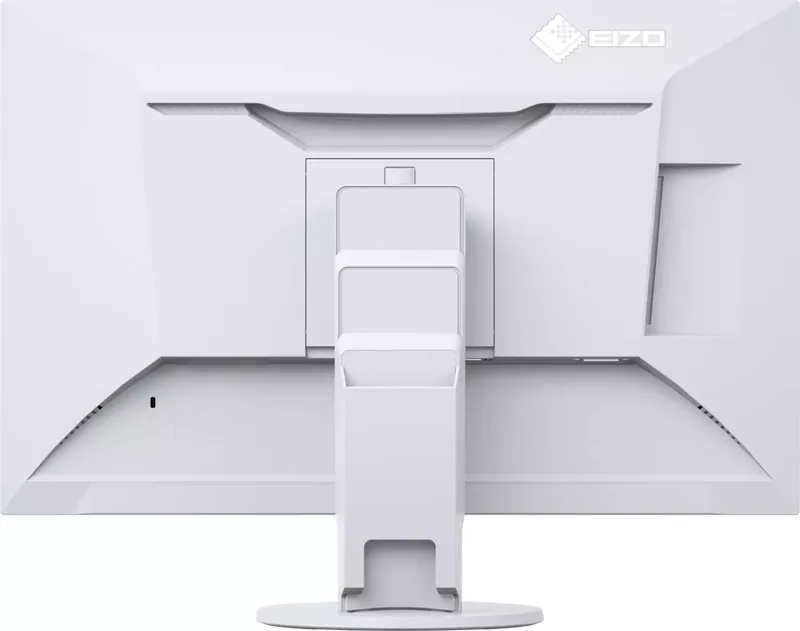
1x VGA (60Hz@1920x1200), 1x HDMI 1.4, 1x DisplayPort, 1x DVI, 1x USB-B 3.0 (Upstream, 5Gb/s), 2x USB-A 3.0 (Downstream, 5Gb/s), 1x 3.5mm Jack (Line-Out), 1x 3.5mm Jack (Line-In), 1x AC-In C13 (Power)
Shape
Straight (Flat)
Viewing Angle
178 deg / 178 deg
Surface Finish
Non-glare (Matte)
Color Depth
8-bit (16.7 Million Colors)
FRC
Unknown
LUT (Lookup Table)
10-bit, Factory Calibration
Certifications/Standards
EPEAT Gold, DICOM
Speakers
Speakers (2 x 1W)
Ergonomics
With Stand, Height Adjustable (6.22 inches), Pivot (+90 deg), +/-172 deg, Tilt (+35 deg / -5 deg)
VESA
100x100 (Used)
Power Consumption
44W (max), 13W (typical), 0.5W (standby), 13W (Energy Label old A+++ to G)
SDR Energy Efficiency (A to G)
14 kWh/1000h (D)
Old Energy Efficiency (A+++ to G)
19.0 kWh (A++)
Features
Security Lock (Kensington Security Slot), Light Sensor, Slim Bezel
Screen-to-Body Ratio
92.72% (Calculated)
Dimensions
20.91x13.82x7.48 inches (W x H x D) with stand compressed, 20.91x13.46x1.81 inches (W x H x D) without stand
Weight
12.57 lbs (with stand), 8.16 lbs (without stand)
Power Supply
Internal
Warranty
5 Years (On-site Exchange Service)
USB Notation
Left
Product Description
Discover the Eizo FlexScan EV2456 Experience
Superior Visual Performance for Professional Workflows
When it comes to selecting the perfect display for your workspace performance and reliability are paramount. The Eizo FlexScan EV2456 stands out as a robust solution designed for professionals who demand accuracy and comfort. Whether you are editing documents viewing multimedia content or engaging in graphic design tasks this monitor delivers consistency. The comprehensive user guide often referred to as the Eizo FlexScan EV2456 Manual provides essential guidance to ensure you get the most out of your hardware although the device itself is built for intuitive operation right out of the box.
Key Features That Drive Productivity
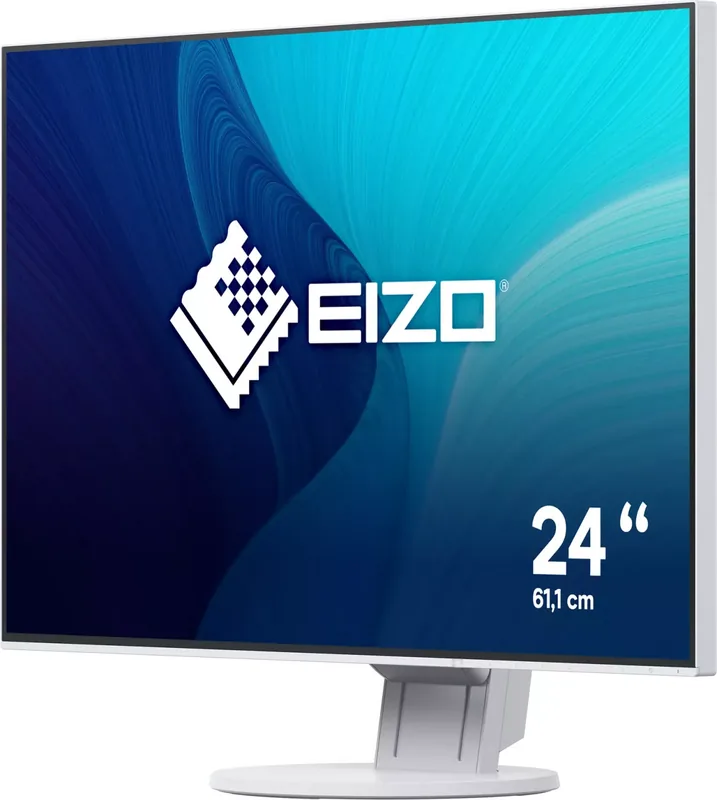
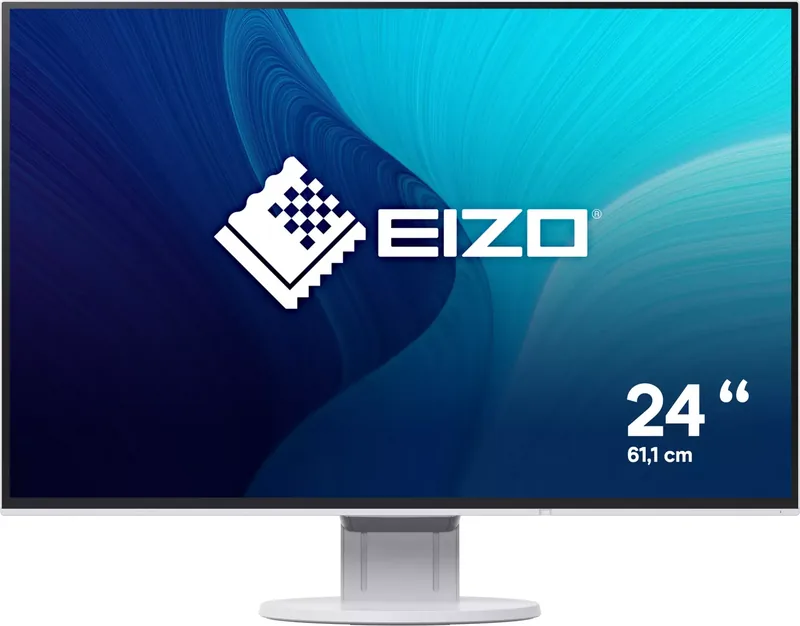
This 24.1 inch LCD color monitor offers a native resolution of 1920 by 1200 pixels. The IPS technology ensures wide viewing angles and accurate color reproduction from any position. You will appreciate the flexibility of the ergonomic stand which allows for height adjustment tilt and swivel. Even vertical rotation is possible making multitasking between different applications seamless. Connectivity is versatile featuring DisplayPort HDMI DVI-D and D-Sub inputs. Additionally the built-in USB hub simplifies peripheral management reducing cable clutter on your desk. The control buttons are capacitive ensuring a modern interface that responds instantly to touch.
Eco-Friendly and Efficient
Sustainability is a core focus with features like EcoView. The Auto EcoView system uses an ambient light sensor to adjust brightness automatically reducing eye strain and saving energy. EcoView Optimizer 2 further refines power consumption by adjusting screen brightness based on the input signal. These features align with green standards like Energy Star and TCO certification. Long hours of work become less taxing on your eyes and wallet alike. The monitor consumes significantly less power than older models contributing to a greener office environment.
Versatile Color Modes
Tailor the display to your specific needs with multiple color modes. Options include sRGB for standard color matching Paper for a softer reading experience Movie for dynamic video content and DICOM for medical imaging. The ability to switch modes or use Screen InStyle software makes adapting your setup efficient. The menu system allows for precise adjustments of gamma tone and saturation. Remember to consult the documentation for calibration tips to maintain color fidelity over time.
Installation and Maintenance
Setting up the monitor is straightforward. Ensure you connect the power cable and signal inputs securely. Allow thirty minutes for electrical components to stabilize before fine-tuning. Regular cleaning is recommended to keep the screen looking new. Avoid harsh chemicals and use a soft cloth dampened with water. Adhering to these simple practices ensures longevity. With a five-year warranty Eizo backs the quality and durability of this investment.
Integrating the official Eizo FlexScan EV2456 Manual tips into your daily routine helps avoid common setup issues. From adjusting resolution settings to troubleshooting signal problems having the right knowledge empowers users to maintain peak performance. This monitor is more than just a screen it is a tool for efficiency. Security features include a Kensington lock slot which allows for physical security in shared offices. The monitor also supports TCO certified sustainable IT practices ensuring responsible manufacturing. Native resolution is 1920 x 1200 which provides more vertical space than standard 1080p displays ideal for coding.
Search for 67,706 Manuals online


Type-in Brand or Model