
Eizo FlexScan EV2216WFS3 Manual
PDF manual · 72 Pages
English



Quick check
Incorrect answer, please try again.
Chat with your Eizo FlexScan EV2216WFS3 manual using AI
Get instant AI answers from your Eizo FlexScan EV2216WFS3 manual
Ask anything about the Eizo FlexScan EV2216WFS3. Answers come from this manual, with the pages they are based on.
FlexScan EV2216WFS3 Maintenance Schedule
Use a cloth dampened with water or the optional ScreenCleaner to clean the case and display surface. Do not use alcohol or solvents.
If EcoView Sense malfunctions, check for dirt on the sensor and clean it with a soft cloth.
Ask a Question
Do you recommend FlexScan EV2216WFS3?
Yes No
DucimusQuidem37
8 months ago
Does the monitor have any stuttering or lag when gaming, and how is the image quality?

Manual.ly
8 months ago
Based on customer feedback, gaming performance is smooth with no noticeable stuttering or other drawbacks. Users report excellent image quality and say games run without problems. The slim bezel and appealing design are also frequently mentioned. In addition, the monitor comes with a 5-year warranty at no extra cost.
Frequently Asked Questions
The native resolution is 1680 × 1050 pixels, optimized for clear text and standard office and multimedia applications at 22 inches.
Is this answer helpful?
It supports DisplayPort (with audio), DVI-D (HDCP) and a 15-pin mini D-Sub analog input. The monitor also includes a USB hub (upstream and downstream ports) and audio outputs.
Is this answer helpful?
Auto EcoView uses the front ambient light sensor to automatically adjust display brightness to room lighting. EcoView Optimizer 2 adjusts brightness based on the input signal’s white level to preserve perceived brightness while reducing power consumption.
Is this answer helpful?
Yes. EcoView Sense detects user presence with a front sensor; if absence persists, the monitor enters power-saving mode. Sensitivity and timeout settings are configurable in the EcoView menu.
Is this answer helpful?
Yes — the stand allows 90° rotation for portrait use. Your graphics card must support vertical orientation; you may need to adjust OS or GPU settings and the monitor’s menu orientation.
Is this answer helpful?
Use a soft cloth slightly moistened with water or the recommended EIZO ScreenCleaner. Avoid alcohol, benzene, polishing agents or tissues that can damage the anti-reflective coating or cause clouding.
Is this answer helpful?
Run the monitor’s auto-adjust (Auto Bildeinst.) using the analog pattern, then fine-tune Clock and Phase and adjust horizontal/vertical position. If necessary, use the smoothing or image size options in the menu.
Is this answer helpful?
Advantages and Disadvantages
Advantages

- FineContrast presets (User1/User2, sRGB, Paper, Movie) for fast mode switching.
- Eco features: Auto EcoView, EcoView Optimizer 2 and EcoView Sense reduce power and eye strain.
- Multiple inputs (DisplayPort with audio, DVI-D HDCP, analog D-Sub) and a built-in USB hub.
- Ergonomic stand with height, tilt, swivel and 90° pivot for portrait use and VESA/arm compatibility.
- Included ScreenManager Pro and ScreenSlicer software for on-PC control and efficient window layout.
Disadvantages

- Native 1680 × 1050 resolution is lower than modern 1080p or higher panels.
- EcoView Sense presence detection can be sensitive to environment and may need tuning.
- Limited color gamut compared to professional-grade wide-gamut monitors.
- Some advanced adjustments (analog clock/phase) are required for non-native inputs.
- LCD pixel anomalies (very rare dead/bright pixels) are inherent to panel tech and noted in specs.
Product Specification
Function
Monitor (stationary)
Diagonal
22" (22.01in)
Resolution
1680x1050 (WSXGA+), 16:10, 90ppi
Panel
TN
Backlight
LED, flicker-free
Brightness
250cd/m^2 (typical)
Contrast
1,000:1 (static)
Response time
5ms (GtG)
Refresh rate
60Hz (1680x1050)
Signal frequency
31-68kHz (H) / 59-61Hz (V)
Connections
1x VGA (60Hz@1680x1050), 1x DisplayPort, 1x DVI, 1x USB-B 2.0 (Upstream, 480Mb/s), 2x USB-A 2.0 (Downstream, 480Mb/s), 1x 3.5mm jack (Line-Out), 1x 3.5mm jack (Line-In), 1x AC-In C13 (power connection)
Shape
straight (flat)
Viewing angle
170/160 degrees
Coating
non-glare (matte)
Color depth
8bit (16.7 million colors)
FRC
unknown
LUT (Lookup Table)
10bit, factory calibration
Certifications/Standards
EPEAT Gold
Speaker
Speaker (2x 1W)
Operation
mechanical buttons
Ergonomics
with stand, height adjustable (140mm), Pivot (+90 degrees), swivel (+/-172 degrees), tilt (+35/-5 degrees)
VESA
100x100 (occupied)
Power consumption
39W (maximum), 12W (typical), 0.3W (Standby)
Energy efficiency SDR (A to G)
16kWh/1000h (E)
Special features
Presence sensor, Light sensor
Screen-to-Body-Ratio
86.10% (calculated)
Dimensions
19.69x18.90x9.06in (WxHxD) with stand compressed, 19.69x12.84x2.13in (WxHxD) without stand
Color
grey (display frame) / grey (lower bezel) / grey (stand) / grey (back)
Weight
12.35lb (with stand), 7.28lb (without stand)
Power supply
internal
Warranty
five years (on-site exchange service)
USB designation
Link
Product Description
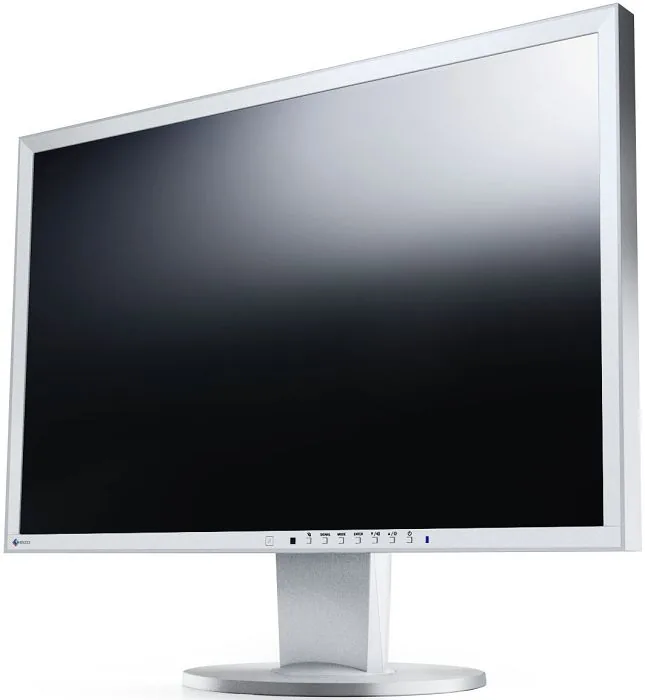
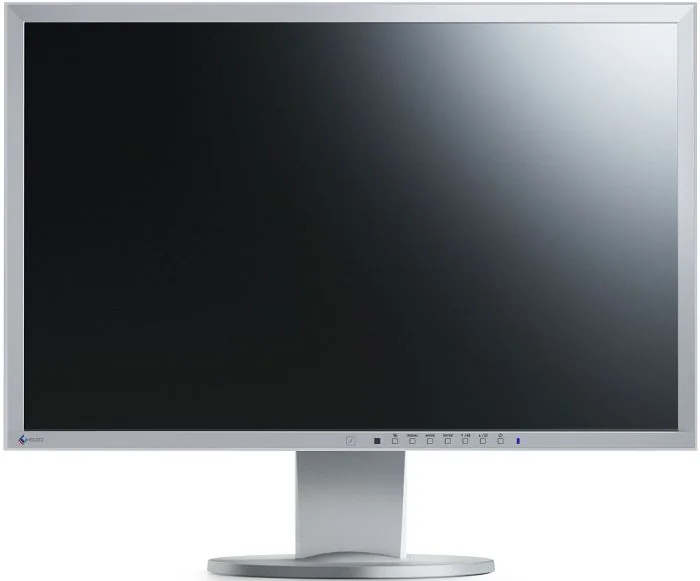
Eizo FlexScan EV2216WFS3 gray, 22" Manual
The Eizo FlexScan EV2216WFS3 is a 22-inch widescreen LED-backlit LCD monitor engineered for reliable everyday use in offices and multimedia environments. With a native resolution of 1680 × 1050, wide viewing angles and precise color control, it aims to balance image quality, energy efficiency and practical ergonomics. Built-in features such as FineContrast modes (including Paper and sRGB), Auto EcoView ambient light adjustment, EcoView Optimizer 2 and EcoView Sense motion detection help reduce power consumption while optimizing viewing comfort.
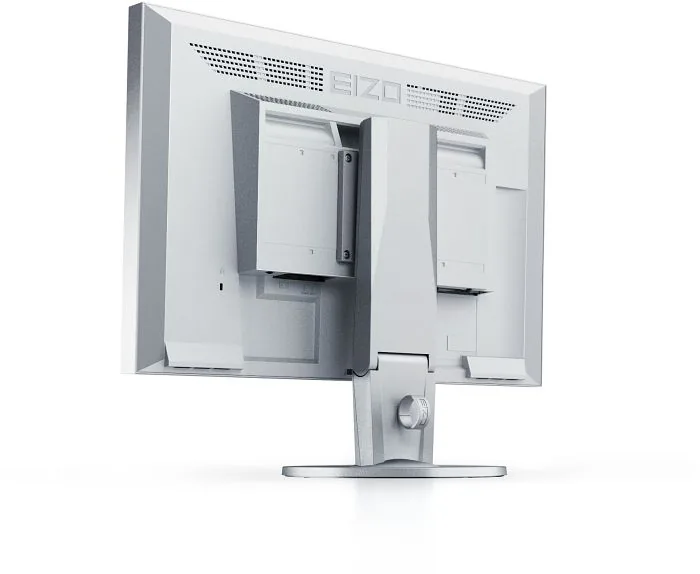
Design and usability are central to the EV2216WFS3. The gray chassis houses stereo speakers, headphone output, multiple video inputs (DisplayPort, DVI-D and analog D-Sub) and USB hub functionality. The stand offers height, tilt, swivel and 90° rotation for portrait mode, and a quick-release design allows attaching optional arms or alternative stands. A Kensington lock slot and cable cover help secure and tidy workplaces. The monitor supports HDCP for protected content and offers on-screen menus for color, image size, input selection and power management.
Color and image adjustment are thorough: FineContrast presets let users choose User1/User2, sRGB, Paper or Movie modes. Advanced color controls include brightness, contrast, gamma, color temperature, gain for RGB channels, saturation and hue. For analog signals the monitor provides clock, phase and auto-adjust functions plus image smoothing and aspect options (Full/Enlarged). EIZO supplies a utility CD with ScreenManager Pro for LCD and ScreenSlicer software to control settings from the computer, simplifying multi-window layouts and remote adjustments.
Power and efficiency features are extensive. The monitor’s Eco functions include Auto EcoView (ambient light-based brightness), EcoView Optimizer 2 (brightness tuned to input white level), and EcoView Sense (presence sensor that enters power save when no user is detected). PowerManager options include automatic shutdown timers, LED indicator control and audio power settings. Typical power consumption is modest (reference: up to 39 W peak, ~12 W typical), with 0 W when the main power switch is off.
Practical care and behavior notes emphasize letting the monitor stabilize for 30 minutes after power-on before fine adjustments, avoiding prolonged static images to reduce image retention risk, gentle cleaning to protect the anti-reflective surface, and recommended use of EIZO-recommended cables and accessories. The manual also covers troubleshooting steps for no-image conditions, image artifacts, input recognition and USB hub setup.
Notes:
- Native resolution: 1680 × 1050; recommended for crisp text and office workflows.
- Connectivity: DisplayPort (incl. audio), DVI-D (HDCP) and 15-pin D-Sub analog.
- Ergonomics: Height, tilt, swivel, pivot (90°), cable management and optional VESA arm support.
Pros and cons are provided below along with an FAQ to help select and operate the EV2216WFS3 effectively.
Search for 67,706 Manuals online


Type-in Brand or Model
Sofia Costa
9 months ago
Is this monitor good for gaming, and does it have a warranty (I saw something about 5 years)?
Manual.ly
9 months ago
Yes. Reviewers report excellent image quality and smooth gameplay with no noticeable stuttering or other performance issues. The design is also appreciated, especially the slim bezel. The warranty is listed as 5 years without extra charge, which should give you reliable long-term coverage.