
Eizo EX4 Manual
PDF manual · 11 Pages
English



Quick check
Incorrect answer, please try again.
Chat with your Eizo EX4 manual using AI
Get instant AI answers from your Eizo EX4 manual
Ask anything about the Eizo EX4. Answers come from this manual, with the pages they are based on.
Ask a Question
Do you recommend EX4?
Yes NoFrequently Asked Questions
It is a calibration sensor for monitors in the ColorEdge series using color management software such as ColorNavigator 7 to ensure accurate color display.
Is this answer helpful?
The Warranty Period is two years from the date of purchase of the Product when purchased from Eizo or authorized Distributors.
Is this answer helpful?
Yes, you must install ColorNavigator 7 software to enable use of the EX4 sensor for calibration purposes.
Is this answer helpful?
Disconnect all connections immediately and contact your local Eizo representative for advice as it may indicate a malfunction.
Is this answer helpful?
You must balance the counterweight carefully to suspend the sensor in its measuring position on the monitor until balanced.
Is this answer helpful?
No, the Warranty excludes damage caused by freight damage, misuse, accident, accidental drops, or unauthorized modifications.
Is this answer helpful?
Operation temperature is between 15 C to 35 C. Storage temperature range is -10 C to 60 C for the device.
Is this answer helpful?
Advantages and Disadvantages
Advantages

- Compact design with weight of approximately 148 grams for easy handling
- Two-year limited warranty from the date of purchase for original purchasers
- USB interface simplifies connectivity with PC or monitor
- Integrates seamlessly with ColorNavigator 7 software for calibration
- Helps ensure display matches specific industry color standards
Disadvantages

- Requires ColorNavigator 7 software for proper operation
- Sensor delicate and must avoid drops or impact to maintain accuracy
- Limited storage temperature range to prevent environmental damage
- Warranty excludes damage from misuse or unauthorized modifications
- Specific counterweight adjustment required for correct measuring position
Product Specification
Dimensions
3.11x2.99x1.81 in
Weight
5.22 oz
Color
white
Manufacturer Warranty
2 years
Product Description
Unlocking Precise Color Accuracy with the Eizo EX4 Colorimeter
Essential Guidance for Monitor Calibration
Achieving vibrant and accurate colors on your screen is vital for professionals in design and photography. The Eizo EX4 Colorimeter serves as a critical tool for this purpose, ensuring your display matches specific color standards used in the industry. This device integrates seamlessly with ColorEdge series monitors using the dedicated ColorNavigator 7 software as detailed in the Eizo EX4 Colorimeter Manual. Proper installation requires connecting the sensor via the supplied USB cable to either the PC or the monitor. Users must balance the counterweight carefully to suspend the sensor in the correct measuring position to measure accurately. Cleaning the monitor surface before attachment prevents dust interference which could skew data.
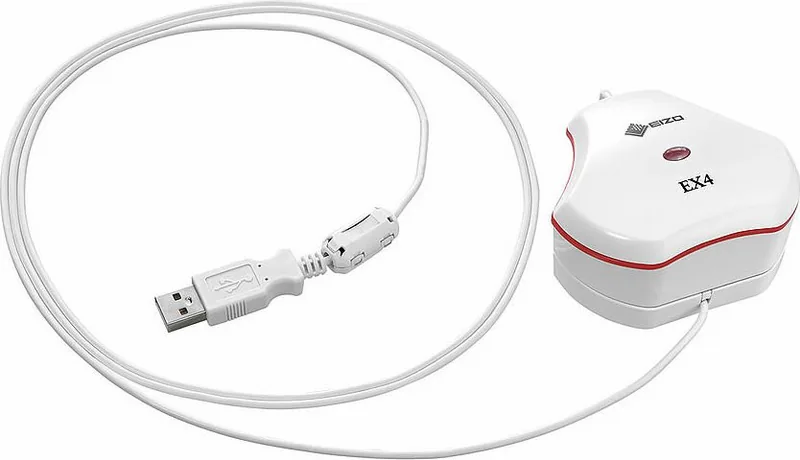
Navigating the setup process is straightforward when you follow the provided instructions carefully. The hardware design features a compact form factor, weighing approximately 148 grams with dimensions around 79.1 mm by 75.5 mm by 45.7 mm. Environmental conditions play a significant role in longevity, with operation recommended between 15 C to 35 C. Storing the unit in temperatures exceeding 60 C or exposing it to direct sunlight is not advised for best results. Accurate measurements depend on maintaining these stable conditions while avoiding shocks or impacts that might affect internal calibration.
Maintenance and Warranty Coverage
The device includes a comprehensive two-year limited warranty from the date of purchase for the original purchaser. Eizo Corporation stands behind the quality of this product and offers repair or replacement at their discretion. However, warranty coverage excludes damage caused by misuse, accidental drops, or unauthorized modifications performed by third parties. Normal wear and tear on consumables like cables are also excluded from protection. Regular maintenance helps ensure continued performance over time. If the unit emits smoke or strange noises, immediate disconnection is necessary to prevent hazards like fire or electric shock.
Expert Insights and Best Practices
Utilizing this colorimeter enhances your workflow significantly for creative teams. It bridges the gap between what you create on screen and what your audience sees in the real world. Ensuring the sensor cap removal is completed before connection is a crucial step often overlooked by new users. The USB interface simplifies connectivity without needing complex drivers beyond the software suite installed on your computer. For optimal results, store the sensor away from high humidity areas and strong vibrations. This tool is indispensable for anyone demanding professional color fidelity and consistent output.
Search for 67,706 Manuals online


Type-in Brand or Model