
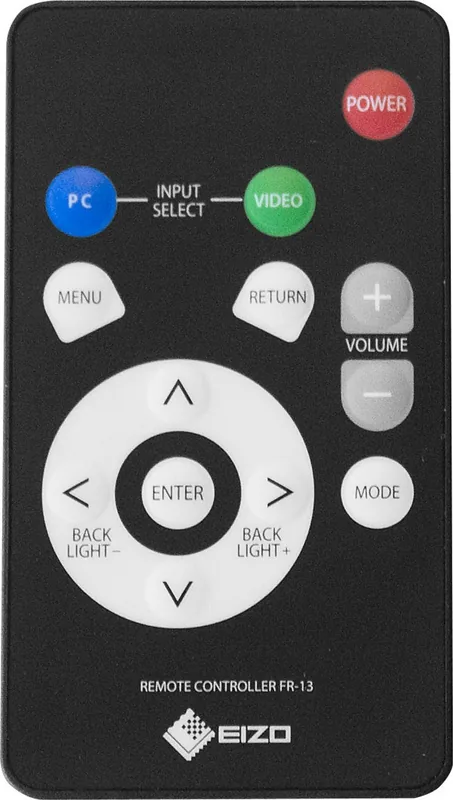
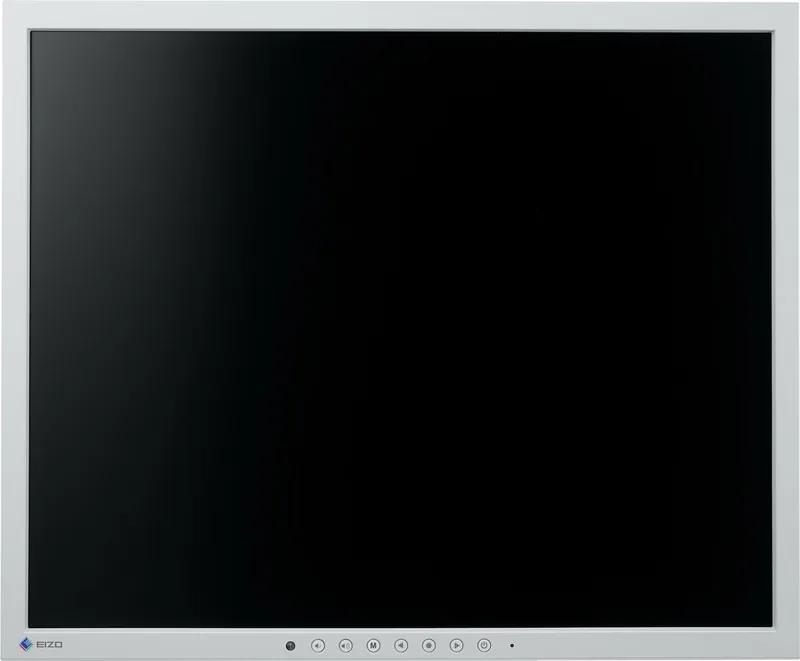
Eizo DuraVision FDS1903-A Manual
PDF manual · 39 Pages
English



Quick check
Incorrect answer, please try again.
Chat with your Eizo DuraVision FDS1903-A manual using AI
Get instant AI answers from your Eizo DuraVision FDS1903-A manual
Ask anything about the Eizo DuraVision FDS1903-A. Answers come from this manual, with the pages they are based on.
DuraVision FDS1903-A Maintenance Schedule
Remove dust, water, or oil to prevent fire hazards. Unplug the unit before cleaning.
Use a soft cloth moistened with water or optional ScreenCleaner. Do not use alcohol, thinner, benzine, wax, or abrasive cleaners.
Ask a Question
Do you recommend DuraVision FDS1903-A?
Yes NoFrequently Asked Questions
The warranty covers the product for two years from the date of purchase and includes 24-hour continuous operation coverage under normal use conditions.
Is this answer helpful?
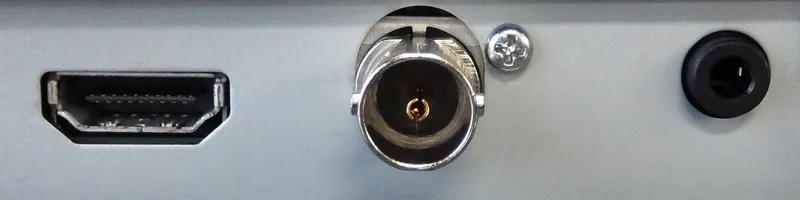
Yes, you can use the BNC connector for analog video equipment that supports NTSC, PAL, and SECAM formats directly.
Is this answer helpful?
The monitor is designed for SXGA resolution of 1280 by 1024 pixels and can support various input frequencies listed in the specifications.
Is this answer helpful?
Use a soft cloth moistened with water only. Avoid chemicals such as alcohol or thinner which may damage the anti-glare coating and panel surface.
Is this answer helpful?
Yes, the sturdy stand allows for tilt and swivel adjustments to position the screen for comfortable viewing angles.
Is this answer helpful?
Yes, it features stereo speakers with a mini jack output for direct audio playback without external hardware.
Is this answer helpful?
Yes, you can remove the stand to attach an optional arm using VESA mounting holes located on the rear of the unit.
Is this answer helpful?
Advantages and Disadvantages
Advantages

- Two year warranty for 24-hour use provides excellent long term coverage
- Multiple input options including HDMI and BNC ensure broad compatibility
- Adjustable screen height tilt and swivel capabilities enhance ergonomics
- Includes security lock slot for theft prevention in shared spaces
- Integrated stereo speakers offer convenient audio without extra devices
Disadvantages

- TN panel viewing angles limited at 170 degrees horizontally
- Backlight has fixed lifetime requiring eventual replacement down the road
- 19 inch screen size may feel small for some large desk setups
- Mini USB port is for maintenance not normal data transfer use
- Regional voltage adjustment required for outside original region use
Product Specification
Function
Monitor (Stationary)
Diagonal
19.00 inches
Resolution
1280x1024 (SXGA), 5:4, 86 ppi
Panel
TN
Backlight
LED
Brightness
325 cd/m^2 (typical)
Contrast Ratio
1,000:1 (static)
Response Time
10 ms (GtG)
Refresh Rate
60 Hz (1280x1024)
Signal Frequency
15-68 kHz (H) / 50-61 Hz (V)
Ports
1x VGA (60Hz@1280x1024), 1x BNC-In (60Hz@1280x1024), 1x 3.5mm Jack (Line-In), 1x AC-In C13 (AC Power)
Form
Straight (Flat)
Viewing Angle
170 deg / 160 deg
Coating
non-glare (matte), Hardness 3H
Color Depth
8 bit (16.7 Million colors)
FRC
Unknown
Speakers
Speakers (2x 0.5 W)
Controls
mechanical buttons, remote control included
Power Consumption
24 W (maximum), 0.4 W (standby)
Energy Efficiency SDR (A to G)
15 kWh/1000 h (E)
Special Features
Security lock (Kensington Security Slot)
Screen-to-Body Ratio
83.99% (calculated)
Power Supply
Internal
Warranty
2 years (on-site exchange service)
USB Specification
Link
Product Description
Welcome to Superior Visual Performance with the Eizo DuraVision FDS1903-A Manual
Finding the right visual interface is crucial for professionals who demand precision. The Eizo DuraVision FDS1903-A stands out as a robust choice for environments requiring stable performance. This 19-inch color LCD monitor delivers high-quality visuals tailored for tasks where consistency matters. Whether used for surveillance feeds or graphic work, the display ensures content looks intended. Many users rely on this system for commercial applications due to rigorous engineering standards. Refer to the Eizo DuraVision FDS1903-A Manual for specific setup details regarding your local region.
Connectivity and Integration
Connecting your workspace has never been simpler thanks to versatile input options. Users can connect via HDMI to support HDCP protected content from PCs. For legacy systems, the BNC connector remains compatible with analog video equipment. Integrated stereo speakers add convenience for multimedia playback without needing external audio solutions. Security is prioritized with a Kensington MicroSaver slot. You may attach an optional arm using VESA standard screws for greater flexibility in positioning the screen according to ergonomic needs.
Precision and Adjustment
Visual accuracy takes center stage here. The panel supports SXGA resolution for sharp imagery across the 1280 by 1024 pixel grid. Advanced settings allow fine-tuning of color temperature, gamma correction, and contrast ratios. An Up View function optimizes the image when seen from below. It takes thirty minutes after powering on for the display to stabilize. Administrators can configure specific preferences through dedicated menus, including auto input detection which switches signals automatically. Key locks prevent accidental setting changes during busy operations.
Safety and Maintenance Guidelines
Proper care extends the lifespan of any electronic device. Warning signs indicate hazards like electric shock if the casing is opened. Never disassemble the unit yourself as service personnel should handle internal repairs. Keep small objects and liquids away from ventilation slots. Dust buildup on plugs can lead to fire risks, so periodic cleaning is recommended. Avoid thinners or waxes which might degrade the cabinet finish. The panel contains liquid crystal which is poisonous if exposed.
Environmental Impact and Warranty
Eizo offers peace of mind with a two-year warranty covering 24-hour continuous operation. The unit is designed for stability with a sturdy stand allowing tilt and swivel adjustments. When disposing of the product, follow local recycling laws. Power consumption drops in power saving modes when no signal is detected. Ensure you are using the correct voltage cord for your region.
Search for 67,706 Manuals online


Type-in Brand or Model